Blog · Mixing from start to finish · Part 14 of 20
Reverb in a mix: building the space with sends, pre-delay and decay
How to build a mix’s space with reverb: sends versus inserts, starting points for pre-delay and decay, EQ on the returns, and which reverbs suit vocals, drums and instruments.
The parts are balanced, shaped and coloured, and so far everything has been about the sound of each track on its own. Now we put the tracks somewhere. Reverb gives a mix depth from front to back and makes parts recorded at different times sound as if they were played together. It’s also the easiest thing to overdo, so we’ll build the space on purpose rather than by habit.
Sends, not inserts, for the shared space
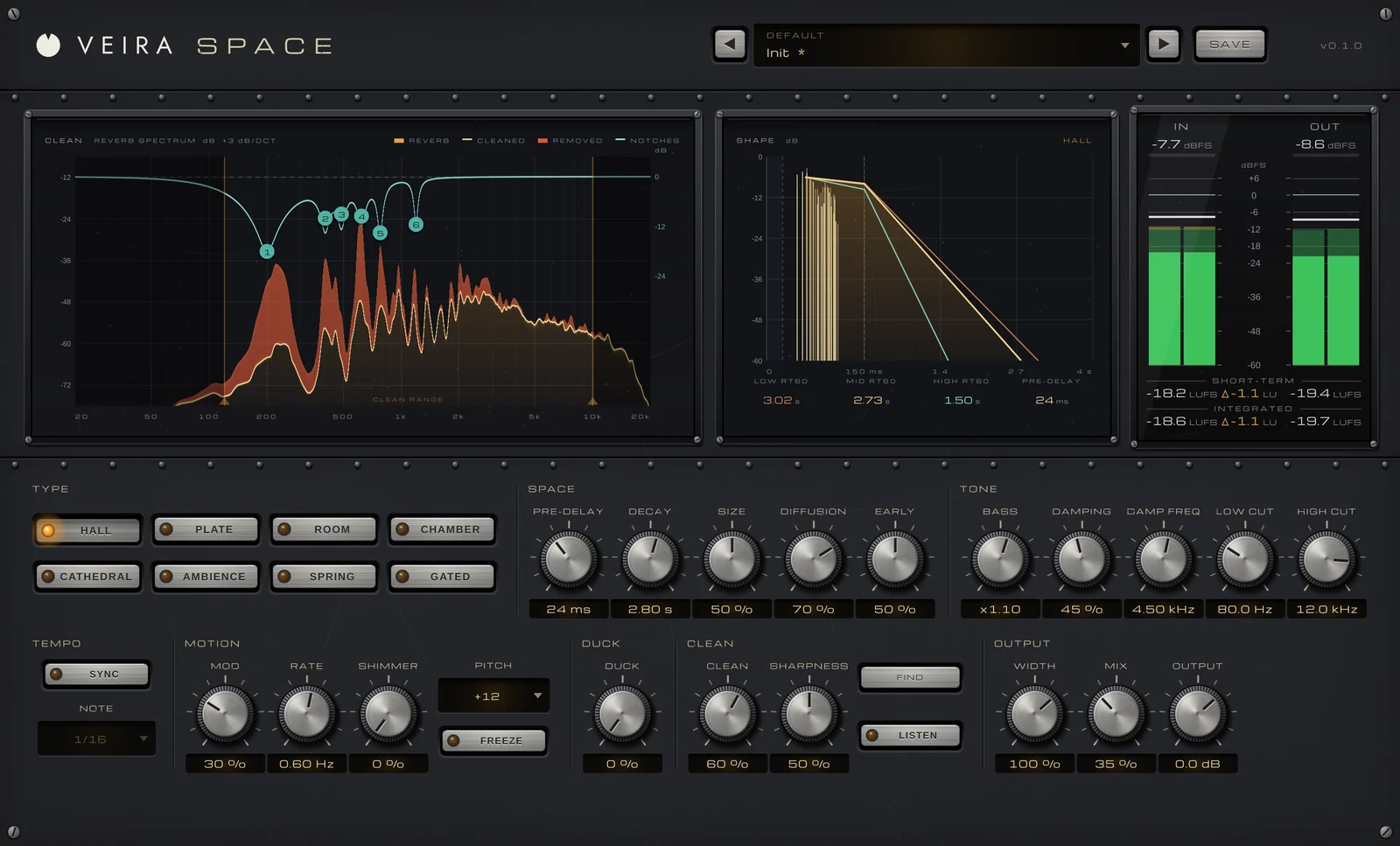
Most mix reverb lives on an aux return: the reverb sits on its own channel, fully wet, and each track is sent to it by as much as it needs. That way several tracks share one space, which glues them together; you can filter the reverb on its own; and one fader sets how much space the whole mix has. Put a reverb on a track’s insert only when that one sound needs its own effect, such as VEIRA Space’s Spring type on a guitar.
On the return, set VEIRA Space’s MIX to 100 %: it blends dry and reverb at equal power, and its Sends folder has nine aux-return presets at MIX 100 %, every type at least once. A simple, dependable setup is two or three returns of VEIRA Space: a short Room or Ambience for the drums and anything that should feel close, a Plate for the vocal, and a longer Hall for pads, strings and the big moments.
Pre-delay and decay
Pre-delay is the gap between the dry sound and the start of the reverb. Around 20 to 40 ms on a vocal lets each word start dry and clear before the space blooms behind it; longer gaps separate the reverb further from the voice, shorter ones blend it in. VEIRA Space’s PRE-DELAY goes up to 500 ms, or with SYNC on follows the song’s tempo as a NOTE from 1/64 to 1/4, so a 1/32 or 1/16 pre-delay locks to the groove.
Decay is how long the reverb takes to die away. Match it to the song: a fast, busy track wants short decays, often under 1.5 s on the main returns, so the tail is gone before the next hit; a slow ballad can carry 2.5 to 3.5 s. If the reverb is still ringing when the next chord arrives, every chord smears into the last. DECAY sets the reverb time in the mids from 0.1 to 20 s, BASS sets the lows against it, and DAMPING shortens the highs above DAMP FREQ, the way real rooms lose their top first.
EQ the returns
A reverb return is a track like any other, and almost every one needs filtering. Reverb in the low end clouds the bass and kick, and bright reverb makes s sounds and cymbals hiss behind the music.
- A low cut around 150 to 300 Hz on vocal and instrument returns, a little lower on a hall for strings.
- A high cut around 6 to 10 kHz, so the space sounds like a room rather than a wash of fizz.
- Listen for ringing: every reverb rings more at some frequencies than others, and the notes you play make it ring more.
- Set the level so you notice the reverb most when you mute it.
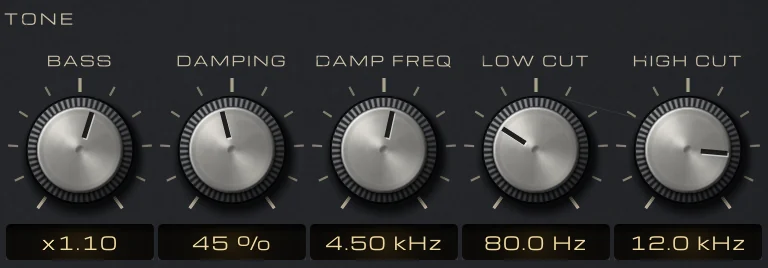
In VEIRA Space, LOW CUT (20 Hz to 2 kHz) and HIGH CUT (1 to 20 kHz) filter the reverb only. For the ringing, CLEAN listens to the reverb and turns frequencies down only while they stick out above their surroundings. Press LISTEN to hear only what it takes away, and if one resonance should go all the time, FIND places six notches on the strongest ones.
Different reverbs for different jobs
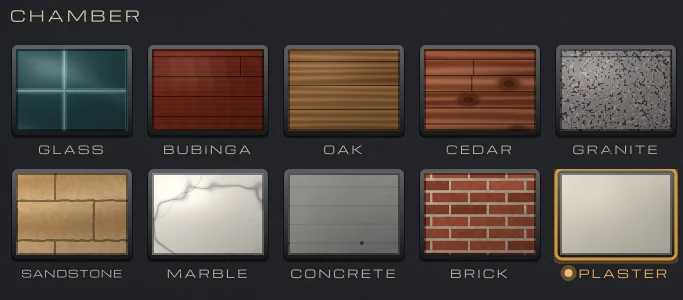
Drums usually want a short space that adds size without a long tail: a room, an ambience or a chamber. VEIRA Chambers is an echo-chamber reverb: a speaker plays your send into a modelled room and two microphones pick up what the walls give back. Its ten chambers are each built from one material, from short, warm cedar to long, silky marble, and MIC moves the microphones from near the speaker (early and clear) to the far end (later and more diffuse). PRE-DELAY holds the sound back before it reaches the speaker, LOW CUT and HIGH CUT filter what goes into the room, as studios did to keep their chambers from booming or hissing, and the SATURATION fader adds the 2nd, the 3rd or both harmonics to the reverb only, which helps a snare’s room cut through.
Pads, strings and piano can take a hall or a larger chamber, with a longer decay and more pre-delay so the attack stays clear. Guitars often sit best in a plate or a room, kept a little darker than the vocal’s reverb so the two don’t compete.
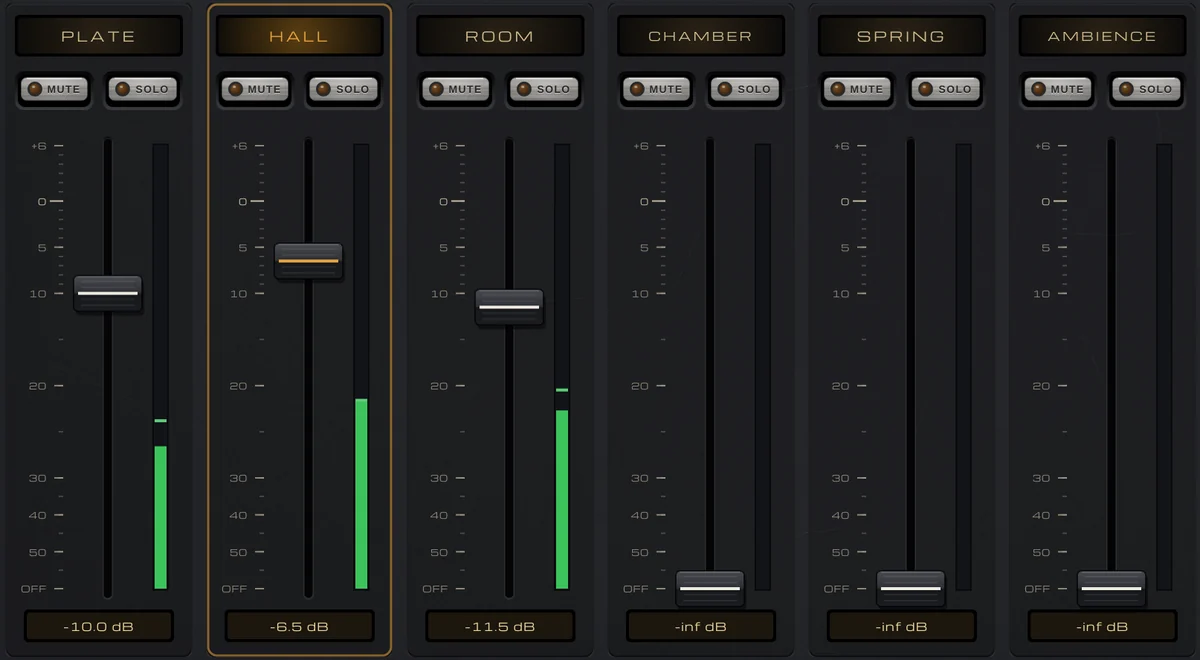
Vocals are where reverb matters most. VEIRA Vocal Reverb lays out six reverbs, PLATE, HALL, ROOM, CHAMBER, SPRING and AMBIENCE, on console faders, each with MUTE and SOLO, so you can bring up a plate as the vocal’s main space and tuck a short room under it with a second fader. Touch a fader and that return’s controls come up, PRE-DELAY, DECAY, SIZE, TONE and the rest, separately for each return.
Two of its tools solve the classic vocal reverb problems. SEND DE-ESS takes the s sounds out of what feeds the reverbs, above 5 kHz, while the dry voice keeps every consonant; 30 % already catches a typical s. DUCK dips the reverb while the voice sings and lets it bloom back in the gaps, so the words stay clear and the space opens up between phrases. On an aux, pull DRY down to −inf so only the reverbs come back; the Sends presets return the reverb 6 to 9.5 dB under the voice.
Checking the space
Set reverb levels with the whole mix playing, not in solo: a reverb that sounds right on its own is almost always too loud in the mix. Check in mono as well, as in part 3, since a wide reverb can change level when the sides fold together. And let the sends move: a little more on the last word of a line, a little less in a dense chorus. In the next part we add the other half of the space: delay.