White: clean control of low end, bands and drive
Three clean tools for the jobs that most often go wrong in a mix: a low end that jumps and vanishes on small speakers, a part that is right in one range and wrong in another, and saturation you can’t judge because it also gets louder.
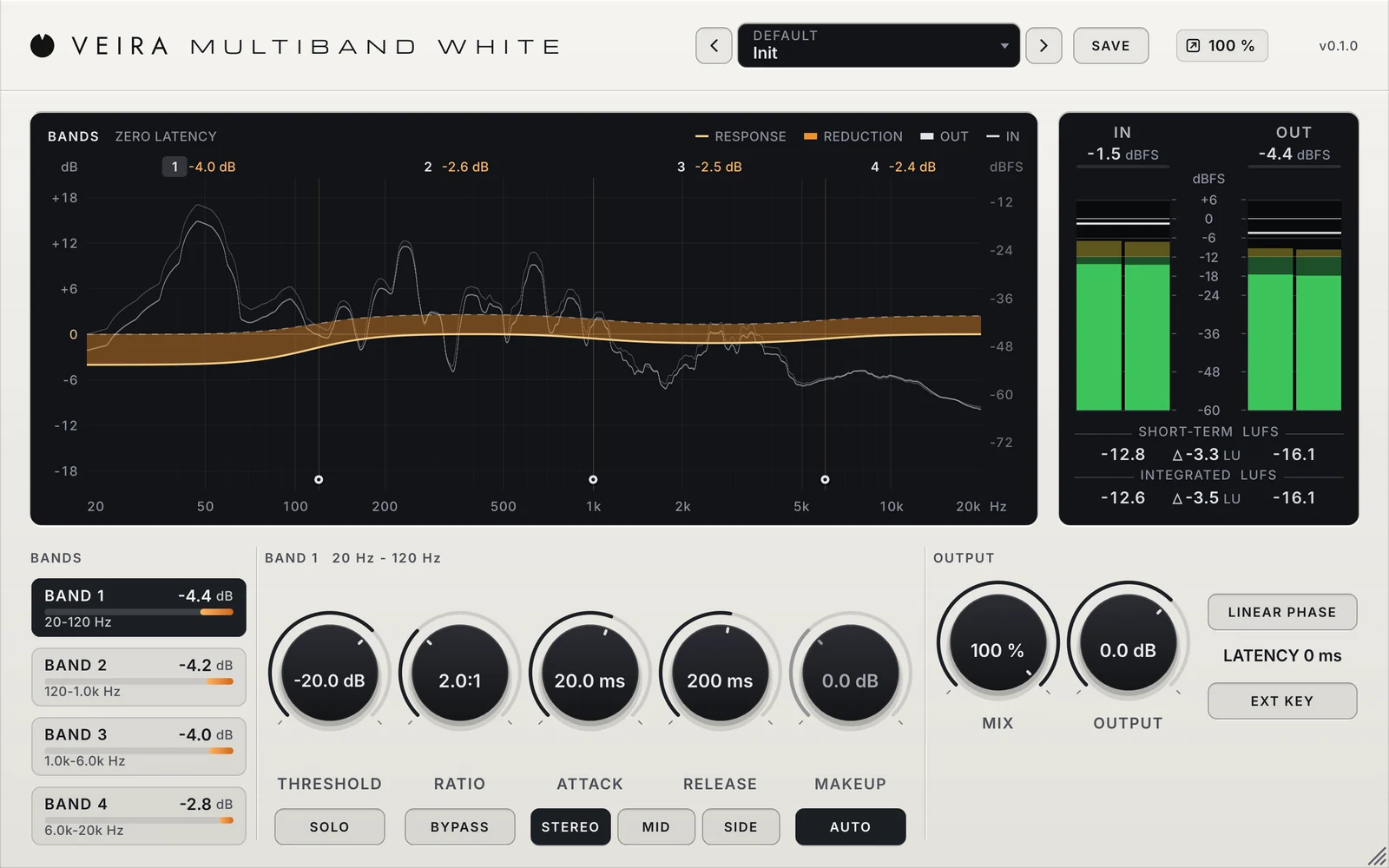
Some processing is meant to be heard as a colour. Some is meant to do a job and leave nothing else behind: hold the low notes of a bass at one level, calm a harsh upper mid without dulling the rest, add density to a vocal without changing its tone. For those jobs you want tools that are exact, that show what they do, and that pass the sound untouched when there is nothing to do. That is the idea behind the White family.
The low end: even it out, then make it carry
The lowest notes of a bass line rarely come out even: one note rings on and jumps out, the next one is weak. And on phones, laptops and earbuds, which play little below about 150 Hz, the whole bass line can simply go missing. The fix has two steps. First, hold the lows at one level, and only the lows: a compressor that listens to everything would also pull down the kick’s click and the vocal. Then add harmonics of those lows, tones at two, three, four and five times each note’s frequency, which small speakers can play; the ear hears the note’s pitch from them.
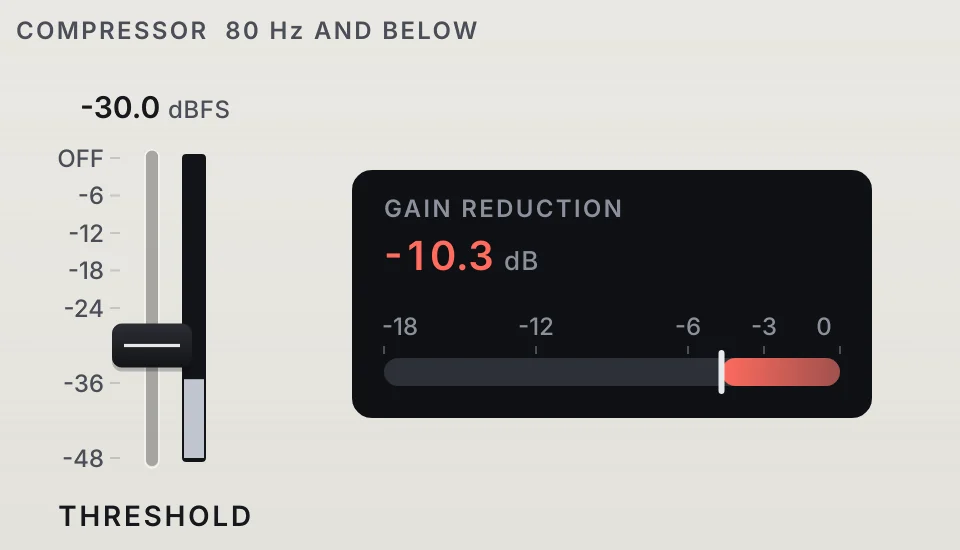
Two details make that clean. A compressor that turns the lows down also makes them quieter, so give back what a note at their usual level loses: the loud notes come down, the quiet ones come up, and the low end stays as loud as it was. And add only harmonics, never a second copy of the note, so a bass is never thinned or doubled by a shifted copy of itself.
Bands: hold one range, leave the rest alone
A compressor on a whole track reacts to whatever is loudest, so the kick pulls the cymbals down with it and one boomy note dulls the whole bass. A multiband compressor splits the sound into bands and gives each its own compressor. Set one band and leave the others at 1:1 and it works like a dynamic EQ: the harsh moments of a vocal come down only when they appear. Set gentle settings in every band and it holds a whole mix together.
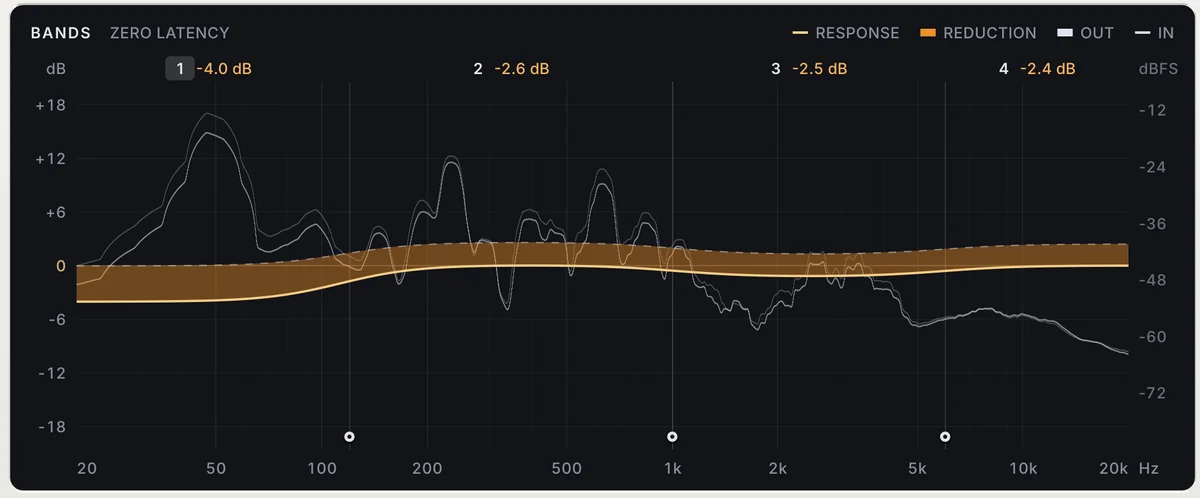
- Find the problem first: solo a band and move its crossovers until the boom or the harshness sits in it.
- Set THRESHOLD by the band’s own level, which reads lower than the track’s.
- Keep low bands slow: their waves are long, and a gain that moves inside them adds distortion.
- On a mix bus or a master, use linear-phase crossovers, so neighbouring bands that both compress don’t turn the phase where they meet.
Drive: judge the colour, not the volume
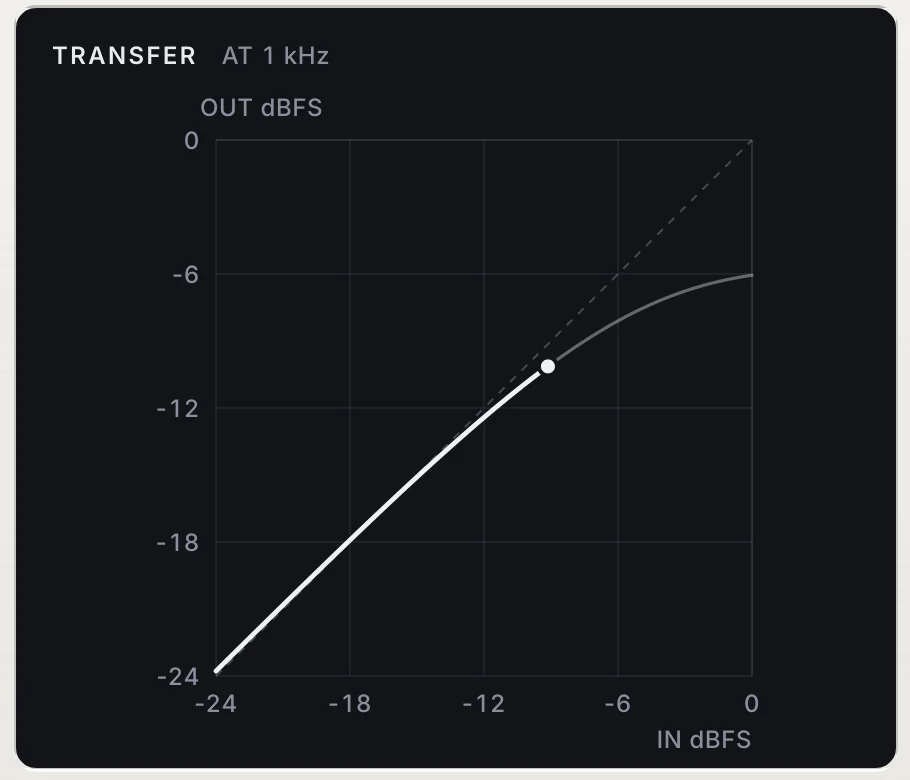
Saturation bends the top of the waveform, and that bend is heard as harmonics: warmth and density at first, then grit, edge and fuzz. The trap is that it also makes things louder, and louder always sounds better at first. Keep the level the same as you turn the drive up, then decide. Choose the shape too: a soft curve colours from the first dB, a curve that stays straight until −6 dBFS only touches the peaks, and a hard ceiling clips them precisely. Clipping hard at a plain sample rate also folds harsh, inharmonic tones back into the audio range; oversampling, with the curve applied through its antiderivative, keeps them out.
Doing it with the White family
VEIRA Bass Enhancer White is the low-end tool: a compressor on 80 Hz and below that evens the lows out without making them quieter, set with one THRESHOLD fader, and one big ENHANCE knob that adds the exact 2nd to 5th harmonics, with a folder of presets for small speakers. VEIRA Multiband White is the band tool: four exact compressors, three crossovers you drag on the display, zero latency or LINEAR PHASE, AUTO makeup that keeps each band’s level, STEREO, MID or SIDE per band and an external key. VEIRA Saturator White is the drive: SOFT, SMOOTH, HARD and DIGITAL at 4x with antiderivative anti-aliasing, a TONE that changes what is driven rather than the EQ, AUTO GAIN and a parallel MIX in time. All three show what they do on their displays and pass the sound untouched when there is nothing to do.