Blog · Mixing from start to finish · Part 8 of 20
Mixing bass and kick together: an even, clear low end
How to decide whether the kick or the bass owns the lowest notes, turn a DI bass into a finished tone, even out the low end, make the bass carry on small speakers and ride its level through the song.
The kick and snare are shaped and the drum bus is glued. Now the bass joins the drums, and the bottom octave of the mix has to be shared between two instruments. Get it right and the mix sounds full on big speakers and still clear on a phone.
Decide who owns the low end
The kick and the bass both live below about 150 Hz, and if they both try to own the same frequencies, the low end turns into a blur. So decide which one sits lowest. In a lot of modern pop, hip-hop and electronic music the kick or the 808 owns the sub, around 40 to 60 Hz, and the bass sits a little above it, with its weight around 80 to 120 Hz. In rock and funk it is often the other way round: the bass carries the deepest notes and the kick lives at 60 to 80 Hz with its click on top. It is a decision for each song, not a rule.
Then set the balance with faders only, as in part 3, and carve a little room for each with the EQ moves from part 4, so the two aren’t fighting over the same few hertz. Check in mono too: the kick and the bass belong in the middle, and the low end should sound just as solid in mono.
Turn the DI into a finished bass
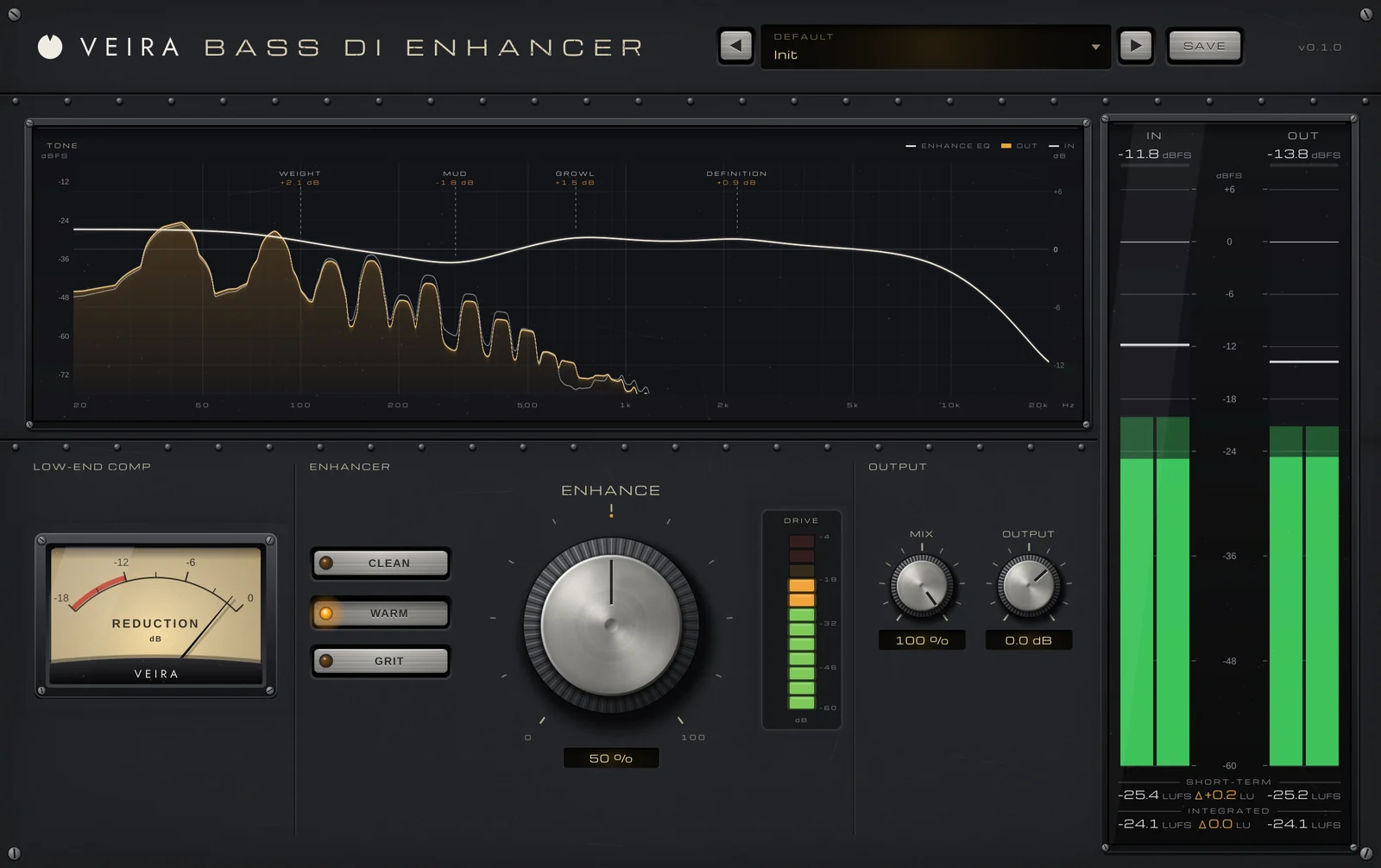
Most bass is recorded through a DI box, which sounds clean but thin and plain next to a finished record. VEIRA Bass DI Enhancer turns that into a finished tone with one knob. ENHANCE moves low-end compression, saturation and an EQ together, in proportion, the way engineers usually shape a DI: rumble out, weight up, mud out, growl and string definition up. At 0 % it does nothing; 30 to 60 % is a typical setting for a DI that should sound finished. AUTO GAIN, always on, keeps the level about where it was, so you judge the tone, not the volume. STYLE picks the path:
- CLEAN: modern and hi-fi, with the most compression, the mud out at 320 Hz and a clear string at 3 kHz. Good for pop and for a bass under a busy arrangement.
- WARM: round and vintage, with the most weight (+3.5 dB at 100 Hz at full ENHANCE) and a softer top. The default, and a good match for soul and classic rock.
- GRIT: driven above 220 Hz over a clean low end, with growl at 1.1 kHz, for a bass that has to cut through guitars.
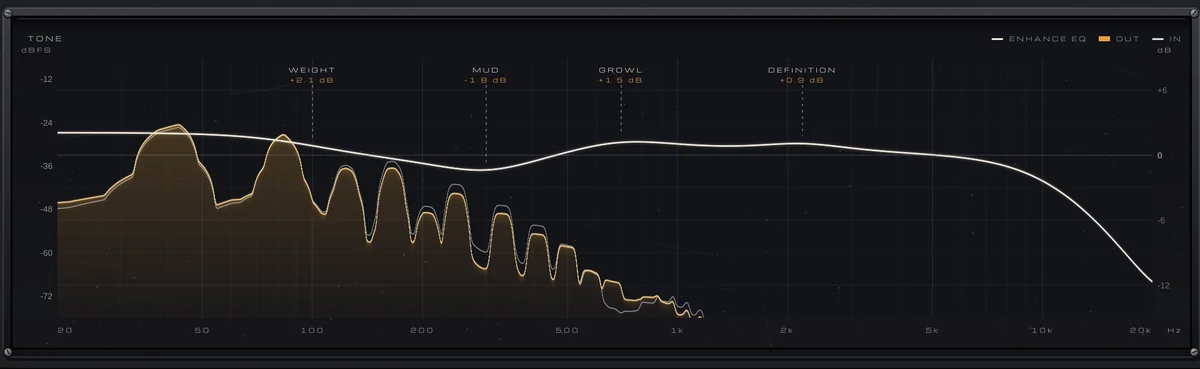
The TONE display shows where WEIGHT lands against the kick: at full ENHANCE the three styles put it at 85, 100 and 80 Hz, above a kick that owns the sub. If the player’s attack starts to soften, pull MIX back to 30 to 50 %: the dry DI is kept in time, so the blend stays tight.
An even low end
Even with a good tone, the lowest octave rarely stays steady: some notes boom because of the instrument or the room, others vanish, and that is a big reason a mix sounds different on every system. VEIRA Sub Control evens out everything under 100 Hz without touching anything above it. COMPRESS follows the lows’ own long-term level, so loud notes come down and quiet ones come up: on a bass line whose notes vary by 12 dB, 50 % leaves 7.3 dB of variation and 100 % leaves 4.4 dB.
It listens through a 24 dB/oct low-pass at 100 Hz, so a snare, a vocal or a cymbal never pumps the bass, and it adds no latency. A sensible starting point is VEIRA Sub Control after VEIRA Bass DI Enhancer on the bass, or on an 808, with COMPRESS at 30 to 50 %; watch the REDUCTION needle move on the booming notes. Press LISTEN to hear only the lows under 100 Hz and the harmonics, and check that the bottom notes are now even.
Make the bass carry on small speakers
Phones and laptop speakers can’t play a sub, but they can play its harmonics, and the ear fills in the missing note. Turn up HARMONICS on VEIRA Sub Control and pick the kind. TRANSLATE adds the exact 2nd to 5th harmonics of the lows, each set in phase against the note so they don’t pile onto its peaks. WARM saturates the lows like a tube for weight and grit, with even and odd harmonics up to 3 kHz. Only the harmonics are added, never more of the note itself, so notes from 30 to 95 Hz keep their level.
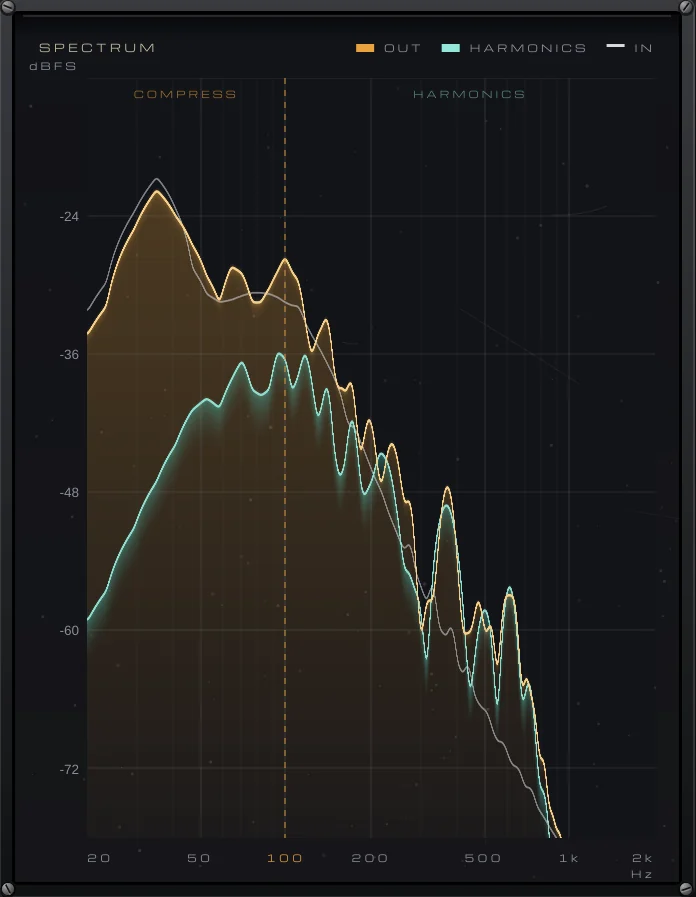
Start low, with HARMONICS around 20 to 30 %, and check on the smallest speaker you have. The Small Speakers presets, all on TRANSLATE, make an 808 line 7 to 9 dB louder on a phone-sized speaker. Too much gives the bass a buzzy, hollow edge on full-range speakers and crowds the low mids, so switch between big and small speakers as you set it.
Ride the bass through the song
Compression evens out notes; it doesn’t fix a verse played softer than the chorus. Engineers ride the bass fader for that, and VEIRA Bass Rider does it for you. Set TARGET, where the bass should sit in LUFS, and one console fader moves smoothly to keep it there, within RANGE DOWN and RANGE UP (6 dB each by default). It evens out sections and passages, not single notes: the player’s attacks stay as played, an 808’s tail isn’t lifted and the rests are left alone.
- Placement: as a starting order, put VEIRA Bass Rider first on the bass, ahead of the other two, so they see a steady level.
- SPEED: low settings ride whole sections, high ones ride phrases; the default 26 % is a good start.
- IGNORE BELOW: set it above the bleed and noise, so the fader keeps still in the rests.
- LOOKAHEAD: leave it on, so a loud chorus is already turned down when it plays.
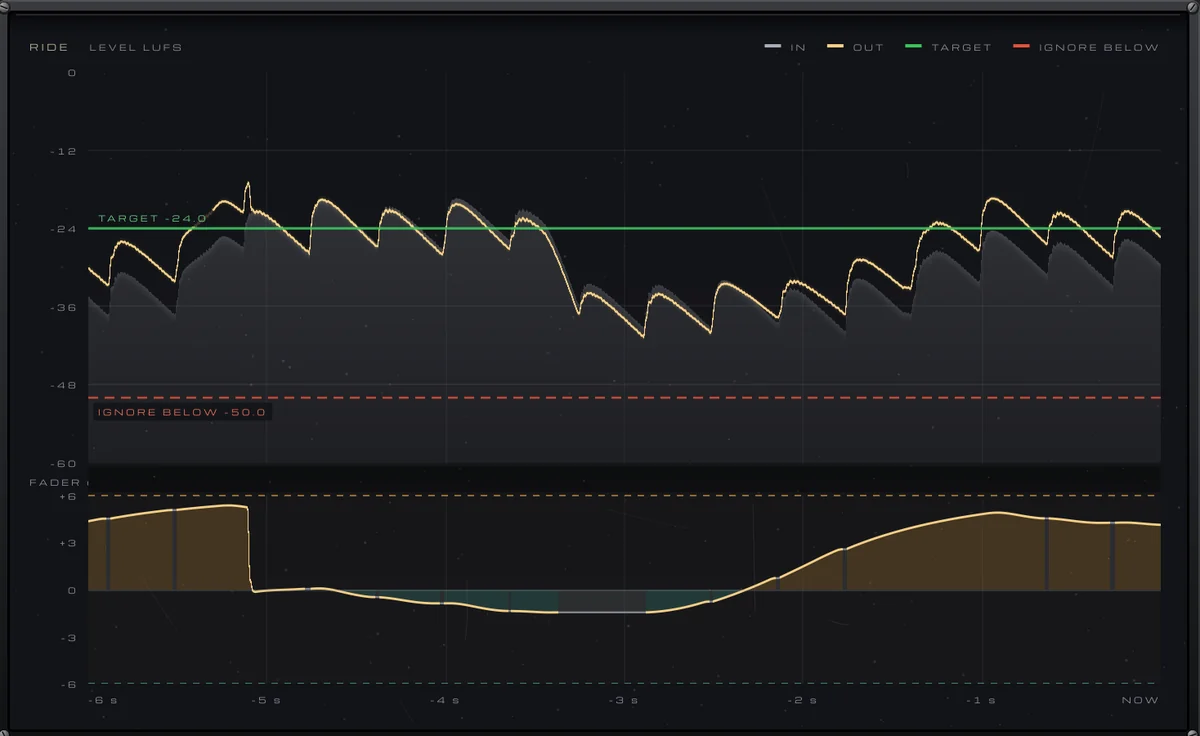
When you like the ride, press WRITE and play the song: every move goes to the FADER parameter, so your DAW records it as automation you can edit, lifting a fill or pulling down a note that booms. Then play the whole song with the drums, on small and large speakers, in mono and stereo: the kick should hit and the bass should hold a steady floor under it from the first bar to the last. In part 9 the guitars and keys arrive on top.