Blog · Mixing from start to finish · Part 19 of 20
Processing the mix bus: gentle glue, broad tone and what to leave alone
What belongs on the mix bus and what doesn’t, when to put bus compression on, how much gain reduction a whole mix can take, how to make broad tone and width moves, and the mistakes that make a mix smaller.
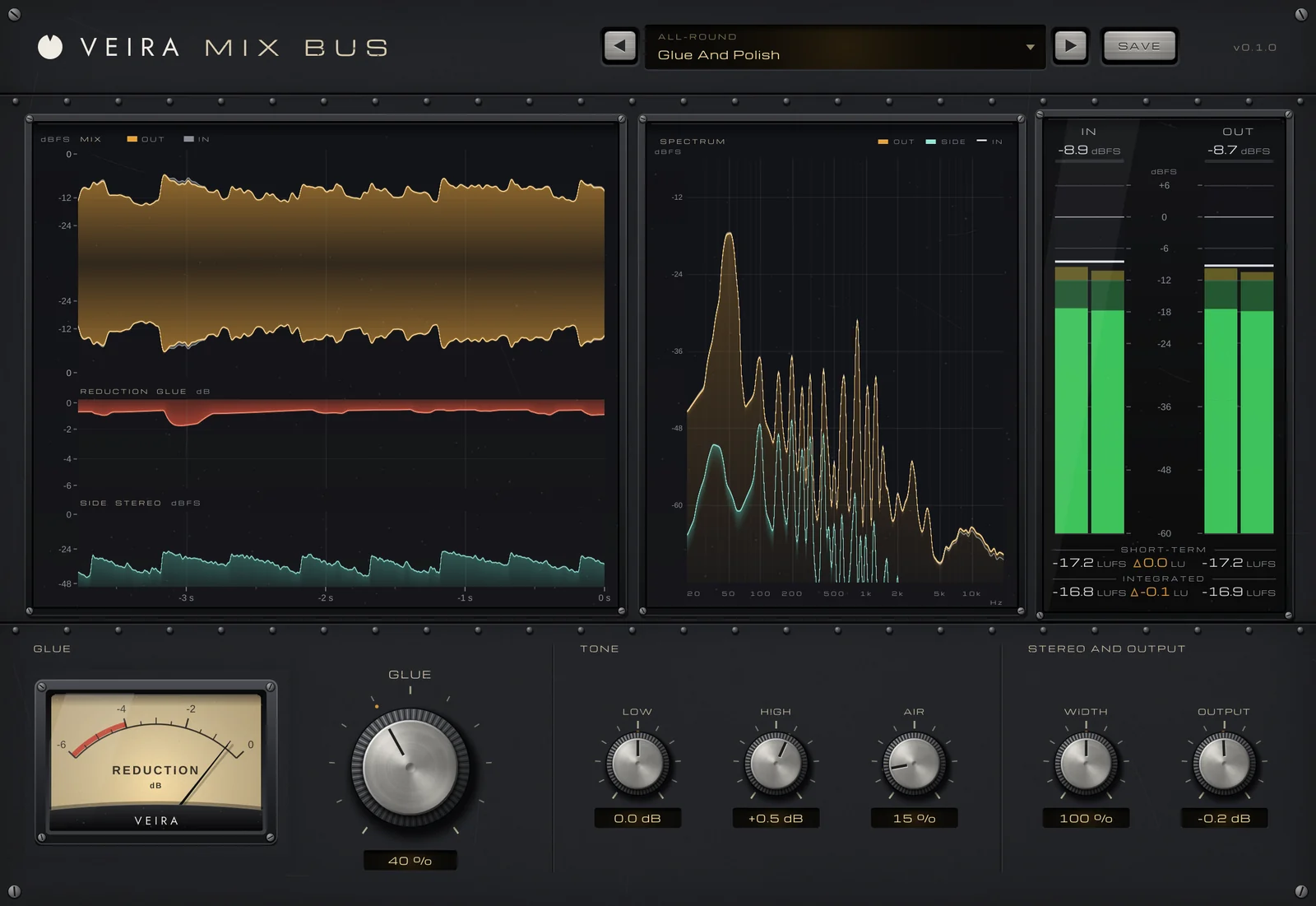
Every track, bus and return in the session ends up in one place: the mix bus, the stereo output that becomes the file you print. After balance, EQ, dynamics, space, width and movement, this part is about what, if anything, to put there. Usually it is less than you think, and when you put it on matters more than how much you use.
What the mix bus is for
Processing on the mix bus touches everything at once, so it is the place for small, broad moves: a little compression so the parts feel like one performance, a gentle tilt of the tone, perhaps a touch of width. It is not the place for loudness; that is mastering’s job, which we prepare for in the last part. A mix that leaves the bus with its peaks a few decibels under full scale and its dynamics intact gives mastering room to work.
Put it on early and mix into it
Bus compression changes the balance: it turns the loud moments down a little and, with the level given back, brings the quieter details up. Add it at the very end and every fader you set is suddenly a little off. The usual approach is to put it on once the static balance from part 3 has its shape, then keep mixing through it, so every decision already includes it.
VEIRA Mix Bus is built for exactly this job: a very simple, very gentle processor for the last thing before mastering. It has no latency, so it can sit on the bus while you record, and at GLUE 0 %, LOW, HIGH and AIR at 0, WIDTH 100 % and OUTPUT 0 dB it passes the mix bit for bit, so having it there costs nothing until you use it.
Gentle glue: one or two decibels
On a whole mix, a little gain reduction goes a long way. Around 1 to 2 dB on the loudest parts is a common target, with a low ratio, a soft knee, an attack slow enough to let the front of each hit through and a release that follows the music. GLUE in VEIRA Mix Bus is one knob that does this. On a mix, the average reduction is about 0.55 dB at 30 %, 1 dB at 50 %, 1.6 dB at 70 % and 2.4 dB at 100 %, and the most it takes is about 3.6 dB. Threshold and ratio move together along the knob, up to a gentle 2:1 with a 10 dB knee.
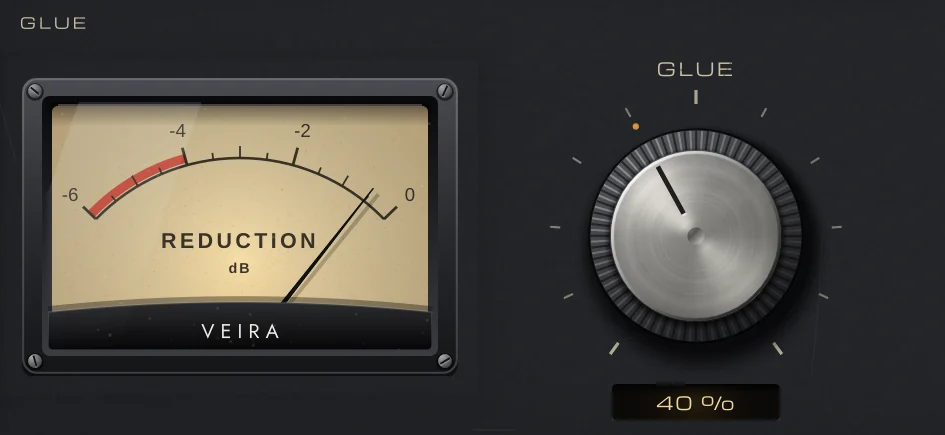
GLUE hears the mix through a 90 Hz high-pass, so the kick and bass don’t pump it. Its 30 ms attack keeps the transients, and its automatic release lets single peaks recover quickly while holding sustained compression, so a dense chorus doesn’t breathe. It gives the level back by itself, within 0.02 dB, so turning it up changes the feel, not the loudness. Listen for the parts sounding like one band in one room. The snare should still crack; if the chorus feels smaller than before, back off.
Tone and width: broad and small
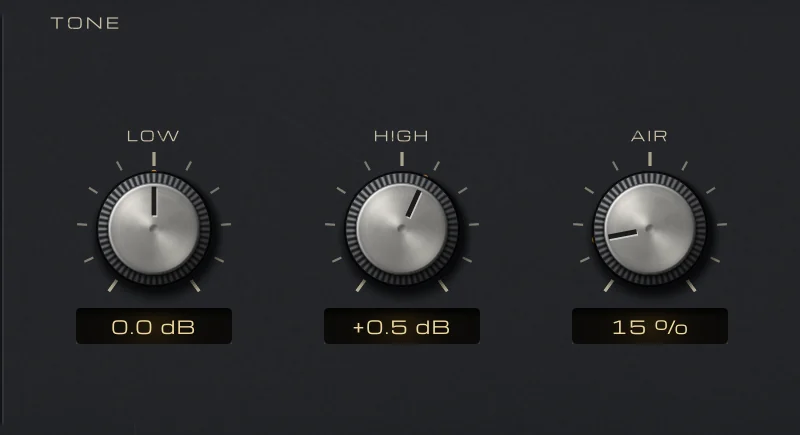
A tone move on the bus should be something you would otherwise make on twenty tracks. LOW is a broad shelf at 100 Hz and HIGH a broad shelf at 5 kHz, each from −3 to +3 dB, and AIR is a soft lift of the very top, centred at 14 kHz. Half a decibel is often enough; if you need more than about 1.5 dB, the problem usually lives in a few tracks, and fixing it there sounds better. The Tone Only presets leave GLUE at 0 %.
WIDTH, from 50 to 150 %, opens or narrows the stereo image above 150 Hz only, so the low end stays where it is and the mid is untouched. 105 to 110 % can lift a mix that feels slightly boxed in; anything wider deserves the mono checks from part 17. The SPECTRUM display draws the output, its side and the input, so you can see how small a gentle move really is.
A warmer leveller: VEIRA Comp Gold on the bus
Some mixes, a ballad, an acoustic song, a slow soul groove, want slower, smoother levelling than GLUE gives. VEIRA Comp Gold is a tube optical leveller in the tradition of the classic tube optical levellers. Its optical cell sets the timing from the music: it comes in within about 10 ms, lets go of half the reduction in about 60 ms and the rest over one to fifteen seconds. Choose COMPRESS, about 3:1 with a wide knee, raise PEAK REDUCTION until the loudest passages show 1 to 2 dB, and bring the level back with GAIN until OUT − IN reads about 0 LU on the meter bridge.
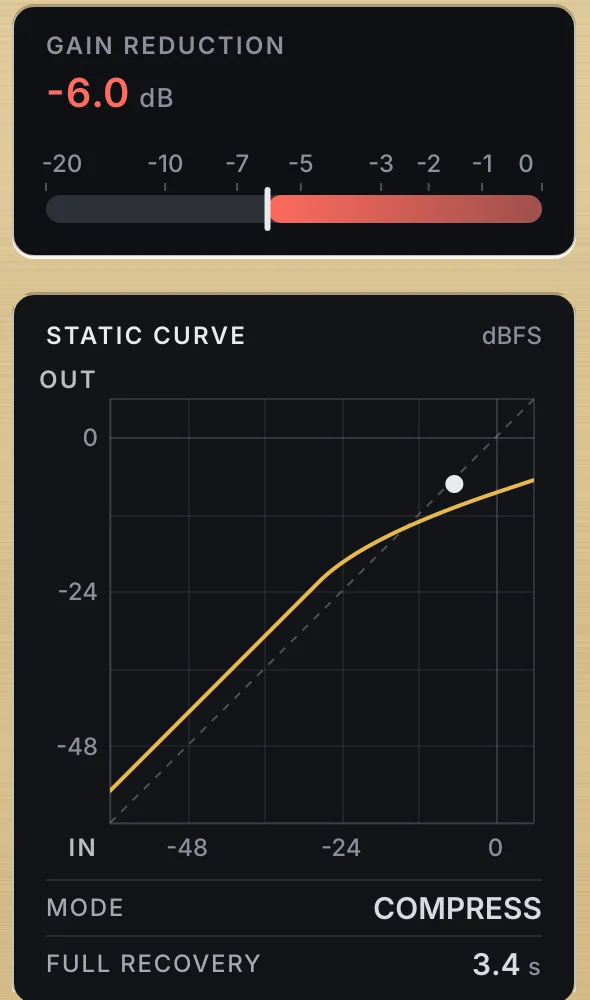
SC HPF keeps the low end from lighting the cell; around 100 Hz stops the kick pulling the whole mix down. TUBE adds smooth warmth led by the 2nd harmonic and is clean at 0 %, so keep it low on a bus. Watch FULL RECOVERY: if it reads many seconds through the chorus, the cell is holding on and the mix will feel squashed, so back PEAK REDUCTION off. If you use both plugins, let one do the main work and keep the other to about 1 dB.
What not to do on the mix bus
- Don’t limit for loudness: leave the peaks a few decibels below full scale for mastering.
- Don’t stack plugin after plugin: every extra stage adds its own movement to the whole mix.
- Don’t judge it louder: compare at matched loudness, with OUT − IN near 0 LU on the meter bridge.
- Don’t fix a track’s problem on the bus: a harsh guitar or a boomy bass belongs on its own channel.
- Don’t add it in the last hour: put it on early, or leave it off.
Done well, mix bus processing is something you notice mostly when you switch it off: the mix suddenly sounds a little looser, a little less finished. In the last part of the course, we check the mix, print it and hand it off to mastering.