Blog · Mixing from start to finish · Part 13 of 20
Saturation in a mix: adding harmonics and colour with tape and tube
What saturation really adds to a sound, how tape and tube colour differ, where it helps on bass, vocals, drums and buses, and how to judge how much at matched loudness.
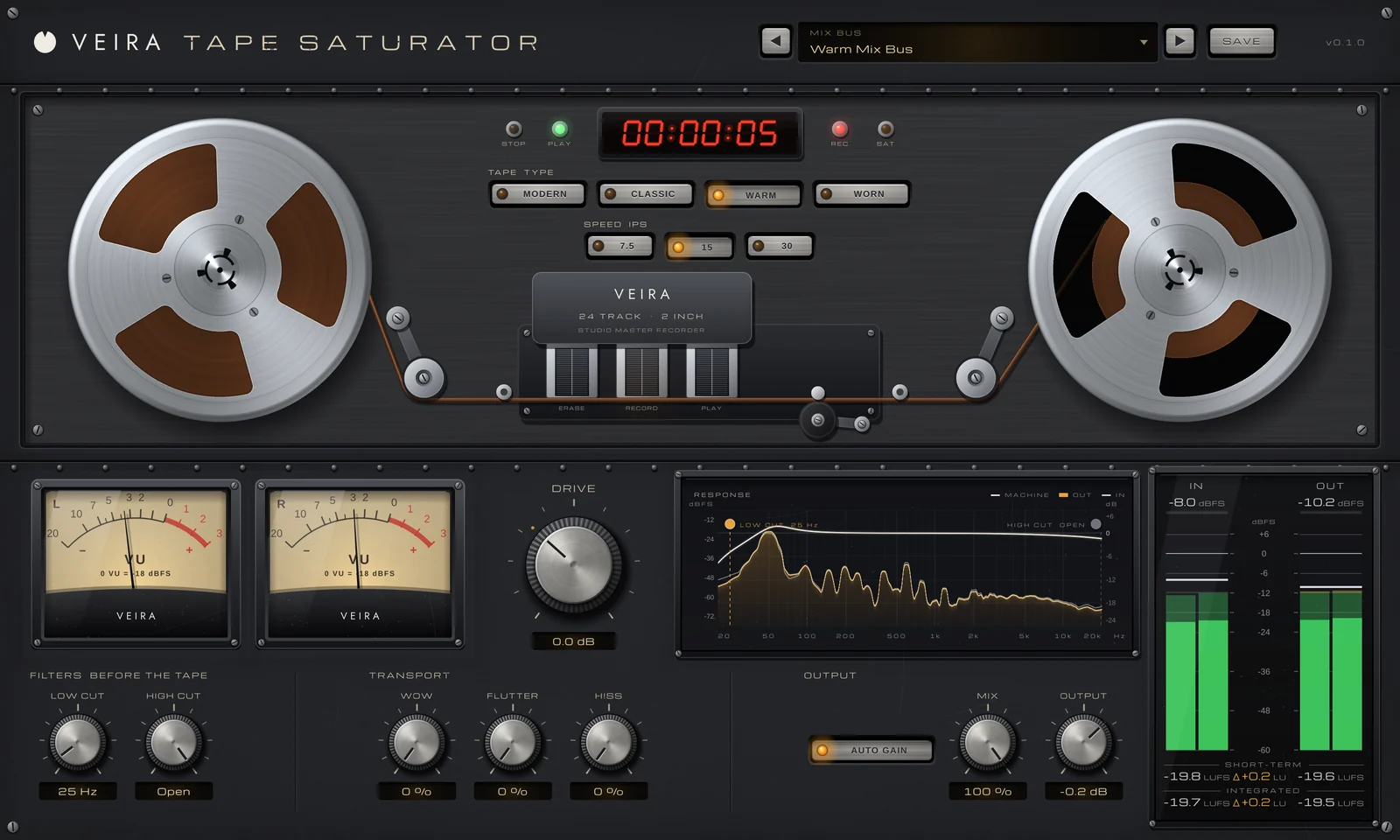
By now the mix is balanced, the tracks are EQ’d and compressed, and the vocals sit in front with their backing parts around them. Before we build the space with reverb and delay, it’s worth looking at a step that changes tone in a different way from EQ: saturation. Done well, it makes parts sound thicker, closer and more finished. Done badly, it turns a mix into fuzz.
What saturation adds
EQ can only turn up or down what is already in a sound. Saturation adds something new: harmonics, quieter copies of each note at whole multiples of its frequency. A 110 Hz bass note gains energy at 220 Hz (the 2nd harmonic), 330 Hz (the 3rd), 440 Hz (the 4th) and so on. The 2nd sits an octave up and sounds warm and full; the 3rd sits an octave and a fifth up and adds edge and presence; the 4th and 5th add brightness and bite. Tape and tube saturation also round off the loudest peaks a little, so a part feels denser, much as gentle compression would make it.
That’s why a saturated bass can still be heard on a phone speaker that can’t play its lowest notes: the ear rebuilds the fundamental from the harmonics above it. It’s also why saturation can make a vocal feel louder in the mix without measuring any louder.
Tape and tube: two flavours of colour
Tape saturation comes from the way magnetic tape takes on a signal: quiet sounds pass almost untouched, loud ones are rounded off softly, and the machine itself shapes the tone with a bump in the lows and a gentler top. Tube saturation comes from driving a valve stage, in the tradition of the warm triode preamps: mostly the 2nd harmonic, with more of the 3rd and above as you push it.
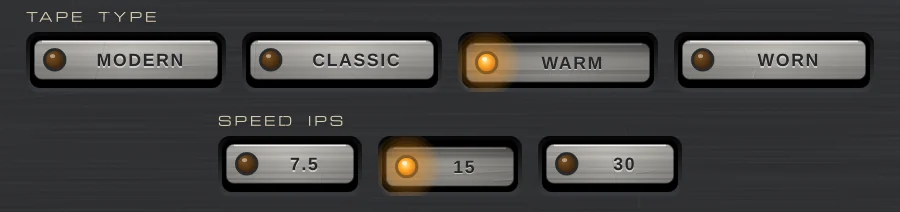
VEIRA Tape Saturator is a 2-inch, 24-track tape machine. TAPE TYPE picks the tape: MODERN is clean, with lots of headroom and odd harmonics only; CLASSIC is soft saturation with a touch of 2nd; WARM has less headroom, more 2nd and a bigger head bump; and WORN is gritty even at low levels, with a duller top. SPEED moves the head bump: about 32 Hz at 7.5 ips, 55 Hz at 15 ips and 100 Hz at 30 ips, and the slower speeds also soften the top end.
VEIRA Harmonic Saturator gives you two ways of working. TUBE drives a warm triode curve that follows the playing; EXACT adds exactly the 2nd, 3rd, 4th and 5th harmonics you set on four faders, at the same balance at any level. And it works by the band: the LOW, MID and HIGH knobs set how much of the colour is made from each part of the spectrum, so you can warm the lows without fuzzing the cymbals.
Set the level going in
Saturation depends on how hard you hit it, so the gain staging from part 1 pays off here. On VEIRA Tape Saturator, 0 VU is a sine at −18 dBFS RMS, so a track peaking around −8 dBFS sits a little under 0 VU at DRIVE 0. Turn DRIVE up and watch the two VU meters: around 0 VU the tape colours only gently; push the needles higher and, as the tape saturates, the SAT lamp lights. DRIVE goes from −12 to +24 dB, so there’s room for both a whisper of colour and a crush.
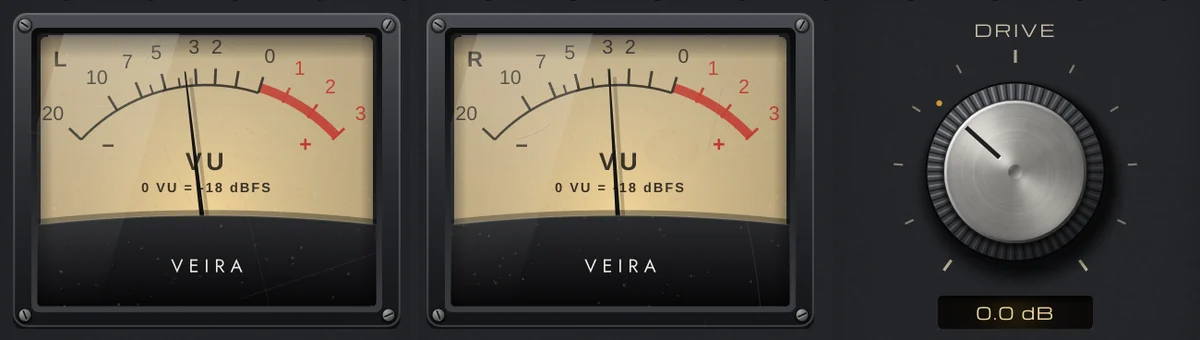
Two things keep tape saturation useful in a mix. LOW CUT and HIGH CUT sit before the tape, so a LOW CUT keeps rumble and sub out of the saturation, and a HIGH CUT keeps cymbals and sibilants from hitting the tape (at MIX 100 % that also takes them off the output; with MIX lower, the dry signal keeps its full range). And AUTO GAIN, on by default, takes DRIVE back off after the tape, so turning it up changes the saturation, not the level.
Where saturation helps
- Bass: a little tape or tube adds the harmonics that let a bass speak on small speakers. On VEIRA Harmonic Saturator, turn the HIGH band down and leave LOW and MID up, so the colour comes from the notes and not from the string noise.
- Vocals: on VEIRA Harmonic Saturator, TUBE at a modest DRIVE, or a little 2nd from EXACT, brings a voice forward and makes it feel close. Saturate after de-essing so the s sounds don’t get harsher; on VEIRA Tape Saturator, a HIGH CUT with MIX below 100 % keeps them off the tape while the dry voice keeps its top.
- Drums: tape rounds off the sharpest transients and thickens the shells. As a starting point on the drum bus, set VEIRA Tape Saturator’s TAPE TYPE to CLASSIC or WARM and SPEED to 15 ips, with the needles around 0 VU, then adjust by ear. For parallel colour, bring MIX down and blend the saturated sound under the dry one.
- Guitars and keys: a touch of 3rd from EXACT, made from the MID band, adds edge without an EQ boost.
- Buses and the mix bus: very little. A MODERN or CLASSIC tape with the needles around 0 VU is glue, not distortion.
Both plugins have presets sorted by instrument, with folders for Mix Bus and Mastering. Treat them as starting points and tune DRIVE by ear on your own material.
How much is enough
The most common mistake is too much, and the reason is loudness: a saturated part has more energy, so it wins a quick comparison even when it sounds worse. Always compare at matched loudness. AUTO GAIN does most of that on both plugins, and the meter bridge shows the OUT − IN difference in LU, so you can trim OUTPUT until it reads about zero and hear only the colour.
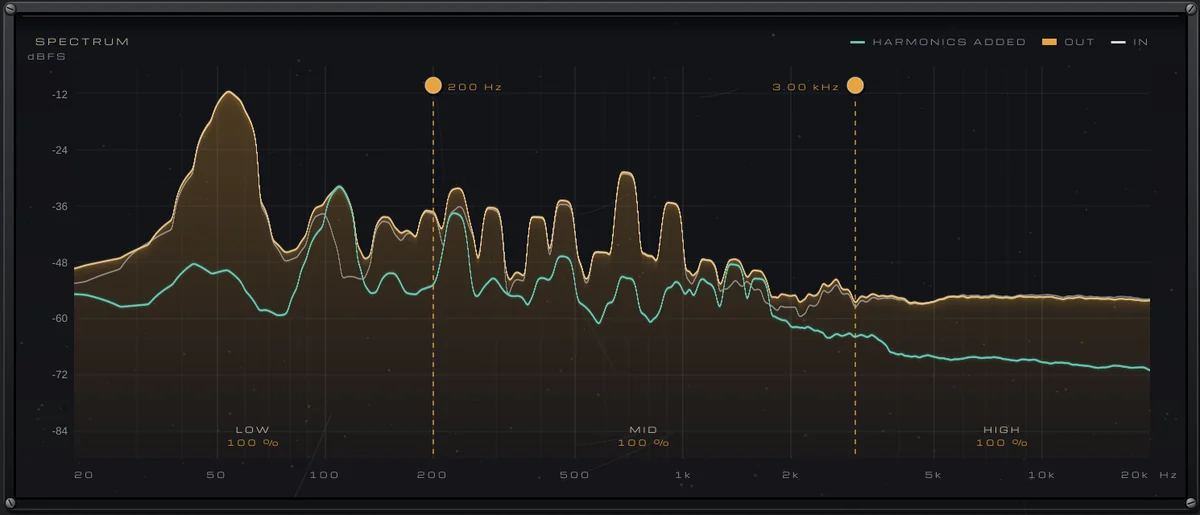
VEIRA Harmonic Saturator’s SPECTRUM display draws the harmonics it adds as their own teal line, and the HARMONICS display shows the 2nd to 5th for each band, so you can see when the colour starts to rival the sound itself. Then trust your ears with a simple test: bypass the plugin. If the part sounds thinner and further away without it, the saturation is earning its place. If it sounds cleaner and you prefer it, back off.
Saturation also adds up. A little on the bass, the drums, the vocal and the mix bus can sound lovely on each track and too much all together, so listen to the whole mix after every new insert. One practical note: VEIRA Harmonic Saturator’s linear-phase bands add about 25 ms of latency at 44.1 and 48 kHz, which your DAW compensates while you mix but which is too much to play through while recording. In the next part we build the space around all of this with reverb.