Blog · Mixing from start to finish · Part 17 of 20
Stereo width in a mix: panning, widening and keeping it mono-safe
When to pan and when to widen, how to keep the low end in the centre, how mid/side EQ shapes the centre and the sides separately, and how to check that the mix still works in mono.
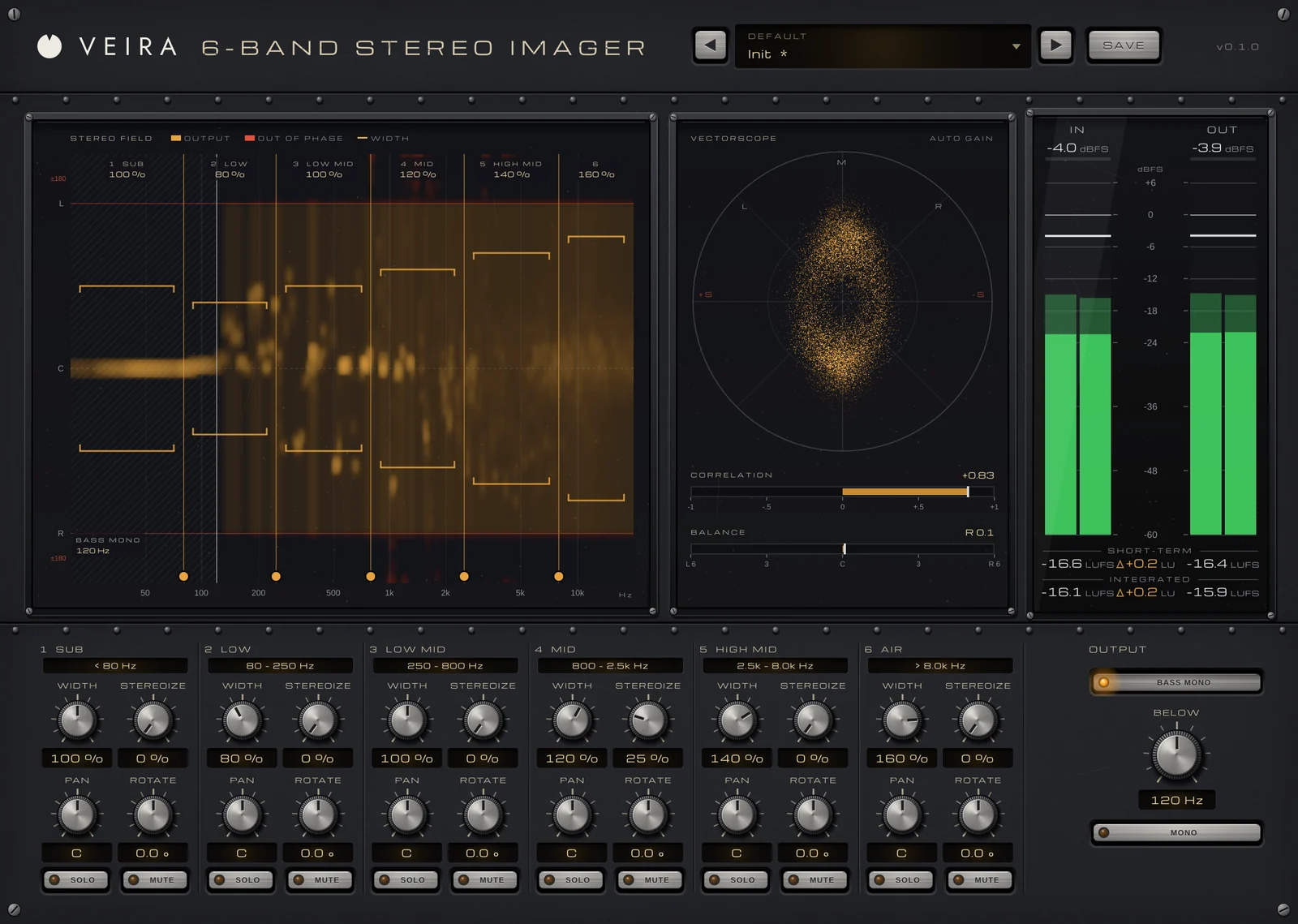
By now the mix has its balance, tone, dynamics and space. This part is about the left-to-right picture: how wide the mix is, what sits in the middle, and how to keep that width when someone plays the song on a single speaker.
Panning places, widening spreads
A pan knob places a sound between left and right; widening changes the difference between the left and right of a sound that is already stereo. Think in mid and side: the mid is what both speakers share, the side is the difference between them. A mono speaker plays only the mid, and the side cancels out. Panning moves things around the field; widening turns the side up or down.
Most of the width in a good mix comes from panning, not processing. Two rhythm guitar takes hard left and right, hi-hat a little to one side, keys opposite the guitar, and the lead vocal, kick, snare and bass in the middle: that alone sounds wide, because different sounds come from different places. Widen a stereo part when it is too narrow or too wide for its place, not to make up for parts that were never panned.
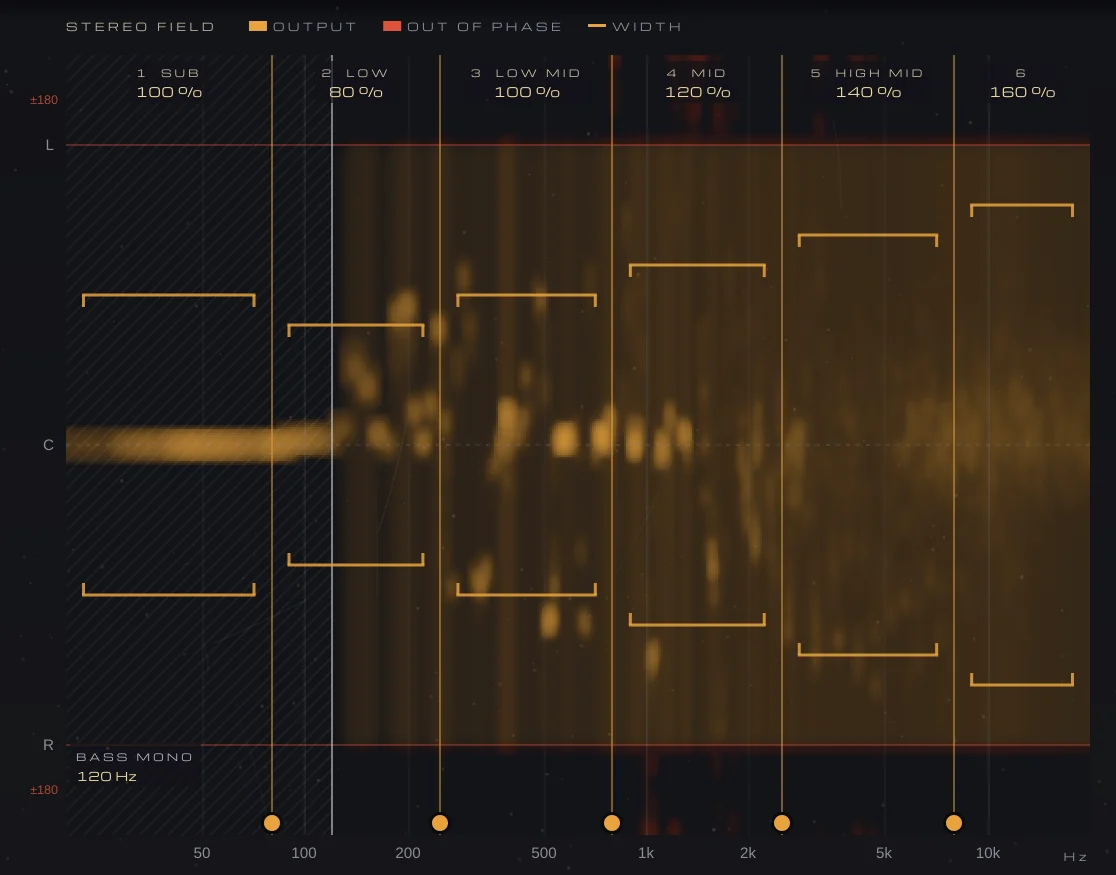
VEIRA 6-Band Stereo Imager shows you this picture before you change anything. Its STEREO FIELD puts frequency across, from 20 Hz to 20 kHz, and position down, from L through C to R: a mono sound sits on C, a hard-panned one at L or R, and anything out of phase shows in a red zone beyond L and R, where it would cancel in mono.
Keep the low end in the middle
Low frequencies carry most of a mix’s energy, and that is where width causes the most trouble. A wide or out-of-phase bass partly cancels in mono, sounds lopsided on systems with one woofer, and eats headroom the kick and bass need. Common practice is simple: keep the mix mono below roughly 100 to 150 Hz.
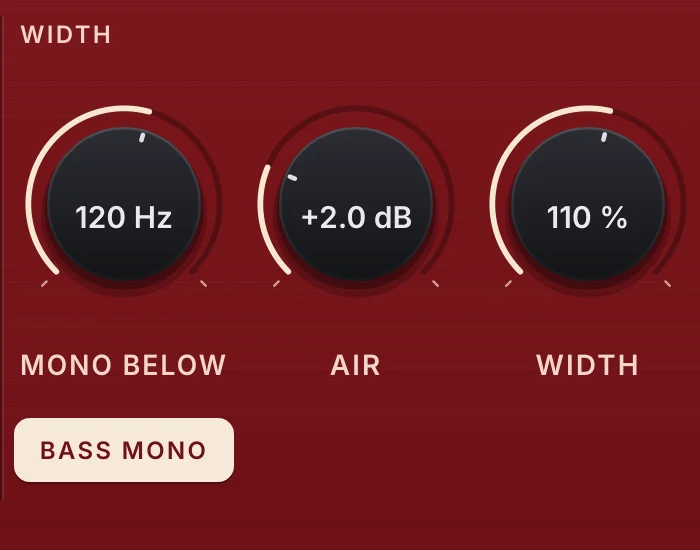
BASS MONO in VEIRA 6-Band Stereo Imager makes everything under BELOW mono (20 to 500 Hz, 48 dB per octave), whatever the bands do. VEIRA EQ Red has its own BASS MONO, a 24 dB/oct high-pass on the side below MONO BELOW. Start around 100 to 120 Hz on a wide synth bass or on the mix bus. Past 200 or 300 Hz it starts to narrow guitars and the room, so raise it only until the lows stop wandering.
Widen band by band, not the whole track
VEIRA 6-Band Stereo Imager splits the sound into six bands, SUB to AIR, with splits you drag to where your parts sit. WIDTH sets each band from 0 % (mono) to 200 % (double the side); 100 % leaves it alone. It never touches the mid, so what mono listeners hear stays the same. On a stereo pad or overheads, try 110 to 130 % on the upper bands and leave the low ones at 100 % or below.
For a mono part that should feel wider, STEREOIZE adds a decorrelated copy of a band’s mid to its side. The mono sum stays exactly the same, nothing under 150 Hz is touched, and even at 100 % no frequency goes out of phase. That is safer than the old trick of delaying one side by a few milliseconds, which sounds wide in stereo but comb-filters in mono.
- Widening everything: when every part is wide, nothing stands out and the centre feels weaker.
- Widening the anchors: lead vocal, kick, snare and bass usually belong in the middle.
- Judging width louder: more side means more level, so watch the OUT − IN reading in LU on the meter bridge.
- Forgetting mono: check every widening move in mono before you keep it.
Mid/side EQ: shape the centre and the sides separately
In VEIRA EQ Red, each of the eight bands works on the STEREO signal, the MID, the SIDE, or the LEFT or RIGHT channel alone. Lift a vocal’s presence by 1 to 2 dB around 2 to 4 kHz on the MID without brightening the cymbals in the sides. Cut 2 or 3 dB around 200 to 400 Hz on the SIDE to clean up wide guitars without thinning the kick and bass. Fix a boom on one side of a recording with a band on LEFT or RIGHT.
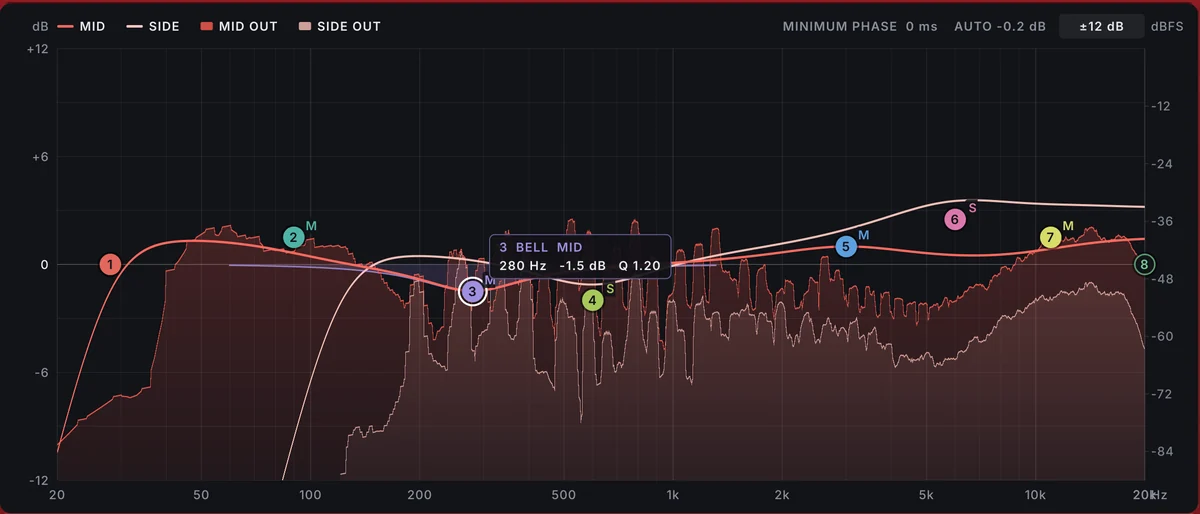
Because the side cancels out of the mono sum, side-only work never changes what a mono speaker plays. LISTEN plays the MID or the SIDE alone. Pick SIDE and you hear the room, the reverbs and the wide guitars with the centre gone, the easiest way to set side bands, AIR and BASS MONO by ear; then go back to STEREO. While mixing, keep PHASE on MINIMUM, which adds no latency.
Check mono, and read the meters
Plenty of people still hear music in mono: a phone speaker, a single smart speaker, the sound system in a shop. Press MONO on VEIRA 6-Band Stereo Imager, or your DAW’s mono button, and play the chorus. The vocal, kick, snare and bass should stay where they were, and reverb dropping back a little is normal. A guitar or synth that disappears, or a mix that turns hollow and phasey, is a problem to fix at its source.
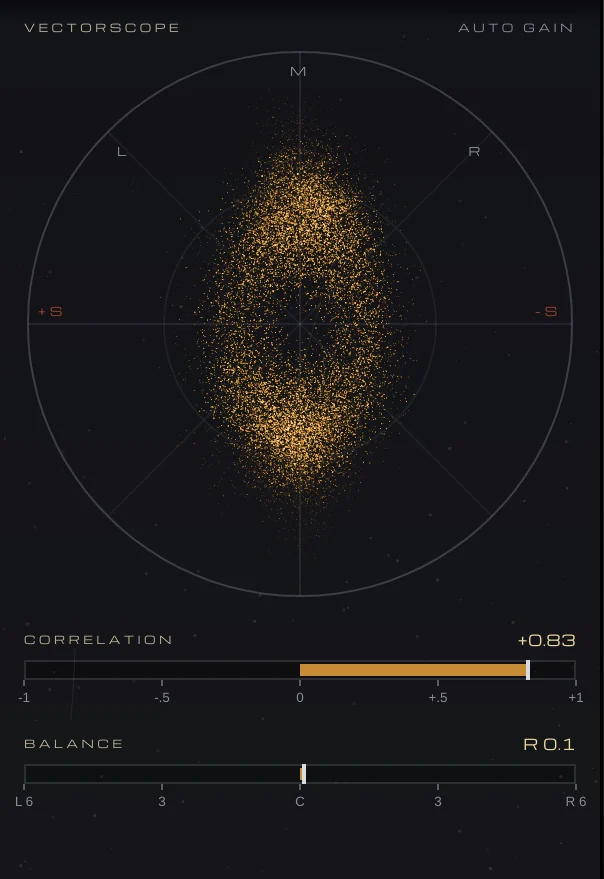
The VECTORSCOPE draws every output sample as a point: mono is a vertical line, and sound that cancels in mono lies flat. CORRELATION reads +1 for mono, 0 for unrelated and below 0 for out of phase. A full mix normally sits well on the positive side, with short dips on wide reverbs; a reading that stays near or below zero means something will vanish in mono. The Mono Fix presets are a starting point for wide or out-of-phase lows, Haas-widened parts and a lopsided image.
Where width fits in the whole mix
Width is a finishing move, not a foundation. Get the balance right with faders and panning first, as in part 3, let EQ, dynamics and space do their work, and only then adjust the width where a part still sits too narrow or too wide. Next, we bring the mix to life over time with movement and automation.