VEIRA 6-Band Stereo Imager

A six-band stereo imager that shows where every frequency sits.

$79.99, a one-time purchase with free updates

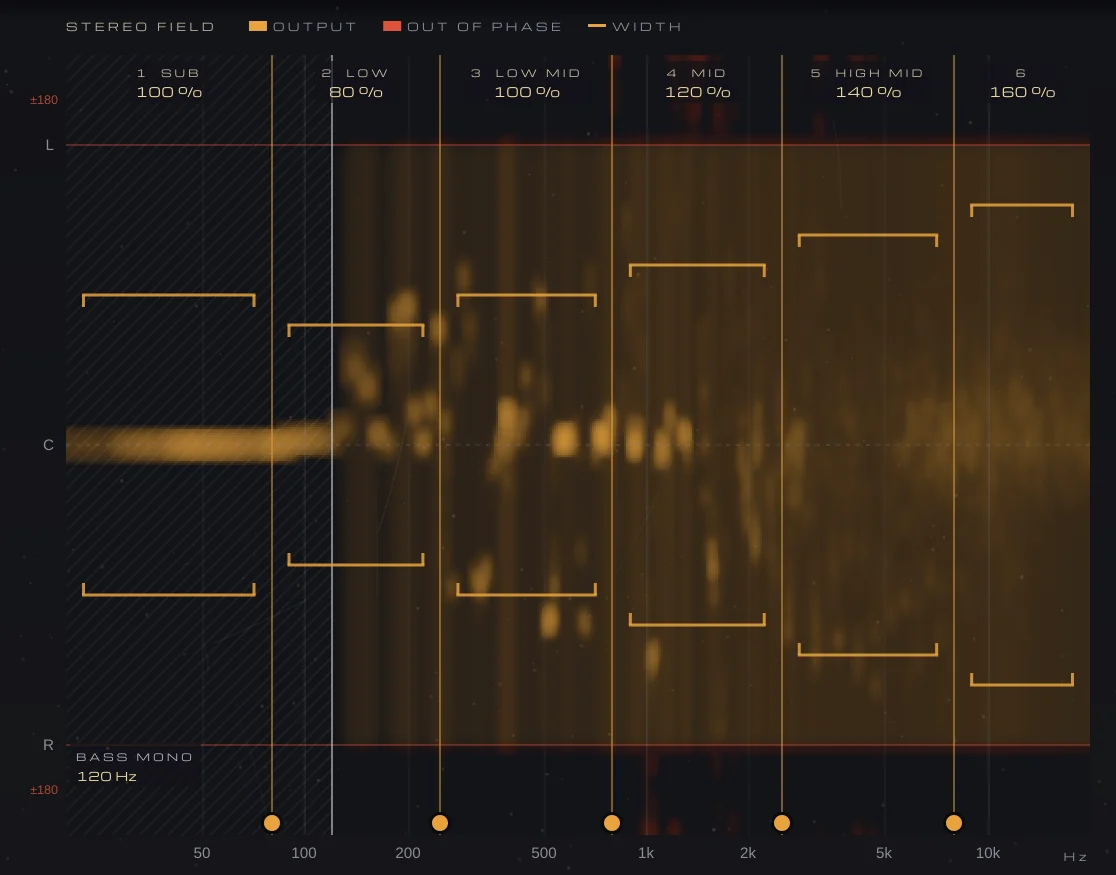
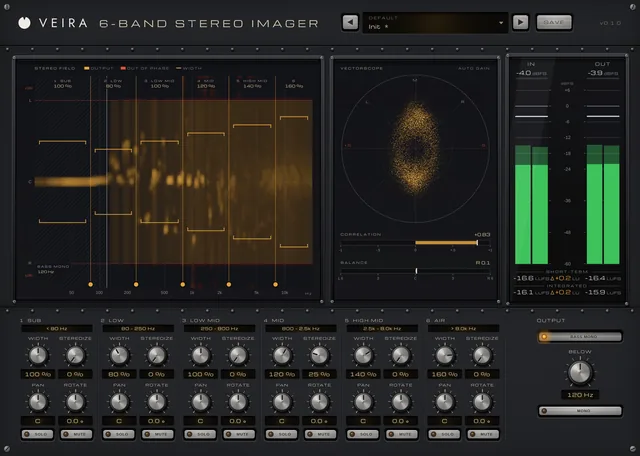
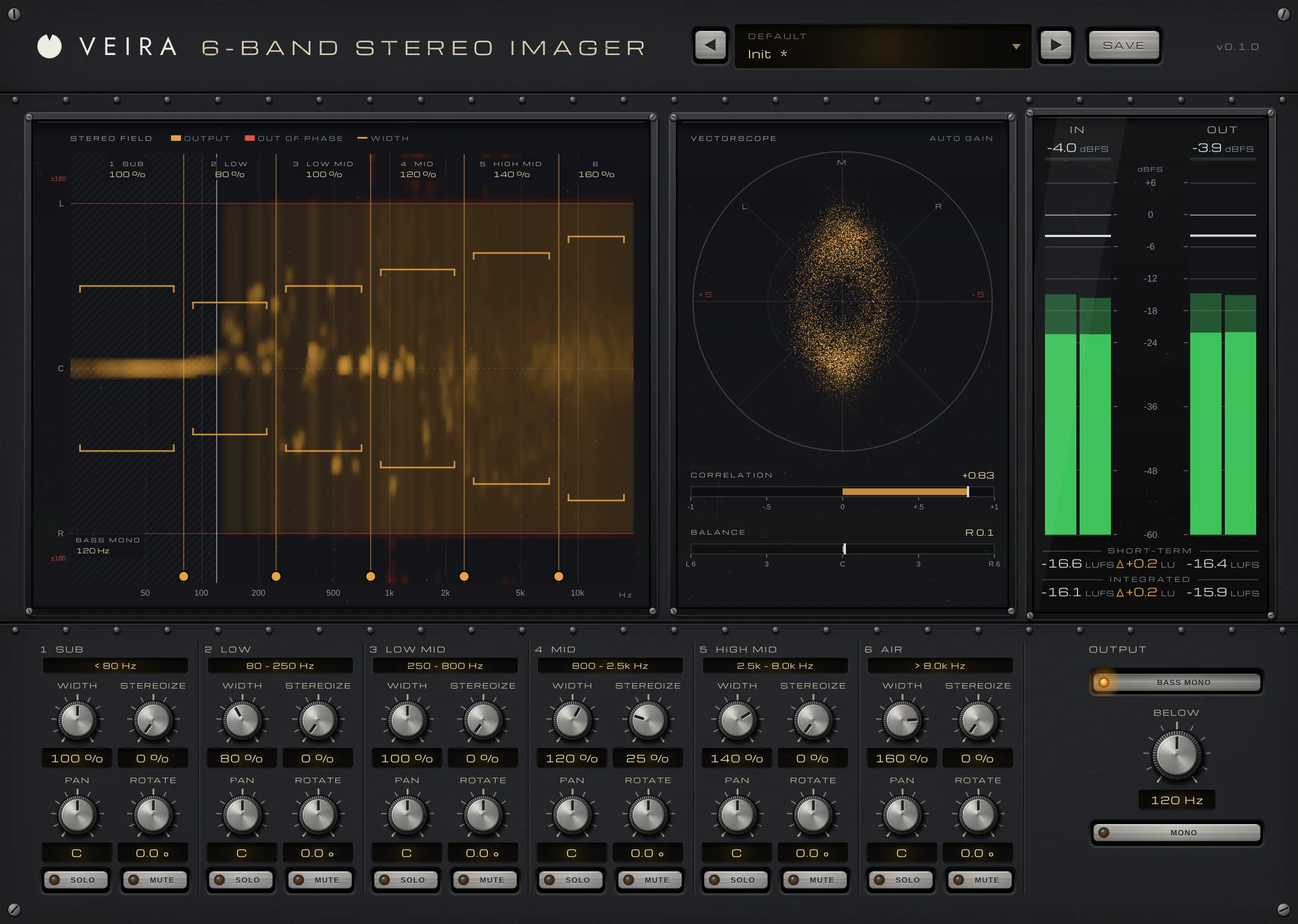
VEIRA 6-Band Stereo Imager on a stereo mix, with the Init preset edited: the STEREO FIELD with each band’s width bracket (80 % on LOW up to 160 % on AIR) and BASS MONO at 120 Hz, the vectorscope with the correlation at +0.83, the IN and OUT meters with short-term and integrated loudness, the six band strips and the OUTPUT controls.

VEIRA 6-Band Stereo Imager sets the stereo width of six frequency bands separately, so you can keep the low end tight and centred while the top opens up, or fix a part that’s too wide, too narrow or leaning to one side. It can also make a mono part stereo and steer a single band left or right.

The stereo field display shows where every frequency of your track sits between left and right, and you shape the bands by dragging them on it. The bands are split in linear phase and add back to exactly the input, a bass-mono switch and a mono check keep the mix safe, and a vectorscope with correlation shows how it will fold down.

A tour of VEIRA 6-Band Stereo Imager

VEIRA 6-Band Stereo Imager on a stereo mix, with the Init preset edited: the STEREO FIELD with each band’s width bracket (80 % on LOW up to 160 % on AIR) and BASS MONO at 120 Hz, the vectorscope with the correlation at +0.83, the IN and OUT meters with short-term and integrated loudness, the six band strips and the OUTPUT controls.
  1. The whole of VEIRA 6-Band Stereo Imager

    VEIRA 6-Band Stereo Imager splits your track into six bands and sets the width of each, from mono to double the stereo; it can also make a mono part stereo or steer a band to one side. The STEREO FIELD display shows where every frequency of the output sits between left and right, and you shape the bands by dragging them on it. The splits are linear phase and add back to exactly the input, so with nothing set the audio passes bit for bit.

  2. Where every frequency sits

    Frequency across, left to right down, the out-of-phase zone in red. Drag a band up or down for its WIDTH, or a split sideways.

  3. Vectorscope, correlation, balance

    Every output sample as a point, with the correlation and the balance under it.

  4. Levels and loudness

    IN and OUT peak and RMS, short-term and integrated loudness, and OUT − IN in LU.

  5. Six bands, four knobs each

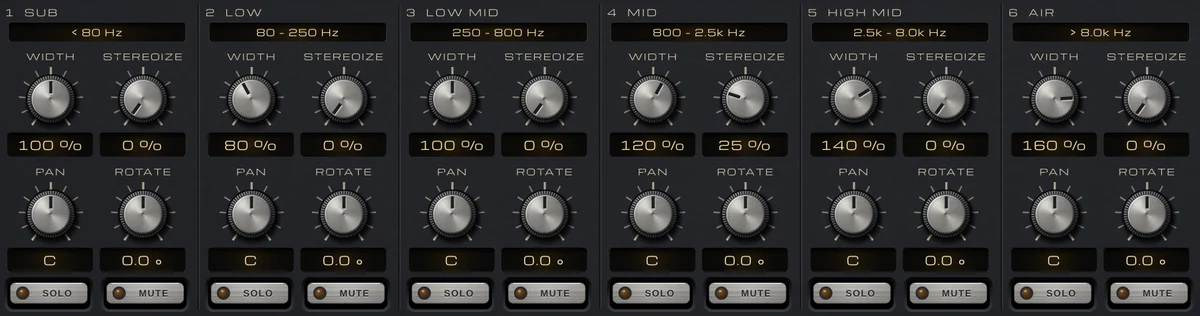
    WIDTH, STEREOIZE, PAN and ROTATE for every band, with SOLO and MUTE.

  6. Bass mono and a mono check

    BASS MONO keeps everything under BELOW mono; MONO lets you hear the output folded down.

What VEIRA 6-Band Stereo Imager does for you

The STEREO FIELD: a stereo mix in amber between L and R, with the six bands’ width brackets and the five split grips.

See where every frequency sits

The STEREO FIELD runs from 20 Hz to 20 kHz across and from L through C to R down, and places each frequency of the output where its left and right put it: a mono sound at C, a hard-panned one at L or R. Reverb and wide sound fill the field, and anything out of phase shows in a red zone beyond L and R, where it would cancel in mono.

  • 20 Hz–20 kHz
  • Out-of-phase zone
  • Redrawn 30 times a second
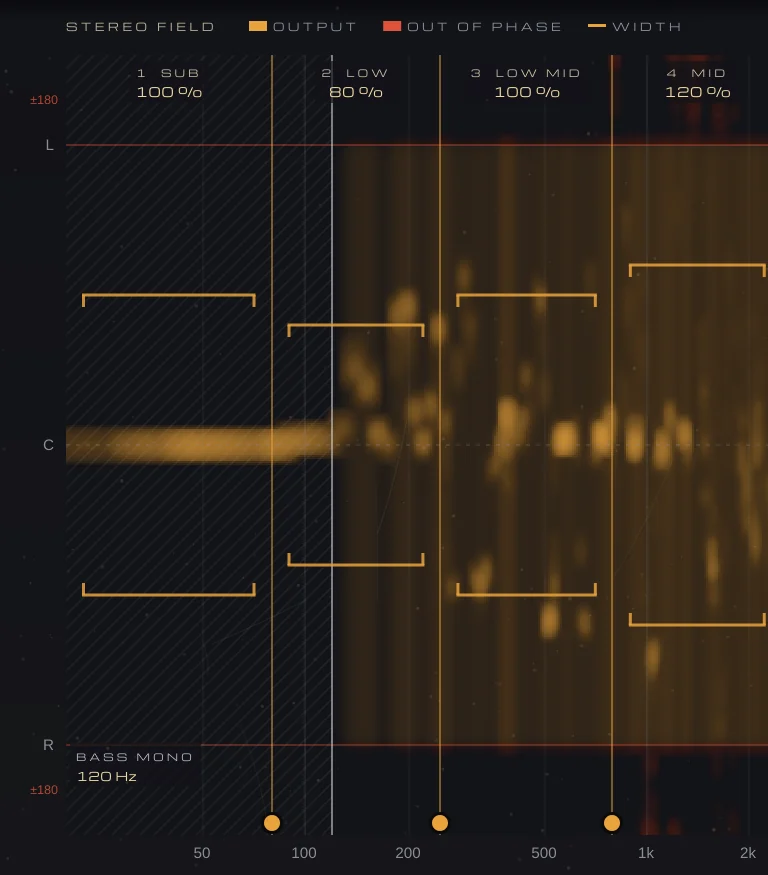
The low end of the STEREO FIELD: the bass held mono on the centre line under BASS MONO at 120 Hz, with the split grips between SUB, LOW, LOW MID and MID.

Six bands, split cleanly

Five splits make six bands, from SUB to AIR. Drag each split sideways on the display to where your kick, body, presence and air sit, or double-click it to reset. The splits are linear phase at 48 dB per octave and always add back to exactly the input: with every band at 100 % and nothing else on, the output is the input, delayed, bit for bit.

  • Linear phase, 48 dB/oct
  • Bit for bit at rest
  • 1152 samples at 48 kHz
The six band strips, SUB to AIR, with WIDTH from 80 % to 160 % and STEREOIZE at 25 % on MID.

Width, band by band

WIDTH sets each band’s stereo part from 0 % (mono) to 200 % (double the side); 100 % leaves it alone. Turn the knob, or drag the band’s bracket up or down on the display and double-click it for 100 %. WIDTH never touches the mid, so what mono listeners hear stays the same, and every change is crossfaded in so moving a control never clicks.

  • 0–200 %
  • Drag on the display
  • Mono sum unchanged
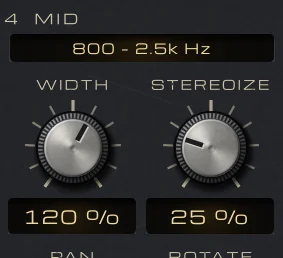
Band 4 MID, 800 Hz–2.5 kHz: WIDTH at 120 % and STEREOIZE at 25 %.

Make a mono part stereo

STEREOIZE adds a decorrelated copy of a band’s mid to its side, so a mono or narrow part opens up while the mono sum stays exactly the same. Left and right keep the same level at every frequency, nothing under 150 Hz is touched, and even at 100 % no frequency goes out of phase. It’s made for mono and narrow parts: on a recording that is already stereo, such as a spaced microphone pair, some stretches can get narrower instead.

  • Mono sum unchanged
  • Leaves under 150 Hz alone
  • Mono in, stereo out
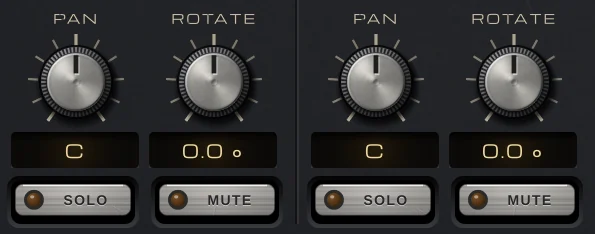
PAN and ROTATE for the SUB and LOW bands, both centred, with their SOLO and MUTE keys.

Steer a band, not the whole track

PAN balances a band between left and right with an equal-power law. ROTATE turns the band’s whole image towards either side while keeping its width, for a source that sits off-centre. SOLO and MUTE let you hear one or several bands alone, or take one out.

  • PAN L 100 to R 100
  • ROTATE −45 to +45°
  • SOLO and MUTE
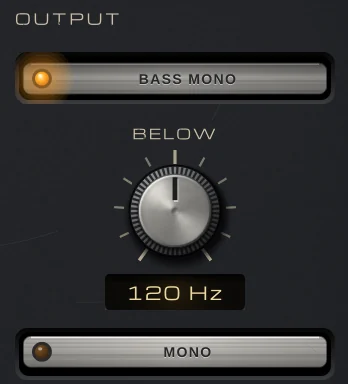
The OUTPUT section: BASS MONO on, BELOW at 120 Hz, and MONO.

Lows in mono, and a mono check

BASS MONO makes everything under BELOW mono, at 48 dB per octave, whatever the bands do; its edge can also be dragged on the display. MONO plays the output summed to mono, so you can check how the mix folds down. SOLO and MONO are listening aids: offline bounces and AudioSuite leave them out.

  • BELOW 20–500 Hz
  • 48 dB per octave
  • Left out of bounces
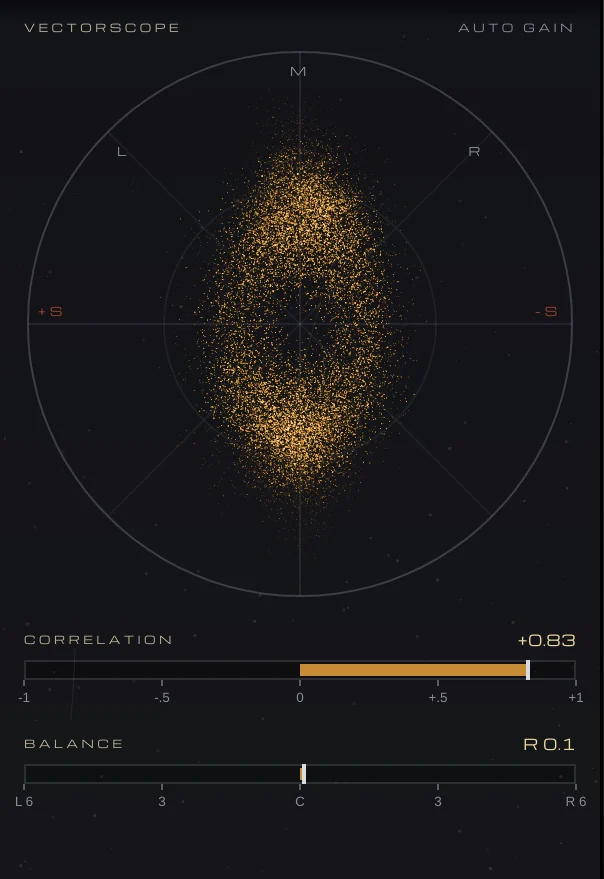
The VECTORSCOPE, with CORRELATION at +0.83 and BALANCE at R 0.1.

Read the image at a glance

The VECTORSCOPE draws every output sample as a point, mid up and side across, with an auto gain so quiet detail shows: mono is a vertical line, and sound that cancels in mono lies flat. Under it, CORRELATION reads from +1 (mono) through 0 (unrelated) to below 0 (out of phase), and BALANCE shows how far the output leans, in dB.

  • Auto gain
  • Correlation
  • Balance in dB
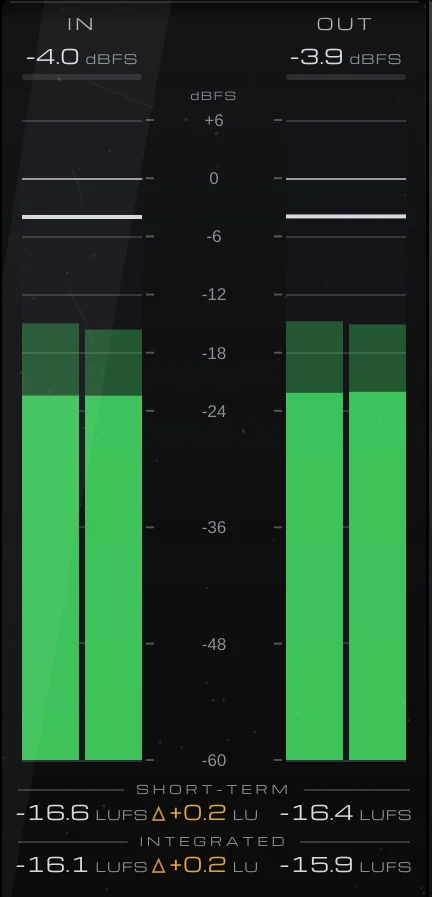
IN and OUT meters in dBFS, with short-term and integrated LUFS and their difference in LU.

Levels and loudness, in and out

The meter bridge shows IN and OUT peak and RMS in dBFS, with short-term and integrated loudness and the difference OUT − IN in LU, so you see any level change the width brings. Click the loudness to start a new integrated measurement.

  • Peak and RMS
  • Short-term and integrated LUFS
  • OUT − IN in LU
The preset browser showing Init in the Default folder, with previous, next and Save.

74 presets to start from

Thirteen folders, from Drums, Bass and Vocals to Mix Bus and Mastering, plus Mono Fix (wide or out-of-phase lows, Haas-widened parts, a lopsided image) and Creative FX. Every preset keeps the balance within 0.5 dB, and Mix Bus and Mastering keep the correlation at or above 0.3. After loading one, move the splits to where your parts sit and check in mono.

  • 13 folders
  • Save your own
  • Recalled with your session

Get VEIRA 6-Band Stereo Imager

Pay once and it’s yours, with every future update included.

VEIRA 6-Band Stereo Imager

A six-band stereo imager that shows where every frequency sits.

  • Yours to keep: pay once, no subscription
  • Every future update, free for life
  • VST3, AU, Standalone on up to 3 computers
  • Changed your mind? Cancel within 14 days (refunds)
USD

One-time payment, in your cart.

Welcome offer

Get 10% off your first order

Leave your email and we’ll send you a code for 10% off your first order, on any plugins. One code per person.

Specifications

Type
Six-band stereo imager: width, stereoize, pan and rotate per band, with linear-phase splits
Bands
Six, split by five crossovers (30–300 Hz, 80 Hz–1 kHz, 250 Hz–3 kHz, 800 Hz–8 kHz, 2.5–16 kHz); linear phase, 48 dB per octave
Width
0 to 200 % per band (100 % unchanged, 0 % mono)
Stereoize
0 to 100 % per band; mono sum unchanged, nothing under 150 Hz touched
Pan
L 100 to R 100 per band (equal power)
Rotate
−45 to +45° per band
Solo and mute
Per band; SOLO is left out of offline bounces
Output
BASS MONO below 20 to 500 Hz (48 dB per octave); MONO listening, left out of offline bounces
Latency
1152 samples at 44.1 and 48 kHz (about 24 ms), constant and reported to your DAW
Metering
Stereo field; vectorscope; correlation and balance; IN and OUT peak and RMS; short-term and integrated LUFS
Presets
74 factory presets in 13 folders (including Mono Fix, Mix Bus and Mastering), plus your own
Channels
Stereo, or mono in and stereo out
Formats
VST3, AU, Standalone
macOS
macOS 11 or later, Apple silicon or Intel (universal). VST3, AU and Standalone.
Windows
Windows 10 or later, 64-bit. VST3 and Standalone.
Pro Tools
Pro Tools (AAX) versions are built and tested, and arrive once they’re signed for Pro Tools.
Latest version
0.2.1, released October 31, 2026 · What’s new
Read more on the blog: Making a mix wider that still holds up in mono · The static mix: building a balance with faders and panning · Stereo width in a mix: panning, widening and keeping it mono-safe

Questions? 9 answers about VEIRA 6-Band Stereo Imager

Works well with

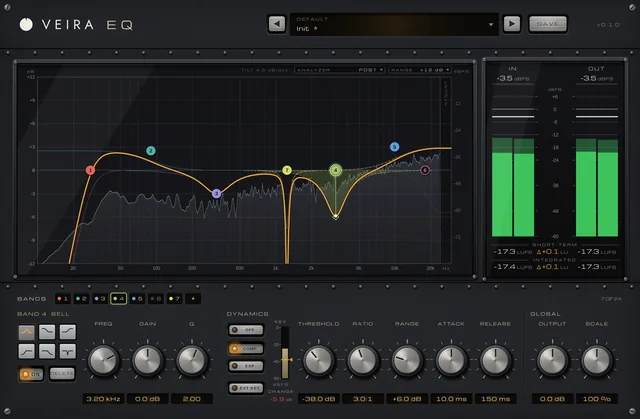
VEIRA EQ

A dynamic equaliser with up to 24 bands and an analyzer you can read.

$149.99

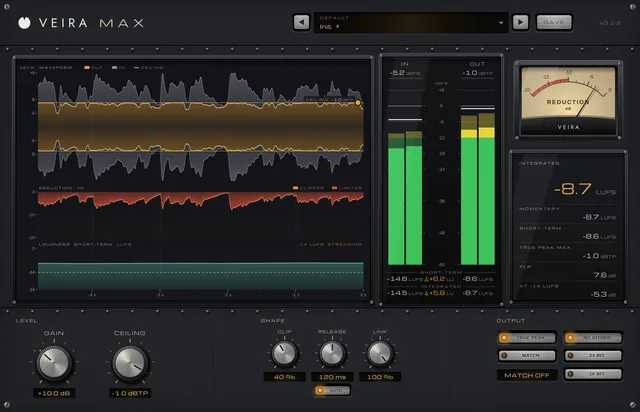
VEIRA Max

A loud, clean mastering limiter that shows every decibel it takes.

$149.99

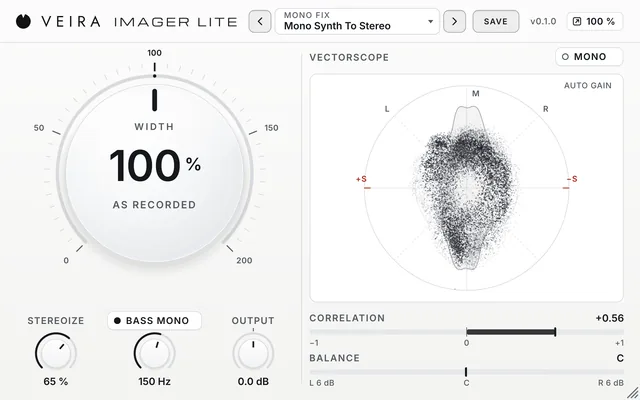
VEIRA Imager Lite

One big WIDTH knob, from mono to twice as wide, that keeps the loudness where it was, with STEREOIZE for mono parts, BASS MONO for a centred low end and a live vectorscope.

$49.99