VEIRA Imager Lite

One big WIDTH knob, from mono to twice as wide, that keeps the loudness where it was, with STEREOIZE for mono parts, BASS MONO for a centred low end and a live vectorscope.

$49.99, a one-time purchase with free updates

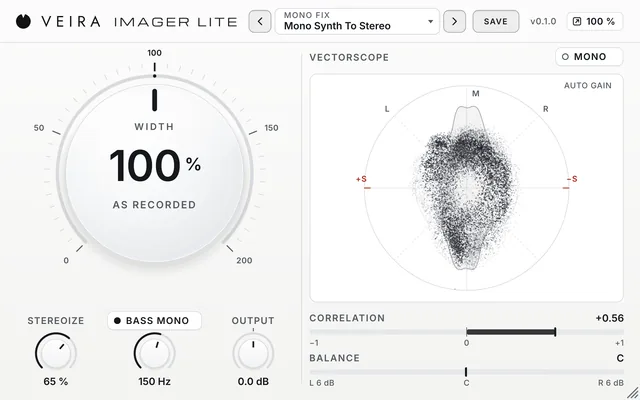
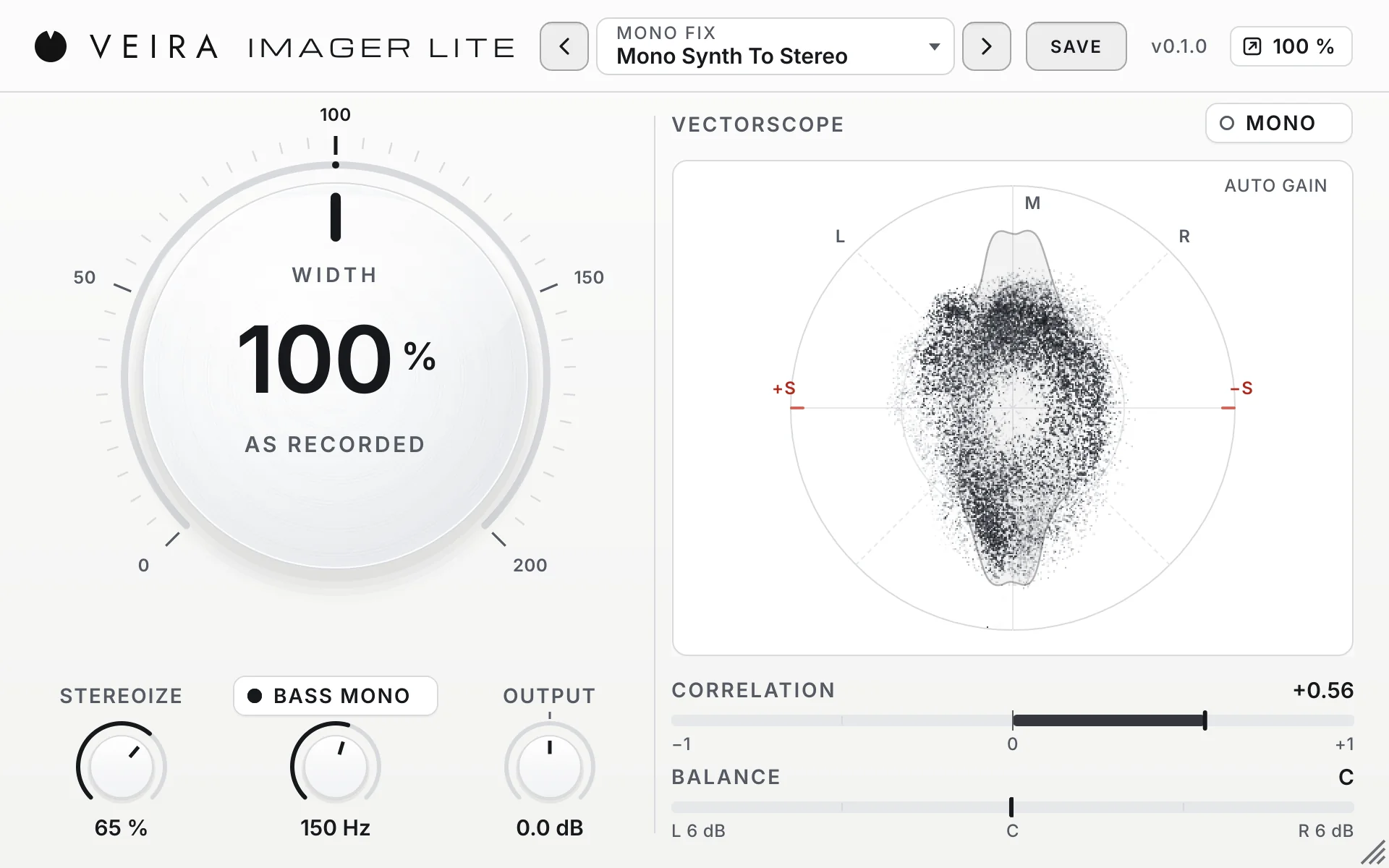
VEIRA Imager Lite with the preset Mono Synth To Stereo on a mono synth: the big WIDTH knob at 100 % with STEREOIZE, BASS MONO and OUTPUT under it at the left; the VECTORSCOPE with the MONO key, CORRELATION and BALANCE at the right.

VEIRA Imager Lite is a stereo imager with one control that matters: WIDTH, a big white knob that runs from mono through as recorded to twice as wide. It keeps the loudness where it was as you turn it, so wider does not simply mean louder, and at 100 % with nothing else on the audio passes bit for bit. Under it, STEREOIZE makes a mono synth, guitar or voice stereo without changing its mono sum, BASS MONO takes the stereo part out of the lows under a frequency you choose, and OUTPUT sets the level.

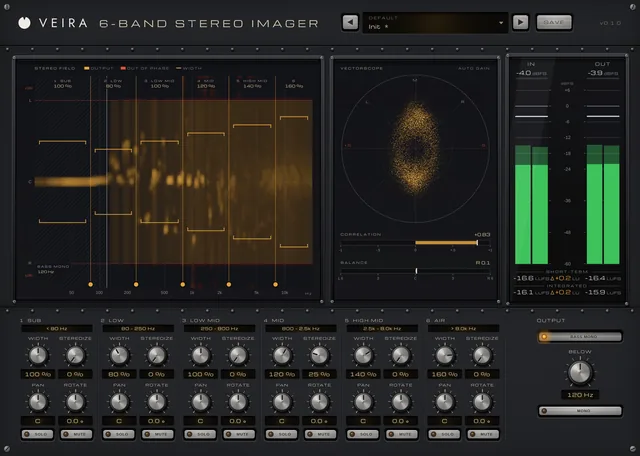
On the right, a large VECTORSCOPE draws the shape of the stereo image, CORRELATION warns when something would cancel in mono, BALANCE shows a lean to one side, and the MONO key lets you hear how it folds down. It is the lite version of VEIRA 6-Band Stereo Imager: one width for the whole signal instead of six bands. Its 28 factory presets come in seven folders, from Drums and Vocals to Mastering and Mono Fix. Buy it once and VEIRA Manager installs it, like every plugin from VEIRA.

A tour of VEIRA Imager Lite

VEIRA Imager Lite with the preset Mono Synth To Stereo on a mono synth: the big WIDTH knob at 100 % with STEREOIZE, BASS MONO and OUTPUT under it at the left; the VECTORSCOPE with the MONO key, CORRELATION and BALANCE at the right.
  1. The whole of VEIRA Imager Lite

    VEIRA Imager Lite is the quick way to the stereo image you want. Its big WIDTH knob makes a track or a whole mix narrower or wider, from mono to twice as wide, and keeps the loudness where it was, so you judge the width and not a change in level. STEREOIZE makes a mono part stereo without changing how it sounds in mono, BASS MONO keeps the low end in the centre, and a large VECTORSCOPE with CORRELATION and BALANCE shows the result as you work. It is the lite version of VEIRA 6-Band Stereo Imager.

  2. One knob

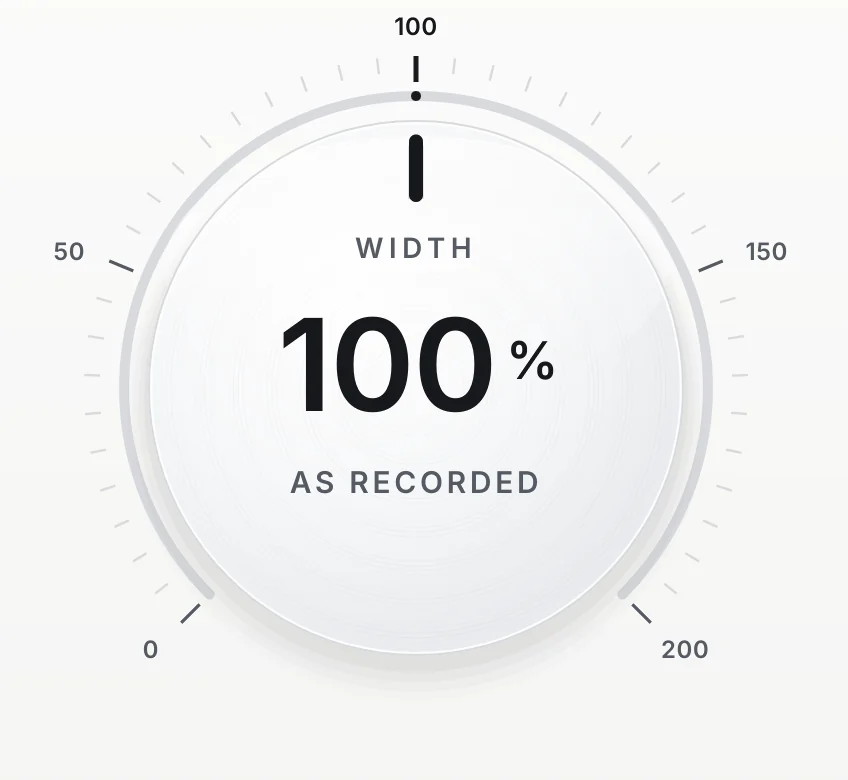
    WIDTH sets the width; the loudness stays where it was.

  3. The vectorscope

    The shape of the stereo image, live.

  4. Stereoize, bass mono and output

    A mono part made stereo, and the lows kept in the centre.

  5. Correlation and balance

    See what would cancel in mono.

What VEIRA Imager Lite does for you

WIDTH at 100 %: a large white disc with a charcoal pointer straight up, its value in large figures and AS RECORDED under it, on a scale from 0 to 200.

Wider, not louder

WIDTH runs from 0 % (mono) through 100 % (as recorded) to 200 % (twice the side against the mid). Most width controls get louder as they widen, so wider always seems better. WIDTH measures how much side and mid the music has and sets the level of both, so the loudness stays where it was: in the plugin’s tests, the whole range from 0 to 200 % moves the loudness of a mix by about 0.01 LU. A mono source is left exactly alone.

  • 0 to 200 %
  • Loudness within 0.01 LU
  • As recorded at 100 %
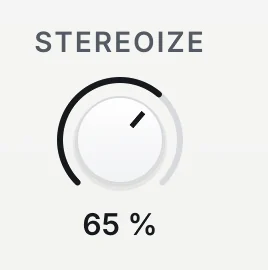
STEREOIZE at 65 %.

Make a mono part stereo

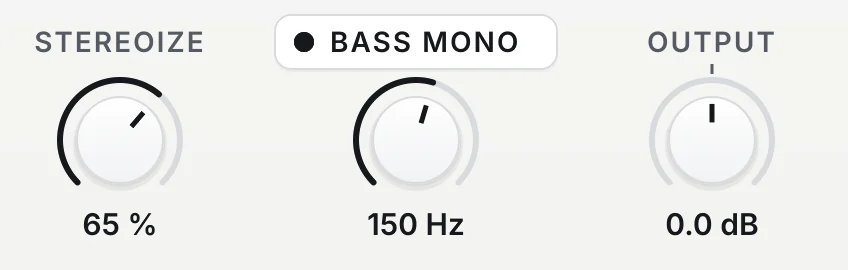
STEREOIZE gives a mono synth, guitar or voice a stereo spread by adding a copy of its mid to the side that is always a quarter turn (90 degrees) from it. So the mono sum stays exactly the same, left and right stay equally loud at every frequency, nothing goes out of phase even at 100 %, and everything under 150 Hz is left alone. Because it adds side and keeps the mid, the stereo level rises a little: about 1.2 LU on a mono synth at 65 %.

  • Mono sum unchanged
  • Leaves under 150 Hz alone
  • Mono in, stereo out
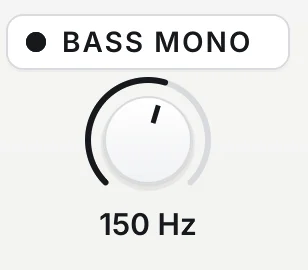
BASS MONO switched on, its frequency at 150 Hz.

A centred low end

BASS MONO takes the stereo part out under a frequency you choose, from 20 to 500 Hz (120 Hz by default), at 48 dB per octave with a linear-phase filter, so the lows keep their timing. The mid is never touched: the bass keeps its level and its tone and only stops being wide. Set to 120 Hz, the side is 54 dB down at 60 Hz and within 0.03 dB at 240 Hz.

  • 20 to 500 Hz
  • 48 dB per octave
  • Linear phase
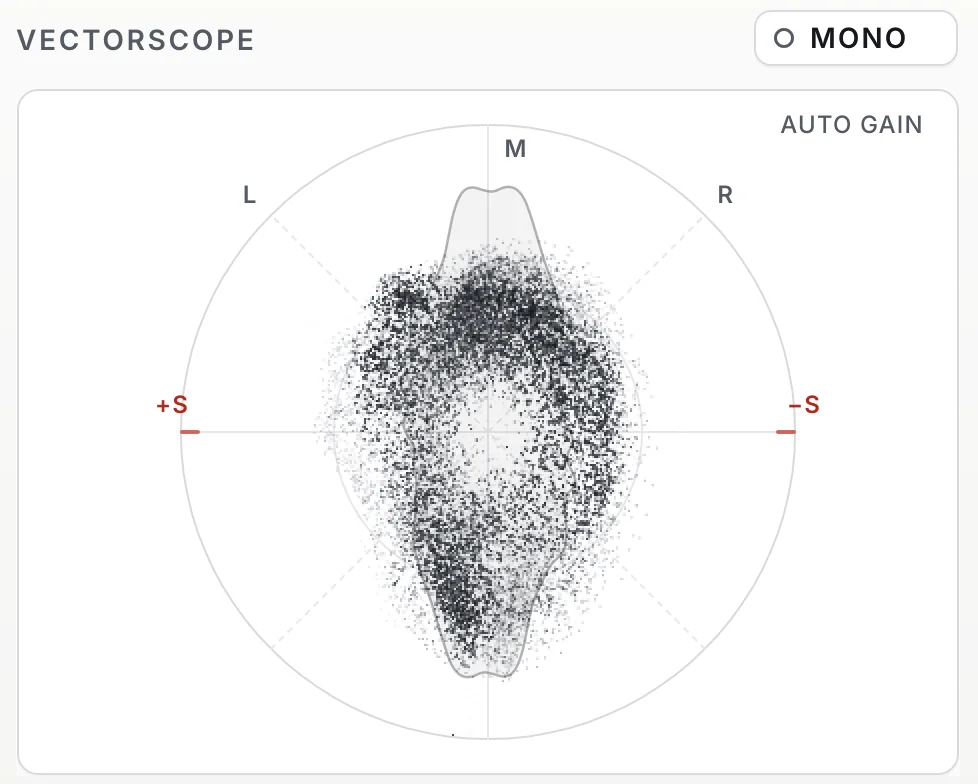
VECTORSCOPE with the MONO key and AUTO GAIN: a cloud of points, taller than it is wide, in a circle marked M, L, R, +S and −S, over a soft outline.

See the image as you work

The large VECTORSCOPE draws every output sample as a point, mid up and side across: mono is an upright line, a panned sound leans towards L or R, wide sound fills the circle, and sound that would cancel in mono lies flat towards the red +S and −S. An auto gain keeps quiet detail visible, and a soft outline shows where the energy points.

  • Auto gain
  • About 60 frames a second
  • Out of phase in red
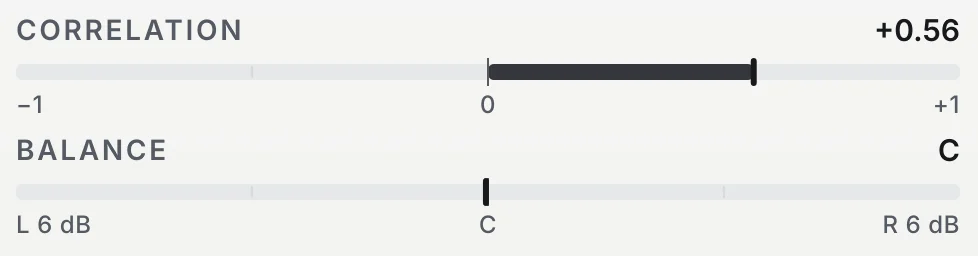
CORRELATION at +0.56 on a bar from −1 to +1, and BALANCE at C on a bar from L 6 dB to R 6 dB.

Check it in mono

CORRELATION reads from +1 (mono) through 0 (unrelated) to below 0, in red, where something cancels in mono; BALANCE shows how far the output leans, up to 6 dB each way. The MONO key plays the output in mono, so you hear how the image folds down. It is a listening aid: an offline bounce leaves it out.

  • Correlation −1 to +1
  • Balance in dB
  • Left out of bounces
The row under the big knob: STEREOIZE at 65 %, BASS MONO on at 150 Hz, and OUTPUT at 0.0 dB.

Nothing changes until you turn it

At WIDTH 100 % with nothing else on, the output is the input, delayed, bit for bit. The latency is constant, 1152 samples at 44.1 and 48 kHz (about 24 ms), and reported to your DAW; the host’s bypass is delayed by the same amount, so a bypassed track stays in time. Every control glides to its new value, so automating WIDTH or the BASS MONO frequency never clicks.

  • Bit for bit at rest
  • 1152 samples at 48 kHz
  • No clicks when automated
The preset browser showing Mono Fix: Mono Synth To Stereo, with previous, next and SAVE.

28 presets, each one measured

Default, Drums, Bass, Vocals, Mix Bus, Mastering and Mono Fix, four presets each: from Gentle Width and Wide Overheads to Mono Low End, Master Tight Lows and Mono Synth To Stereo. Every preset that widens keeps the lows mono, the Mastering presets stay between 85 and 120 %, and a preset never changes OUTPUT or MONO.

  • 7 folders
  • Lows kept mono
  • Save your own

Get VEIRA Imager Lite

Pay once and it’s yours, with every future update included.

VEIRA Imager Lite

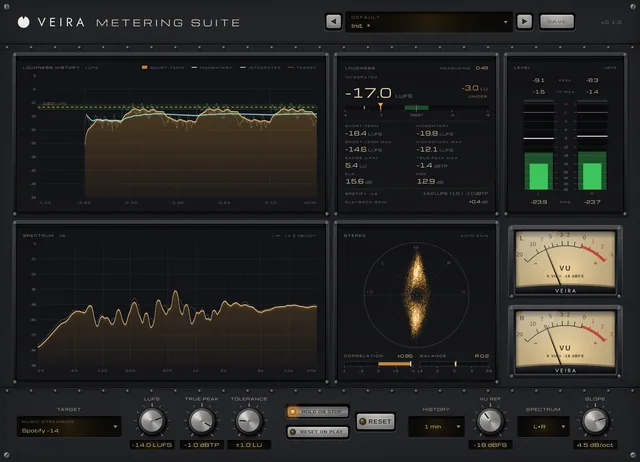
One big WIDTH knob, from mono to twice as wide, that keeps the loudness where it was, with STEREOIZE for mono parts, BASS MONO for a centred low end and a live vectorscope.

  • Yours to keep: pay once, no subscription
  • Every future update, free for life
  • VST3, AU, Standalone on up to 3 computers
  • Changed your mind? Cancel within 14 days (refunds)
USD

One-time payment, in your cart.

Welcome offer

Get 10% off your first order

Leave your email and we’ll send you a code for 10% off your first order, on any plugins. One code per person.

Specifications

Type
Stereo imager: one width for the whole signal at constant loudness; stereo, or mono in and stereo out
Controls
WIDTH 0 to 200 % (default 100 %); STEREOIZE 0 to 100 % (default 0 %); BASS MONO on or off with its frequency 20 to 500 Hz (default 120 Hz); OUTPUT −12 to +12 dB; MONO listen, left out of offline bounces
At rest
At WIDTH 100 % with nothing else on, the output is the input, delayed, bit for bit
WIDTH (measured)
0 to 200 % on a mix moves the loudness by about 0.01 LU; a mono source is left exactly alone; at 200 % on a typical mix the mono sum is about 2 dB lower
STEREOIZE (measured)
Mono sum unchanged; left and right equally loud from 160 Hz to 4 kHz; never out of phase; correlation on noise about 0.80 at 40 % and 0.19 at 100 %; nothing under 150 Hz
BASS MONO (measured)
The side removed at 48 dB per octave, linear phase, the mid untouched: set to 120 Hz, 54 dB down at 60 Hz and within 0.03 dB at 240 Hz; gentler under 60 Hz
Latency
1152 samples at 44.1 and 48 kHz (about 24 ms), constant and reported; the host’s bypass stays in time
Metering
Vectorscope with auto gain; correlation (−1 to +1) and balance (L 6 dB to R 6 dB) over the last 300 ms
Parameters
6, all automatable
Presets
28 factory presets in 7 folders, plus your own
Window
960 x 600 at 100 %, resizable from 75 to 200 % or to fit the screen (button, corner grip or Cmd/Ctrl + and −), opens at 100 %, saved with the session
Formats
VST3, AU, Standalone
macOS
macOS 11 or later, Apple silicon or Intel (universal). VST3, AU and Standalone.
Windows
Windows 10 or later, 64-bit. VST3 and Standalone.
Pro Tools
Pro Tools (AAX) versions are built and tested, and arrive once they’re signed for Pro Tools.
Latest version
0.1.0, released November 11, 2026 · What’s new

Read more on the blog: Stereo width with one knob: wider, not louder

Questions? 9 answers about VEIRA Imager Lite
Works well with

VEIRA 6-Band Stereo Imager

A six-band stereo imager that shows where every frequency sits.

$79.99

VEIRA Metering Suite

A complete meter that tells you if your mix is ready for where it’s going.

$39.99

VEIRA Sub Control

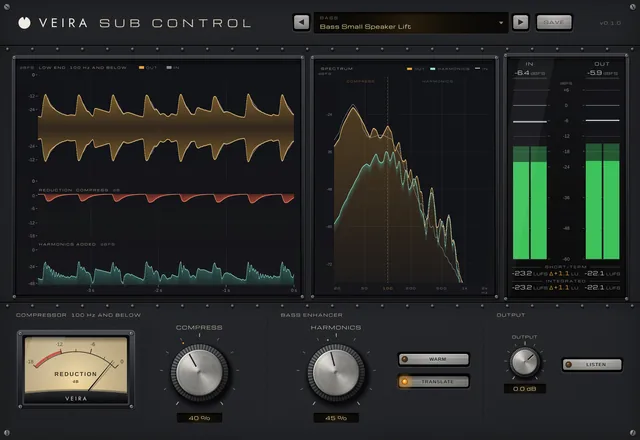
A compressor for the low end only, beside a bass enhancer that makes it carry on any speaker.

$49.99