Making a mix wider that still holds up in mono
How stereo width works in mid and side terms, why the low end belongs in the center, how to widen band by band, and how to check every move in mono.
A wide mix sounds great on studio monitors. Then it plays on a phone, a single smart speaker or a club system with a mono sub, and the guitars sink, the reverb vanishes and the bass goes thin. Width and mono compatibility aren’t opposites: they’re two sides of the same thing, and once you know how they connect you can have a mix that opens up on headphones and still holds together when it’s folded down.
Width is the difference between left and right
Any stereo signal can be described as mid and side. The mid is what left and right have in common; the side is how they differ. A mono listener hears only the mid, so the side is, by definition, the part they lose. Turning the side up makes a sound wider without changing what mono listeners hear. The trouble starts with tricks that build width from timing, such as a short delay on one side: summed to mono, the two copies comb filter, and anything that is truly out of phase cancels outright.
Keep the low end in the center
Kick and bass carry most of a mix’s energy, and they’re the parts that suffer most from stereo tricks. Wide lows lose weight in mono, make the mix lean to one side on small differences, and give a mono sub on a big system less to work with. A common habit is to make everything under somewhere around 100 to 150 Hz mono. Don’t treat that as a rule: raise the point until the low end starts to sound narrow, then back off a little.
Widen by band, not the whole mix
Widening a whole mix at once pushes the lows out with everything else and can make the lead vocal feel less solid. It usually works better to decide band by band where width helps and where it hurts. A little more side often goes a long way: try small moves first and compare at the same level.
- Start at the bottom: make the lows mono and listen to whether the kick and bass get more solid.
- Open the top: a little more side in the high mids and the air widens cymbals, reverb and harmonics without moving the vocal.
- Leave the center alone: lead vocal, kick, snare and bass are the anchor that makes the sides sound wide.
- For a mono part, such as a single synth line or one guitar, use decorrelation or a real double rather than a short delay on one side, which comb filters in mono.
Check it in mono, and watch the correlation
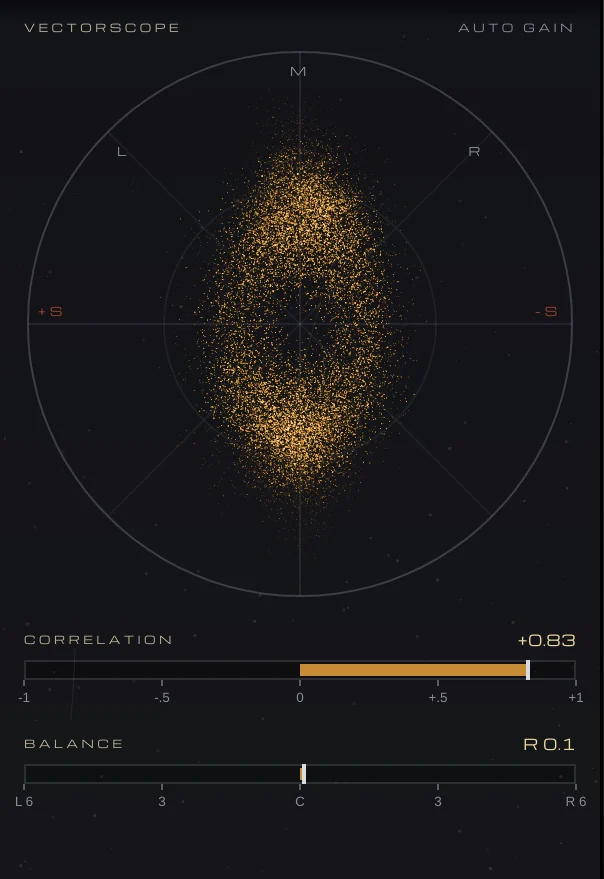
Flip to mono often, at a moderate level. The mix should get narrower and maybe a touch quieter, but nothing should disappear or change tone. A correlation meter helps: +1 is mono, 0 means left and right are unrelated, and below 0 means out of phase. A mix that spends most of its time comfortably above zero is usually safe; stretches below zero are worth tracking down. On a vectorscope, mono is a vertical line, and a picture that lies flat is sound that cancels.
Doing it with VEIRA IMAGER
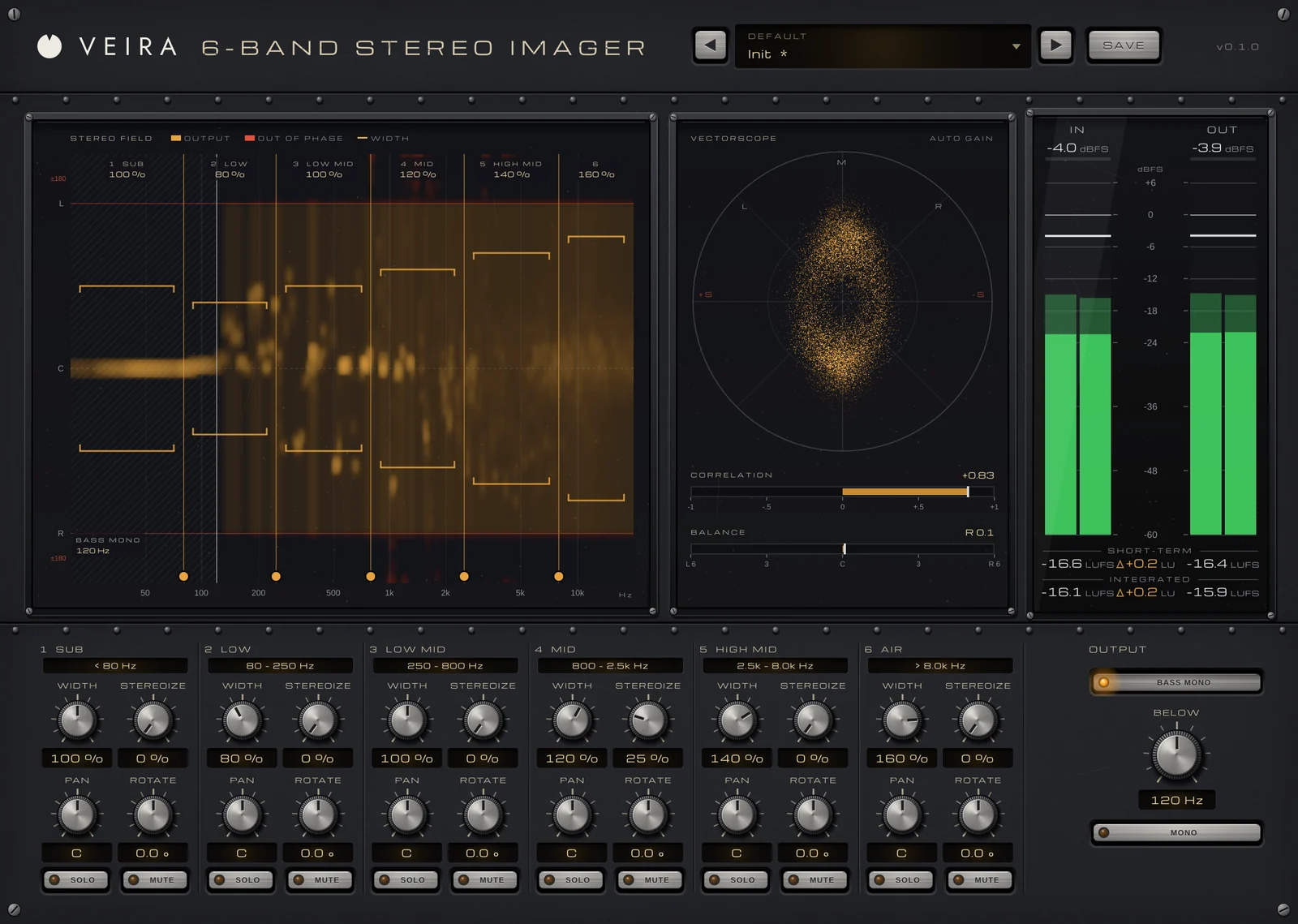
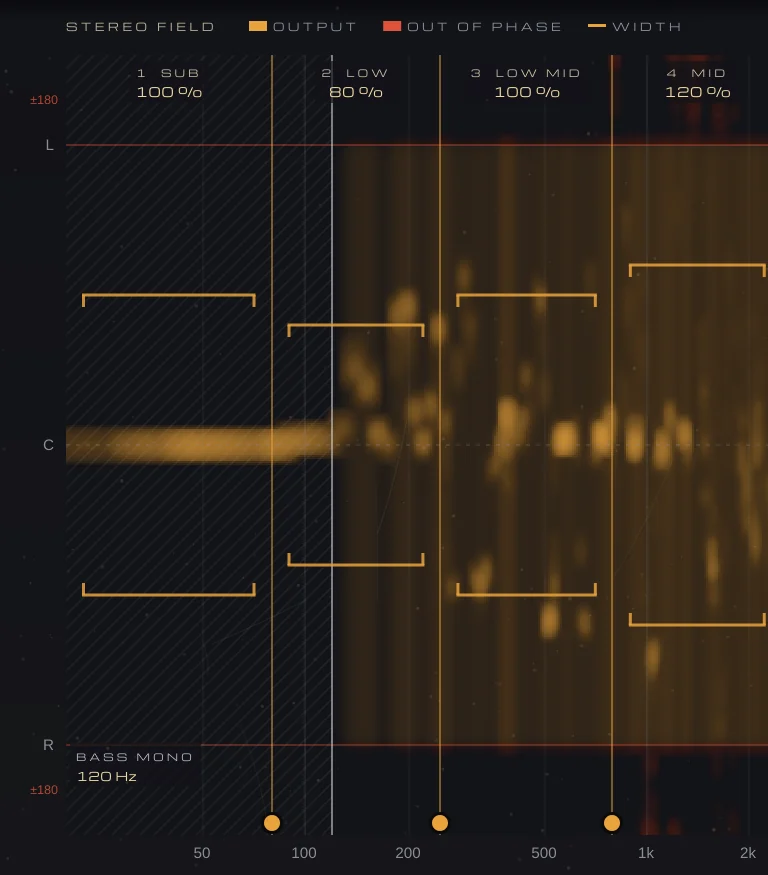
VEIRA 6-Band Stereo Imager splits your track into six bands, from SUB to AIR, and sets the width of each. Its STEREO FIELD display runs from 20 Hz to 20 kHz across and from L through C to R down, and places every frequency of the output where its left and right put it. Anything out of phase shows in a red zone beyond L and R, where it would cancel in mono. You drag the splits sideways to where your kick, body, presence and air sit, and drag a band’s bracket up or down to set its WIDTH.
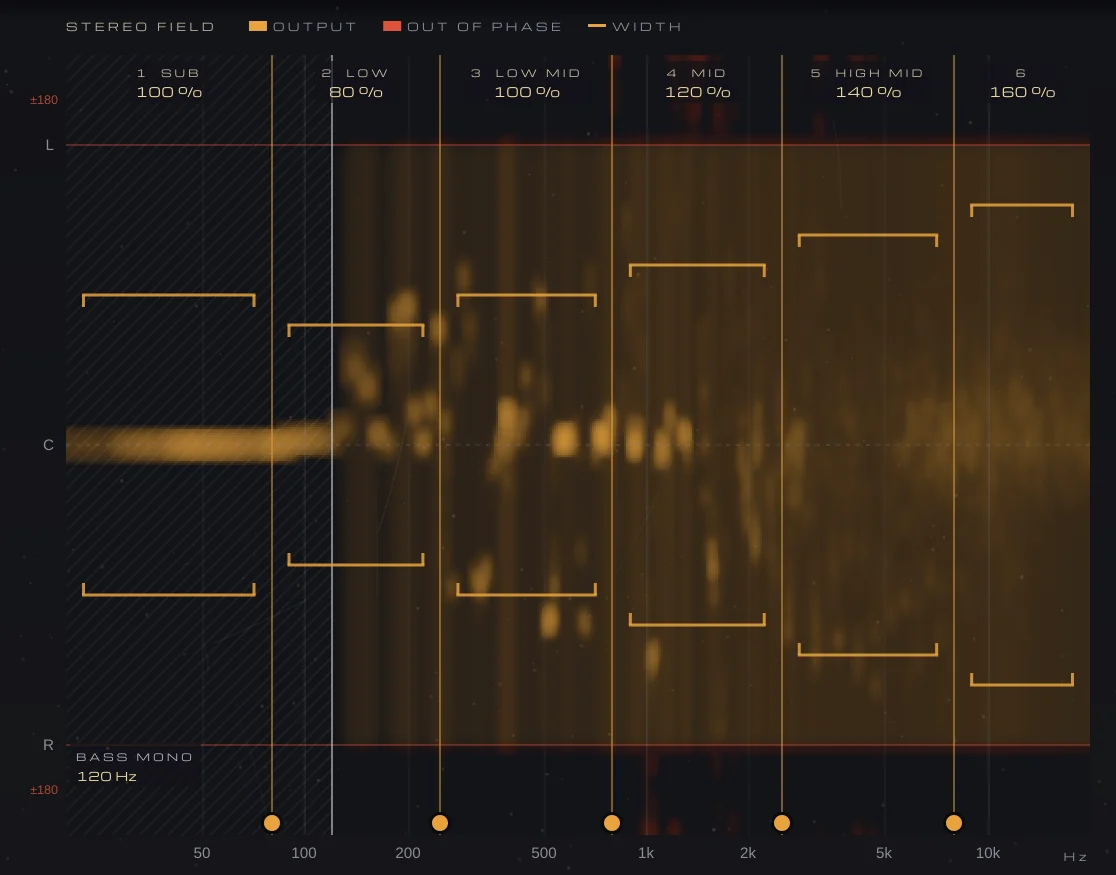
WIDTH goes from 0 % (mono) to 200 % and never touches the mid, so what mono listeners hear stays the same. BASS MONO makes everything under BELOW mono at 48 dB per octave, and MONO plays the output summed to mono so you can check the fold-down without leaving the plugin. For a mono or narrow part, STEREOIZE adds a decorrelated copy of a band’s mid to its side: the mono sum stays exactly the same and nothing under 150 Hz is touched.
The splits are linear phase and add back to exactly the input, so with nothing set the audio passes bit for bit. The VECTORSCOPE, with CORRELATION and BALANCE under it, shows the result as you work. Its 74 presets include a Mono Fix folder for wide or out-of-phase lows, Haas-widened parts and a lopsided image; after loading one, move the splits to where your parts sit and check in mono.