Blog · Mixing from start to finish · Part 6 of 20
Mixing kick and snare: gating, punchy compression and EQ
How to gate the bleed out of kick, snare and toms, compress them for punch, and EQ the kick’s weight and click and the snare’s body and crack, with starting settings for each.
Now we start on the instruments, drums first, because the rest of the mix leans on them. This part takes the compression basics of part 5 to the close microphones on kick, snare and toms; part 7 adds the overheads, the room and the drum bus.
Gate the bleed first
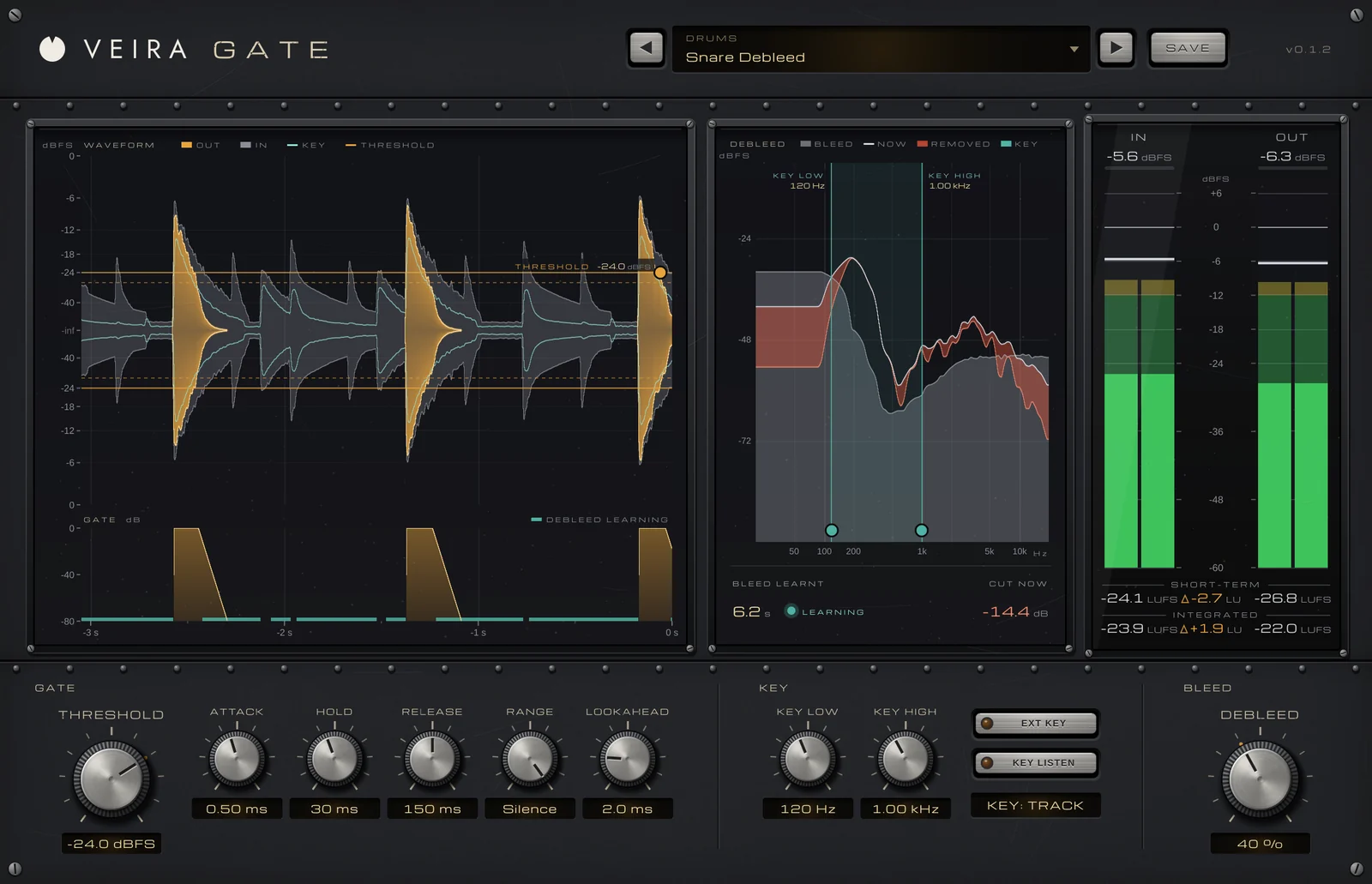
Every close microphone hears the rest of the kit, and compression and EQ would bring that bleed up too, so deal with it first. Put VEIRA Gate on the snare. Its waveform shows the output in amber over the input in grey: drag the THRESHOLD line into the gap, above the loudest bleed and below the softest hit you want to keep. The gate starts to close 4 dB under THRESHOLD, so a note hovering at the edge doesn’t make it chatter. Starting points:
- ATTACK: as fast as you can without a click, often 0.1 to 0.5 ms, with 1 to 2 ms of LOOKAHEAD so the crack is never cut off.
- HOLD: 20 to 50 ms keeps the gate open through the body of the hit.
- RELEASE: 100 to 200 ms on a snare, longer on toms so they ring out naturally.
- RANGE: 10 to 20 dB keeps a little of the room in the microphone; at 80 dB (Silence) it closes to exact zeros.
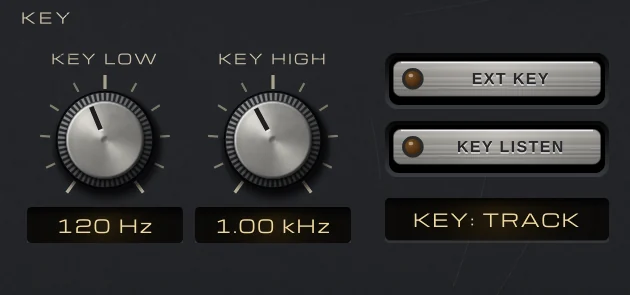
Then tune what the gate listens to. KEY LOW and KEY HIGH are 24 dB/oct filters on the key only, never on the audio, so a snare gate can ignore the kick below and the hi-hat above; on a kick gate, pull KEY HIGH down so the snare and cymbals can’t open it. Press KEY LISTEN to hear the key while you set them.
A gate only silences the gaps: the hi-hat under each snare hit still comes through. DEBLEED learns the bleed’s spectrum while the gate is closed, then turns down the frequencies the bleed dominates, during the hits too. On a snare microphone with bleed 14 dB under the snare, 50 % cuts the bleed under the hits by about 9 dB and costs the snare about 2 dB. Around 30 % is a sensible starting point: raise it while listening to the top of the snare, and back off when it dulls.
Compress for punch
Kick and snare want compression that shapes the hit rather than just levelling it. VEIRA Comp Red is a fast FET compressor in the tradition of the classic FET studio compressor, and like it there is no threshold knob: INPUT drives the signal into a fixed threshold, so turn INPUT up until the meter, set to GR, shows the reduction you want, then bring the level back with OUTPUT. ATTACK runs from 800 down to 20 microseconds and RELEASE from 1.1 s down to 50 ms, both faster clockwise. Starting points:
- Snare: ratio 4 or 8, ATTACK toward SLOW so the crack gets through, RELEASE toward FAST so it recovers before the next hit, and 3 to 6 dB of reduction; the body and ring come up between hits.
- Kick: ratio 4, ATTACK at SLOW, and RELEASE set so the reduction is back to zero before the next beat; 2 to 4 dB is often enough.
- More attitude: ALL, the all-buttons mode, with MIX at 30 to 50 % so the dry hit stays in front.
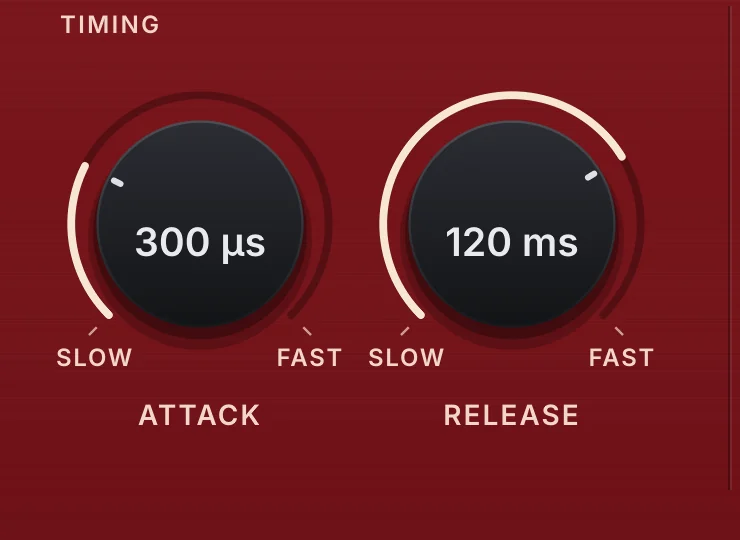
If the snare loses its crack, the attack is too fast. The fastest settings also make bass growl, which can suit an aggressive kick but rarely a round one; if the kick’s low end pulls the compressor too hard, raise SC HPF so the detector hears less of it. The presets include Snare Crack, and nearly all are level-matched to bypass, so you hear the sound, not the level.
EQ the kick: weight and click
A kick has two parts that matter most: its weight, usually between 50 and 100 Hz, and the click of the beater, around 2 to 5 kHz. Put VEIRA EQ after the compressor, a sensible starting order, and click the graph to add bands:
- A low cut at 25 to 35 Hz, 24 dB/oct, to clear sub-rumble below the kick’s weight.
- A bell boost of 2 to 4 dB at the weight: sweep a narrow band between 50 and 80 Hz, then widen it once the kick blooms.
- A bell cut of 3 to 6 dB, with a Q around 2, where the shell sounds boxy, like cardboard, often 250 to 400 Hz.
- A bell boost of 2 to 4 dB at 3 to 5 kHz, just enough to hear the beater on small speakers.
Which low frequency you boost depends on the bass: the kick and the bass can’t both own the same few hertz, and part 8 sorts that out.
EQ the snare: body and crack
The snare’s body lives around 150 to 250 Hz, its crack at 2 to 5 kHz, the wires’ sizzle above 6 kHz. Start with 2 to 3 dB at the body and a lift at the crack. Many snares also ring at one frequency, often between 400 Hz and 1 kHz: sweep a narrow boost in VEIRA EQ until the ring jumps out over the analyzer, then turn that band into a cut of 3 to 6 dB.
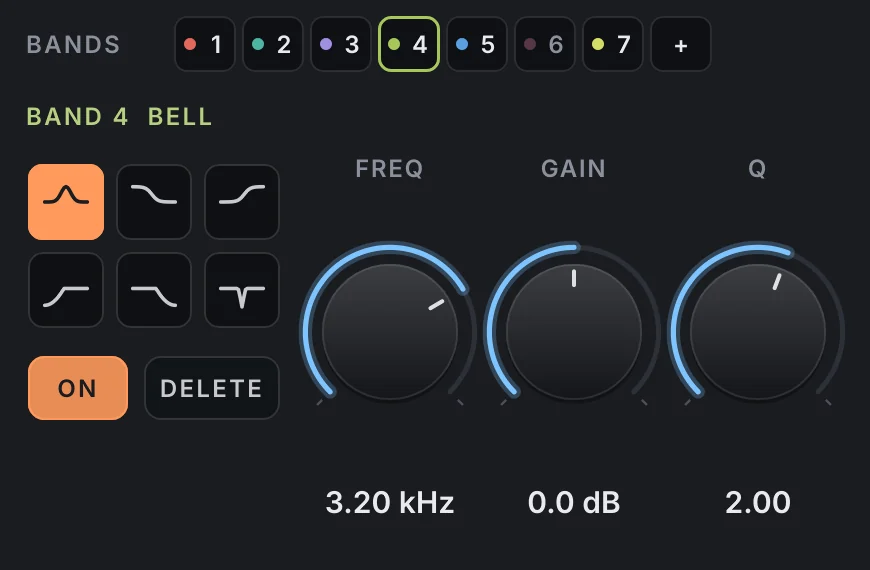
If the ring only bothers you on the loudest hits, make that band dynamic: it cuts only when its range crosses the threshold, and the shaded area shows how far it is moving. SCALE turns every band’s gain up or down together if the whole move needs pulling back later. Keep an eye on OUT − IN, so the snare doesn’t win just by getting louder.
Toms, and checking in the mix
Toms get the same treatment with a lighter hand: VEIRA Gate with the longer RELEASE from the list above and KEY LOW and KEY HIGH set so the snare can’t open it, then VEIRA EQ with a 3 to 6 dB cut where they get boxy, often 300 to 600 Hz, a little weight at 80 to 150 Hz on the floor tom and some attack at 3 to 5 kHz. Watch the GATE lane during the fills to check that every hit opens it.
Then take everything out of solo: a kick and snare that sound huge alone are often too much in the mix, and a gate that seems perfect in solo can choke a ghost note the song needs. Go back to your balance from part 3 and check the kit with the bass before part 7.