Blog · Mixing from start to finish · Part 11 of 20
De-essing and riding a lead vocal: softer “s” sounds and every word heard
Where sibilance lives and where de-essing goes in the chain, how much to take off without a lisp, and how to level words and phrases with VEIRA Vocal Rider and fader automation so the vocal stays in front all song.
In part 10 we built the lead vocal’s chain: clean-up, EQ, two stages of compression and a touch of colour. Two jobs are left: taming the “s” sounds that compression and brightness bring up, and making sure every word is heard as the track gets louder and quieter around it.
Where sibilance comes from
Sibilance is the burst of noise in “s”, “sh”, “ch”, “z” and “t”, usually between 4 and 10 kHz, lower voices toward the bottom of that range and higher voices toward the top. Close and bright microphones, compression and every lift of the top end make it louder, which is why de-essing works best late in the vocal chain. Listen at a moderate level for the “s” that makes you blink, and check on headphones too, where sibilance is at its harshest.
Set up VEIRA DeEss
In part 10 we switched off the de-essing inside the vocal chain, so VEIRA DeEss will be the only stage listening for the “s”. Insert it after the whole chain (compression, EQ lift and colour), so it hears the sibilance at its worst. And because inserts come before sends, de-essing on the channel also cleans what the sends will carry to the space we build in parts 14 and 15, where a splashy “s” is even easier to hear.
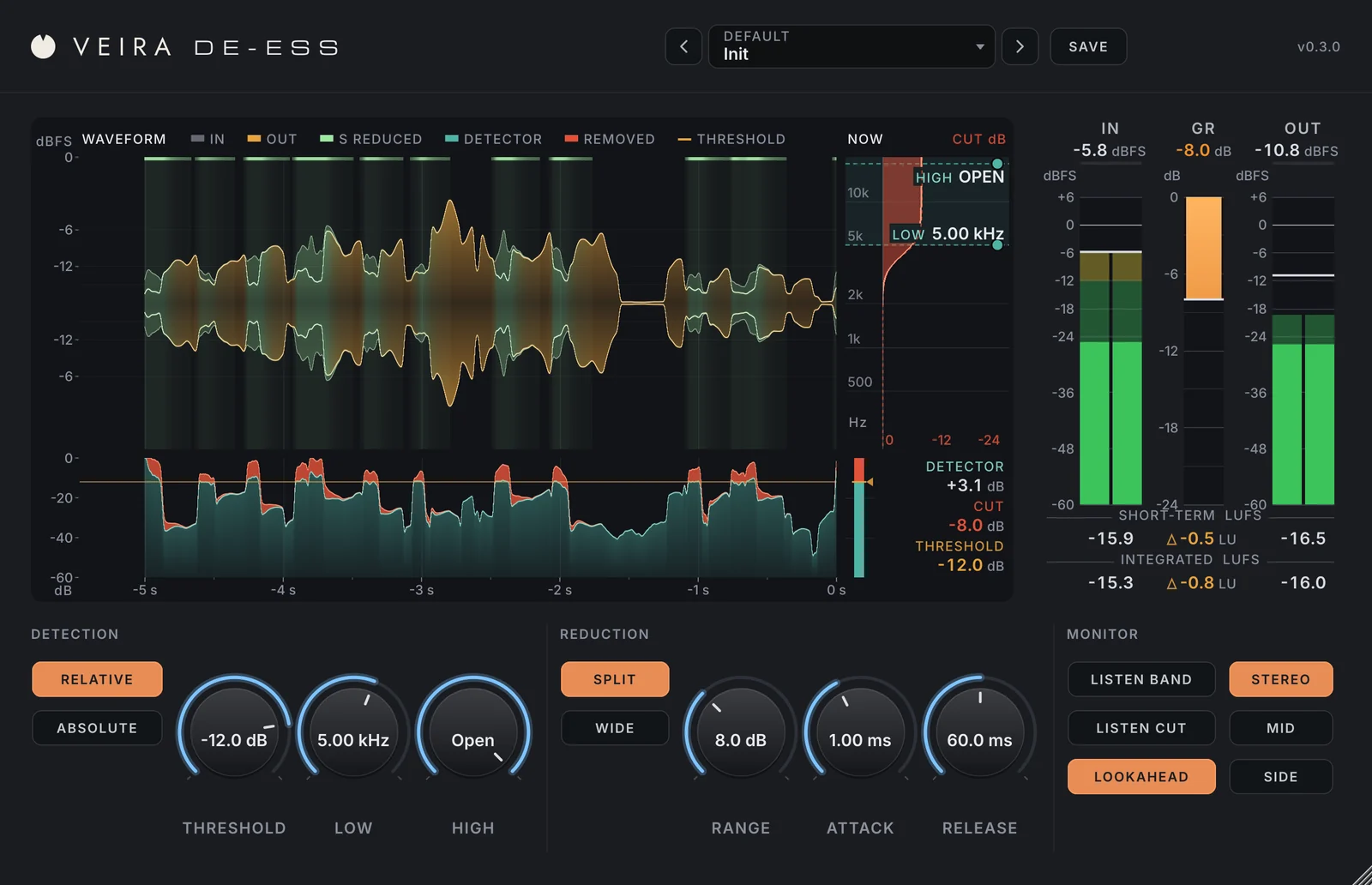
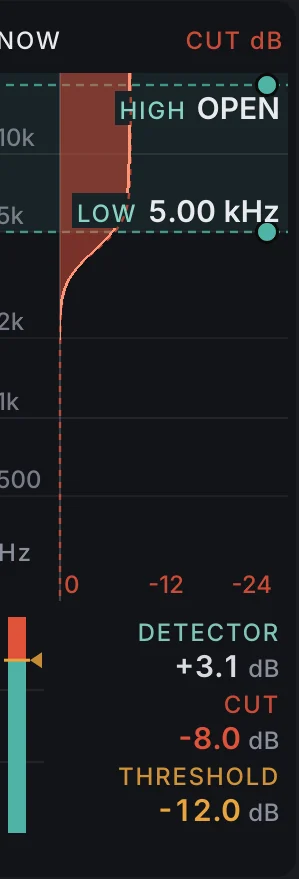
Start in Relative detection: it measures the high band against the voice itself, so one threshold catches the same sibilants whether the singer whispers or belts, and breaths in the pauses can’t trigger it. For the band, start with LOW at 5 to 6 kHz for a lower, typically male voice or 6 to 8 kHz for a higher, typically female one, and HIGH open. Then switch on LISTEN BAND, which plays what the detector hears, and drag the LOW and HIGH handles in the NOW panel until you hear mostly “s” and very little vowel.
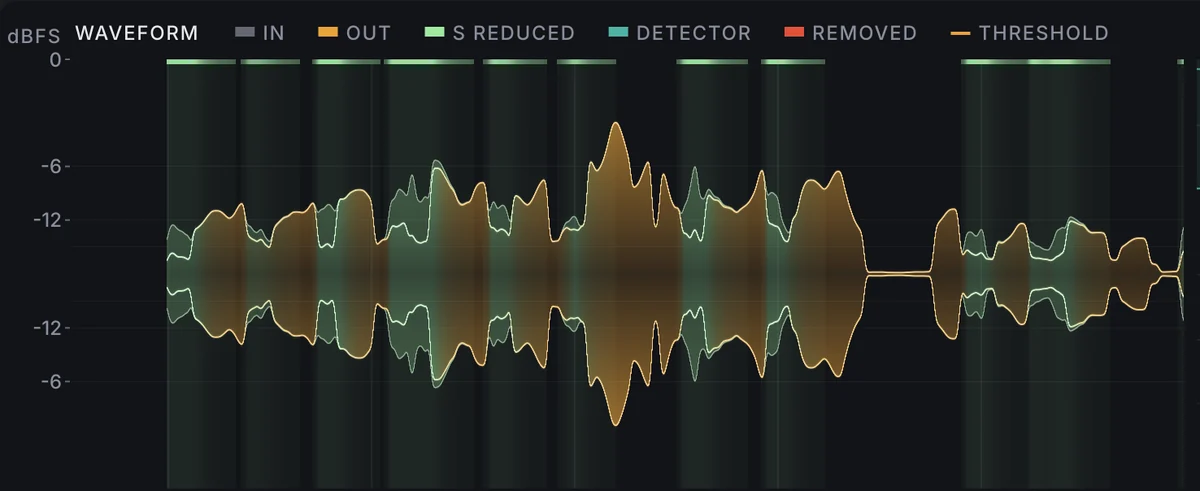
Now drag the amber threshold line in the detector lane until the loud sibilants cross it and the gentle ones don’t, and watch the waveform above turn light green on every “s” it cuts. Keep it moderate: 3 to 6 dB on the worst sibilants is usually plenty, and a range of about 6 dB stops it going further. A fast attack, around 1 ms, and a release of 50 to 100 ms follow the length of an “s” without dulling the vowel after it. Split turns down only the band and leaves the vowels’ upper harmonics alone; Wide turns down the whole signal, like a singer turning away from the microphone, and can sound more natural on a very bright voice.
Too much, too little
- Too much: the “s” turns into a “th”, the singer sounds as if they lisp, and the voice loses its air. Raise the threshold or reduce the range.
- Too little: the “s” still jumps out in the chorus or on small speakers. Set it on the loudest section, not the verse.
- LISTEN CUT plays only what is being taken away. If you hear vowels in it, the band starts too low or the threshold is too deep.
- Check the meter bridge: the difference between out and in should stay close to 0 LU, since only the sibilants should move.
Then judge in the full mix. A vocal that sounds a little soft on the “s” in solo usually sounds right once cymbals and guitars sit around it.
Ride the vocal, word by word
Even after compression, a vocal is not level against the music: a quiet word at the end of a line disappears under a crash, and a chorus phrase sings over the band. Engineers have always fixed this with a hand on the fader. VEIRA Vocal Rider does that ride for you: set TARGET, where the vocal should sit in LUFS, and one console fader moves smoothly to keep it there, within RANGE DOWN and RANGE UP. Only the level moves; the tone, the transients and the breathing stay as they were.
Many engineers put it before the compression, so the compression from part 10 sees an even input and works the same on every line. After the chain, just before VEIRA DeEss, works too, as a final ride. Try both and keep the one that sounds steadier.
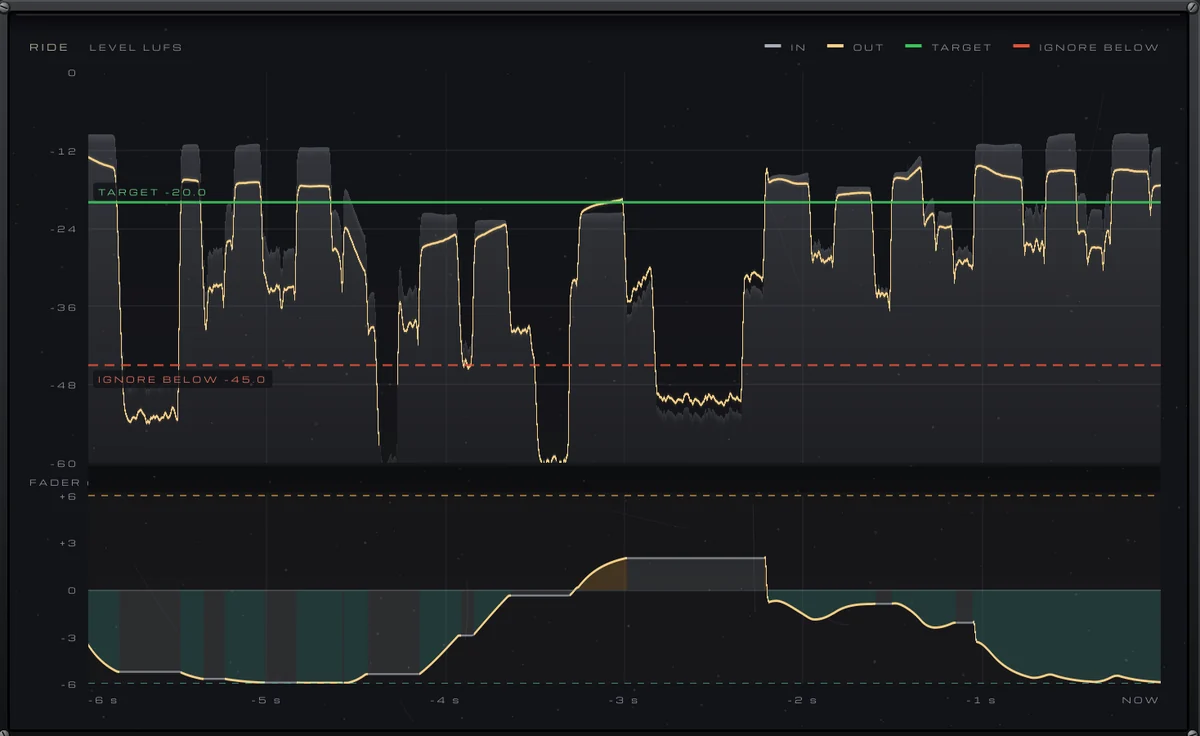
- TARGET: play a passage where the vocal sits well against the track and set TARGET to about the vocal’s loudness there (the default is −20 LUFS). It then lifts the lines under it and turns down the ones over it.
- RANGE DOWN and RANGE UP: the default of 6 dB each way is a good start; 3 to 4 dB keeps the ride subtle on a well-sung take.
- SPEED: low settings ride whole phrases, high settings ride words; the default of 46 % sits in between. The fader always turns down twice as fast as it lifts.
- IGNORE BELOW: set it above the breaths and room noise between phrases but below the quietest sung words, so the noise is never lifted (the default is −45 LUFS).
VEIRA Vocal Rider listens only between 100 Hz and 5 kHz, where the voice is, so an “s” or a popped “p” doesn’t count as a loud word, and it holds still through pauses and breaths. LOOKAHEAD lets it hear 25 ms ahead, so a loud first word after a quiet passage is already turned down when it plays; the 25 ms are reported to your DAW, which keeps the vocal in time.
Write the ride, then make it musical
An automatic ride gets you an even vocal; a musical one is still your decision. Switch to WRITE and play the song: every move goes to the FADER parameter, so your DAW records the ride as automation, about 30 points a second. Then switch to READ and edit the lane like any other automation. Lift the last word of a phrase that falls away, pull down a breath that is still too loud, push the vocal up a decibel in the final chorus. Keep these moves small, often 1 to 3 dB, and check them against the track, not in solo.
With the sibilance under control and every word heard, the lead vocal is finished. Next, in part 12, we build the backing vocals and doubles around it.