VEIRA DeEss

A de-esser that shows you every “s”.

$149.99, a one-time purchase with free updates

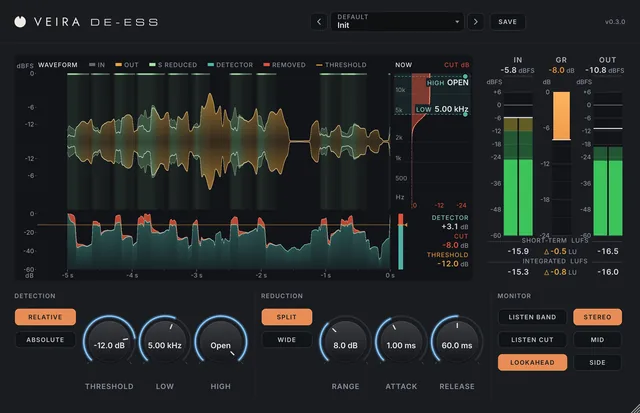
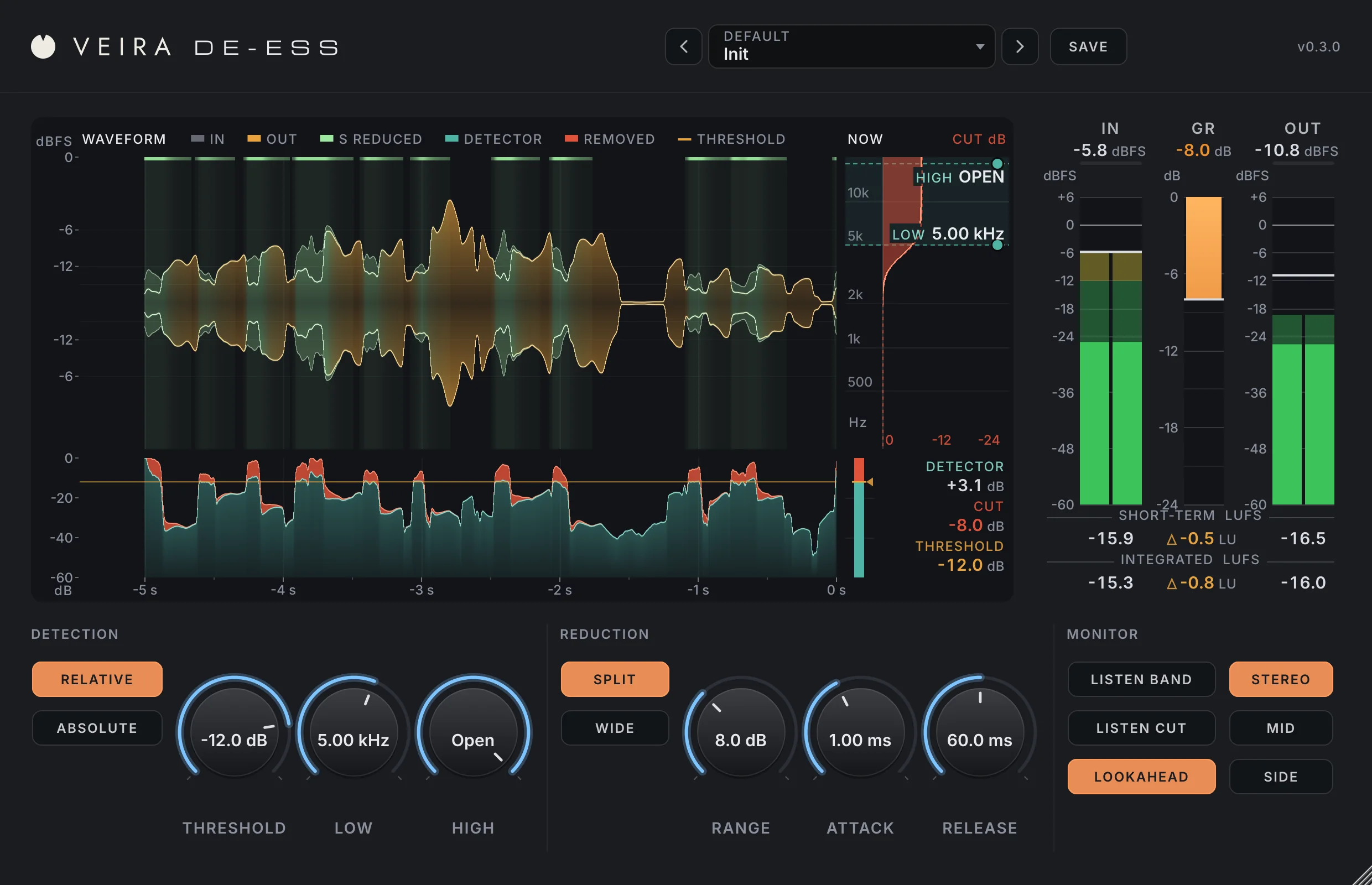
VEIRA DeEss on a sung phrase: the waveform with every “s” it turned down in light green, the detector lane, the live cut, the meter bridge and the controls.

VEIRA DeEss takes the harshness out of “s” and “t” sounds on vocals, dialogue and anything bright, and leaves the rest of the voice alone. It listens to the high band against the voice itself, so the same threshold catches sibilance whether the singer whispers or belts.

You can see every decision it makes: a scrolling waveform turns light green on every “s” it cuts, a detector lane shows how loud each one was, and a live view shows the cut across frequency. When nothing needs cutting, the voice passes through untouched.

A tour of VEIRA DeEss

VEIRA DeEss on a sung phrase: the waveform with every “s” it turned down in light green, the detector lane, the live cut, the meter bridge and the controls.
  1. The whole of VEIRA DeEss

    VEIRA DeEss finds sibilance by comparing the high band with the voice’s own level, so the same “s” is caught in quiet and loud passages alike, and it turns down only that band, or the whole signal if you prefer, for exactly as long as the “s” lasts. A scrolling waveform that turns green on every “s” it cuts, a detector lane and a live view of the cut show every decision it makes.

  2. See every “s” it cuts

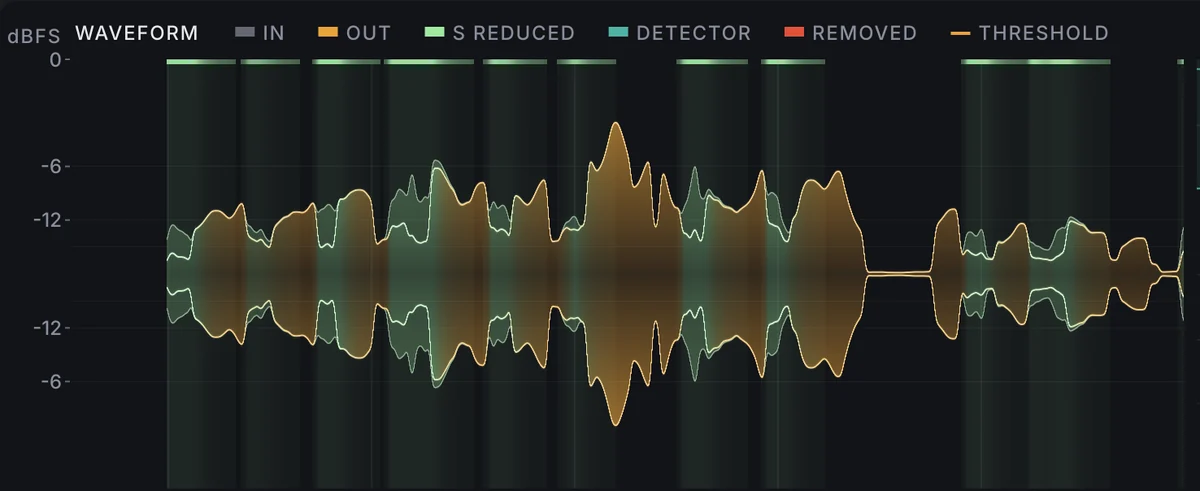
    The last 5 seconds of the voice, drawn the way your DAW draws a waveform, the output in amber over the input in grey. Wherever an “s” was turned down, the waveform turns light green, with a faint ghost of what was taken away and a strip along the top showing how deep the cut went.

  3. The threshold, on the same clock

    Under the waveform, the detector lane shows how loud each “s” was against the voice and, in red, exactly what was taken off. Drag the amber threshold line to set it while you watch.

  4. The cut, right now

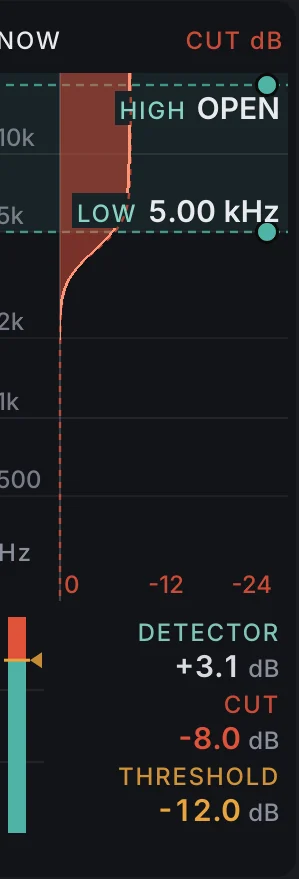
    The NOW panel draws the cut across frequency as it happens, against the most RANGE allows, with live DETECTOR, CUT and THRESHOLD read-outs in dB.

  5. Every control has a unit

    Threshold in dB, the band in kHz, range in dB, attack and release in ms. Switch between relative and absolute detection, split and wide cutting, and stereo, mid or side, without a click.

  6. Loudness stays honest

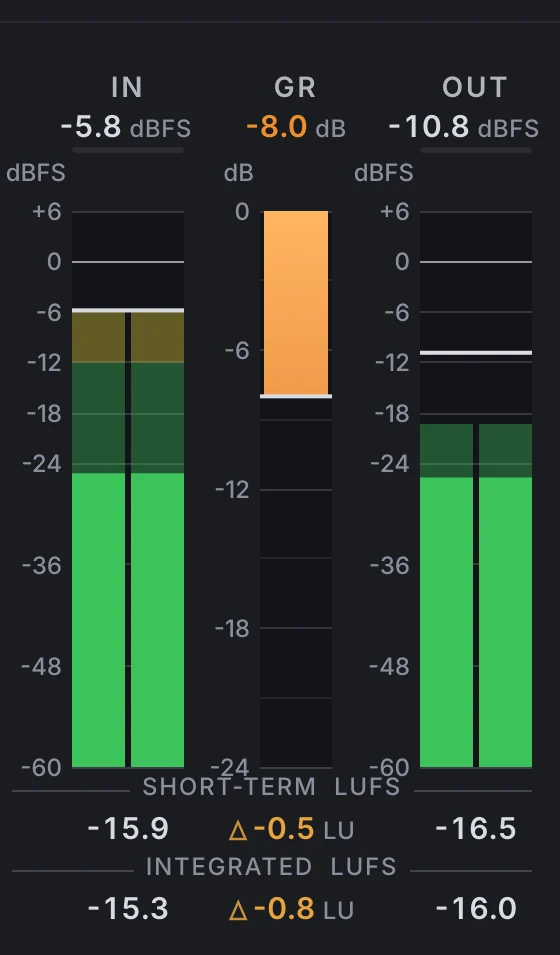
    IN, GR and OUT with peak and RMS, plus short-term and integrated LUFS and the difference in LU, so you can check the voice keeps its level while the sibilants come down.

What VEIRA DeEss does for you

The waveform: a sung phrase in amber over the input in grey, with every “s” the de-esser turned down shown in light green.

See every “s” it cuts

The last 5 seconds of the voice, drawn the way your DAW draws a waveform, the output in amber over the input in grey. Wherever an “s” was turned down, the waveform turns light green, with a faint ghost of what was taken away. You can see at a glance what it touched and what it left alone.

  • 5 s of history
  • Hover read-out
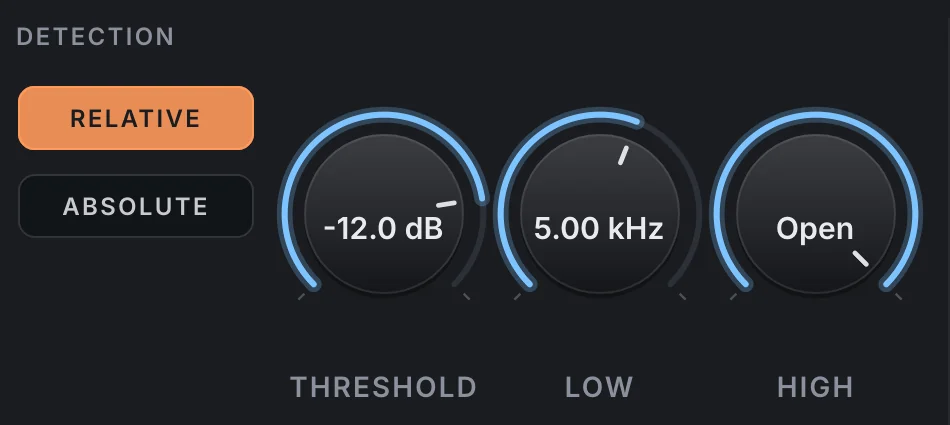
The DETECTION section: Relative and Absolute buttons, and the threshold, low and high knobs.

Hears the “s”, not the level

Relative detection measures the high band against the voice itself, so one threshold catches the same sibilants whether the singer whispers or belts, and harsh ones are cut more than gentle ones. Breaths and noise in the pauses can't trigger it. Absolute mode works in dBFS for cymbals, guitars and mixes.

  • Same cut 20 dB quieter (tested)
  • Relative or absolute
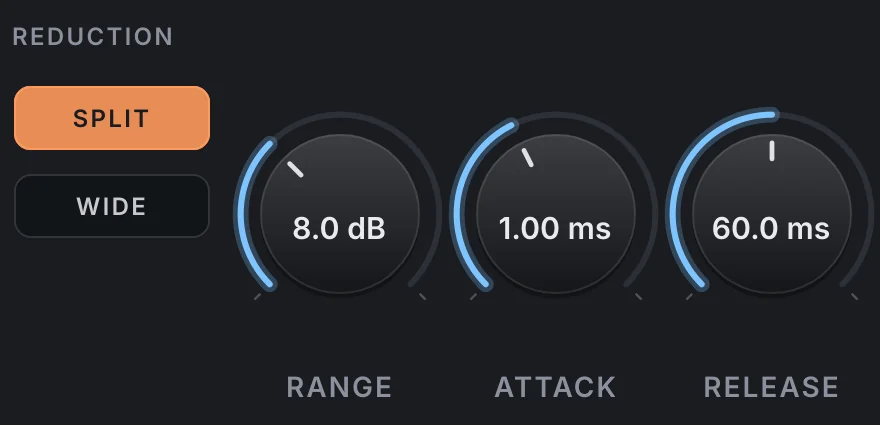
The REDUCTION section: Split and Wide buttons, and the range, attack and release knobs.

Cuts only what it must

Split turns down just the band, with a smooth shelf that leaves the vowels' upper harmonics alone. Wide turns down the whole signal, like a singer turning away from the microphone. While nothing is being cut, the output is the input, bit for bit.

  • Range 0–24 dB
  • Attack 0.1–20 ms
  • Release 5–500 ms
The detector lane: the detector level in teal with what was removed in red on top, against the amber threshold line.

Set the threshold by eye

Under the waveform, the detector lane shows how loud each “s” was and, in red, exactly what was taken off. Drag the amber threshold line while you watch the result.

  • Drag to set
  • Same time axis
The NOW panel: the cut across frequency in red against the most the range allows, with the LOW and HIGH band handles.

Drag the band into place

The NOW panel draws the cut across frequency as it happens. Drag its LOW and HIGH handles to aim at the sibilance, and read the detector, cut and threshold in dB.

  • Low 1–16 kHz
  • High 2–20 kHz or open
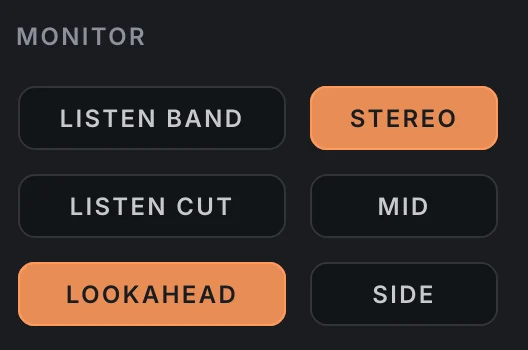
The MONITOR section: Listen Band, Listen Cut and Lookahead, and Stereo, Mid and Side.

Listen, then decide

LISTEN BAND plays what the detector hears, and LISTEN CUT plays only what is being taken away. Work on stereo, mid or side, and use 3 ms of lookahead to catch the start of every “s”, or switch it off for zero latency. Switching never clicks.

  • 3 ms lookahead or zero latency
  • Stereo, mid or side
The meter bridge: input, gain reduction and output in dBFS and dB, with short-term and integrated loudness.

The level stays put

IN, GR and OUT with peak and RMS, plus short-term and integrated LUFS and the difference in LU, so you can check the voice keeps its level while the sibilants come down.

  • ITU-R BS.1770-4 / EBU R128
  • OUT − IN in LU
The preset browser with previous, next and Save.

70 presets, measured on voices

Thirteen folders, with 15 for vocals and 10 for speech, plus instruments, mix bus and mastering. On voices, the presets bring the sibilants down 2.7–7.4 dB while the vowels move less than 0.9 dB and the overall level by 1 dB at most.

  • 13 folders
  • Save your own
  • Recalled with your session

Get VEIRA DeEss

Pay once and it’s yours, with every future update included.

VEIRA DeEss

A de-esser that shows you every “s”.

  • Yours to keep: pay once, no subscription
  • Every future update, free for life
  • VST3, AU, Standalone on up to 3 computers
  • Changed your mind? Cancel within 14 days (refunds)
USD

One-time payment, in your cart.

Welcome offer

Get 10% off your first order

Leave your email and we’ll send you a code for 10% off your first order, on any plugins. One code per person.

Specifications

Type
De-esser with relative or absolute detection
Threshold
−60 to 0 dB (relative to the voice, or dBFS)
Band
Low 1 to 16 kHz; high 2 to 20 kHz or open
Range
0 to 24 dB
Attack
0.1 to 20 ms
Release
5 to 500 ms
Reduction
Split (the band only) or wide (the whole signal)
Monitor
Listen band, listen cut
Stereo
Stereo linked, mid or side
Latency
3 ms with lookahead, zero without
CPU (measured)
0.5 % idle, 0.6 % while cutting, on one core (stereo, 48 kHz)
Metering
IN, GR and OUT peak and RMS; short-term and integrated LUFS (BS.1770-4)
Presets
70 factory presets in 13 folders, plus your own
Channels
Mono or stereo
Window
Resizable from 75 to 200 %, saved with the session
Formats
VST3, AU, Standalone
macOS
macOS 11 or later, Apple silicon or Intel (universal). VST3, AU and Standalone.
Windows
Windows 10 or later, 64-bit. VST3 and Standalone.
Pro Tools
Pro Tools (AAX) versions are built and tested, and arrive once they’re signed for Pro Tools.
Latest version
0.3.1, released October 31, 2026 · What’s new

Read more on the blog: How to de-ess a vocal without making the singer lisp · De-essing and riding a lead vocal: softer “s” sounds and every word heard

Questions? 10 answers about VEIRA DeEss
Works well with

VEIRA Comp

A tube-coloured compressor you can read like an instrument.

$149.99

VEIRA EQ

A dynamic equaliser with up to 24 bands and an analyzer you can read.

$149.99

VEIRA Chambers

An echo-chamber reverb you can watch: ten real rooms, ten materials.

$179.99