How to de-ess a vocal without making the singer lisp
Where sibilance comes from, where the de-esser goes in the chain, how much to take off, and how to check that the “s” is softer but still an “s”.
Every vocal has them: the “s”, “sh”, “ch” and “t” sounds that jump out of the speakers a little louder and a lot sharper than the words around them. A bright microphone, a close singer, a compressor and a lift of the top end all make them worse, and by the time the vocal sits in the mix they can be the first thing a listener notices. De-essing is how you turn them down without dulling the rest of the voice.
Find where the sibilance lives
Sibilance is a burst of noise high in the spectrum, usually somewhere between about 4 and 10 kHz. Lower voices tend to sit at the bottom of that range and higher voices near the top, but every singer and every microphone is different, so don’t start from a number: start from listening. Loop a line with a few strong “s” sounds, sweep a narrow band through the top end and stop where the “s” is loudest and the vowels are quietest.
Put the de-esser in the right place
A compressor brings the quiet parts of a vocal up, and the “s” comes up with them, so the usual place for a de-esser is after the compressor and after any EQ that brightens the voice. If the sibilance is extreme, a gentle de-esser before the compressor stops it from triggering the compressor too, and a second one at the end catches what’s left.
Think about your sends as well. If the reverb and delay are fed before the de-esser, every “s” splashes into the room at full strength. Feed them after it, or put a de-esser on the reverb send itself.
Take off less than you think
The aim is an “s” that sounds natural at the level of the words around it, not an “s” that disappears. On most vocals that’s a few decibels on the harshest ones. Go too far and “sister” becomes “thithter”: the singer seems to lisp, and that’s far more noticeable than a bright “s”.
- Turn the de-esser down only on the sibilant band (split-band) when you want the vowels left alone; turn the whole signal down (wide-band) when you want it to sound like the singer leaning away from the microphone.
- Use the fastest attack you can without clicks, so the start of the “s” is caught, and a release short enough to let go before the next vowel.
- Listen to what’s being taken away. If you can hear words in it, you’re cutting too much or too low.
- Judge it in the mix and at a low listening level, not solo and loud: sibilance that sounds fine on its own can still be piercing against bright cymbals.

A few “s” sounds can just be turned down by hand
If only three or four sibilants in a song are a problem, cut them with clip gain or a small volume dip on just those words. It’s quick, and it leaves every other syllable exactly as it was sung.
Doing it with VEIRA DeEss
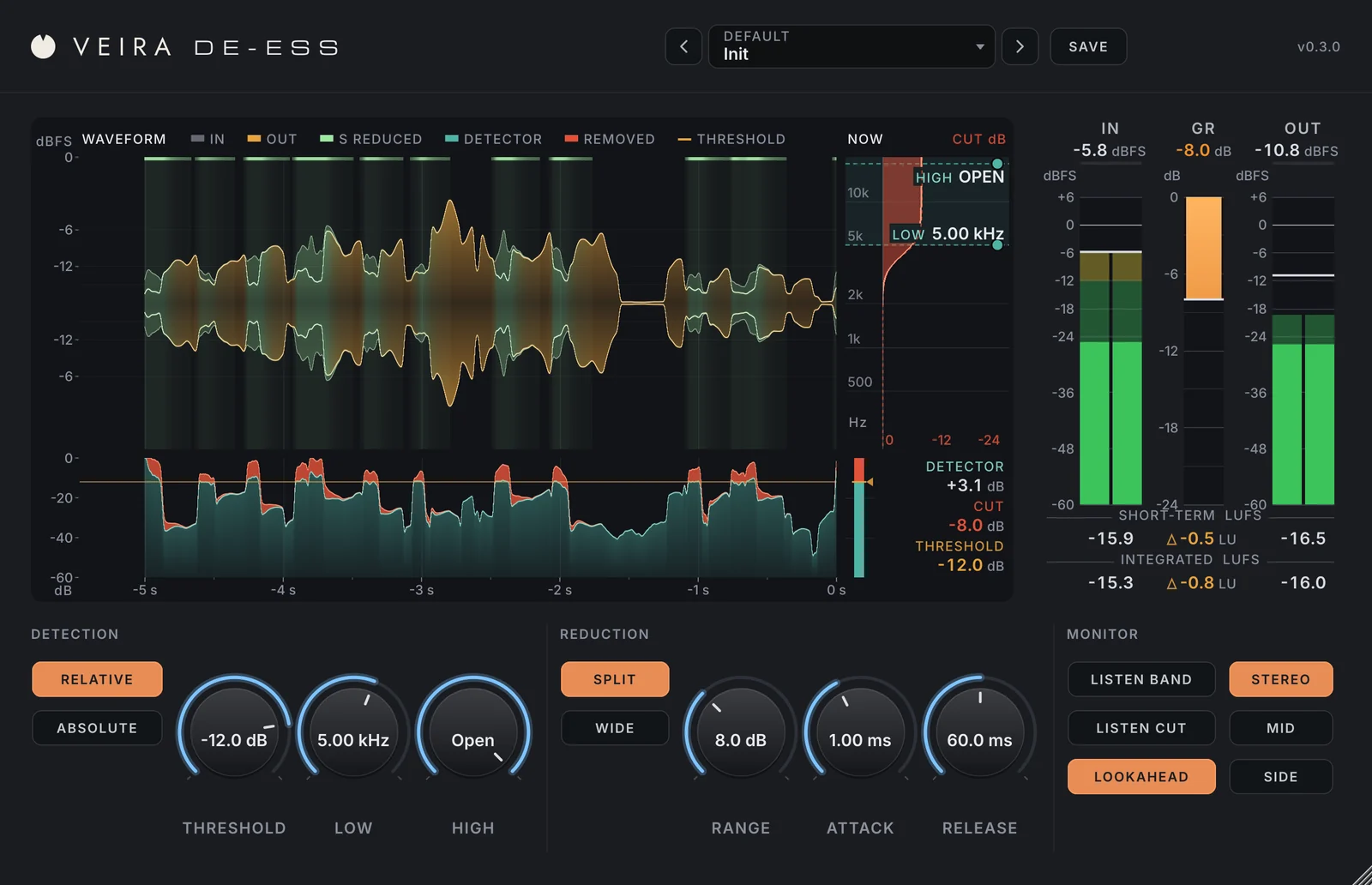
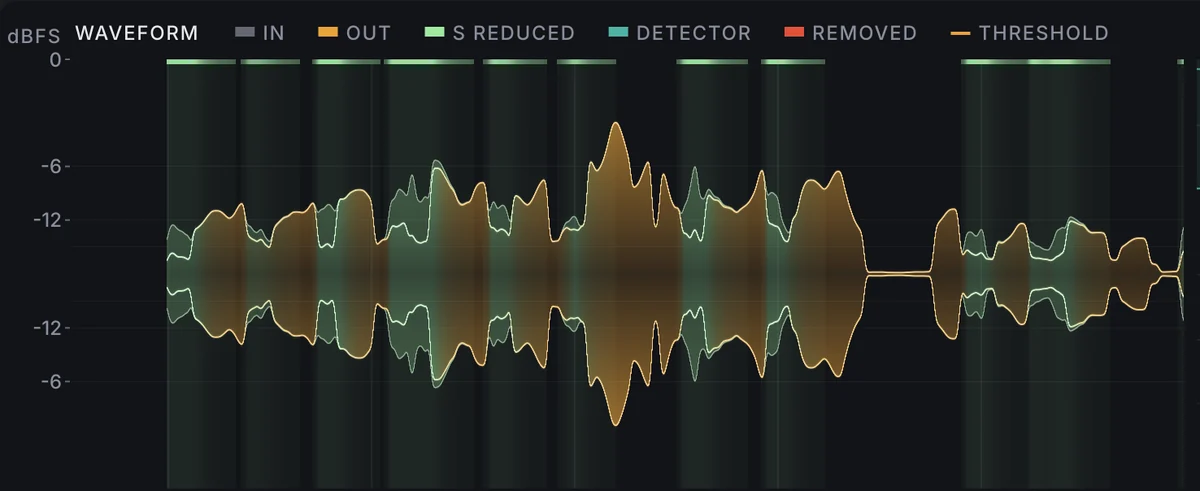
VEIRA DeEss is built around being able to see what a de-esser does. Its waveform shows the last 5 seconds of the voice and turns light green wherever an “s” was turned down, so you can see at a glance what it touched and what it left alone. You drag the threshold line in the detector lane while you watch the result, and drag the LOW and HIGH handles to aim at the sibilance.

Its relative detection measures the high band against the voice itself, so one threshold catches the same sibilants whether the singer whispers or belts. Split turns down just the band with a smooth shelf, Wide turns down the whole signal, and LISTEN CUT plays only what’s being taken away, which is the quickest way to check you haven’t started on the consonants. Its vocal presets bring the sibilants down 2.7 to 7.4 dB while the vowels move less than 0.9 dB.