A vocoder from the first note: robots, choirs and talking synths
How to use a vocoder with VEIRA Vocoder: start with no MIDI at all, add harmony in your key, play it from MIDI or latched chords, make another track talk, and keep the words clear.
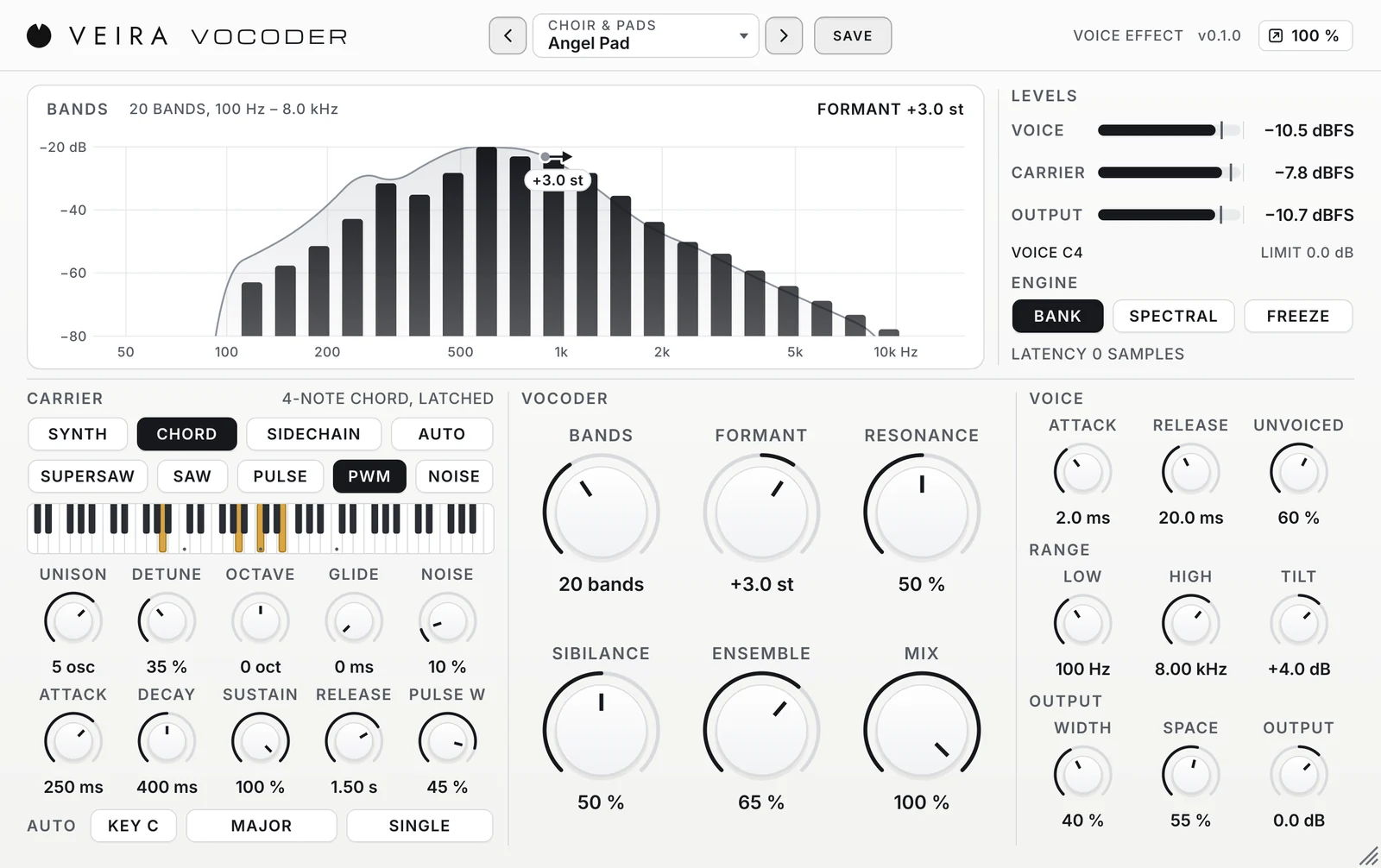
A vocoder takes the shape of your words and puts it on another sound, so a synth, a choir pad or a guitar seems to sing. It is the sound of talking robots, of choirs built from one voice and of leads that speak. VEIRA Vocoder makes it quick to get there. This is how to use it, from the first note to a finished part.
Two sounds make one
Every vocoder has two inputs. The modulator is the voice: it gives the shape, the pattern of loud and quiet frequencies that makes an “ah” different from an “ee”, and an s different from a t. The carrier is the sound that receives that shape: it gives the notes and the tone. The vocoder splits both into bands, follows how loud the voice is in each one, and gives the carrier the same loudness in the same bands. If the carrier is silent, so is the vocoder, however loudly you sing.
Start with no MIDI at all
The hard part of a vocoder used to be the routing: a synth on one track, the voice on another, and MIDI going somewhere in between. VEIRA Vocoder opens in AUTO instead. Its own synth follows the pitch you sing, pulled to the key and scale you choose, so it sounds as soon as a voice comes in. Put it on the vocal track and sing.
- Set KEY and SCALE to the song first. Until then the notes are pulled to C major.
- CHROMATIC moves to the nearest semitone: the classic talking robot. FREE follows every slide and vibrato.
- HARMONY adds up to three notes in the scale: THIRDS for a duet, TRIAD or SEVENTH for chords, CHOIR for a full choir from one voice.
Play it, or hold a chord
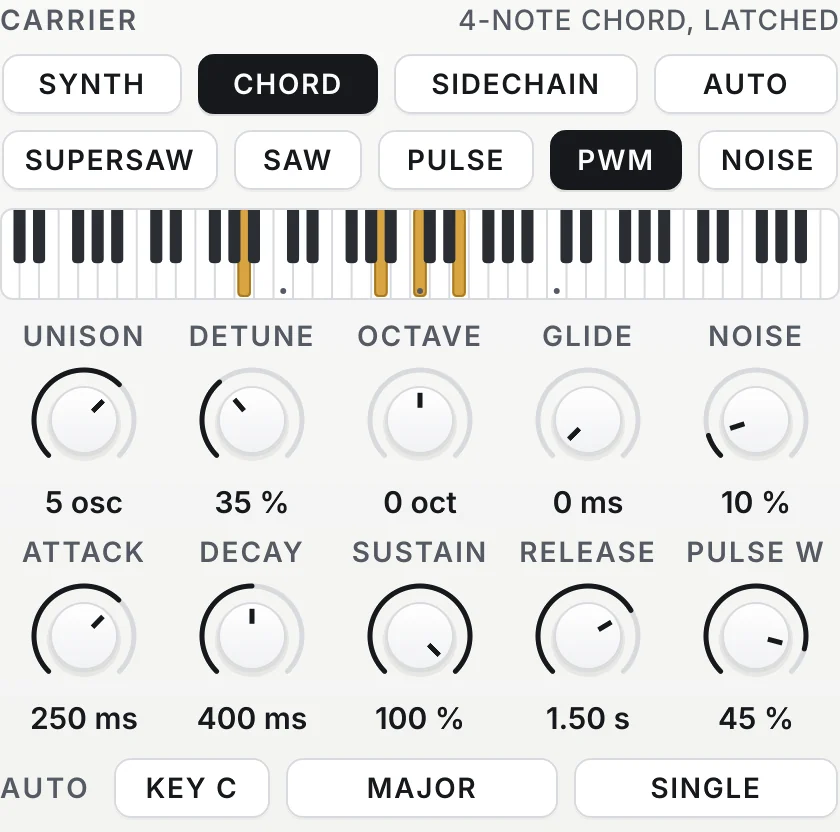
When you want to choose every note, switch to SYNTH and send MIDI to the plugin: in most hosts, a MIDI or instrument track whose output is the vocoder on the vocal track. The status line says PLAY MIDI NOTES until notes arrive, and the plugin’s own keyboard lets you try it before any routing. CHORD is the same with a latch: play a chord once and it keeps sounding under the phrase until the next one, which leaves your hands free and keeps the words flowing over the changes.
Make another track talk
SIDECHAIN uses another track as the carrier: a saw pad, an organ, a distorted guitar. Route it to the plugin’s side-chain input and sing; the status line reads SIDE-CHAIN PLAYING when it arrives. Bright, sustained sounds speak best, because the vocoder can only shape sound that is there. Turn the carrier track’s own fader down if you only want to hear it through the vocoder.
Keep the words clear
A vocoder that sounds great but can’t be understood is a common problem, and it usually has the same causes: too few bands blur the vowels, a carrier with no top end loses the consonants, and slow band envelopes smear the words together.
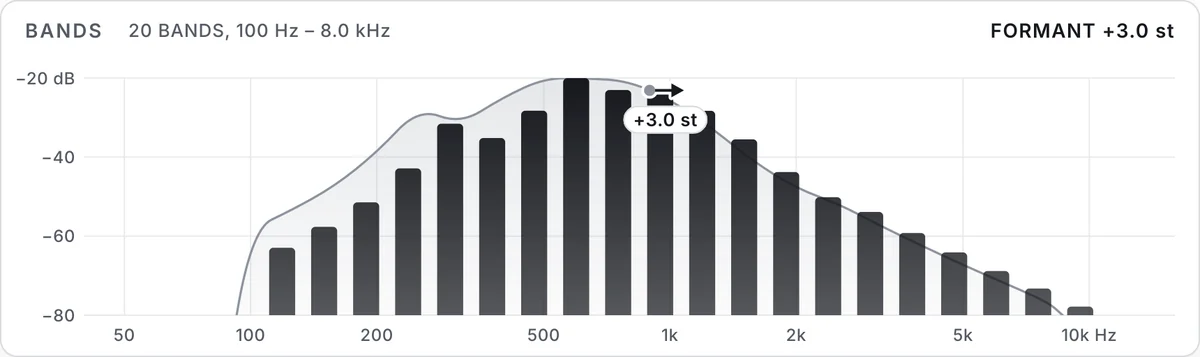
- Use 20 to 32 BANDS for lyrics that must be understood; 8 to 12 only for a deliberately coarse, retro machine.
- Keep UNVOICED up: on s, t, f and sh it turns the carrier to noise, as the voice does.
- SIBILANCE adds the voice’s own top above 5 kHz; at 50 % it is at its own level.
- Choose a bright wave, SAW or SUPERSAW, and keep the band RELEASE short.
Shape the character
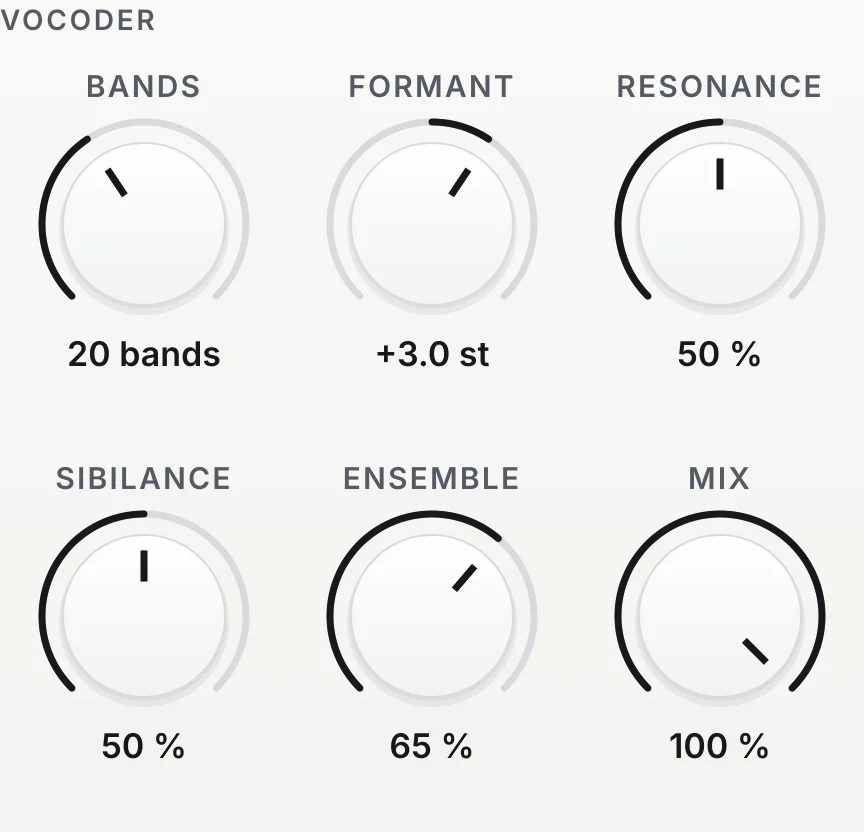
FORMANT moves the shape of the voice up or down against the notes: up for a smaller voice or a little droid, down for a giant. RESONANCE narrows the bands from smooth to metallic and glassy. ENSEMBLE thickens one machine into a section, and WIDTH spreads the bands across the stereo field, so even a mono vocal comes out wide. MIX blends some of the real voice back in when the vocoder should sit under a lead.
Where to start
Load a preset close to the job: Speaking Robot or Deep Android for robots with no MIDI, Auto Triad Major or Auto Minor Choir for instant harmony, Vocoder Choir or Cathedral Pad for chords, Talkbox Lead for a speaking synth lead, Guitar Talkbox to make a guitar talk, and Whisper for words made of air. Read the page of VEIRA Vocoder for every control. To add natural octaves to a real voice instead, VEIRA Octaver keeps the singer’s own tone.