VEIRA Vocal Rider

Rides a vocal’s fader for you, the way an engineer rides it through a song: set where the vocal should sit, and one console fader moves up and down to keep it there, within the limits you set.

$39.99, a one-time purchase with free updates

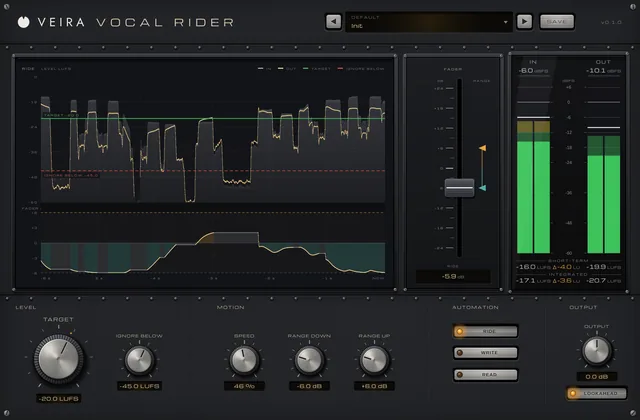
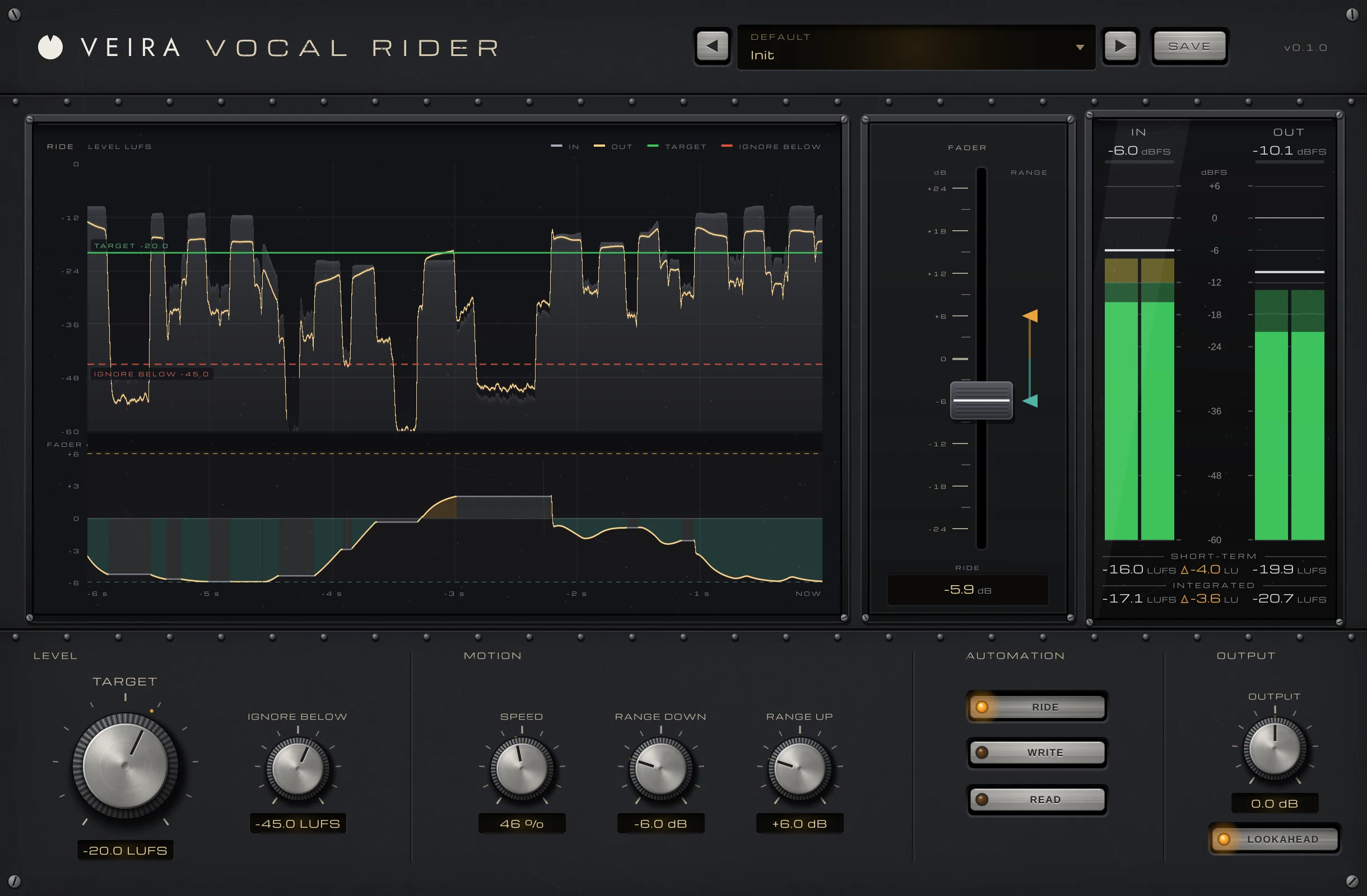
VEIRA Vocal Rider with the Init preset while a vocal plays: the RIDE display on the left with the vocal coming in and going out against TARGET and IGNORE BELOW over the last six seconds and the fader’s moves under it, the console fader in the middle turned down to −5.9 dB, the IN and OUT meter bridge on the right, and LEVEL, MOTION, AUTOMATION and OUTPUT along the bottom.

VEIRA Vocal Rider rides a vocal’s fader for you, the way an engineer rides it through a song. You set TARGET, where the vocal should sit in the mix, in LUFS, and one console fader in the middle of the window moves up and down to keep the voice there: quiet lines come up, loud ones go down, within the limits you set with RANGE DOWN and RANGE UP. SPEED sets how quickly it follows, from whole phrases to single words, and it always turns down twice as fast as it lifts.

It listens like an engineer, to the voice’s loudness between 100 Hz and 5 kHz, so a popped “p” or an “s” doesn’t count as a loud word, and it keeps still through pauses, breaths and the ends of words. LOOKAHEAD hears 25 ms ahead, so a loud first word is already turned down when it plays. The RIDE display shows the vocal coming in and going out against TARGET over the last six seconds, with the fader’s moves under it, and WRITE records the ride into your DAW as automation you can edit.

A tour of VEIRA Vocal Rider

VEIRA Vocal Rider with the Init preset while a vocal plays: the RIDE display on the left with the vocal coming in and going out against TARGET and IGNORE BELOW over the last six seconds and the fader’s moves under it, the console fader in the middle turned down to −5.9 dB, the IN and OUT meter bridge on the right, and LEVEL, MOTION, AUTOMATION and OUTPUT along the bottom.
  1. The whole of VEIRA Vocal Rider

    VEIRA Vocal Rider does what a mix engineer’s hand does on the vocal fader: a little up for a quiet line, a little down for a loud one, all song long. You set TARGET, where the vocal should sit in LUFS, and one console fader moves smoothly to keep it there, within RANGE DOWN and RANGE UP. It listens to the voice band, so an “s” or a popped “p” doesn’t count as a loud word, and it holds still through pauses, breaths and the ends of words. LOOKAHEAD catches a loud first word before it plays, and WRITE records the whole ride as automation you can edit.

  2. The ride

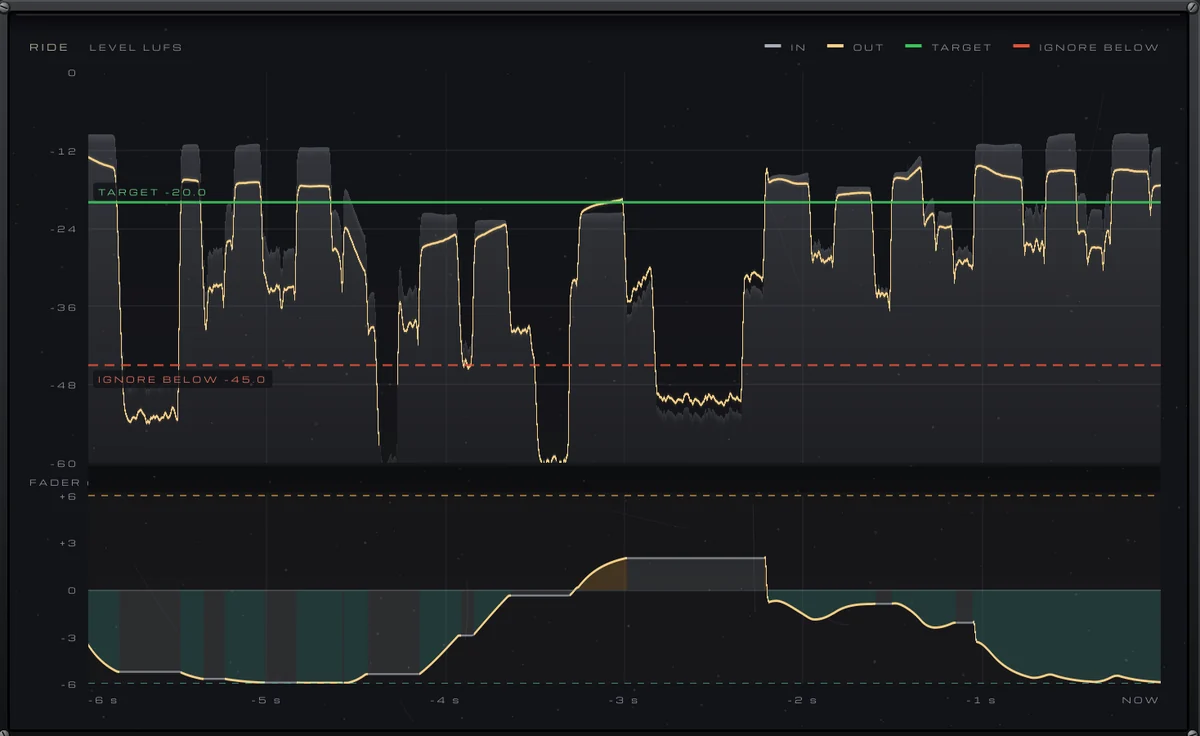
    The vocal in and out against TARGET over six seconds, with the fader’s moves under it; drag the lines to set them.

  3. The fader

    The fader the rider moves, with the RANGE stops beside it; in READ you move it by hand.

  4. Where it sits

    TARGET, where the vocal should sit in LUFS, and IGNORE BELOW, under which the fader keeps still.

  5. How it moves

    SPEED, how quickly the fader follows, and how far it may go down and up.

  6. Automation and output

    RIDE, WRITE the ride as automation, or READ it back; OUTPUT, and LOOKAHEAD to hear 25 ms ahead.

What VEIRA Vocal Rider does for you

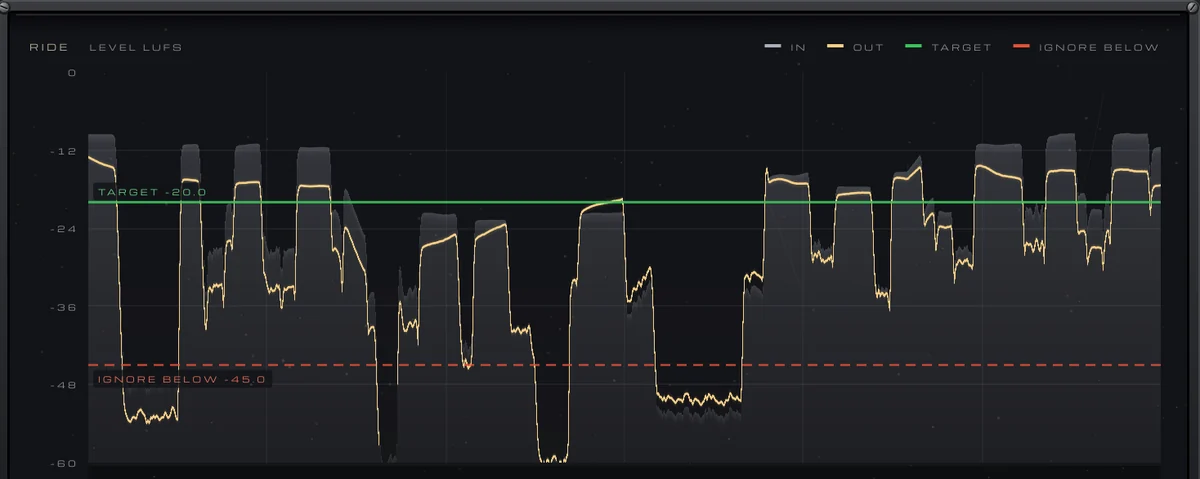
RIDE: the vocal’s level coming in (a grey area) and going out (an amber line) against the green TARGET line and the red IGNORE BELOW line, and below it the fader’s moves over the last six seconds.

One fader, riding the vocal

Set TARGET, where the vocal should sit, and the fader does the rest: quiet lines come up, loud ones go down, smoothly, like a hand on the fader rather than a compressor on the peaks. The tone, the transients and the breathing of the performance stay as they were. In the plugin’s tests, phrases 14 dB apart came out within 2.1 dB, and the output met TARGET within 0.01 LU while the voice sang.

  • Set where it sits
  • Phrases within 2.1 dB
  • No change to the tone
The level lane of RIDE: the vocal coming in and going out, in LUFS, against TARGET −20.0 and IGNORE BELOW −45.0.

It listens like an engineer

The rider hears the vocal’s loudness the way a loudness meter does, K-weighted, but only between 100 Hz and 5 kHz, where the voice is. A popped “p” under 100 Hz and an “s” over 5 kHz don’t count as loud words: a usual “s” moved the fader 0.06 dB in the tests, a harsh one 0.08 dB, a plosive 0.03 dB.

  • K-weighted, in LUFS
  • 100 Hz to 5 kHz
  • Sibilants ignored
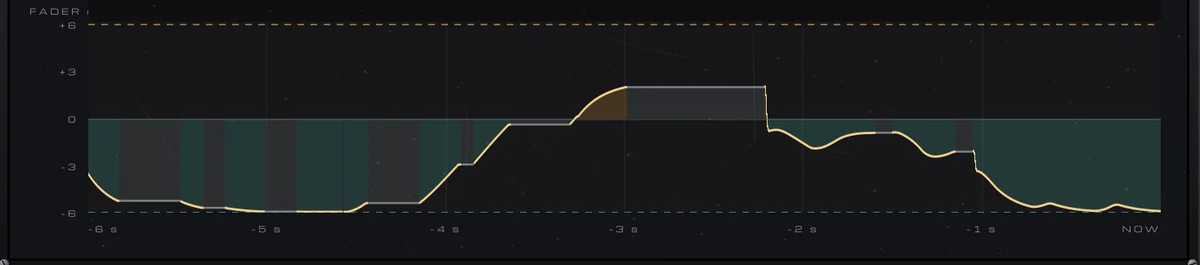
The fader lane of RIDE: the fader’s moves over six seconds, lifting above 0 dB and turning down below it, with the range as dashed lines.

Still through pauses and breaths

The fader holds where it is in the silence between phrases, in the tails of words and on an “s”, “t” or a breath, so room noise and breaths are never lifted, and a new phrase starts from where the last one left off. Across the factory bank the fader moved 0.00 to 0.02 dB through pauses and breaths. IGNORE BELOW sets the level under which it always keeps still.

  • Breaths never lifted
  • Holds in pauses
  • IGNORE BELOW
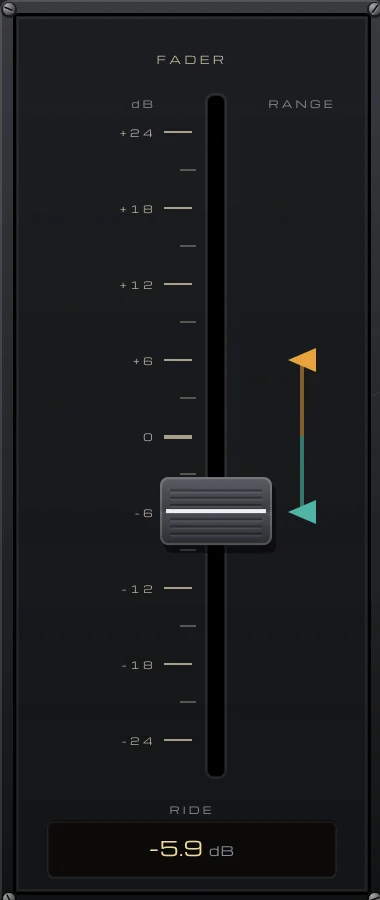
The console fader from −24 to +24 dB, with the RANGE UP and RANGE DOWN stops beside it and its position in dB under it.

A console fader with stops

A console fader from −24 to +24 dB sits in the middle of the window and moves as the rider works, with its value under it. Beside it, two triangles set RANGE UP and RANGE DOWN, how far the rider may move it either way: drag them, or turn the knobs. Set one to 0 dB and the rider only lifts, or only turns down.

  • −24 to +24 dB
  • Drag the stops
  • Lift only or cut only
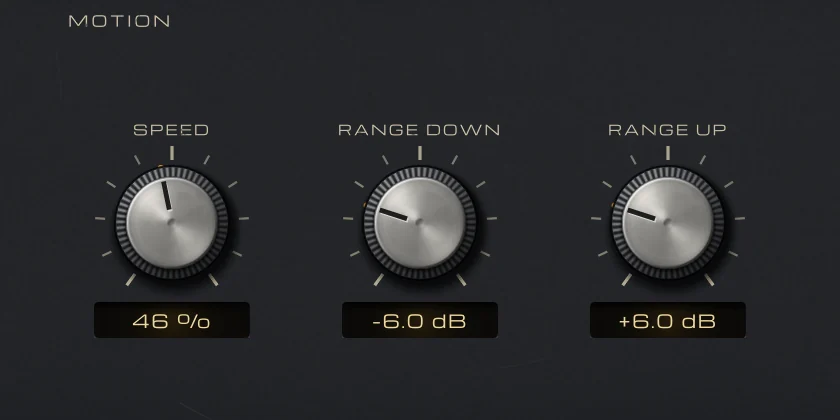
MOTION: SPEED at 46 %, RANGE DOWN at −6.0 dB and RANGE UP at +6.0 dB.

Speed you set by ear

SPEED goes from a slow hand that rides whole phrases to a fast one that rides words. The fader always turns down twice as fast as it lifts, because a word that sticks out matters more than a quiet one that comes up a moment late, and a sudden jump of more than 3 dB is caught in 5 ms.

  • Phrases or words
  • Down twice as fast
  • Jumps caught in 5 ms
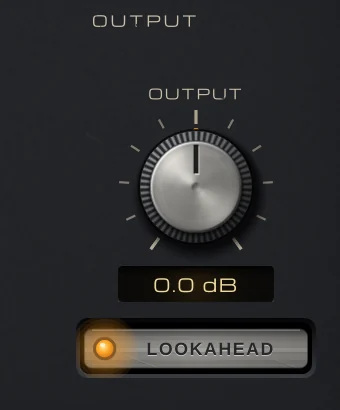
OUTPUT: the OUTPUT knob at 0.0 dB and the LOOKAHEAD button, lit.

Never late on a loud word

LOOKAHEAD lets the rider hear 25 ms ahead, so a loud first word after a quiet passage is already turned down when it plays: +1.9 dB over its settled level in the tests, against +6.1 dB without it. The 25 ms are reported to your DAW, which keeps the vocal in time, also when the plugin is bypassed. Switch it off for zero latency while recording.

  • 25 ms, compensated
  • On by default
  • Off: no latency
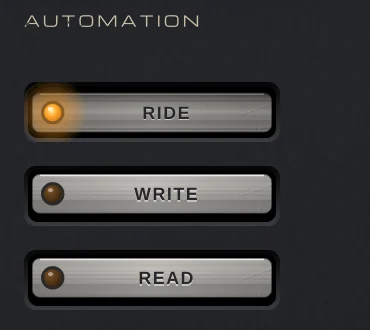
AUTOMATION: the RIDE, WRITE and READ buttons, with RIDE lit.

Write the ride as automation

RIDE rides live. WRITE sends every move to the FADER parameter, so your DAW records the ride as automation, about 30 points a second; READ plays it back, and you can drag the fader by hand. Edit the lane like any automation, lift one word or pull down one breath, and the ride is yours to keep.

  • RIDE, WRITE, READ
  • Editable automation
  • Ride by hand in READ
The preset browser showing Default: Init, with previous, next and SAVE.

54 presets, each one measured

Ten folders: Pop, R&B & Soul, Hip-Hop & Rap, Rock & Alternative, Singer-Songwriter, Ballads, Backing Vocals, Podcast & Voice-Over and Creative. Each was measured on matching material: the riding presets even a vocal by 35 to 56 %, every one meets TARGET within 1 LU, and the fader keeps still across pauses and breaths. Each note says what to set first.

  • 10 folders
  • Within 1 LU of TARGET
  • Save your own

Get VEIRA Vocal Rider

Pay once and it’s yours, with every future update included.

VEIRA Vocal Rider

Rides a vocal’s fader for you, the way an engineer rides it through a song: set where the vocal should sit, and one console fader moves up and down to keep it there, within the limits you set.

  • Yours to keep: pay once, no subscription
  • Every future update, free for life
  • VST3, AU, Standalone on up to 3 computers
  • Changed your mind? Cancel within 14 days (refunds)
USD

One-time payment, in your cart.

Welcome offer

Get 10% off your first order

Leave your email and we’ll send you a code for 10% off your first order, on any plugins. One code per person.

Specifications

Type
Automatic vocal rider: one console fader moved after the vocal’s loudness, within a range you set, with automation write and read
Detector
K-weighted loudness (ITU-R BS.1770) between 100 Hz and 5 kHz; holds in pauses and under IGNORE BELOW, in the tails of words, and on “s”, “t”, “f” sounds and breaths
Level
TARGET −40 to −6 LUFS (default −20); IGNORE BELOW −80 to −20 LUFS (default −45)
Motion
SPEED 0 to 100 % (default 46 %: phrases at the bottom, words at the top); turns down twice as fast as it lifts; RANGE DOWN and RANGE UP 0 to 24 dB (default 6 dB each)
Fader and automation
Console fader −24 to +24 dB; RIDE, WRITE (sends the moves to the FADER parameter for your DAW to record) and READ (plays it back, or ride by hand); OUTPUT −12 to +12 dB
Latency
LOOKAHEAD on (default): 25 ms (1,200 samples at 48 kHz), reported to the host, also when bypassed; off: none
Transparency
With RANGE 0 / 0 dB and OUTPUT at 0 dB the output is the input, delayed, bit for bit, at any block size
Display and metering
RIDE: the last 6 s of the level in and out against TARGET and IGNORE BELOW, and the fader’s moves; IN and OUT peak and RMS, short-term and integrated loudness, OUT − IN in LU
Channels
Mono or stereo; one fader for both channels
Presets
54 factory presets in 10 folders (Pop, R&B & Soul, Hip-Hop & Rap, Rock & Alternative, Singer-Songwriter, Ballads, Backing Vocals, Podcast & Voice-Over, Creative), plus your own
CPU (measured)
About 0.5 % of one core (stereo, 48 kHz)
Formats
VST3, AU, Standalone
macOS
macOS 11 or later, Apple silicon or Intel (universal). VST3, AU and Standalone.
Windows
Windows 10 or later, 64-bit. VST3 and Standalone.
Pro Tools
Pro Tools (AAX) versions are built and tested, and arrive once they’re signed for Pro Tools.
Latest version
0.2.1, released October 31, 2026 · What’s new
Read more on the blog: Riding vocal levels instead of over-compressing the voice · De-essing and riding a lead vocal: softer “s” sounds and every word heard

Questions? 7 answers about VEIRA Vocal Rider

Works well with

VEIRA Vocal Strip

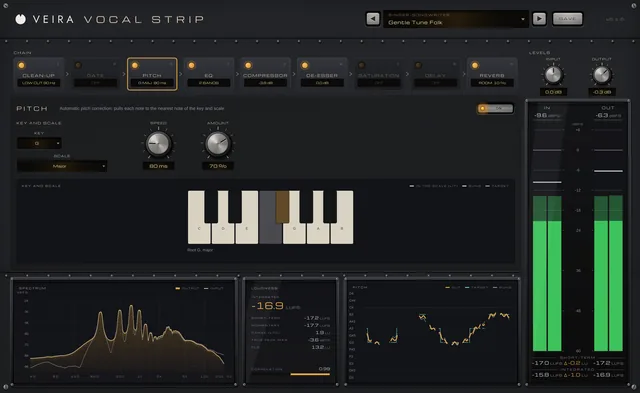
A whole vocal chain in one console: nine modules in any order, from clean-up and pitch correction to compression, de-essing, echo and reverb, each with its own display.

$149.99

VEIRA Comp

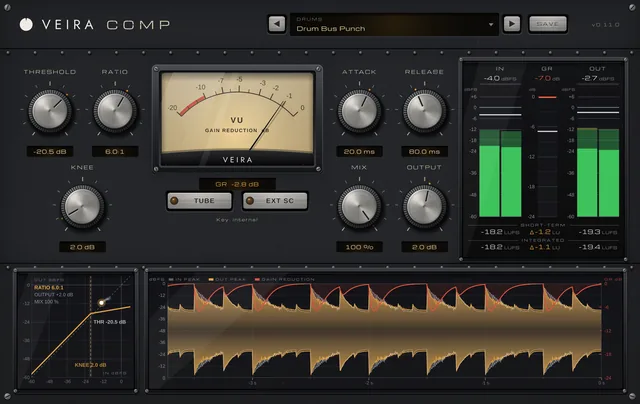
A tube-coloured compressor you can read like an instrument.

$149.99

VEIRA Bass Rider

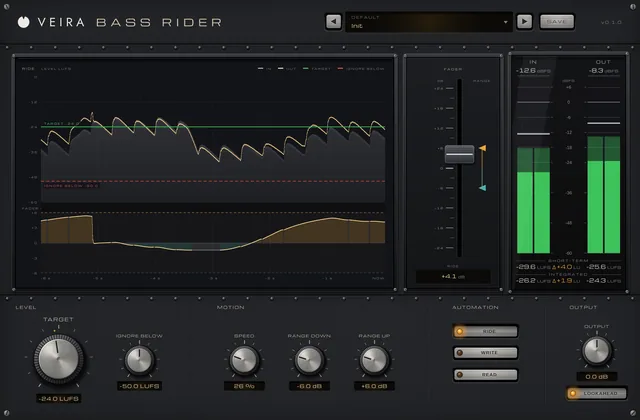
Rides a bass track’s fader for you, the way an engineer rides it through a song: set where the bass should sit, and one console fader evens out the sections and passages, within the limits you set.

$39.99