Riding vocal levels instead of over-compressing the voice
Why a compressor alone can flatten a vocal, how engineers ride the fader phrase by phrase instead, and how to set the speed, range and automation for an even, natural vocal.
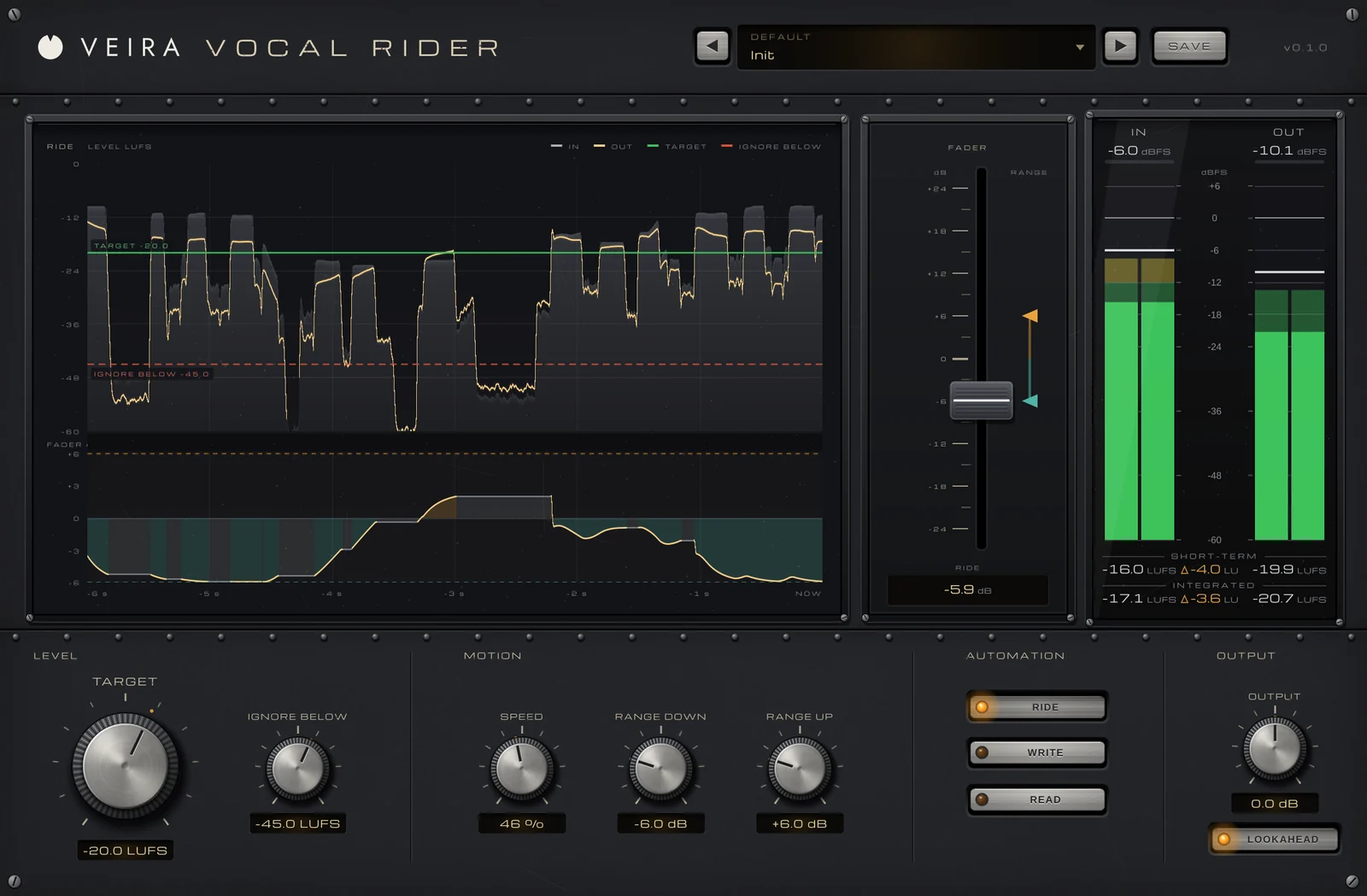
A vocal that’s loud in one line and buried in the next is one of the most common mix problems. The usual fix is to push a compressor harder until the quiet words come up, but by then the voice has lost its shape: the breaths and room noise come up with it, the consonants get bigger and the sound starts to pump. Before compressors did that job, engineers did it by hand: they rode the vocal fader through the song. Riding still works, and it’s often the cleanest way to get a vocal that sits.
Why compression alone isn’t enough
A compressor reacts to peaks, in milliseconds. That’s what you want for catching the front of a loud word, but most level problems in a vocal are slower: a whole verse sung softer, a chorus line belted, a singer who leans away from the microphone. Fixing those with a compressor means a low threshold and a lot of gain reduction, and the voice starts to sound squashed. Riding takes care of the slow differences and leaves the compressor to do gentle work on the fast ones.
Ride phrases, not syllables
The idea is simple: decide where the vocal should sit against the track, then move the fader up a little for lines that fall under it and down for lines that jump out. Good rides are small and smooth. A few decibels either way is usually enough, and moves that follow the shape of a phrase sound natural, while moves on every syllable start to sound like a compressor again.
- Set the vocal level for the most important section first, often the chorus, then ride the rest to match it.
- Move down a little faster than you move up: a word that pokes out is more distracting than one that comes up a moment late.
- Leave the pauses alone. Lifting the gaps between lines brings up breaths, headphone spill and room noise.
- Don’t chase sibilants or plosives: an “s” or a popped “p” can look loud on a meter without sounding like a loud word.
- Check the result at a low listening level, where a buried word is easiest to hear.
Measure loudness, not peaks
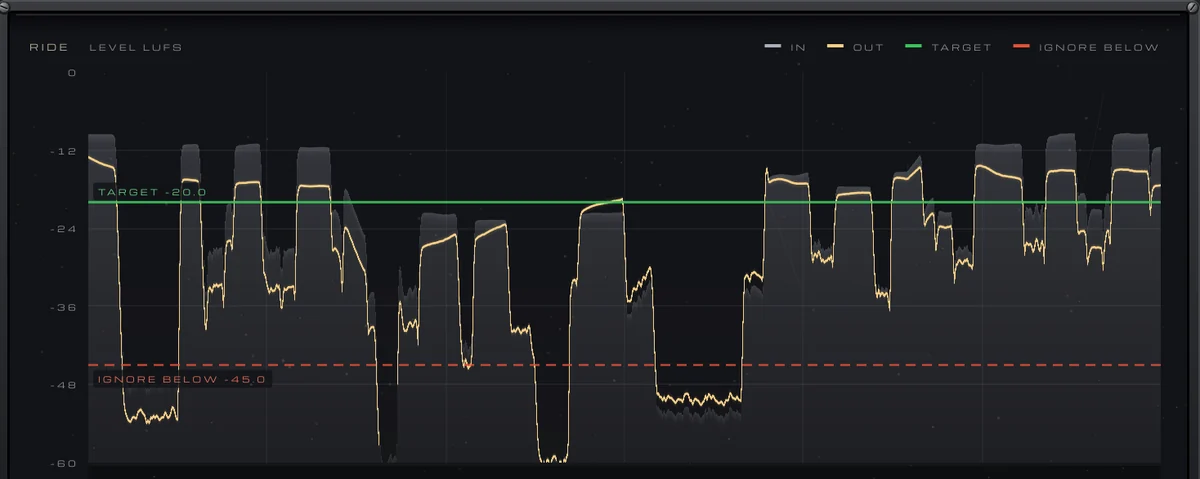
When you judge a vocal’s level, what matters is how loud it sounds, not how high its peaks reach. Loudness meters in LUFS are weighted to follow the ear, which makes them a useful reference for riding: a phrase can have high peaks and still sound quiet, or the other way round. A short-term loudness reading on the vocal track tells you more about where each line sits than a peak meter does.
Keep the ride as automation
Rides are easiest to live with when they’re written down. Recording them as volume automation means you can see every move, nudge one word and undo a ride without touching the rest. It also lets you ride first and compress afterwards: with the level evened out, the compressor only has to catch the peaks, with a few decibels of gain reduction rather than a lot.
Doing it with VEIRA Vocal Rider
VEIRA Vocal Rider does what your hand does on the vocal fader. You set TARGET, where the vocal should sit in LUFS, and one console fader moves smoothly to keep it there, within RANGE DOWN and RANGE UP. It hears loudness K-weighted, but only between 100 Hz and 5 kHz, where the voice is, so an “s” or a popped “p” doesn’t count as a loud word, and it holds still through pauses, breaths and the ends of words. IGNORE BELOW sets the level under which it always keeps still.
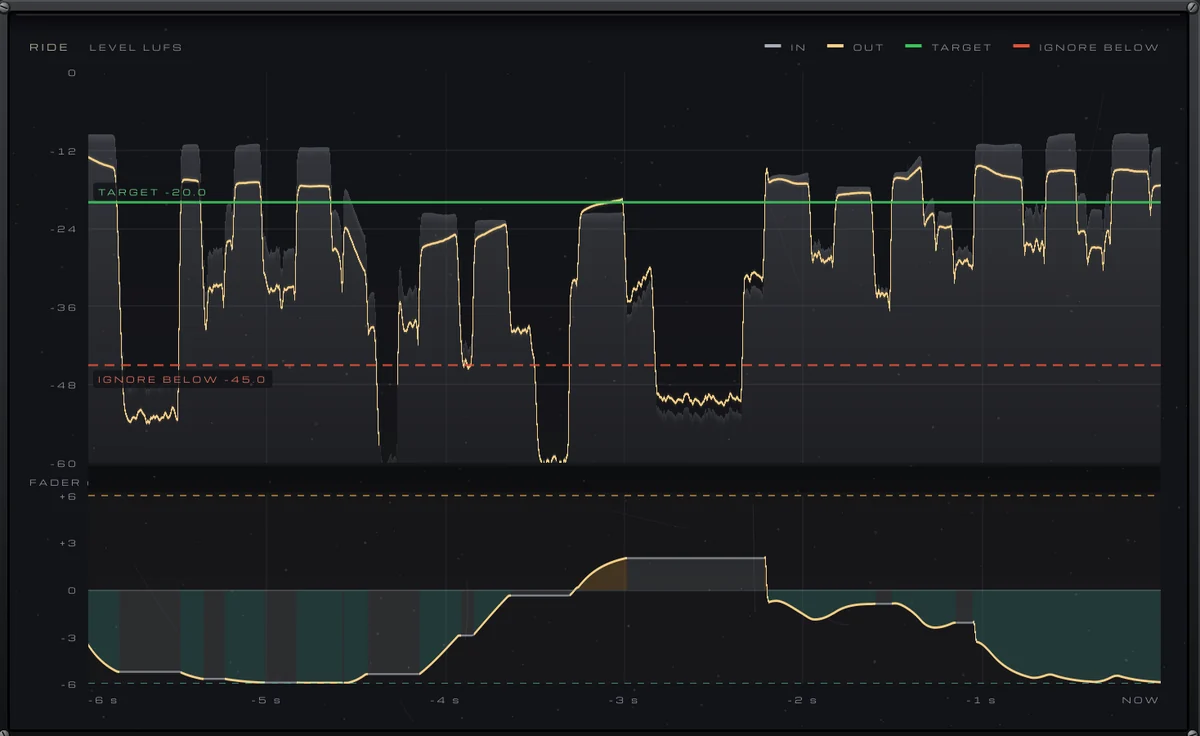
SPEED goes from a slow hand that rides whole phrases to a fast one that rides words, and the fader always turns down twice as fast as it lifts. Set RANGE UP or RANGE DOWN to 0 dB and it only turns down, or only lifts. LOOKAHEAD lets it hear 25 ms ahead, so a loud first word is already turned down when it plays; the 25 ms are reported to your DAW, and you can switch it off for zero latency while recording.
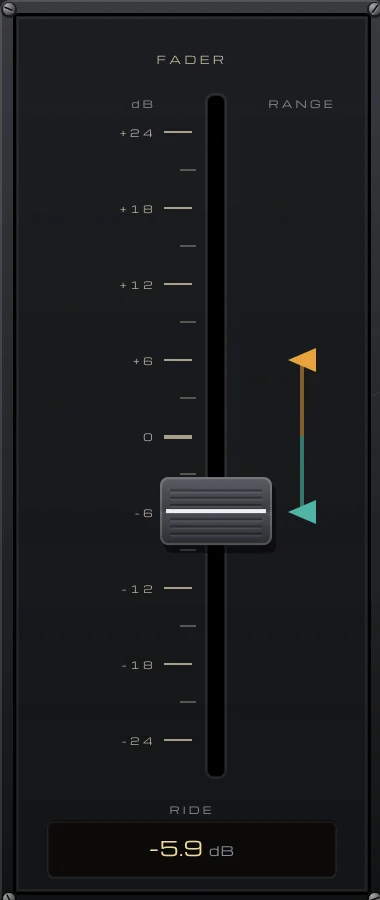
When the ride sounds right, WRITE sends every move to the FADER parameter so your DAW records it as automation, and READ plays it back while you drag the fader by hand to fix a single word. In the plugin’s tests, phrases 14 dB apart came out within 2.1 dB, and the tone and breathing of the performance stay as they were.