VEIRA Bass DI Enhancer

A whole bass chain on one knob: an even low end, harmonics and a finished tone, at the same level.

$24.99, a one-time purchase with free updates

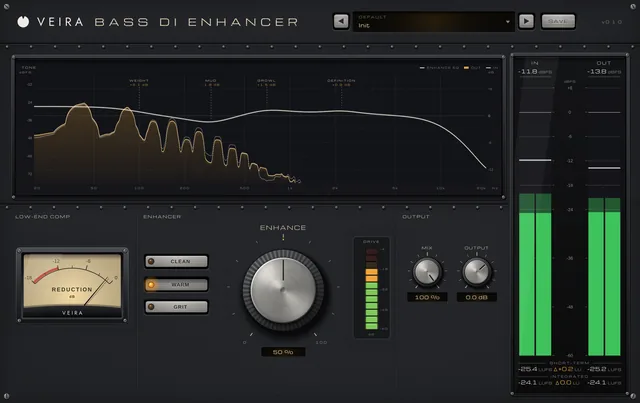
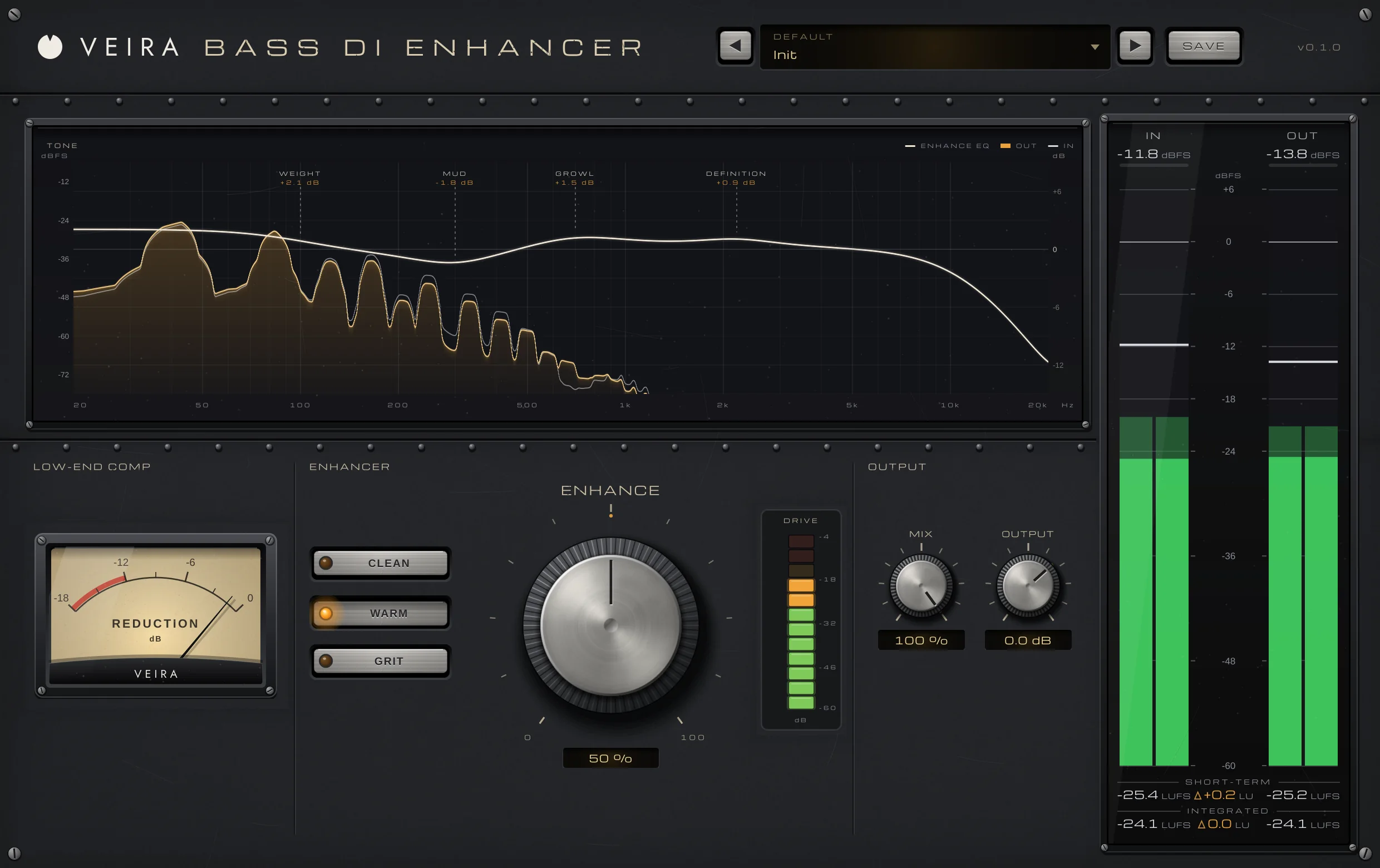
VEIRA Bass DI Enhancer with the Init preset while a DI bass plays: the TONE display with the EQ over the input and output spectrum and its moves WEIGHT +2.1 dB, MUD −1.8 dB, GROWL +1.5 dB and DEFINITION +0.9 dB, the LOW-END COMP needle, the STYLE buttons with WARM lit, ENHANCE at 50 % beside the DRIVE meter, MIX and OUTPUT, and the IN and OUT meters with loudness.

VEIRA Bass DI Enhancer is a whole bass chain on one knob, for a bass recorded through a DI box, a synth bass or a bass amp. Turn ENHANCE and the low end gets even and solid, the bass gets the harmonics that make it heard on phones and laptops, and the tone is shaped the way engineers usually shape a DI: rumble out, weight up, mud out, growl and string definition up. STYLE picks the path, CLEAN, WARM or GRIT, and MIX blends it with the dry DI.

What sets it apart is that everything moves together and the level stays put. AUTO GAIN takes back what the EQ and the saturation add, measured within 1.3 dB of the input on finger, pick and slap lines, so you judge the tone, not the volume. The compressor and the saturation measure the bass against its own level, so a quiet DI and a hot one are treated alike, and GRIT drives only what is above 220 Hz while the low end stays clean underneath. The latency is 64 samples, and the TONE display shows the EQ over the spectrum of your bass.

A tour of VEIRA Bass DI Enhancer

VEIRA Bass DI Enhancer with the Init preset while a DI bass plays: the TONE display with the EQ over the input and output spectrum and its moves WEIGHT +2.1 dB, MUD −1.8 dB, GROWL +1.5 dB and DEFINITION +0.9 dB, the LOW-END COMP needle, the STYLE buttons with WARM lit, ENHANCE at 50 % beside the DRIVE meter, MIX and OUTPUT, and the IN and OUT meters with loudness.
  1. The whole of VEIRA Bass DI Enhancer

    VEIRA Bass DI Enhancer turns a bass recorded through a DI box into a finished bass with one knob. ENHANCE moves low-end compression, saturation and a DI-bass EQ together, in proportion, while AUTO GAIN keeps the loudness about where it was, so you judge the tone, not the volume. STYLE picks the path: CLEAN (modern and hi-fi), WARM (round and vintage) or GRIT (driven, over a clean low end). MIX blends it with the dry DI in time, and the TONE display draws the EQ over the spectrum of the bass.

  2. The tone

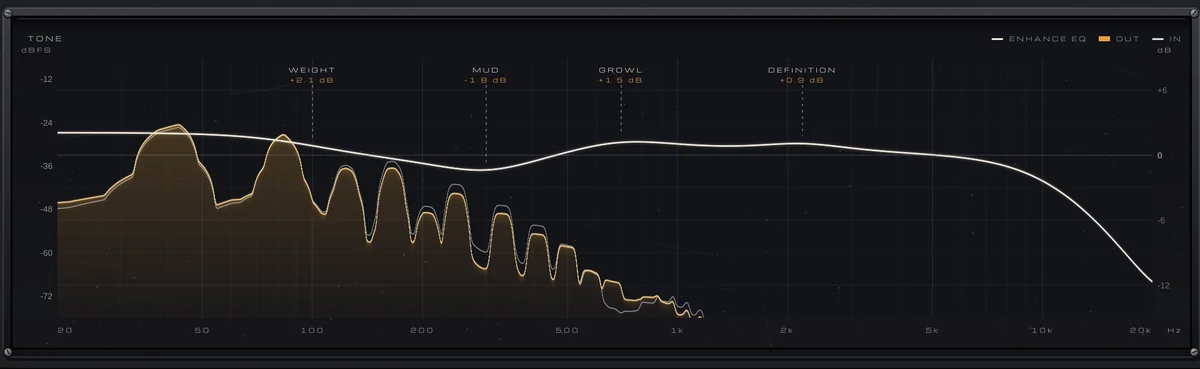
    The EQ that ENHANCE and STYLE set, drawn over the spectrum of your bass, with each move named.

  3. One knob

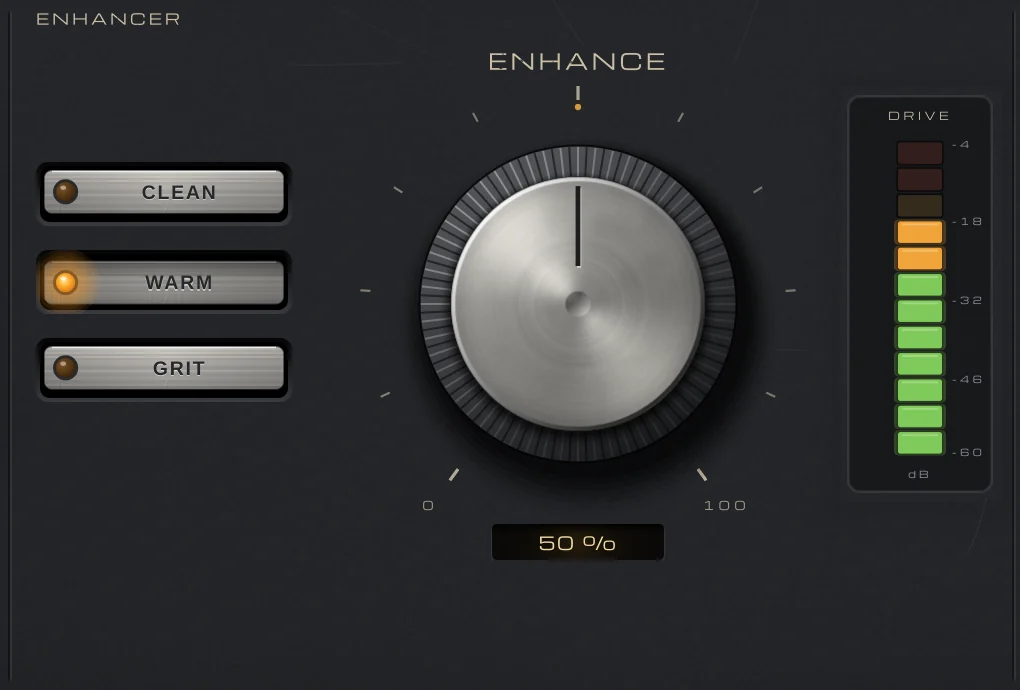
    ENHANCE moves compression, saturation and EQ together; STYLE picks CLEAN, WARM or GRIT; DRIVE shows the saturation.

  4. Low-end compression

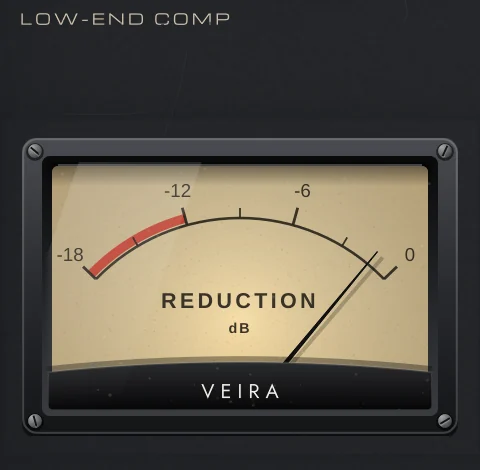
    The needle shows how much the compressor takes off the low end right now.

  5. Mix and output

    Blend the enhanced bass with the dry DI, in time, and set the level.

  6. In and out

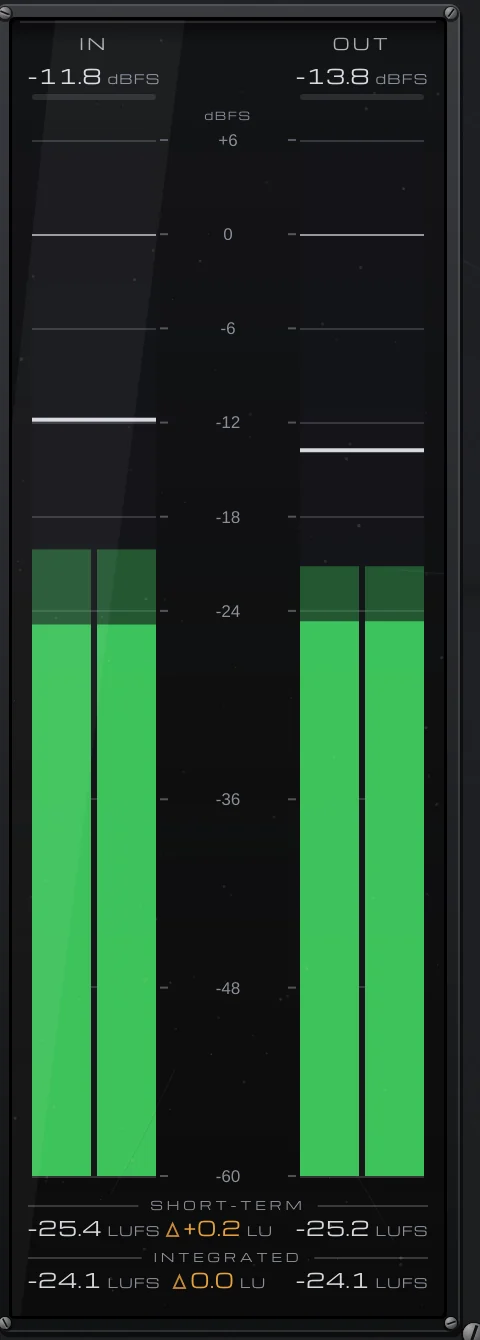
    Peak and RMS for the input and the output, with short-term and integrated loudness.

What VEIRA Bass DI Enhancer does for you

The ENHANCER group: the STYLE buttons with WARM lit, the ENHANCE knob at 50 % and the DRIVE meter.

A whole bass chain on one knob

Put it on a bass recorded through a DI box, a synth bass or a bass amp and turn the ENHANCE knob: low-end compression evens the notes, saturation adds the harmonics that carry on small speakers, and an EQ shapes the tone the way engineers usually shape a DI (rumble out, weight up, mud out, growl and string definition up). All three move together, in proportion. At 0 % the plugin does nothing at all; 30 to 60 % is a typical setting for a DI that should sound finished.

  • Compression, saturation, EQ
  • One knob, in proportion
  • 0 % is the input, untouched
The meter bridge: IN and OUT peak and RMS in dBFS, with short-term and integrated loudness in LUFS and the difference in LU.

Judge the tone, not the volume

AUTO GAIN is always on: it takes back what the EQ and the saturation add or remove in loudness, so turning ENHANCE changes the tone while the level stays about where it was. Measured from 25 to 100 % on all three styles with finger, pick and slap lines, the output stays within 1.3 dB of the input’s loudness, and every factory preset within -0.2 to +0.6 dB on the material it is made for. The IN and OUT meters show the difference in LU.

  • AUTO GAIN always on
  • Within 1.3 dB, measured
  • Presets within 0.6 dB
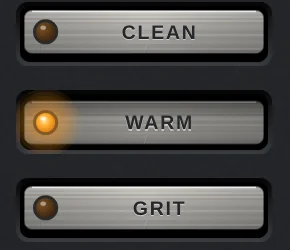
The STYLE buttons CLEAN, WARM and GRIT, WARM lit.

Clean, warm or grit

STYLE picks the path the knob takes. CLEAN is modern and hi-fi: the most compression, a touch of harmonics, the mud out at 320 Hz and a clear string at 3 kHz, with no top cut. WARM is round and vintage: the most weight (+3.5 dB at 100 Hz at full ENHANCE), tube-like harmonics on the whole bass and a softer top. GRIT is driven and cuts through: growl at 1.1 kHz and the fizz tamed by a low-pass from 5.5 kHz. A change crossfades over 40 ms, so you can switch while the bass plays.

  • CLEAN, WARM, GRIT
  • Crossfades in 40 ms
  • Automatable
The LOW-END COMP needle: the compressor’s reduction from 0 to 18 dB.

An even low end on any DI

The low-end compressor listens below 150 Hz and compares each note with the bass’s own long-term level, so the same setting does the same on a quiet DI and a hot one, and you never set a threshold. It works through a low shelf at 180 Hz: the notes’ fundamentals are evened out while their attack and the strings pass as played. On a finger-played line at 100 % the spread of the lows’ level drops from 3.2 to about 2.3 dB. It has no lookahead, so a note’s first milliseconds pass at the gain before it, as with any compressor without latency.

  • Measured against the bass itself
  • Lows only, under 180 Hz
  • Needle shows the reduction
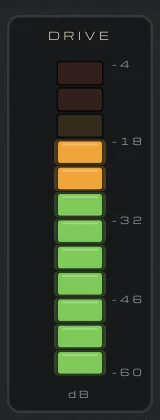
The DRIVE meter: a column of lamps from −60 to −4 dB, lit to about −18 dB.

Grit over a clean low end

GRIT drives only what is above 220 Hz, through a 24 dB per octave split, the way engineers blend a clean DI under a driven amp: a low E’s harmonics stay 66 dB down, so the bottom stays tight and in tune while the mids growl, and what the curve takes off that band is given back. Only what the saturation adds is computed at 4x and mixed back in, so nothing aliases (a 7 kHz tone on GRIT at 100 %: under -98 dB). GRIT raises an upright’s body thump, so watch the peaks there. The DRIVE meter shows how hard the saturation works.

  • Driven above 220 Hz
  • Low E harmonics -66 dB
  • No aliasing
The TONE display: the EQ for ENHANCE and STYLE as a light curve over the bass’s spectrum, the output filled in amber and the input as a grey line, with the moves WEIGHT, MUD, GROWL and DEFINITION named above it.

See the tone you are getting

The TONE display draws the EQ for the current ENHANCE and STYLE over the spectrum of the bass, the output filled in amber and the input as a grey line, from 20 Hz to 20 kHz. Each of the four moves is named where it works, WEIGHT, MUD, GROWL and DEFINITION, with its amount right now, and hovering reads the EQ’s change at any frequency.

  • EQ over the spectrum
  • Four moves, named
  • Hover read-out
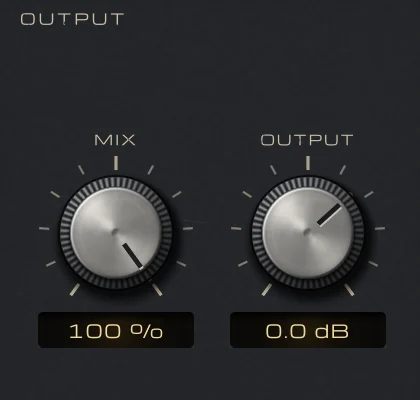
MIX at 100 % and OUTPUT at 0.0 dB.

Blend it with the dry DI

MIX blends the enhanced bass with the dry DI, which is delayed by exactly the same amount, so the two stay in time and a heavy setting at 30 to 50 % keeps the player’s own attack. At ENHANCE 0 % or MIX 0 % the output is the input bit for bit. The latency is 64 samples (1.3 ms at 48 kHz), from the saturation’s oversampling filters, reported to your DAW and small enough to play through.

  • Dry kept in time
  • Bit for bit at 0 %
  • 64 samples of latency
The preset browser showing Default: Init, with previous, next and SAVE.

69 presets, each one measured

Fourteen folders sorted by how the bass is played (Finger, Pick, Slap, Synth Bass, Jazz & Upright), by style of music (Rock, Funk & Soul, Pop, Metal, Hip-Hop & R&B, Reggae & Dub), plus Mix Fix for a bass that is boomy, thin, muddy, uneven or lost, and Creative FX. Each was measured through the real processor on finger, pick and slap DI lines, a synth bass and an upright, for its level, its peak, how much evener the lows got and how hard it drives.

  • 14 folders
  • Save your own
  • Recalled with your session

Get VEIRA Bass DI Enhancer

Pay once and it’s yours, with every future update included.

VEIRA Bass DI Enhancer

A whole bass chain on one knob: an even low end, harmonics and a finished tone, at the same level.

  • Yours to keep: pay once, no subscription
  • Every future update, free for life
  • VST3, AU, Standalone on up to 3 computers
  • Changed your mind? Cancel within 14 days (refunds)
USD

One-time payment, in your cart.

Welcome offer

Get 10% off your first order

Leave your email and we’ll send you a code for 10% off your first order, on any plugins. One code per person.

Specifications

Type
Bass enhancer: low-end compression, saturation and EQ on one knob, with automatic gain
Enhance
0 to 100 % (default 50 %); 0 % is the input, untouched, and the chain fades in over the first 3 %
Style
CLEAN, WARM or GRIT (default WARM); a change crossfades over 40 ms
Mix
0 to 100 % (default 100 %), the dry DI delayed to stay in time
Output
−24 to +12 dB
At 100 % (CLEAN / WARM / GRIT)
Low cut 30 / 32 / 35 Hz (from 20 % ENHANCE); compression 75 / 65 / 85 %; weight +2.5 dB at 85 Hz / +3.5 dB at 100 Hz / +2.0 dB at 80 Hz; mud −3.5 / −3.0 / −2.5 dB; growl +1.5 / +2.5 / +4.0 dB; definition +3.0 / +1.5 / +2.0 dB; top low-pass none / 7 kHz / 5.5 kHz
Low-end compressor
Detects below 150 Hz against the bass’s own long-term level; 6 dB knee, ratio at 100 % 4.75:1 (CLEAN), 4.25:1 (WARM) or 5.25:1 (GRIT); 20 ms down, 120 ms up; applied by a low shelf at 180 Hz; no lookahead
Saturation
Soft, slightly asymmetric curve driven against the bass’s own level; what it adds computed at 4x (2x at 88.2 and 96 kHz); GRIT drives only above 220 Hz (24 dB/octave)
Level
AUTO GAIN, always on: within 1.3 dB of the input’s loudness, measured from 25 to 100 % on all three styles with finger, pick and slap lines; factory presets −0.2 to +0.6 dB
Latency
64 samples at 44.1 to 96 kHz (1.3 ms at 48 kHz), none at 176.4 and 192 kHz, reported to your DAW; at ENHANCE 0 %, MIX 0 % and bypassed, the input delayed by the latency, bit for bit
Metering
TONE display (the EQ over the input and output spectrum, 20 Hz to 20 kHz, with hover read-out); LOW-END COMP needle (0 to 18 dB); DRIVE (−60 to −4 dB); IN and OUT peak and RMS; short-term and integrated LUFS
Presets
69 factory presets in 14 folders (by playing style, by genre, Mix Fix and Creative FX), plus your own
Channels
Mono or stereo
CPU (measured)
About 5 to 6 % of one core of a 2-core cloud machine (stereo, 48 kHz)
Formats
VST3, AU, Standalone
macOS
macOS 11 or later, Apple silicon or Intel (universal). VST3, AU and Standalone.
Windows
Windows 10 or later, 64-bit. VST3 and Standalone.
Pro Tools
Pro Tools (AAX) versions are built and tested, and arrive once they’re signed for Pro Tools.
Latest version
0.2.1, released October 31, 2026 · What’s new
Read more on the blog: Getting a DI bass to sound finished: even, present and in the mix · Mixing bass and kick together: an even, clear low end

Questions? 9 answers about VEIRA Bass DI Enhancer

Works well with

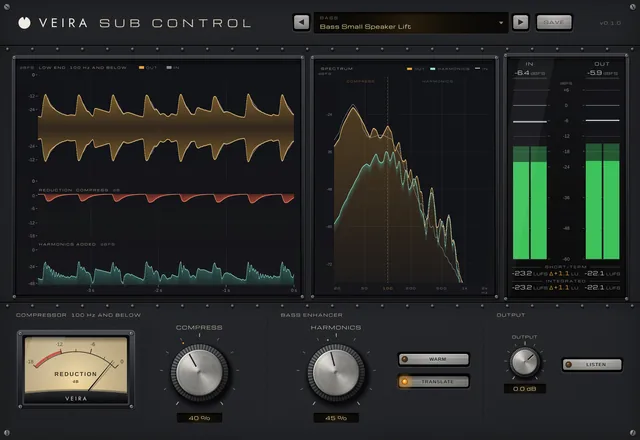
VEIRA Sub Control

A compressor for the low end only, beside a bass enhancer that makes it carry on any speaker.

$49.99

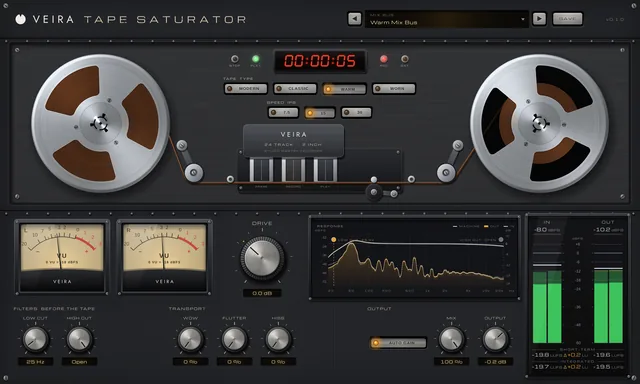
VEIRA Tape Saturator

A 2-inch, 24-track tape machine: four tapes, three speeds, and reels that turn with your song.

$39.99

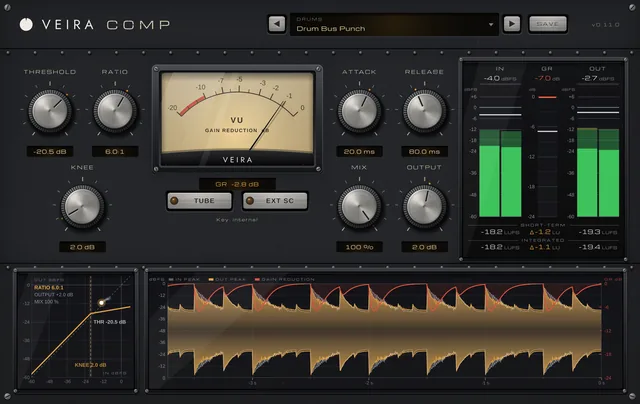
VEIRA Comp

A tube-coloured compressor you can read like an instrument.

$149.99