Getting a DI bass to sound finished: even, present and in the mix
Why a DI bass sounds unfinished, and how compression, saturation and four classic EQ moves even out the notes, make it heard on small speakers and fit it into the mix.
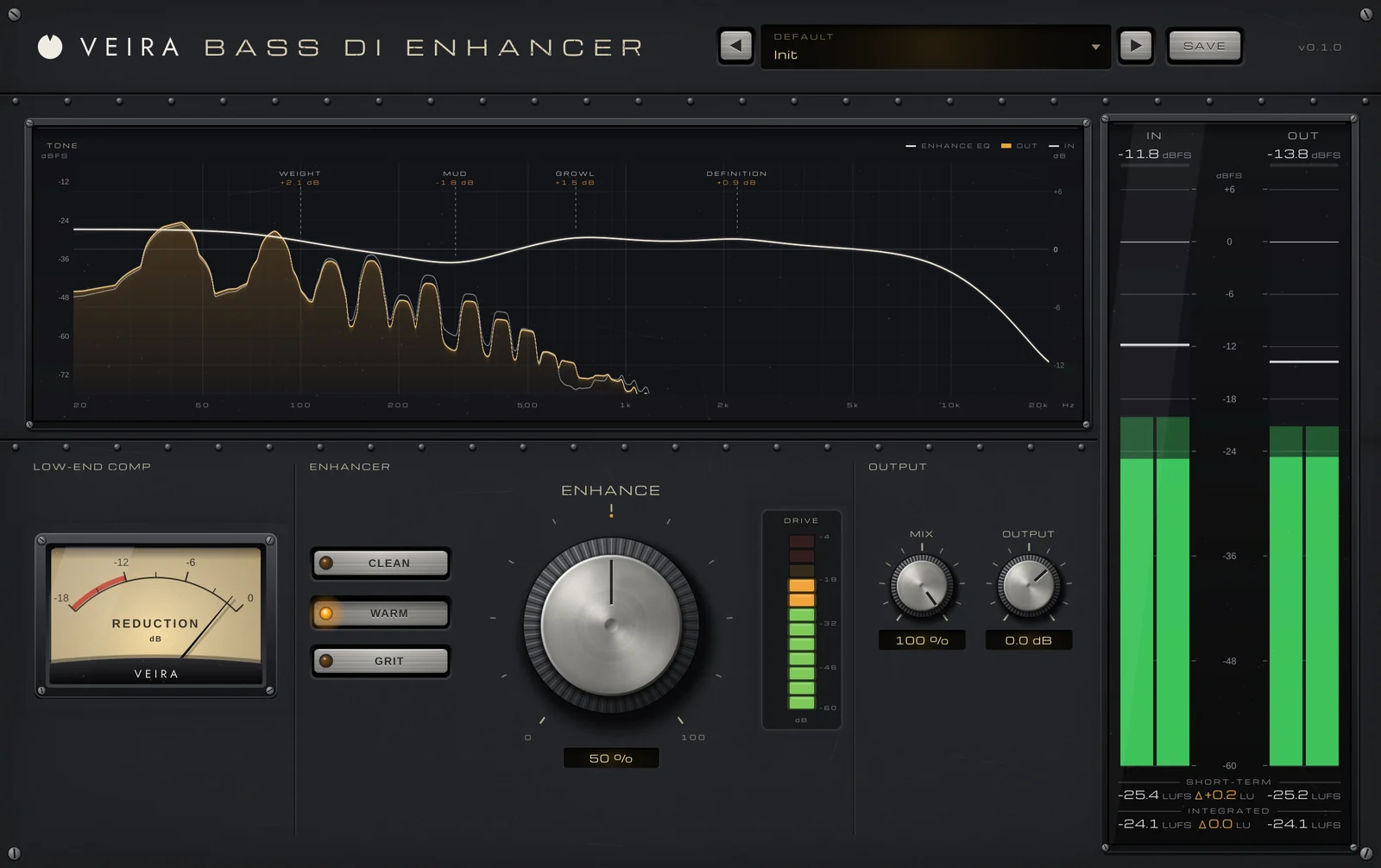
A bass recorded straight through a DI box is honest: every note exactly as it was played, with all the deep fundamentals and none of what an amp, a cabinet and a microphone would add. That makes it a great source, and it’s also why it rarely sounds finished on its own. Some notes jump out and others vanish, it disappears on a phone speaker, and in the mix it either booms or gets lost under the guitars. The fix is a short chain that engineers use in some form on almost every DI: compression, saturation and EQ.
Even out the notes first
Strings, frets and hands never make every note equally loud, and a DI lets you hear all of it. A compressor evens the line so the low end holds steady under the song. Common starting points are a ratio around 3:1 to 4:1, an attack slow enough to let the pluck through (often 10–30 ms), a release that recovers before the next note, and 3–6 dB of reduction on the loudest notes. If it’s mainly the low notes that are uneven, compress mainly the lows and let the attack and the string noise pass as played.
Add harmonics so it carries on small speakers
A low E’s fundamental sits around 41 Hz, which most phone and laptop speakers can’t reproduce. The ear fills the note in from its harmonics, so a little saturation makes the bass audible where the fundamental isn’t. Round, warm harmonics suit vintage and soul; driven, gritty mids suit rock. For heavy drive, engineers often blend a clean low end under a distorted copy of the mids, so the bottom stays tight and in tune while the top growls.
Shape the tone with four classic moves
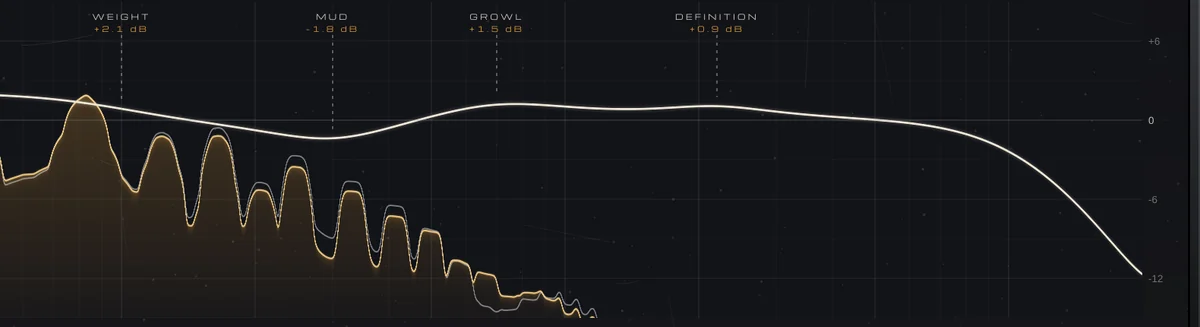
Most DI basses get some version of the same EQ. The exact frequencies depend on the instrument and the song, so sweep and listen rather than copying numbers.
- Rumble out: a high-pass somewhere around 30–40 Hz clears energy you can’t hear but that eats headroom.
- Weight up: a broad lift around 80–100 Hz gives the notes body.
- Mud out: a cut somewhere between 250 and 400 Hz makes room for the kick, the guitars and the vocal.
- Growl and definition up: around 700 Hz to 1.2 kHz for growl, and 2–4 kHz for the click of the string, so the line reads clearly in a busy mix.
Compare at the same level
Each of these moves makes the bass louder or quieter, and louder almost always sounds better for a moment. Match the processed bass to the dry level before you decide, then check it against the kick, in mono and at a low listening level. If heavy processing takes away the player’s attack, blend some of the dry DI back in, kept in time with the processed one.
Doing it with VEIRA Bass DI Enhancer
VEIRA Bass DI Enhancer puts that whole chain on one knob. Turn ENHANCE and low-end compression, saturation and a DI-bass EQ move together, in proportion: rumble out, weight up, mud out, growl and string definition up. At 0 % it does nothing at all, and 30 to 60 % is a typical setting for a DI that should sound finished. AUTO GAIN is always on, so the level stays about where it was and you judge the tone, not the volume.
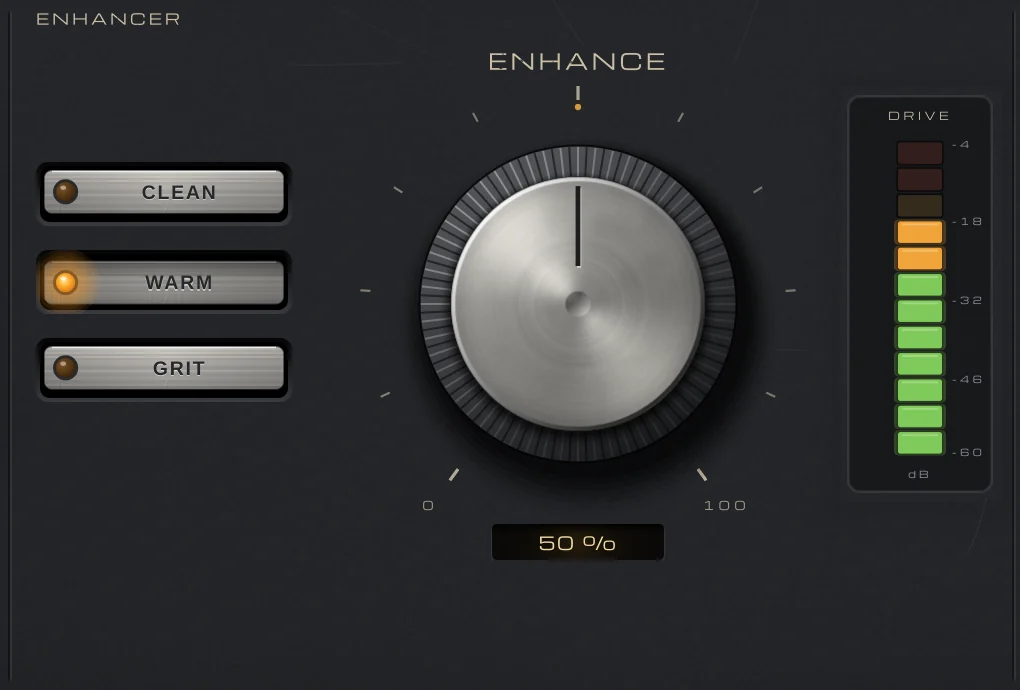
STYLE picks the path: CLEAN (modern and hi-fi), WARM (round and vintage) or GRIT, which drives only what is above 220 Hz over a clean low end. The low-end compressor compares each note with the bass’s own long-term level, so the same setting does the same on a quiet DI and a hot one, and you never set a threshold.
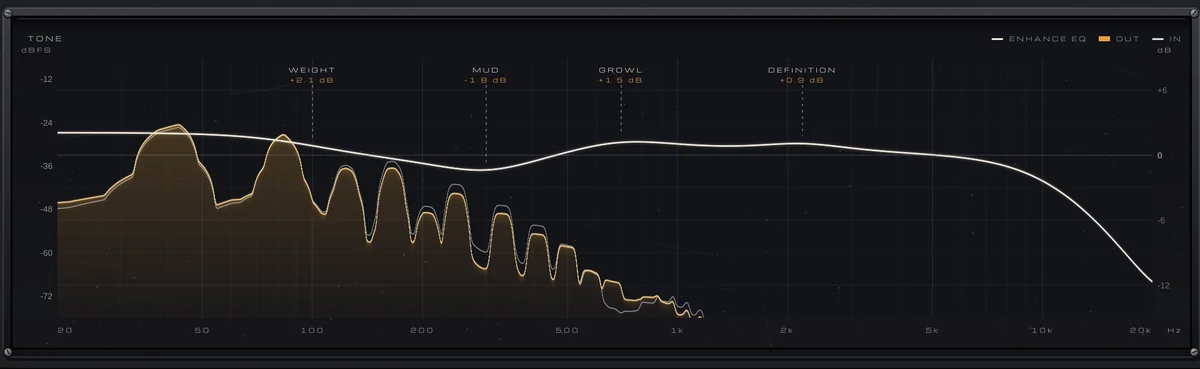
The TONE display draws the EQ for the current ENHANCE and STYLE over the spectrum of your bass, with each move named where it works. MIX blends the enhanced bass with the dry DI, delayed by exactly the same amount so the two stay in time, which keeps the player’s own attack on a heavy setting.