Drive on every track: drums, bass, vocals, keys and the mix bus
How to use a drive pedal beyond the guitar with VEIRA Overdrive: which circuit to choose, how to keep the low end clean, where to start the drive, and settings for drums, bass, vocals, keys and the mix bus.
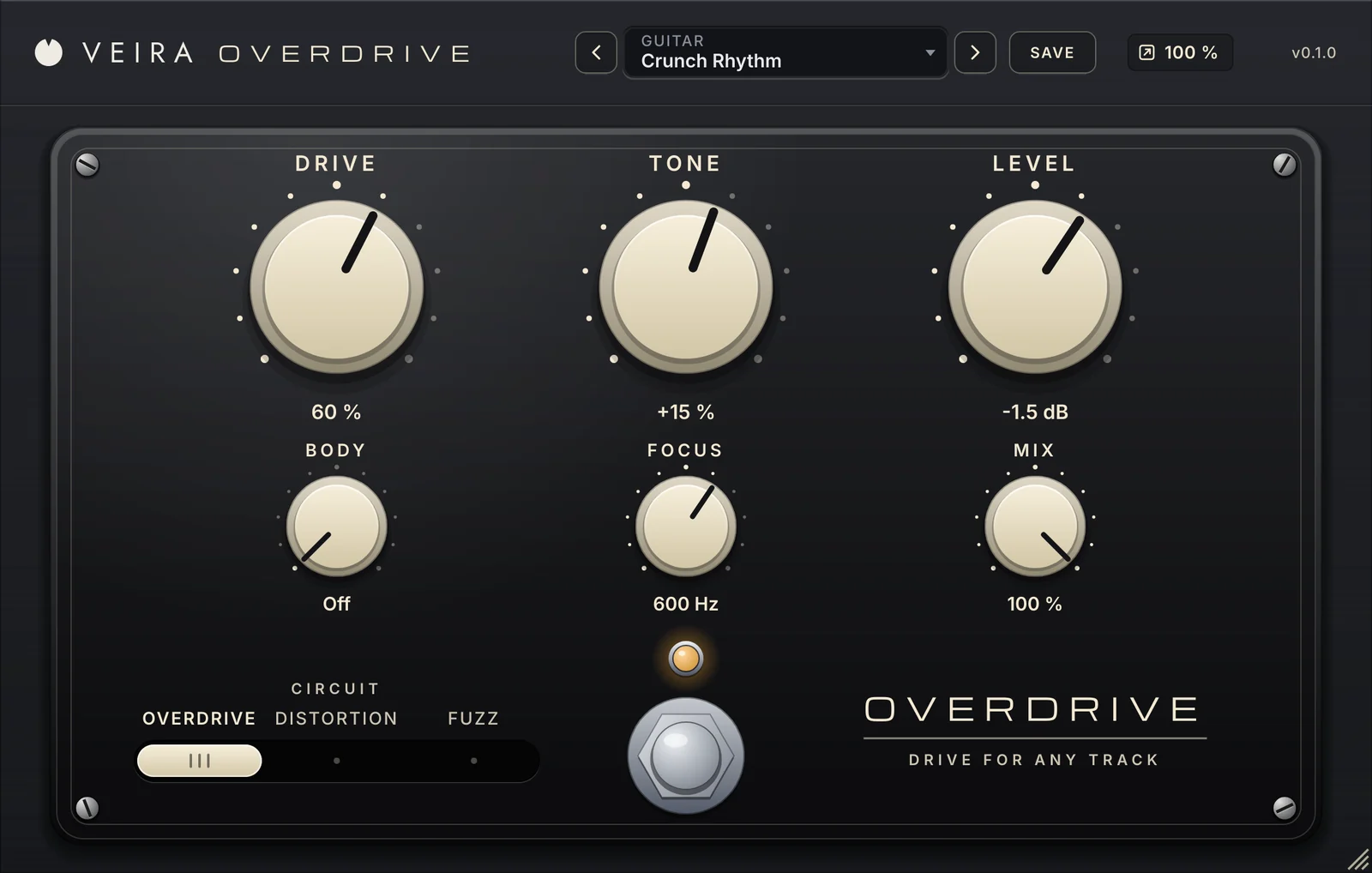
A drive pedal is the oldest trick for making a sound bigger: push it into a circuit until it clips, and it grows harmonics, density and attitude. The trouble is that pedals were built for guitars. Put a kick, a voice or a whole mix through one and the low end smears, the level jumps and the top turns harsh. VEIRA Overdrive is a drive pedal made for any track. This is how to use it on the rest of the session.
Three circuits, one switch
The slide switch chooses which pedal is inside. Pick it with DRIVE fairly high, where the character is easy to hear, then back DRIVE off until it sits.
- OVERDRIVE: soft clipping beside the clean sound. It follows how hard a part is played and pushes the mids. The first choice for buses, vocals and anything that should still sound like itself.
- DISTORTION: a firm ceiling. Thicker, more compressed, sustaining. For snares, synth leads, organs and parallel layers.
- FUZZ: uneven and buzzing, with even harmonics. For bass lines, room microphones and effects.

Two knobs that make it work off the guitar
BODY keeps the lows clean: everything under it goes around the circuit untouched, so a kick keeps its sub and a mix keeps its bass while the mids take the drive. FOCUS sets where the drive starts: turn it up and only the mids and highs are driven; turn it down and the whole sound is. Between them you decide which part of a sound gets dirty, and that is most of the difference between grit and mud.
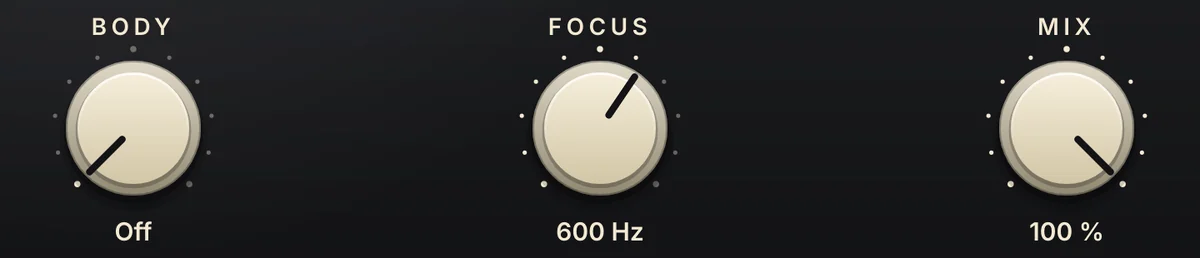
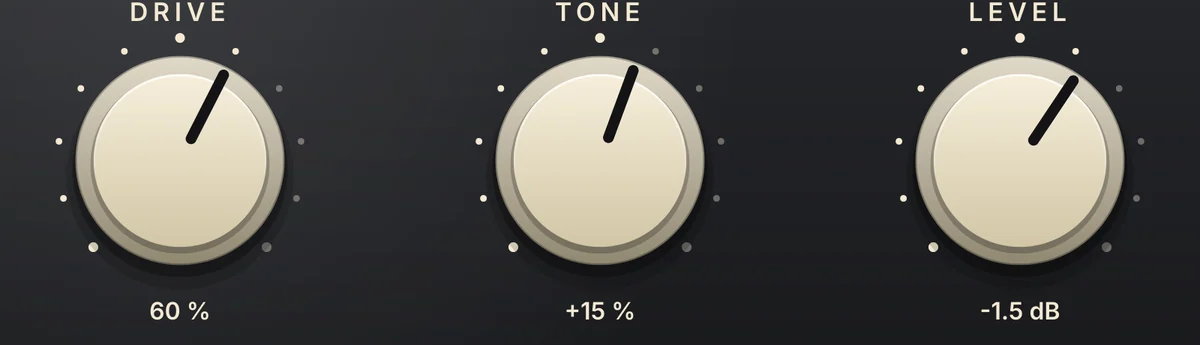
And because the level is matched as DRIVE goes up, turning the knob changes the colour, not the loudness. Compare with the footswitch: if the track still sounds better with the pedal on, at the same level, keep it.
Drums
On a kick, use OVERDRIVE with BODY around 90 Hz and FOCUS around 400 Hz: the knock and the click take the drive and the sub stays as solid as it was (the preset Kick Punch). On a snare, DISTORTION with FOCUS near 900 Hz and MIX around 60 % adds bite to the crack and keeps the clean hit under it (Snare Crack). For hi-hats, set FOCUS at 2 kHz so only the top is roughened. On the drum bus, go gentle, DRIVE around 25 % with MIX at 50 % (Drum Bus Glue), or go heavy in parallel: DISTORTION at DRIVE 70 % with MIX at 30 % puts a smashed kit under the clean one (Parallel Smash).
Bass
A bass has to be felt on big speakers and heard on small ones. The drive gives it the harmonics small speakers can play; BODY keeps the fundamental they can’t. Start with OVERDRIVE, DRIVE around 55 %, BODY at 120 Hz and FOCUS at 500 Hz (Bass Growl). For a heavier sound that still holds the low end, use DISTORTION with BODY at 150 Hz and MIX at 70 % (Sub Safe Dirt). FUZZ with BODY near 110 Hz is the buzzing bass of a rock chorus (Fuzz Bass).
Vocals
On a voice, less is more, and higher is safer. Set FOCUS between 1.2 and 2 kHz so the drive works on the presence and the consonants, set BODY between 120 and 200 Hz so the chest of the voice stays clean, and blend: OVERDRIVE at DRIVE 28 % and MIX 60 % brings a lead vocal forward without sounding distorted (Vocal Edge). For an effect, go the other way: DISTORTION at DRIVE 70 % with TONE to the right is a megaphone (Megaphone Shout).
Keys and synths
An electric piano barks when it is played hard, and OVERDRIVE at DRIVE 40 % with FOCUS at 500 Hz gives that back to one that was recorded politely (Electric Piano Bark). DISTORTION makes an organ grind and gives a synth lead the bite to cut through guitars and drums. Under a pad, a low DRIVE with TONE to the left and MIX at 60 % fills out the low mids without adding fizz (Pad Warmth).
The mix bus
On a group or a whole mix, stay with OVERDRIVE, keep DRIVE low and BODY on. DRIVE at 12 % with BODY at 150 Hz thickens the mids and passes the low end untouched (Bus Warmth). Or work in parallel: DRIVE 45 %, BODY 180 Hz and MIX 20 % tuck a driven copy under the mix, for density you feel more than hear (Parallel Colour). MIX blends the two in time with each other. If a heavy setting comes out a little quieter or louder on dense material, LEVEL puts it right.
Where to start
Load the preset closest to the job, turn DRIVE up until you hear too much, then back it off. Watch the lamp: it brightens with how hard the circuit clips, so a lamp that barely changes means a nearly clean sound and one that stays bright means a crushed one. Read the page of VEIRA Overdrive for every control. When you want harmonics from a studio processor with a choice of curves and bands rather than a pedal, see VEIRA Saturator; for a drive followed by chorus, phaser or tremolo, VEIRA Mod Drive.