Triggering drums without losing the drummer
How to trigger recorded drums with VEIRA Trigger: finding the hits and not the bleed, keeping the sample in phase, following the drummer’s dynamics, blending or replacing, and what a trigger can’t do.
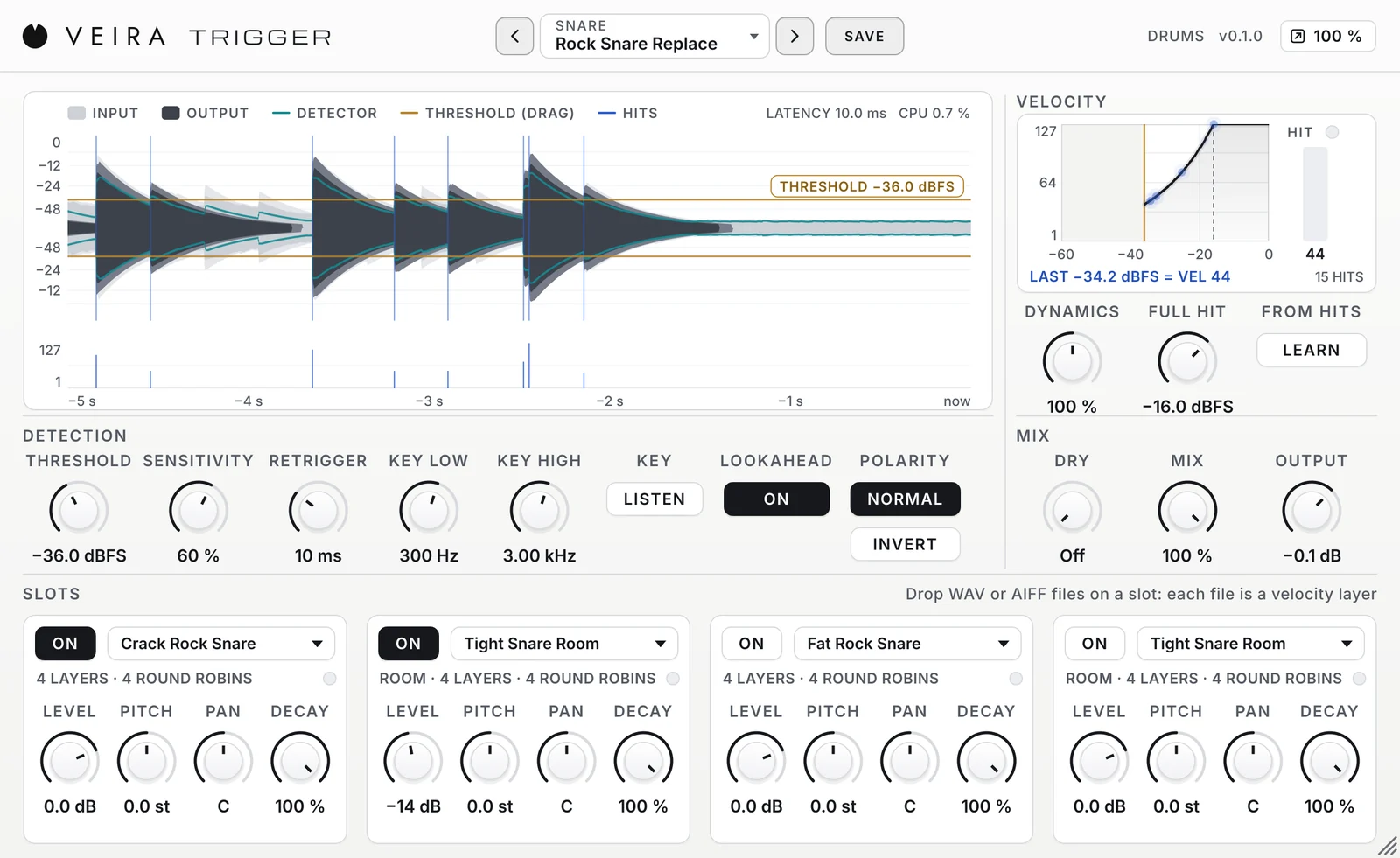
A drum trigger plays a sample on every hit of a recorded drum. Done well, it makes a kick or a snare fuller, more even or simply right for the song, and nobody hears that it was triggered. Done badly, it plays on the hi-hat, misses the ghost notes, thins the drum out and turns a performance into a machine. VEIRA Trigger was built to do it well. This is how to trigger drums without losing the drummer.
Find the hits, not the bleed
A snare microphone hears the snare loudest, but also the kick, the hi-hat and the cymbals. The first job is to let the detector hear only the drum. Narrow what it listens to with the key filters: for a snare, KEY LOW at 300 Hz takes the kick away and KEY HIGH at 3 kHz the hi-hat; for a kick, a KEY HIGH of 150 Hz leaves out the snare and toms. The filters change only what the detector hears, never the sound. Press LISTEN to hear the key while you set them.

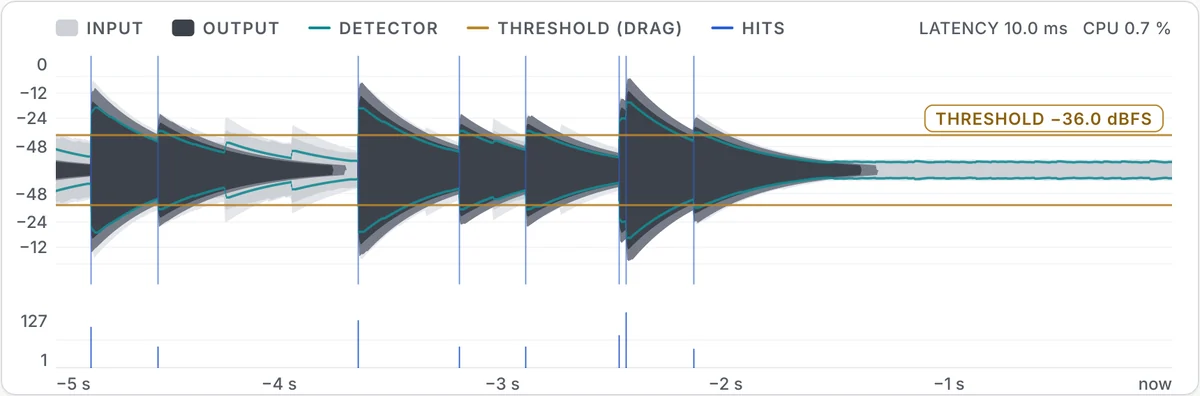
Then set THRESHOLD between the bleed and your quietest wanted hit: on the display, drag the line until the bleed stays under it and every hit you want crosses it. SENSITIVITY decides how far a new hit must rise over what is already ringing, which is what lets a flam’s second stroke or a ghost note through while the drum’s own ring is ignored.
Keep it in phase
A sample that starts even a fraction of a millisecond away from the drum partly cancels its low end when the two are blended, and the drum gets thinner instead of fuller. VEIRA Trigger places each sample’s onset on the hit’s, then slides it by at most half a millisecond so its first low cycle lines up with the drum’s. With LOOKAHEAD on it needs 10 ms of latency, which your DAW compensates. If a blend still sounds thin, try POLARITY INVERT: the microphone may have been wired the other way.
Follow the drummer
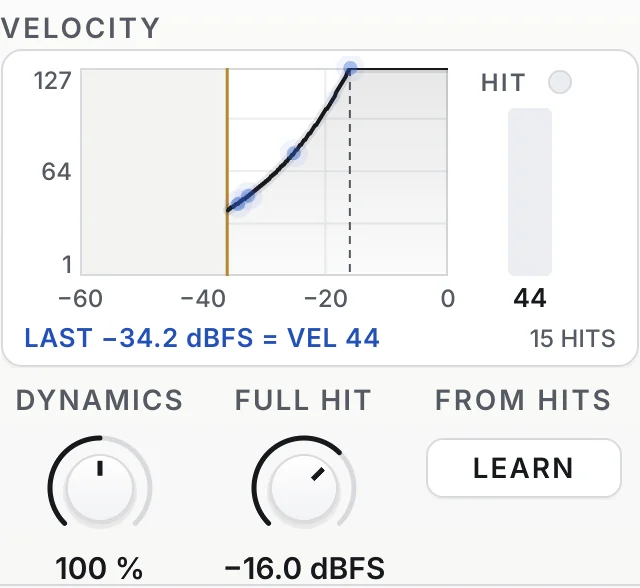
A sample at the same level on every hit is what makes triggered drums sound programmed. Play the loudest part of the song and press LEARN: FULL HIT is set from the loudest hit, and every softer hit plays as much softer as it was struck, from a softer velocity layer. DYNAMICS at 100 % follows the drummer dB for dB; lower it to even out an uneven performance, as the fast metal presets do.
Blend, layer or replace
- Blend: keep the track with DRY at 0 dB and bring the sample in under it with MIX, for a fuller, more even drum.
- Layer: keep the track whole and add what it lacks, a room, a clap or a sub, as the Layers presets do.
- Replace: turn DRY off and MIX to 100 %: only the samples play, and the bleed between the hits goes with the track.
What a trigger can’t do
A trigger that works by level can only tell hits apart by level. In very fast playing, a ghost note quieter than the stroke still ringing before it rises too little to be told apart, and a very fast roll on a long-ringing tom is the same. Raising SENSITIVITY catches more but lets more bleed through; often the best answer is to keep some of the original with DRY, so the notes the trigger misses still sound. VEIRA Trigger also sends no MIDI: the hits play its own samples, which you can bounce as audio.
Start from a preset: Snare Blend, Kick Blend or Tom Blend in the Default folder, Rock Snare Replace or Urban Knock Replace to replace, Ghost Note Snare for a busy snare part, Snare Big Room to give a dry drum some space. Read the page of VEIRA Trigger for every control. To clean the spill between hits instead, VEIRA Gate; to glue the finished kit, VEIRA Drum Bus.