Quieter between the notes: how to use an expander
How to use an expander with VEIRA Expander: what downward expansion does, how to set the threshold by eye, when to go gentle and when to gate, how to stop chatter, and upward expansion for punch.
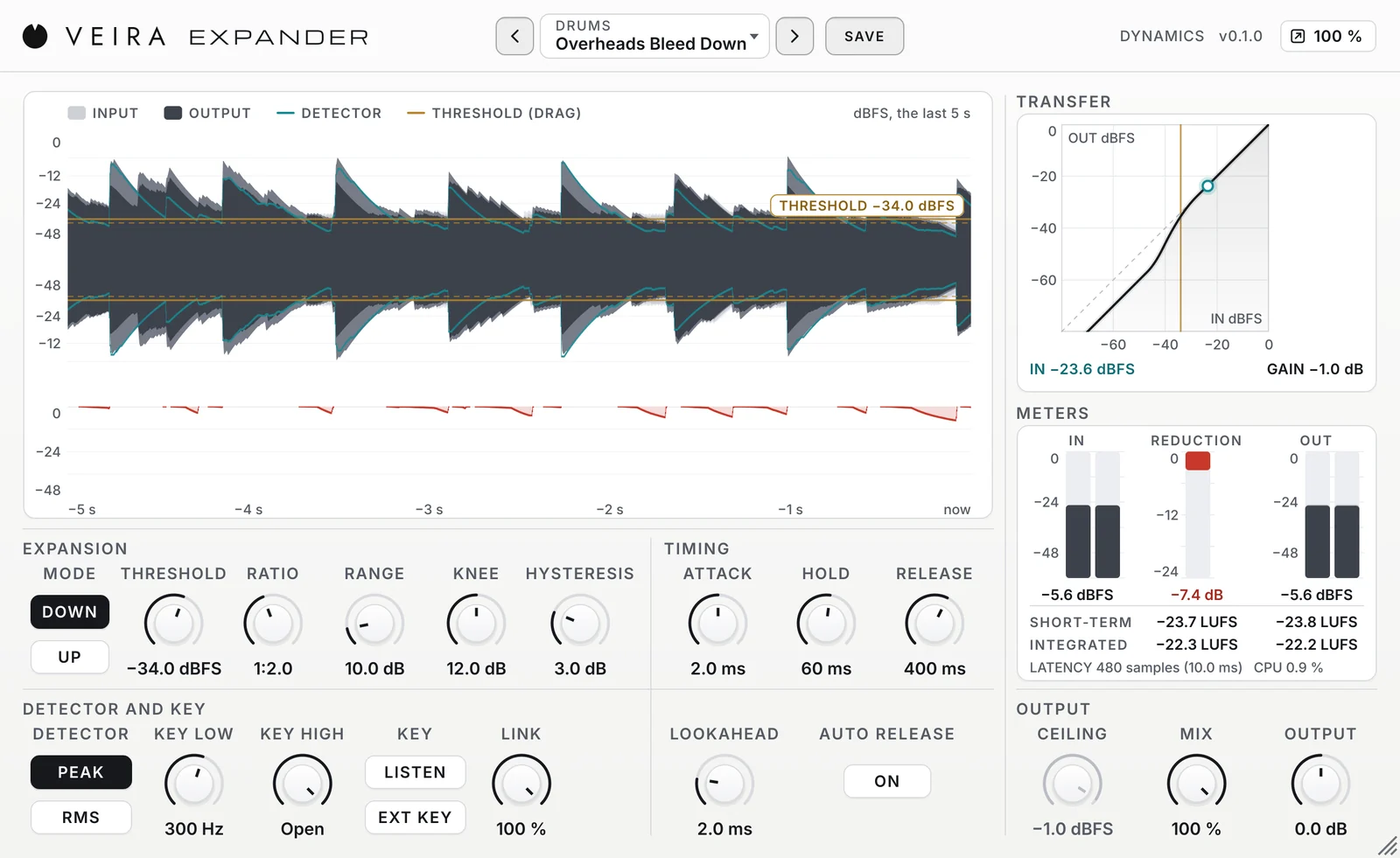
Every recording has sound you didn’t ask for: the snare in the tom microphone, an amplifier’s hum, the room and the fan behind a voice. While the music plays it hides all of that; between the notes you hear it. An expander takes it down there and leaves the notes alone. VEIRA Expander makes that quick to set and hard to get wrong. This is how to use it.
What an expander does
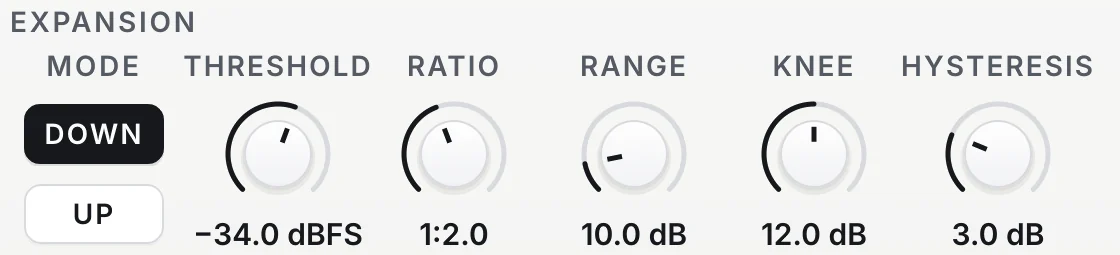
An expander compares the level of the sound with a threshold. Over the threshold it does nothing. Under it, it turns the sound down, and the further under, the more: at 1:2, every dB under the threshold becomes 2, so noise 18 dB under it comes out 36 dB under. RANGE sets the floor, the most it will ever take off, so the noise can sink 12 dB and no further. A gate is the extreme case, shutting as soon as the level drops; an expander lets a fading note sink smoothly into a lower floor.
Set the threshold by eye
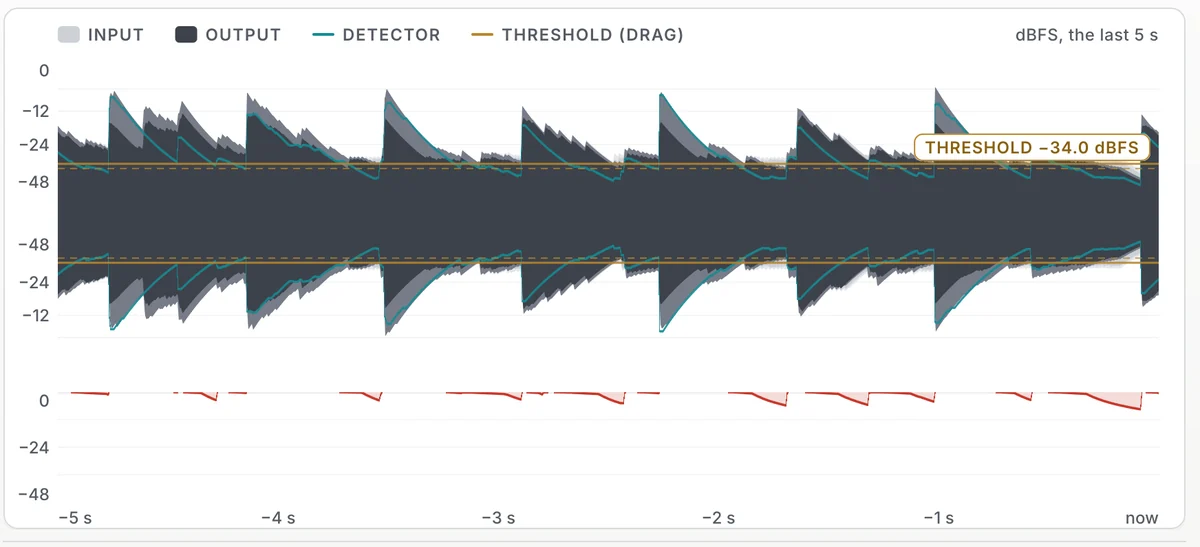
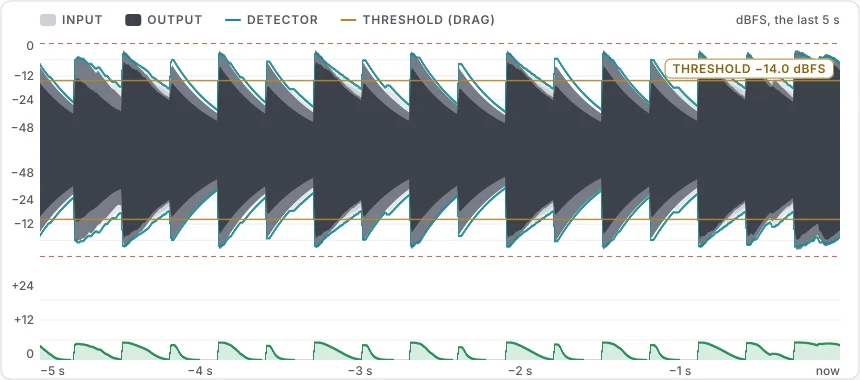
The threshold is the line between what you want and what you don’t, so the easiest way to set it is to see both. VEIRA Expander draws the last five seconds of the track, the input in light grey behind the output, with the threshold as an amber line you drag. Put it just over the noise in the gaps and under the quietest note you want to keep. Then watch the teal detector line: it should cross the threshold on every note and stay under it between them.
Gentle or gated
How hard to go depends on the sound. Drums with bleed between the hits take a steep ratio or a gate. Anything that fades slowly, a piano, a cymbal, a voice, a room, sounds better with a gentle ratio and a modest floor, so the noise sinks without the track ever sounding switched off.
- Noise only a little lower: RATIO 1:1.3 to 1:2, RANGE 4 to 12 dB.
- Noise clearly lower, a little room left: 1:2 to 1:3, 12 to 24 dB.
- Bleed gone between drum hits: 1:4 to GATE, 30 to 50 dB.
- A wider KNEE eases the corner, so a slow fade never lands with a bump.
No chatter, no lost attacks
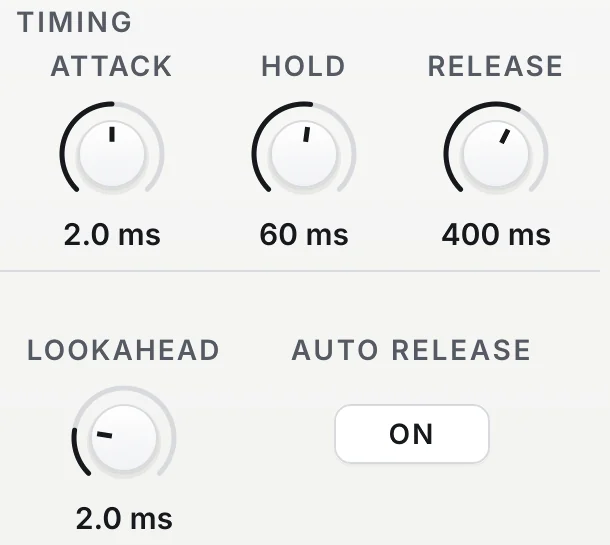
Two things give an expander away. Chatter is a flutter as a note fades through the threshold; HYSTERESIS stops it by keeping the expander open until the level falls a few dB further, and HOLD bridges short gaps. A lost attack is the click of a stick or the first consonant of a word arriving before the expander has opened; LOOKAHEAD reads up to 10 ms ahead, and with it at least as long as ATTACK a hit starts fully open.
Listen to the right thing
A snare’s expander should open for the snare, not for the kick or the hi-hat. KEY LOW and KEY HIGH filter what the expander listens to, never what you hear: keep the lows out with KEY LOW, the highs out with KEY HIGH, and turn on LISTEN to hear the result while you set them. EXT KEY goes one step further and lets another track decide when it opens, from a kick that opens a pad to a click that chops one.
Upward, for punch
Switch MODE to UP and the expander works over the threshold instead: what goes over it comes out louder. On a drum bus or a mix that was compressed too hard, that gives the hits some of their punch back. A CEILING on the output keeps every boosted peak in bounds, and a few dB less OUTPUT keeps the level where it was, so you hear the punch rather than just more level.
Where to start
Load a preset close to the job: Gentle Cleanup for a first try on almost anything, Kick Tighten, Snare Tighten or Toms Clean on drums, Amp Hum Down on a bass, High Gain Noise on a guitar, Podcast Room Tone or Voice-Over Clean on speech, Drum Bus Punch for upward expansion. Then set THRESHOLD for your track’s level on the waveform. Read the page of VEIRA Expander for every control. For drums where the bleed is inside the hits too, VEIRA Gate goes further with DEBLEED.