Mastering EQ: small, broad moves, left/right and mid/side
How to EQ a finished mix: why mastering moves are small and broad, where to listen, when mid/side helps, analog versus linear phase, and how to compare fairly.
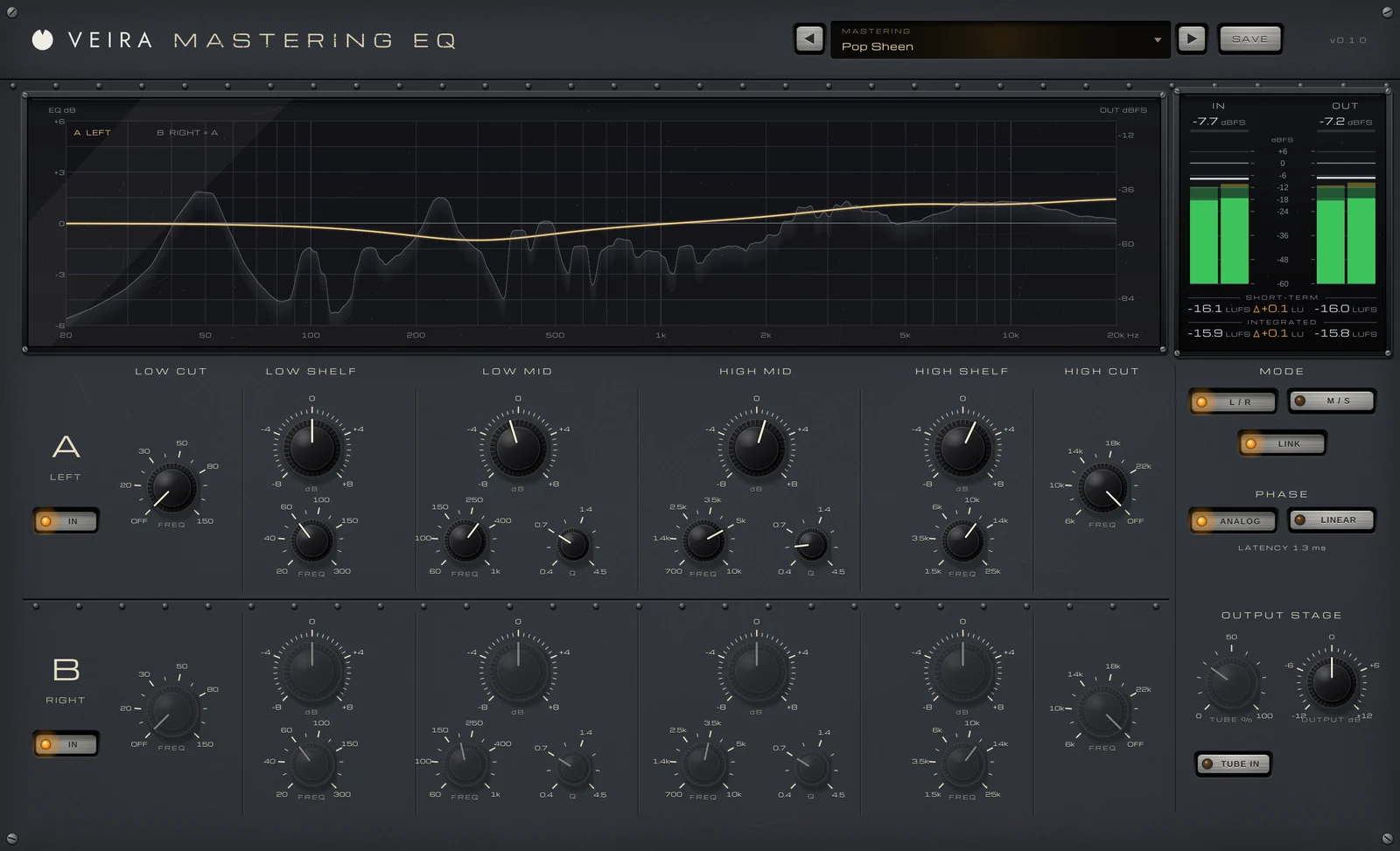
By the time a song reaches mastering, the balance between the instruments is already decided. Mastering EQ isn’t there to fix a single instrument; it adjusts the tone of the whole mix so it sounds right on every system and sits well next to other songs. That changes how you use an equalizer: smaller moves, wider shapes and much more careful listening.
Small and broad beats narrow and deep
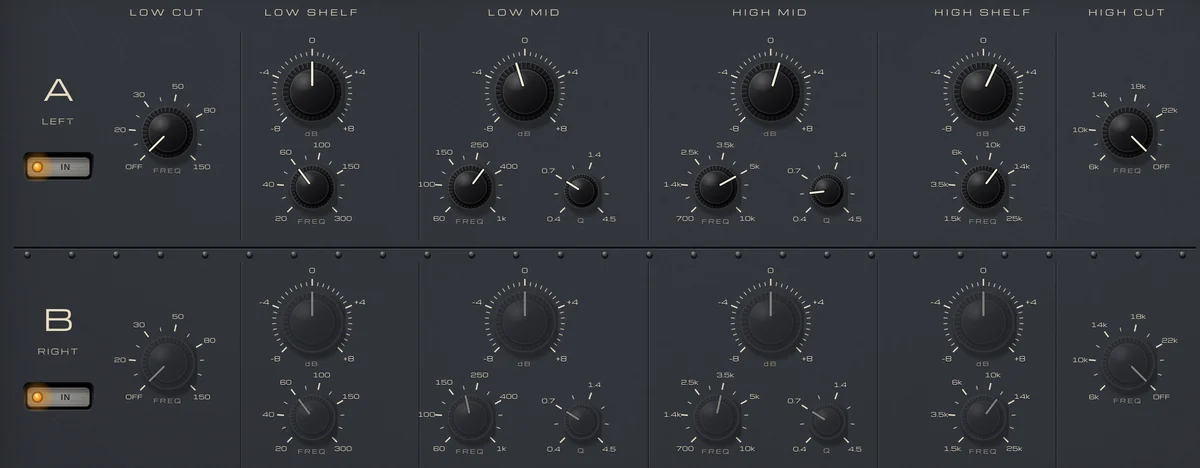
On a finished mix, a narrow cut affects every instrument that plays in that range, so mastering moves tend to be broad: wide bells and gentle shelves that tilt a whole region. They’re small too. Half a decibel to 2 dB is a common range, and a move of more than 3 dB is often a sign that something should be fixed in the mix instead. Because the moves are so small, many mastering engineers prefer stepped controls, so a setting can be written down and recalled exactly.
Where to listen
Every master is different, but the same regions come up again and again:
- Below about 30 Hz: rumble that uses up headroom without adding anything you can hear on most systems.
- Around 200 to 300 Hz: mud that makes a mix sound thick and boxy.
- Around 2 to 5 kHz: presence, and also the harshness that tires the ear at high volume.
- Above about 10 kHz: air; a gentle shelf here can open up a dull mix, but too much makes it brittle.
Left/right and mid/side
Most of the time, both channels get the same EQ, but if the two sides of a recording really differ, separate left and right settings can bring them back into balance. Mid/side splits the mix another way: the mid is what both sides share, usually the vocal, kick, snare and bass, and the side is the difference, often wide guitars, keys and reverb. With it you can brighten only the width, tame a harsh guitar panned wide without dulling the vocal, or cut the lows of the sides so the low end stays mono and solid. Use it sparingly: big mid/side moves can make a master sound unnatural.
Analog or linear phase
An analog-style, minimum-phase EQ shifts the phase around the frequencies it changes, as an analog console does, with little or no latency. A linear-phase EQ keeps the timing of every frequency the same, which helps when you cut the low end of a master or work in mid/side, at the cost of latency. Neither is better: try both on the same move and listen. Whichever you use, judge every change against bypass at the same loudness, because a brighter or louder master almost always sounds better at first.
Doing it with VEIRA Mastering EQ
VEIRA Mastering EQ is a stepped, two-channel mastering equalizer with six bands per channel: LOW CUT, LOW SHELF, LOW MID, HIGH MID, HIGH SHELF and HIGH CUT. Every control clicks to a fixed position, with gains from −8 to +8 dB in 0.5 dB steps, so a setting can go on a recall sheet and be set again exactly. LOW MID and HIGH MID have eight Q steps, and Q 0.4 to 1.0 are the broad mastering widths.
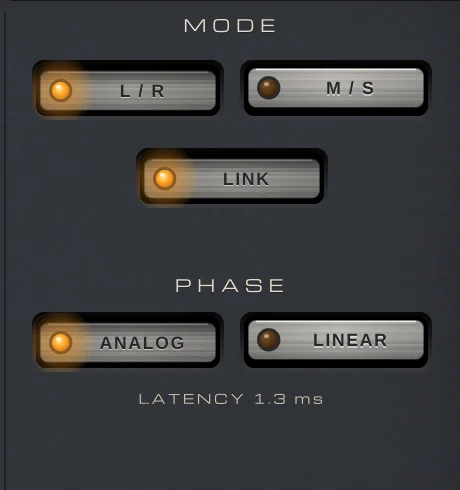
MODE makes channel A the left or the mid and channel B the right or the sides, and LINK makes B follow A for one EQ on both. PHASE gives you ANALOG filters with no latency of their own, or LINEAR with the very same curve and no phase shift, at about 100 ms of latency reported to your DAW. TUBE IN adds an output stage whose color grows with the level, and OUTPUT trims the level in 0.5 dB steps.
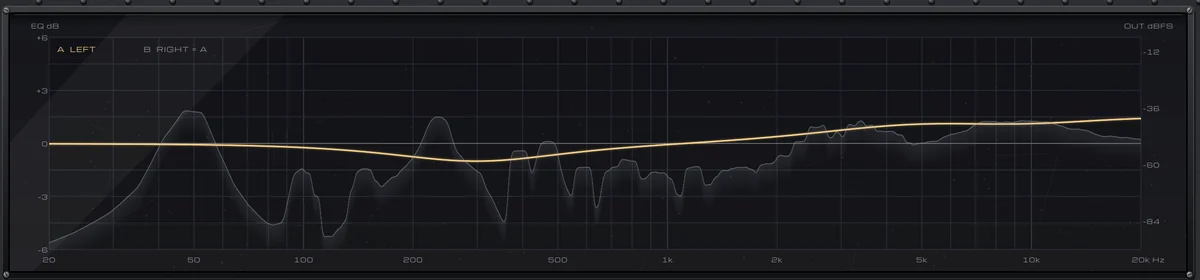
THE CURVE draws each channel’s response over the spectrum of the output, accurate to 0.01 dB, and you can zoom it to ±3 dB so a 1 dB move is easy to see. The meter bridge beside it shows OUT − IN in LU, so you can compare with bypass at matched level. The Mastering folder of its presets holds 17 small, broad moves to start from.