Gating drums: cleaner toms and kick without choking the hits
How to set a gate’s threshold, attack, hold, release and range on toms and kick, how to key it so the wrong drum can’t open it, and why closing it partly often sounds better.
Every close microphone on a drum kit hears more than its own drum. The tom microphones pick up cymbals and snare all song long, and the kick microphone hears the whole kit. Most of the time that bleed just muddies things, and once you add EQ and compression to the toms, it gets louder too. A gate keeps a microphone quiet between the hits, but set badly it chops off the attack or cuts the tail short, and the drums sound choked.
Set the threshold between the bleed and the hits
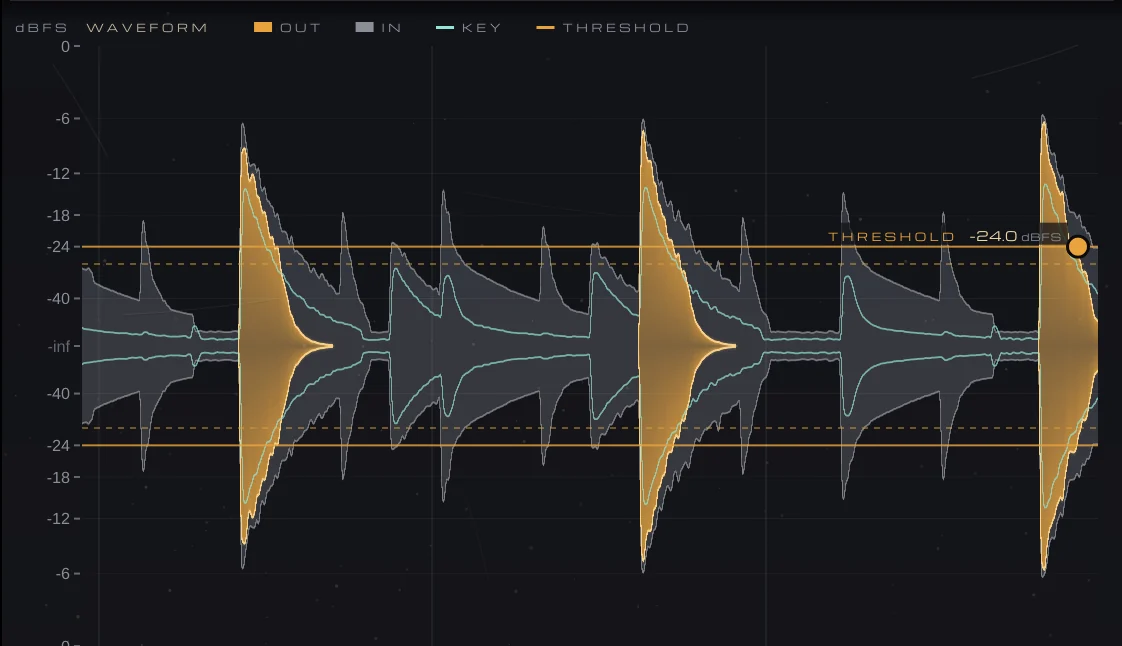
Solo the track and watch the level. The hits are the tall peaks; the bleed is the lower activity between them. The threshold belongs in the gap: above the loudest bleed, below the softest hit you want to keep. If a soft fill doesn’t open the gate, the threshold is too high; if a crash opens it, it’s too low. Many gates also close a few decibels below where they open, so a note hovering near the threshold doesn’t make the gate chatter.
Let the hit through, then let it ring
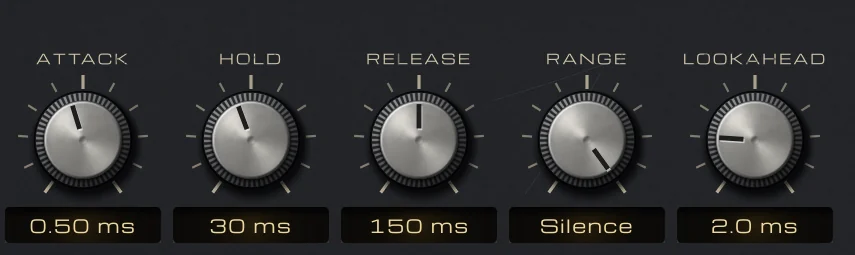
- Attack: as fast as you can without a click, often well under 1 ms on kick and toms, so the front of the hit isn’t softened.
- Lookahead: a few milliseconds lets the gate open just before the hit, so even a fast attack doesn’t cut the transient off.
- Hold: keeps the gate fully open for a moment after the hit, often somewhere around 20 to 50 ms, so it doesn’t start closing on the body of the note.
- Release: sets how the drum fades out; on toms, follow the natural ring, often a few hundred milliseconds, and shorten it until the tail sounds natural rather than cut.
Close it partly, not all the way
Range sets how far the gate turns the signal down when it’s closed. Full silence can sound unnatural on toms, because the sound of the whole kit changes each time a tom opens up. Closing by 10 to 20 dB keeps a little of the room in the microphone and still gets the bleed out of the way, and it’s much more forgiving if a soft hit is missed. Save full silence for when the bleed really has to go.
Key the gate so the wrong drum can’t open it
A loud snare can open a tom gate, and a floor tom can open a kick gate. Filtering what the gate listens to fixes most of this: filters on the key, not on the audio, focus it on the drum you want. On a kick gate, filter out the highs so cymbals and snare don’t count; on a tom or snare gate, filter out the lows so the kick doesn’t. You can also key a gate from another track, such as a trigger or a second kick microphone.
Doing it with VEIRA Gate
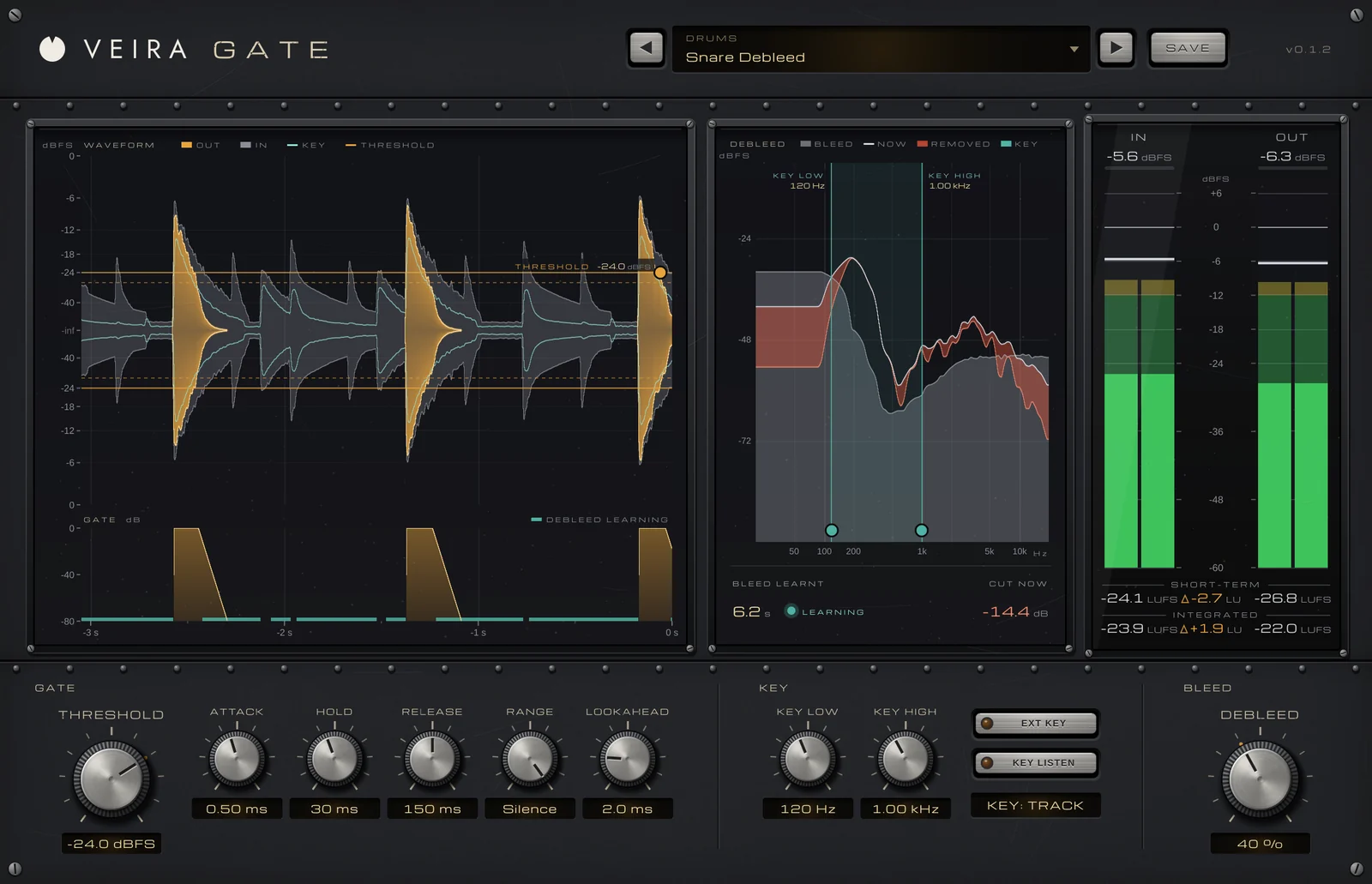
VEIRA Gate is a drum and noise gate you set by eye. Its waveform shows the last 3 seconds or so: the output in amber, the input in gray behind it, and the level the gate listens to in teal. You drag the THRESHOLD line between the bleed and the hits, and the GATE lane underneath draws how far open the gate is on the same clock.
The gate starts to close 4 dB under THRESHOLD, so it doesn’t chatter. ATTACK runs from 0.02 to 50 ms, LOOKAHEAD opens it up to 10 ms before the hit, HOLD keeps it open for up to 500 ms, and RANGE sets how far it closes, down to exact silence. KEY LOW and KEY HIGH are 24 dB/oct filters on the key only, KEY LISTEN lets you hear the key while you tune them, and EXT KEY listens to a sidechain.
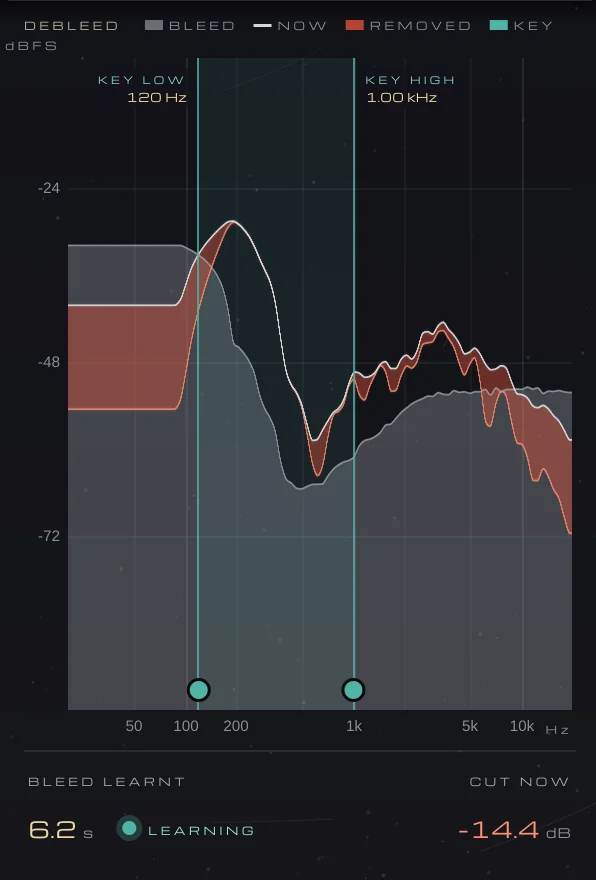
A gate can only silence the gaps; the cymbals under a tom hit still come through with it. DEBLEED learns the bleed’s spectrum while the gate is closed, then turns down the frequencies the bleed dominates and leaves the ones the drum dominates almost untouched. The drum presets come with and without DEBLEED, and THRESHOLD is the one to adjust to your track’s level.