Drum bus processing: glue, punch or smash a kit in one move
What a compressor on the drum bus does to a kit, how attack and release decide punch or glue, why the boxy low mids come out first, and how to judge it at the same loudness.
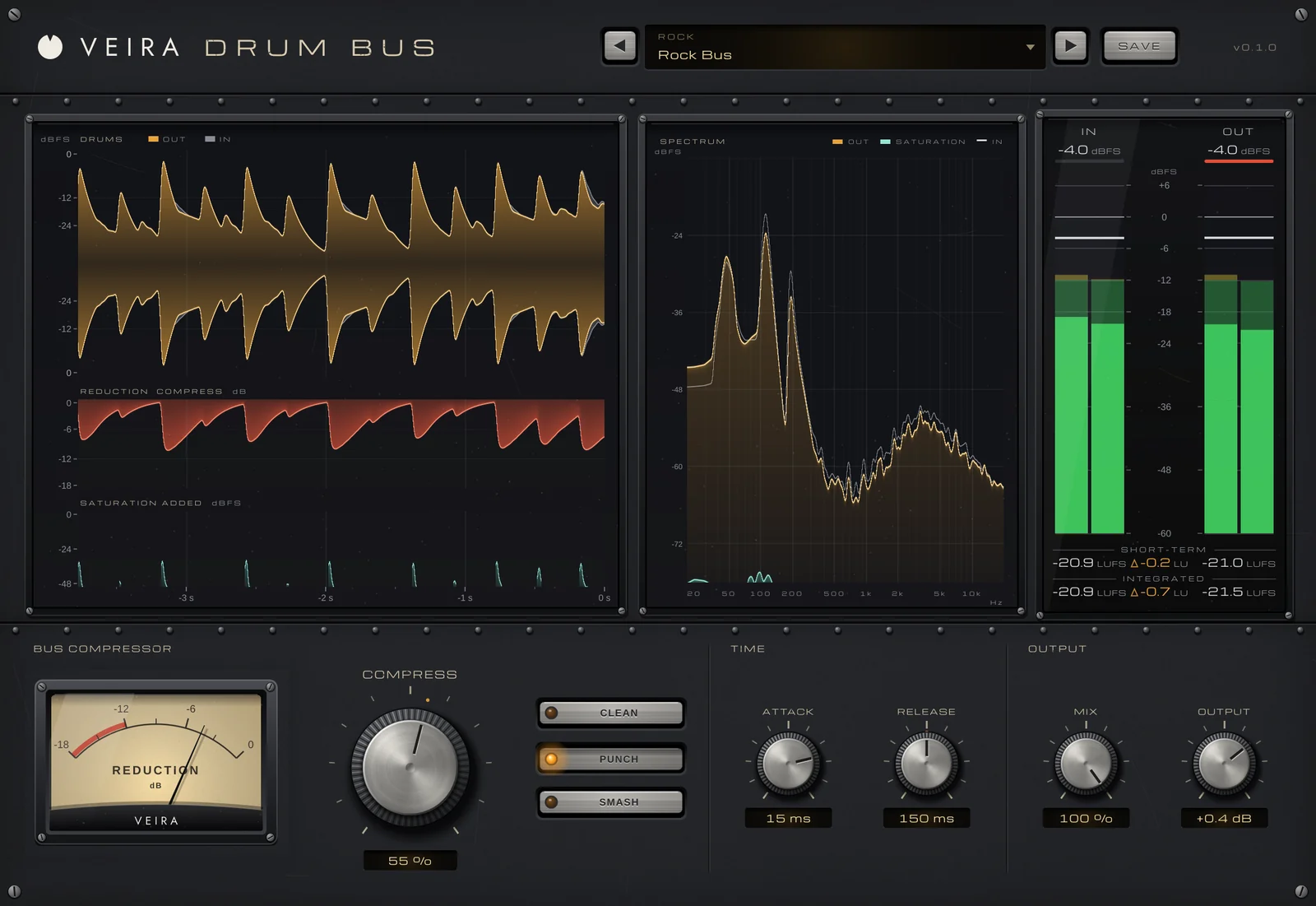
Every drum can sound good on its own and the kit still not sound like one instrument: the kick and snare live in their own spaces, the overheads and room somewhere else. Compressing the whole drum bus is how engineers pull them together. Depending on the settings, it glues the kit gently, makes it punchier, or smashes it into something big and aggressive. This is about a compressor inserted on the bus itself; blending a compressed copy underneath is a separate technique.
What bus compression does to a kit
A compressor on the drum bus turns the loudest moments, the hits, down, and makeup gain brings the whole bus back up. The result is that everything between the hits comes up: the room, the ghost notes, the ring of the toms and the sustain of the cymbals. Because every drum goes through the same compressor, they all move together, and that shared movement is what people call glue. Around 2–4 dB of reduction on the hits is a common starting point for glue; more is a choice of character.
Attack and release decide punch or glue
Attack sets how quickly the compressor grabs a hit. A slower attack, around 10–30 ms, lets the front of each hit through before it turns down, which exaggerates the punch; a fast one tames the transients for a smoother, more controlled kit. Release sets how quickly it lets go. A short release brings the room and sustain up between hits, with more energy and some pumping; a longer one holds the kit evenly. Watch the meter return roughly in time with the groove.
- Glue: a low ratio (2:1 to 4:1), a medium attack, a release timed to the song, and 1–3 dB of reduction.
- Punch: a medium ratio, a slower attack, a faster release, and 3–6 dB of reduction.
- Smash: a high ratio, fast attack and release, 8 dB or more of reduction, often with some saturation.
Clean up the boxy low mids first
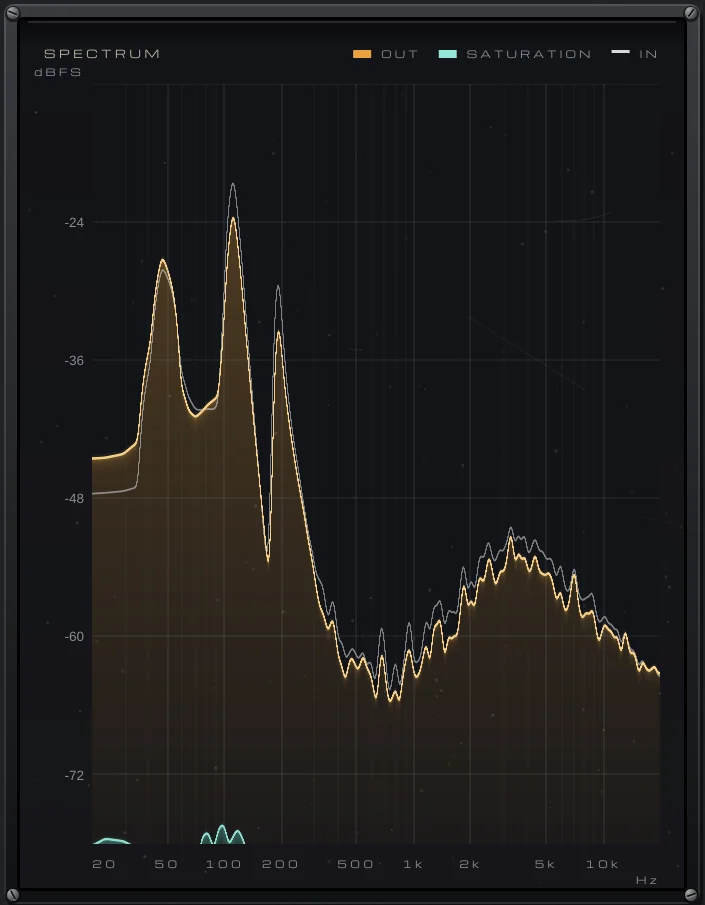
Compression brings up what lives between the hits, and on many kits that includes a boxy, cardboard-like resonance from the shells and the room, often somewhere around 300–500 Hz. A broad cut of a few dB there, before the compressor, keeps it from building up as the reduction increases. Brightness, if you need it, is usually better added after the compressor.
Judge it at the same loudness
Makeup gain makes the compressed bus louder, and louder fools the ear every time. Match the level, then bypass to compare. Listen for three things: whether the kick still hits, whether the cymbals have turned harsh, and whether the bus pumps in a way you didn’t intend. Then decide in the full mix, not with the drums solo.
Doing it with VEIRA Drum Bus
VEIRA Drum Bus is a drum bus compressor with few controls and a hidden EQ: before anything else, the drums lose 5 dB around 350 Hz, the boxy part of a kit. Then one big COMPRESS knob glues, punches or smashes the kit, and CLEAN, PUNCH and SMASH set how. CLEAN is transparent glue (up to 4:1, no saturation), PUNCH a firmer bus with gentle saturation (up to 6:1) and SMASH heavy compression with harder drive (up to 20:1).
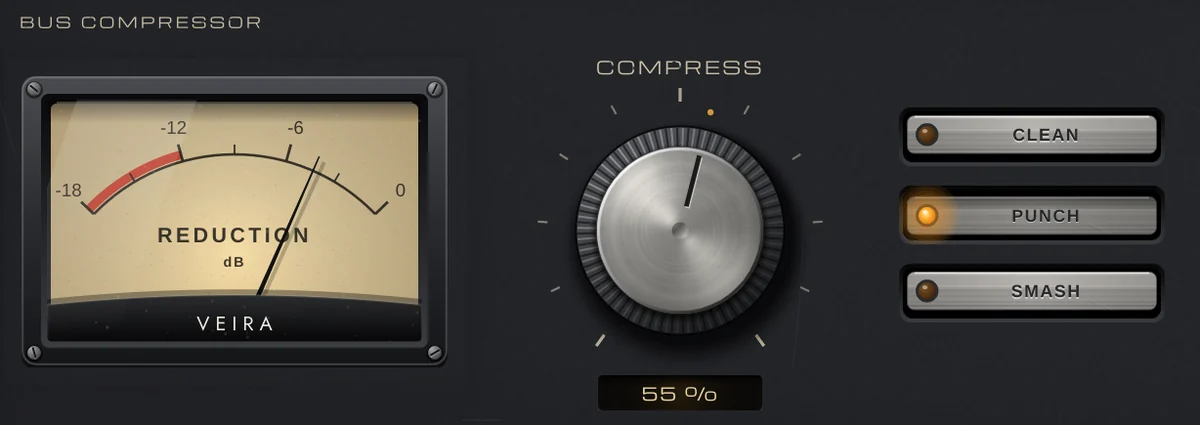
COMPRESS isn’t a threshold in dBFS: the drums’ peaks are compared with their own long-term level, so the same setting does the same on a quiet bus and a loud one. ATTACK (0.1 to 30 ms) and RELEASE (20 to 1,000 ms) shape the hits and the room, and the level is given back automatically: on a kit, every character from 30 to 100 % lands within 0.55 dB of the input’s loudness, so bypass compares the compression, not the volume.
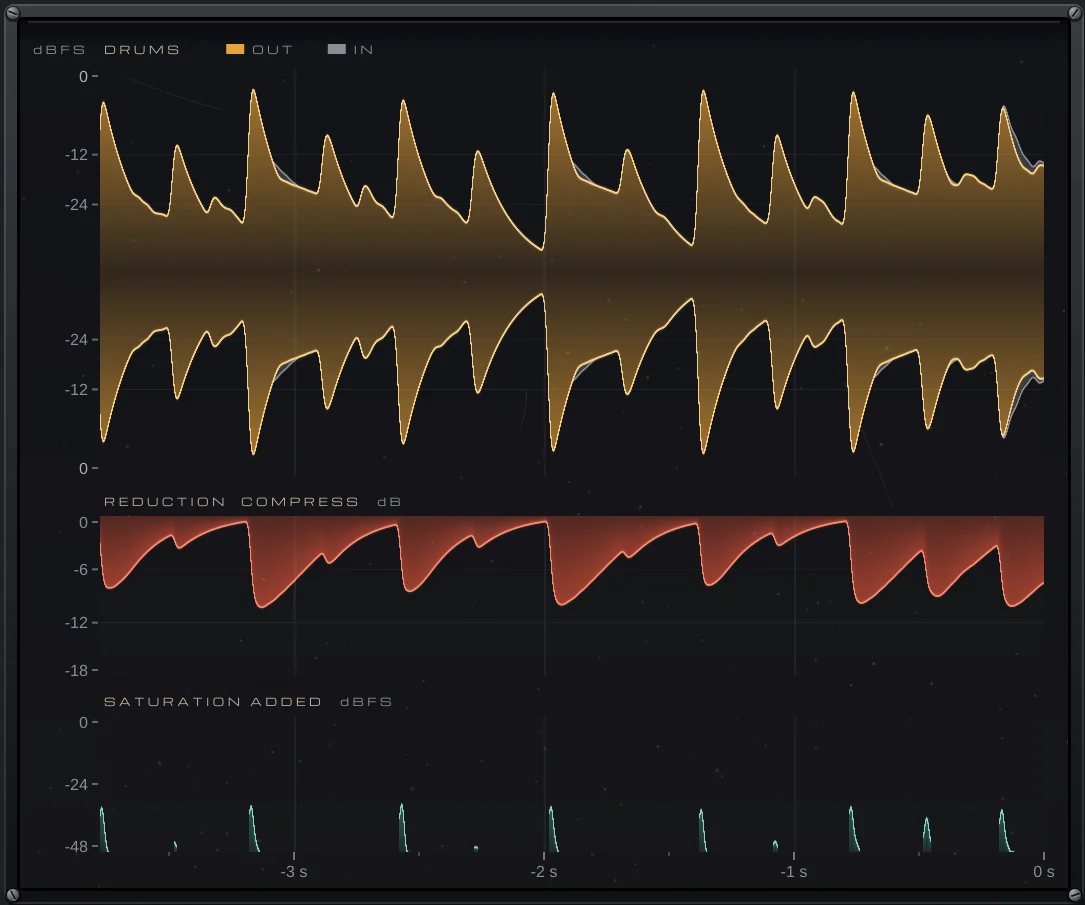
Hover over the DRUMS display to read the levels and the reduction at any moment. Keep MIX at 100 % when you want the whole bus compressed rather than blended with the untouched drums.