Dynamic EQ: taming a resonance that only shows up sometimes
How to find a resonance or harshness that comes and goes, why a static cut is the wrong fix, and how to set a dynamic EQ band’s threshold, range and timing.
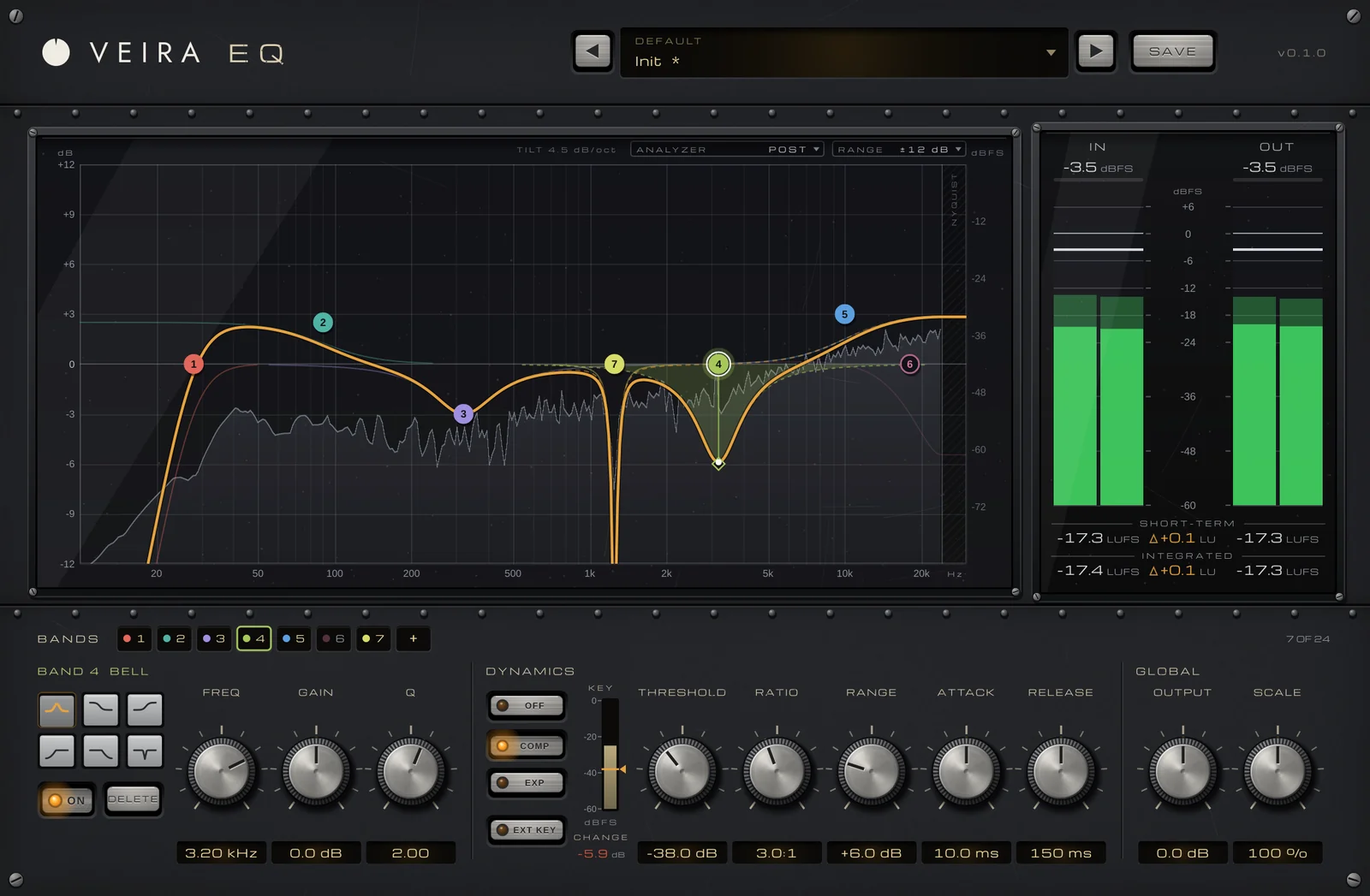
Some problems aren’t there all the time. A voice turns hard only on the loud, high notes; an acoustic guitar booms on one or two chords; a crash gets harsh when the drummer leans into it. Cut those frequencies with a normal EQ and you fix the bad moments but dull every other moment too. A dynamic EQ cuts only when the problem appears, and leaves the sound alone the rest of the time.
Find the frequency first
Loop the passage where the problem is worst. Boost a narrow bell by several decibels and sweep it slowly until the harshness or boom jumps out at you, then turn the boost into a cut to check that you’ve found it. Harshness in voices and guitars often sits somewhere between about 2 and 5 kHz, and boom in acoustic instruments and low voices somewhere between about 100 and 300 Hz, but trust your ears over those ranges. An analyzer helps too: a resonance shows up as a narrow peak that rises above its neighbors only on the problem notes.
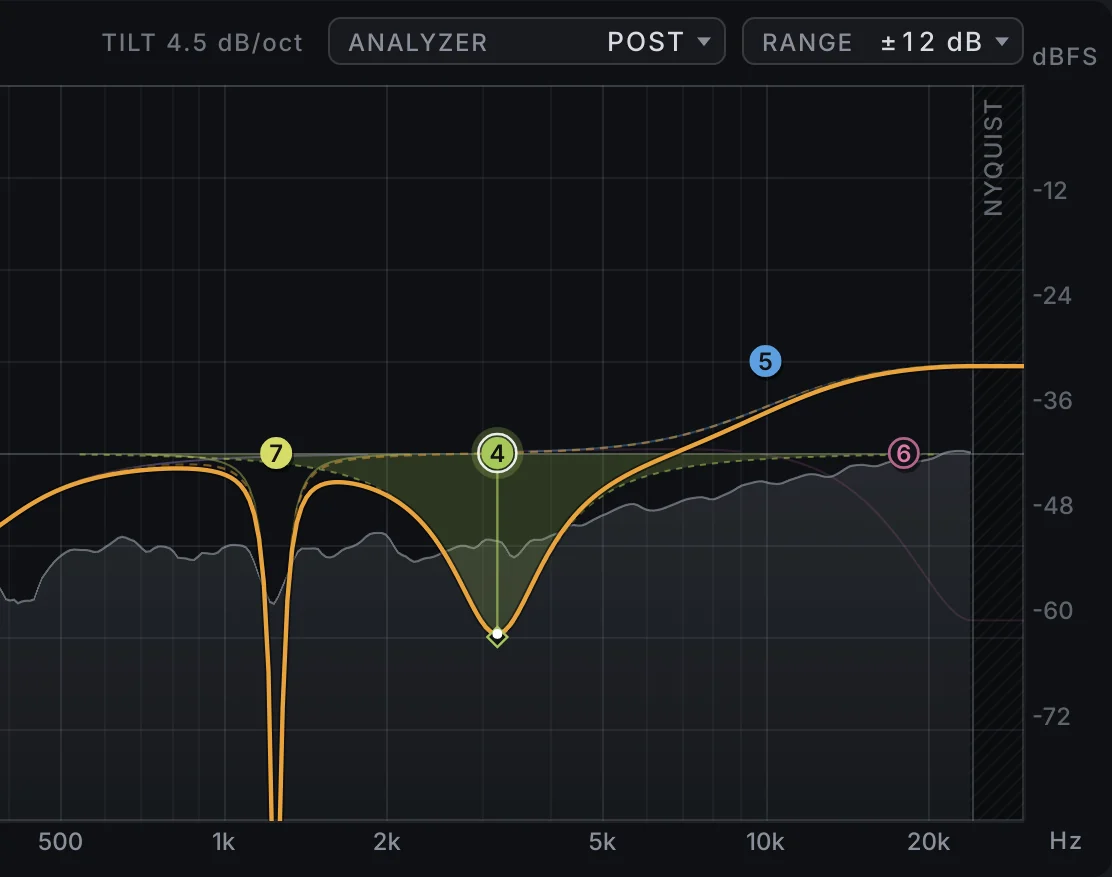
Why a static cut isn’t enough
A fixed cut is always on. If the resonance only appears on a few notes, a cut deep enough to fix those notes takes the same frequencies out of everything else, and the instrument loses body or presence for the whole song. A dynamic band watches its own frequency range and cuts only when that range gets louder than a threshold you set, so the quiet passages keep their full tone and the loud ones lose just the edge.
Set threshold, range and timing
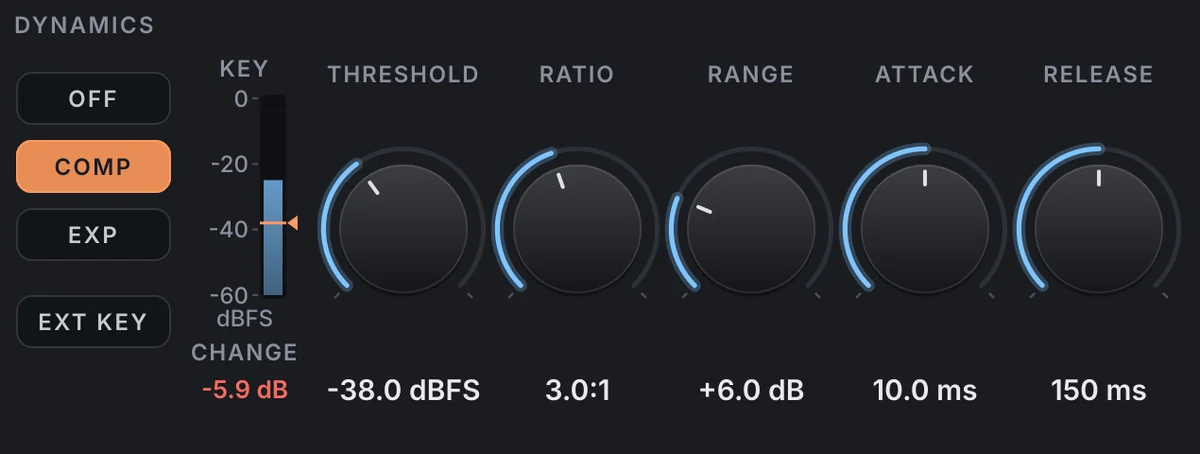
Start with the band on the frequency you found and a Q narrow enough to hit just the problem: around 2 to 5 is a sensible start for a resonance, wider for general harshness. Then set its dynamics:
- Lower the threshold until the band starts to cut on the problem notes and stays still on the rest.
- Use the range to limit how deep the cut can go; a few decibels, often 3 to 6 dB, is usually enough to tame it without leaving a hole.
- Choose an attack fast enough to catch the harsh moment, and a release that lets go before the next note, so you don’t hear the tone pumping.
- Bypass the band and compare at the same loudness: the problem notes should sound smoother and the others unchanged.
The same idea, the other way around
A dynamic band can also lift instead of cut, lifting presence only when that range gets loud. And it can listen to a different track: dipping a bass’s low end only when the kick hits, or the guitars’ presence only while the vocal sings, makes room for both without taking anything away the rest of the time.
Doing it with VEIRA EQ
VEIRA EQ gives you up to 24 bands, and any bell or shelf can be dynamic. Click anywhere on the graph to add a band and keep dragging: left and right for frequency, up and down for gain, with Cmd or Ctrl to change Q. The 8192-point analyzer behind the curve, tilted 4.5 dB/oct so a balanced mix looks flat, helps you spot the peak before you sweep for it.
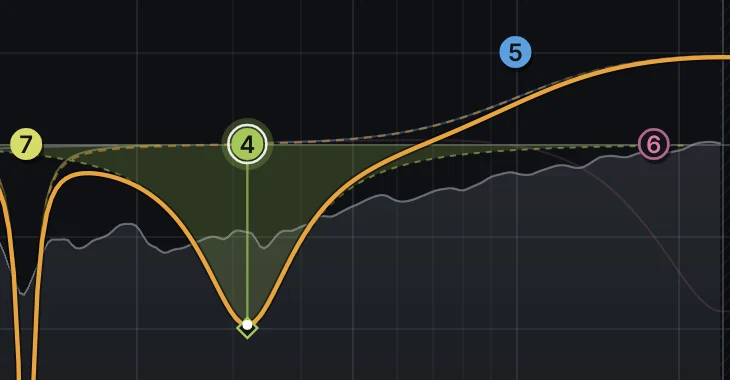
Set the band to compress and dial in threshold, ratio, range (up to 24 dB), attack and release in the dynamics panel. The shaded area shows the band’s range, the dashed line its static setting and the solid curve what it’s doing right now, so you can watch it dip only on the problem notes. Each band has its own band-limited detector, and the KEY meter shows the detector against the threshold with the live change in dB. Switch on EXT KEY and the band listens to the sidechain instead, for ducking one sound under another.
Before you decide, check the IN and OUT loudness and the difference in LU, so a change never wins just by being louder. The presets include dynamic problem-solvers for harshness, boom and sibilance, level-matched to bypass within 0.8 LU, which makes them a good starting point to adjust to your track.