How to compress a vocal so it stays in front of the mix
How much gain reduction a vocal needs, which ratio, attack and release to start from, when to use two compressors, and how to judge the result at matched loudness.
A singer doesn’t sing at one level. The verse is close and quiet, the chorus is loud, and single words inside a line jump up and fall away. In a busy mix that means the vocal is buried one moment and poking out the next, and the fader alone rarely keeps up. A compressor evens out those differences so the voice can sit in one place in front of the track, where every word is heard without the vocal sounding pinned or lifeless.
Decide what the compressor is there to do
Before you touch a knob, listen to the vocal against the music and notice what actually goes wrong. If a few loud words jump out, you need a compressor that grabs peaks. If the whole performance wanders between soft and loud phrases, you need slower, steadier control. If the voice just sounds thin and distant, compression can bring up the breaths, tails and small details that make a singer sound close. Each of these asks for different settings, so knowing the goal saves you from turning knobs at random.
Set ratio and threshold for a few decibels
A ratio of about 3:1 to 4:1 is a common starting point for vocals. Lower the threshold until the loudest phrases show around 3 to 6 dB of gain reduction and the quiet ones barely touch it. That’s usually enough to steady a performance without hearing the compressor work. If the meter never comes back to zero between phrases, the threshold is too low and the vocal will start to sound flat and squeezed. A soft knee eases the compressor in gradually, which tends to suit a voice better than a hard edge.
Use attack and release to shape the words
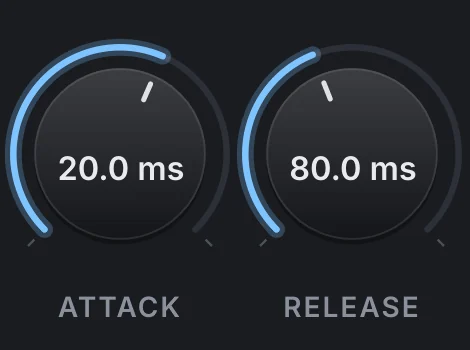
Attack decides how much of the start of each word gets through before the compressor reacts. A very fast attack smooths everything but can blunt consonants and make the singer sound dull; something around 10 to 30 ms lets the front of the word speak and then controls the vowel. Release decides how quickly the compressor lets go. Too fast and you hear the level pumping between syllables; too slow and it’s still turning down the next quiet word. Set it so the gain reduction falls back roughly in time with the phrasing of the line.
Two gentle compressors beat one hard one
When a vocal needs a lot of control, splitting the work usually sounds more natural than asking one compressor for 10 dB or more.
- Put a fast compressor first to catch only the loudest peaks, taking a few decibels off the occasional shout.
- Follow it with a slower, smoother compressor that does the steady leveling across the whole line.
- For extra density without squashing, blend a heavily compressed copy of the vocal under the dry one (parallel compression).
- Match the output level to the input before you compare: a louder vocal will sound better even when the compression is wrong.
Then go back to the full mix. A vocal that sounds a little too even in solo often sounds exactly right against drums and guitars.
Doing it with VEIRA Comp
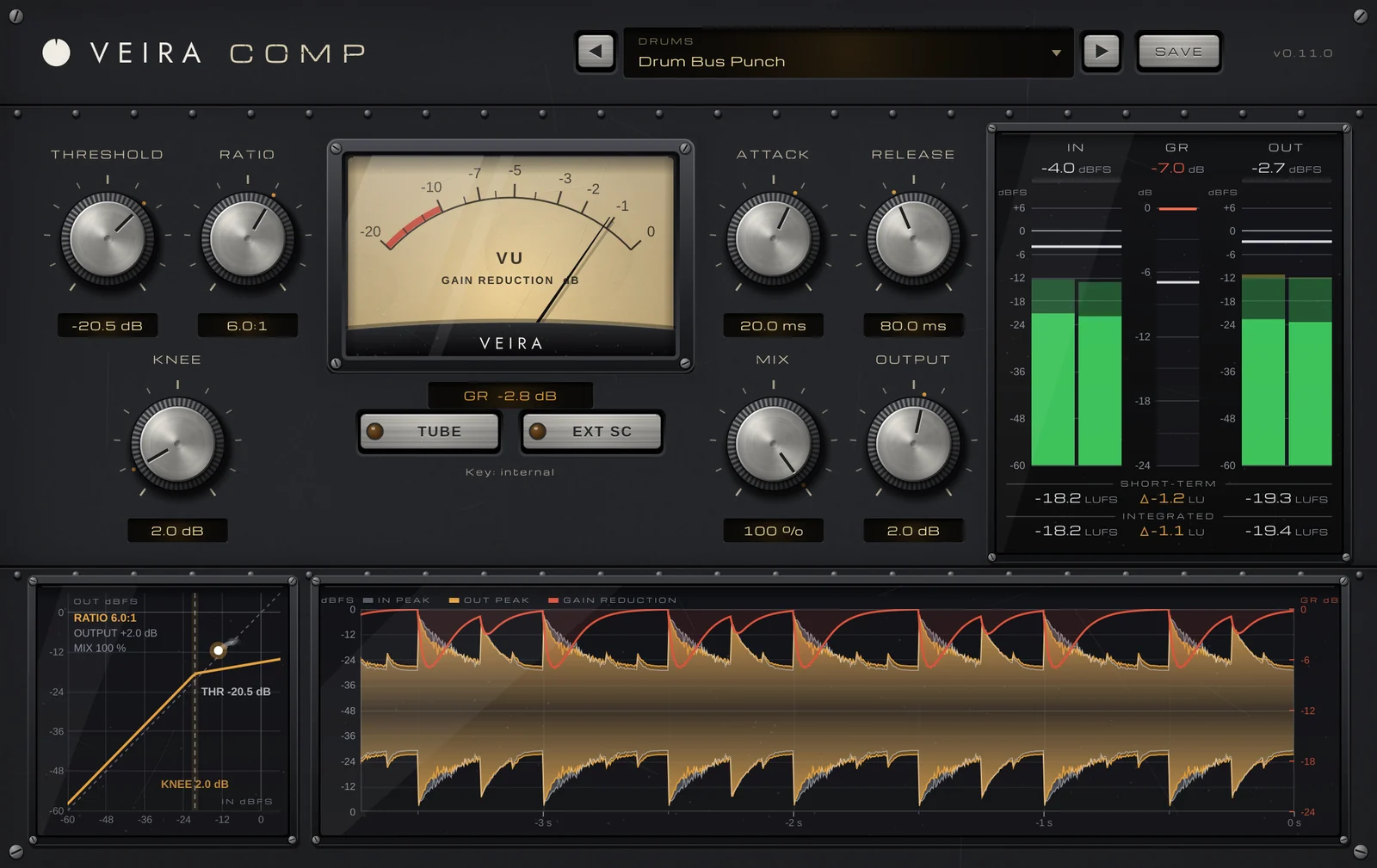
VEIRA Comp is a compressor built around metering that tells you exactly what it’s doing. Threshold, ratio and knee each show their value in the middle of the knob, and ratio puts 4:1 at the top, where most sounds live. ATTACK and RELEASE are true time constants, from 0.1 to 200 ms and from 5 ms to 2 seconds, so a setting does what its number says. The gain-reduction meter moves like a VU, so it shows the compression you hear rather than every flicker, with the exact peak gain reduction beside it.

The transfer curve marks the threshold and knee with a live dot for the current level, and the scrolling history draws input and output peaks with the gain reduction on top, so you can check that the compressor lets go between phrases. For parallel compression, MIX blends the compressed and dry signal, with the dry path delayed to match so the blend never comb-filters. TUBE adds a tube stage rich in second harmonics that changes the color, not the loudness.
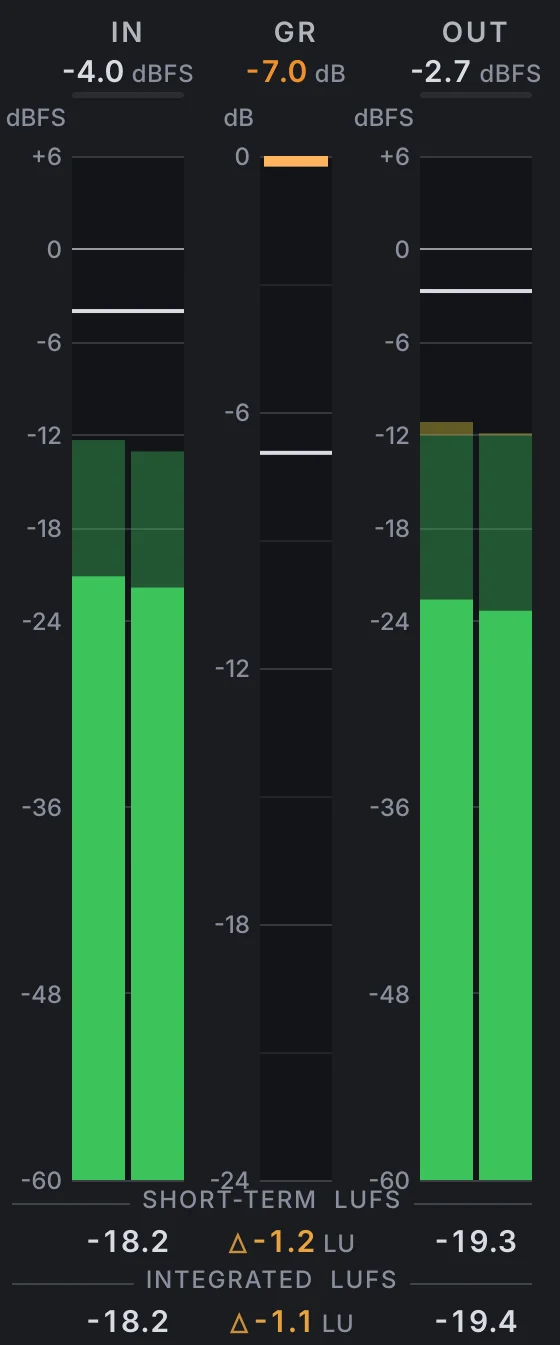
Before you judge, set OUTPUT until the OUT − IN difference on the meter bridge reads zero, so you hear the compression and not just a louder vocal. The preset folders include vocals, every preset was tuned to reach its stated gain reduction within 1 dB, and hovering one tells you what it’s for and what to tweak first.