VEIRA Tune

Pitch correction for a voice or a solo instrument, from invisible to the hard, stepped effect: correct as the track plays, or edit the part note by note, on one clean white face.

$349.99, a one-time purchase with free updates

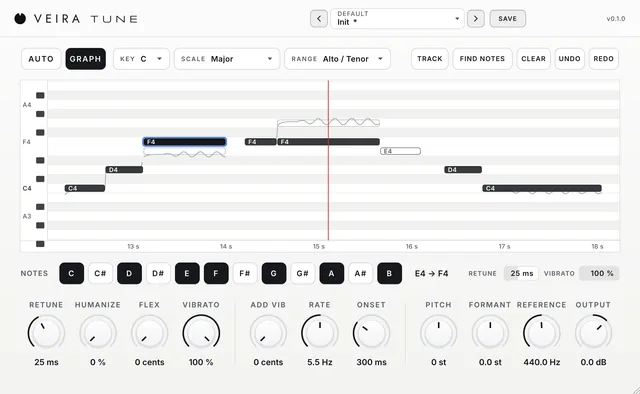
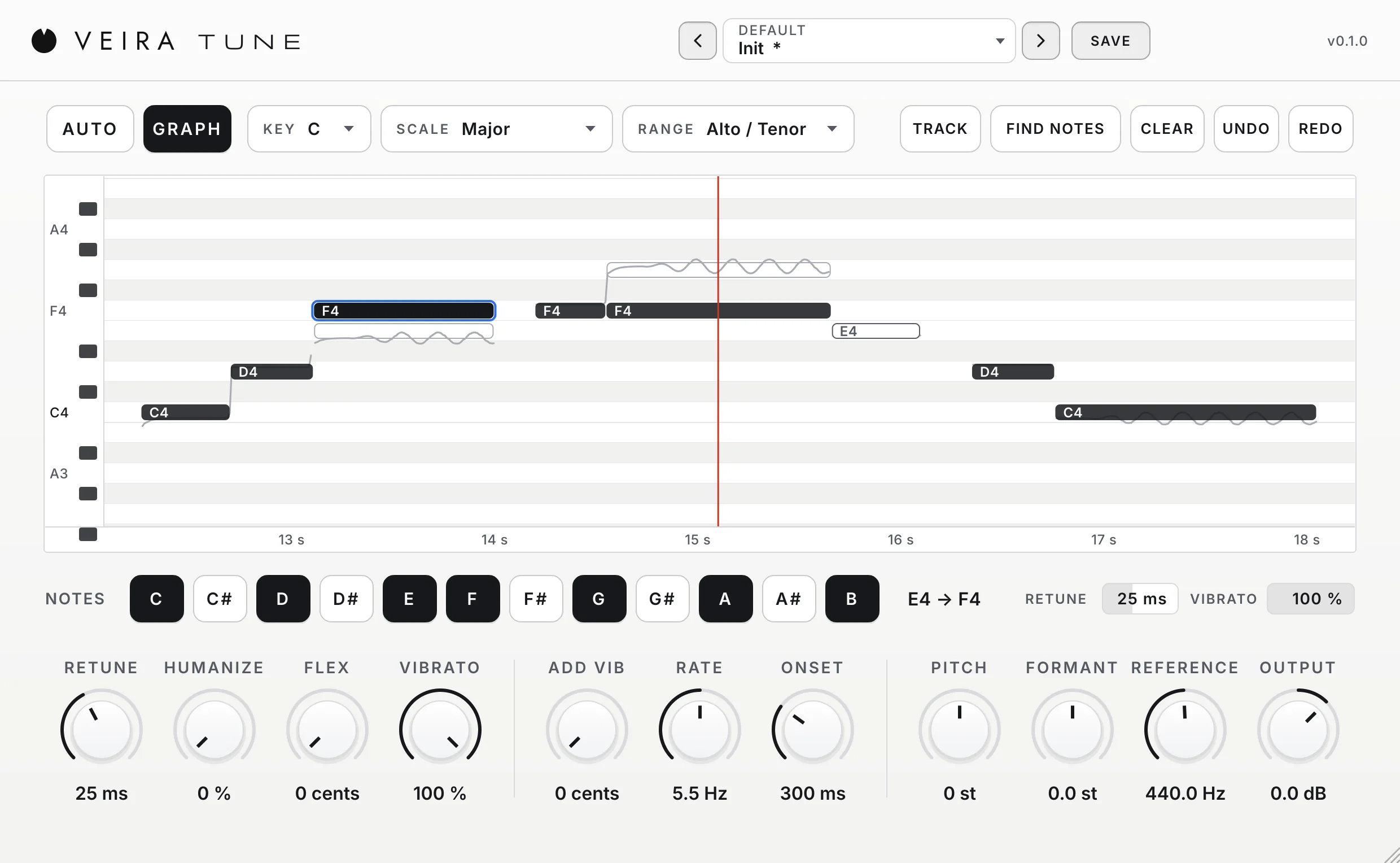
VEIRA Tune in GRAPH on a flat white face: AUTO and GRAPH, KEY, SCALE and RANGE with the GRAPH tools along the top; the display with a sung phrase as notes on a timeline; the twelve NOTES switches with the selected note’s own RETUNE and VIBRATO; and eleven knobs along the bottom.

VEIRA Tune is pitch correction for a voice or a solo instrument, from so gentle that nobody hears it to the hard, stepped effect. In AUTO you set the song’s KEY and SCALE and every note is pulled to the nearest note of the scale as the track plays. In GRAPH you play the part once, find its notes and edit them one by one: drag a note to another pitch, give it its own RETUNE and VIBRATO, or leave it as sung.

Everything is on one white window. RETUNE sets how quickly notes are pulled, HUMANIZE keeps long notes alive, FLEX leaves notes that are close enough alone, and VIBRATO keeps as much of the singer’s own vibrato as you want. Five ranges cover sopranos to bass instruments, and 60 presets in 13 folders, sorted by what you are tuning, set how the part is corrected without ever changing your key.

A tour of VEIRA Tune

VEIRA Tune in GRAPH on a flat white face: AUTO and GRAPH, KEY, SCALE and RANGE with the GRAPH tools along the top; the display with a sung phrase as notes on a timeline; the twelve NOTES switches with the selected note’s own RETUNE and VIBRATO; and eleven knobs along the bottom.
  1. The whole of VEIRA Tune

    VEIRA Tune puts a voice, or any instrument that plays one note at a time, in tune. AUTO corrects as the track plays: pick the song’s KEY and SCALE and every note is pulled to the nearest note that is switched on. GRAPH shows the part as notes on the song’s timeline: play it once, find its notes, then drag any note to another pitch, give it its own speed and vibrato, or leave it as sung. RETUNE sets how quickly notes are pulled, HUMANIZE keeps long notes alive, FLEX leaves good notes alone and VIBRATO keeps as much of the singer’s vibrato as you want. Everything is on one window, with nothing hidden.

  2. The graph

    The part as notes on the song’s timeline. Drag one to change it.

  3. Notes

    The notes the part may be pulled to, and the selected note’s own controls.

  4. The knobs

    How quickly, how gently and how much of the vibrato stays.

  5. Key, scale and range

    The song’s key and what is on the track.

What VEIRA Tune does for you

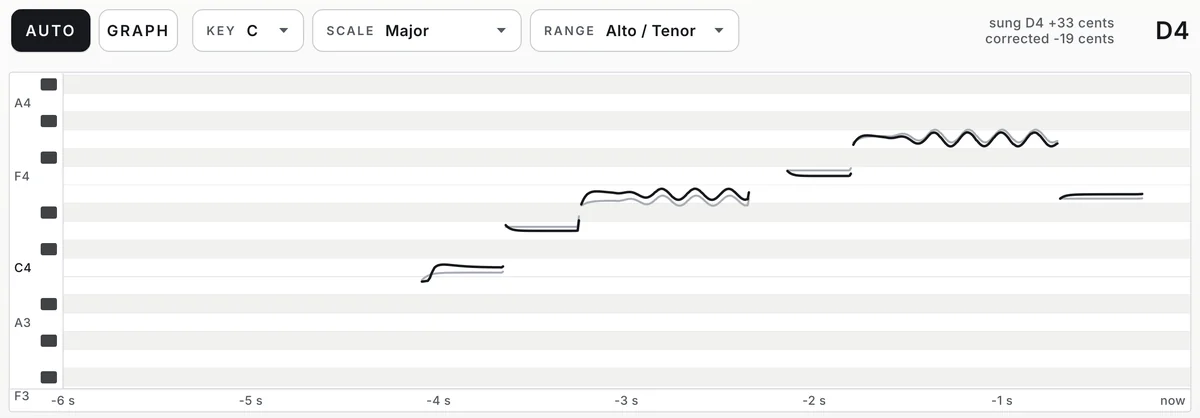
AUTO at work: the display scrolls a sung phrase, a grey line for the pitch as sung and a black line for the pitch that comes out, and the read-out at the top right says sung D4 +33 cents, corrected −19 cents, D4.

Correct as the track plays

AUTO is the quick way. Choose the RANGE that fits the part, set KEY and SCALE to the song’s and play: every note is pulled to the nearest note of the scale. The display scrolls the pitch as it was sung in grey and as it comes out in black, and the read-out names the note being pulled to, how far off it was sung and how much is being corrected.

  • KEY and ten scales
  • Five ranges
  • Sung and corrected, side by side
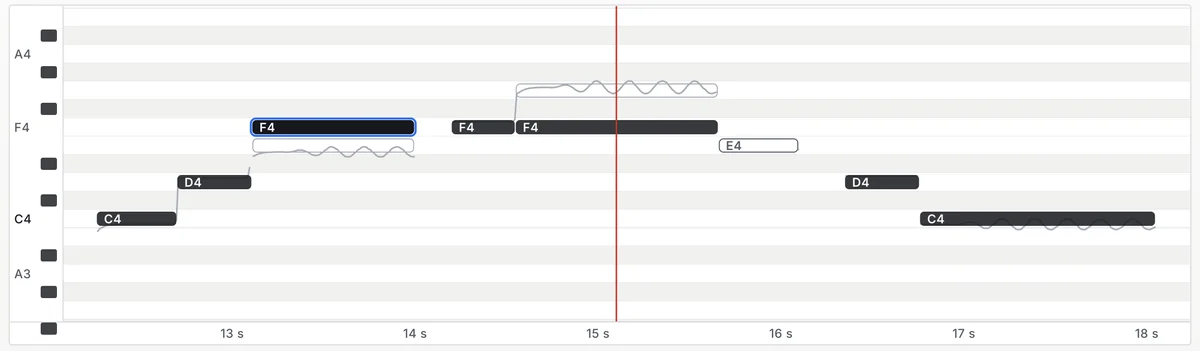
The GRAPH display: the notes of a sung phrase as charcoal blocks on rows named C4 to A4, one note outlined in blue as selected, one moved up from where it was sung, one switched off as an outline, the grey line of the sung pitch and a red play line.

Edit the part note by note

GRAPH is the careful way. Switch TRACK on and play the part once, press FIND NOTES, and the part appears as notes on the song’s timeline. Drag a note to another pitch, in whole notes or freely with Alt (Option on a Mac); double-click one to leave it as sung; split, join or remove notes from the right-click menu. UNDO and REDO step through your changes, and the notes are saved with your session.

  • Drag notes to a new pitch
  • Undo and redo
  • Saved with the session
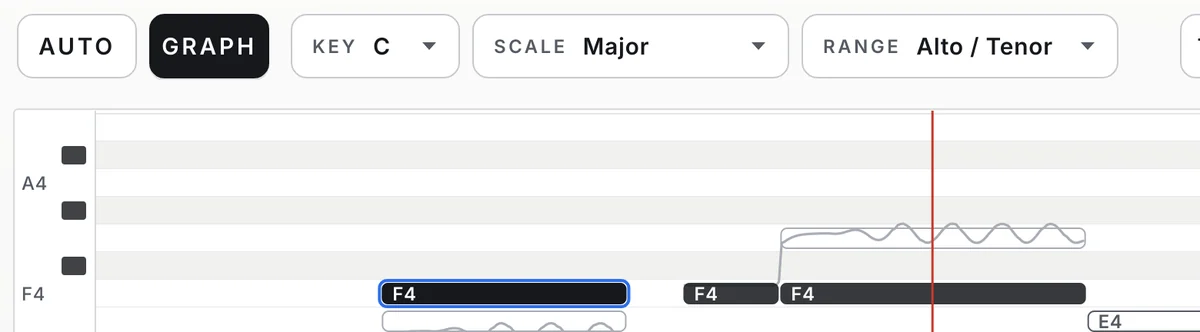
The top row and the top of the display: AUTO and GRAPH with GRAPH chosen, KEY C, SCALE Major and RANGE Alto / Tenor, above the note rows of the display with three notes on them.

The song’s key on twelve switches

KEY and SCALE set twelve NOTES switches, C to B: the notes the part may be pulled to. Ten scales are built in, from Major and Minor to Dorian, the pentatonics and Blues. Switch any note by hand for a borrowed chord or a blue note and SCALE reads Custom. A note that is off is never pulled to, so a slip lands on the right neighbour.

  • Ten scales
  • Any note on or off
  • KEY from C to B
Eleven knobs on white in three groups: RETUNE 25 ms, HUMANIZE 0 %, FLEX 0 cents and VIBRATO 100 %; ADD VIB 0 cents, RATE 5.5 Hz and ONSET 300 ms; PITCH 0 st, FORMANT 0.0 st, REFERENCE 440.0 Hz and OUTPUT 0.0 dB.

From invisible to the hard effect

RETUNE sets how quickly a note is pulled, from 0 to 400 ms: 20 to 40 ms suits most lead vocals, and 0 ms with VIBRATO at 0 % is the hard, stepped effect. HUMANIZE pulls held notes more slowly than quick ones, so long notes still sound sung. FLEX leaves notes that are already close enough exactly as they are. VIBRATO keeps as much of the singer’s own vibrato as you want, and means the same at every RETUNE.

  • RETUNE 0 to 400 ms
  • FLEX up to 50 cents
  • VIBRATO 0 to 100 %
The NOTES switches for C major, C, D, E, F, G, A and B filled in charcoal, and beside them the selected note’s move, E4 to F4, with its own RETUNE bar at 25 ms and VIBRATO bar at 100 %.

Each note its own speed and vibrato

Select a note in GRAPH and two bars beside the NOTES switches set that note’s own RETUNE and VIBRATO. Loosen one long note that sounds stiff, tame one vibrato that is too wide, or make a single word snap as an effect, without touching the rest of the part. PITCH moves the whole part by up to an octave, FORMANT makes the voice larger or smaller without changing its notes, and ADD VIB lays a vibrato on held notes.

  • Per-note RETUNE and VIBRATO
  • PITCH ±12 semitones
  • FORMANT ±12 semitones
The preset browser showing Default: Init, with previous, next and SAVE.

60 presets that never change your key

Thirteen folders, sorted by what you are tuning: Lead Vocal, Backing Vocals, Hard Tune, High Voices, Low Voices, Rap And Melodic, Bass, Guitar, Strings, Brass, Woodwinds and Creative FX. A preset sets how the part is corrected and leaves the song’s own settings alone, KEY, SCALE and the notes you switched, so you can step through presets without losing the key.

  • 13 folders
  • KEY and SCALE stay
  • Save your own

Get VEIRA Tune

Pay once and it’s yours, with every future update included.

VEIRA Tune

Pitch correction for a voice or a solo instrument, from invisible to the hard, stepped effect: correct as the track plays, or edit the part note by note, on one clean white face.

  • Yours to keep: pay once, no subscription
  • Every future update, free for life
  • VST3, AU, Standalone on up to 3 computers
  • Changed your mind? Cancel within 14 days (refunds)
USD

One-time payment, in your cart.

Welcome offer

Get 10% off your first order

Leave your email and we’ll send you a code for 10% off your first order, on any plugins. One code per person.

Specifications

Type
Pitch correction for a voice or a solo instrument (one note at a time), automatic and note by note
Modes
AUTO (corrects as the track plays) and GRAPH (the part as notes on the song’s timeline)
Key and scale
KEY C to B; Chromatic, Major, Minor, Harmonic Minor, Melodic Minor, Dorian, Mixolydian, Major Pentatonic, Minor Pentatonic, Blues, or Custom from the twelve NOTES switches
Range
Soprano 160 to 1400 Hz, Alto / Tenor 100 to 1100 Hz, Low Male 70 to 800 Hz, Instrument 80 to 2000 Hz, Bass Instrument 30 to 500 Hz
Correction
RETUNE 0 to 400 ms, HUMANIZE 0 to 100 %, FLEX 0 to 50 cents, VIBRATO 0 to 100 % of the singer’s own
Added vibrato
ADD VIB 0 to 100 cents, RATE 3 to 8 Hz, ONSET 0 to 1000 ms
Voice
PITCH ±12 semitones, FORMANT ±12 semitones, REFERENCE A4 415 to 466 Hz, OUTPUT −24 to +12 dB
Graph
TRACK, FIND NOTES, CLEAR, UNDO and REDO; drag, split, join and switch notes off; RETUNE and VIBRATO per note; up to 30 minutes of song, saved with the session
Latency
By RANGE, reported to the host: 27.6 ms (Soprano), 43.0 ms (Alto / Tenor), 60.6 ms (Low Male), 53.2 ms (Instrument), 138.6 ms (Bass Instrument); bypass stays in time
Channels
Mono and stereo; on stereo the middle is corrected and the sides pass untouched
Parameters
28; all automatable except RANGE and TRACK
Presets
60 factory presets in 13 folders, plus your own; presets never change KEY, SCALE or the NOTES switches
Face
Flat and white, Inter type at 12 px or more
Window
1240 x 764 at 100 %, resizable from 60 to 160 %, saved with the session
Formats
VST3, AU, Standalone
macOS
macOS 11 or later, Apple silicon or Intel (universal). VST3, AU and Standalone.
Windows
Windows 10 or later, 64-bit. VST3 and Standalone.
Pro Tools
Pro Tools (AAX) versions are built and tested, and arrive once they’re signed for Pro Tools.
Latest version
0.1.0, released November 11, 2026 · What’s new
Read more on the blog: Tuning a vocal so nobody hears it (and when you want them to)

Questions? 10 answers about VEIRA Tune

Works well with

VEIRA Vocal Strip

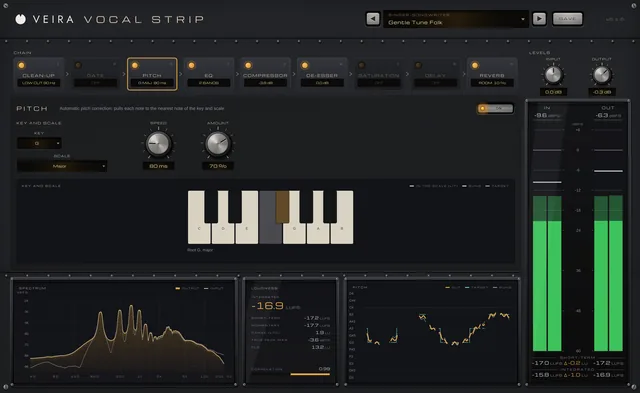
A whole vocal chain in one console: nine modules in any order, from clean-up and pitch correction to compression, de-essing, echo and reverb, each with its own display.

$149.99

VEIRA Vocal Rider

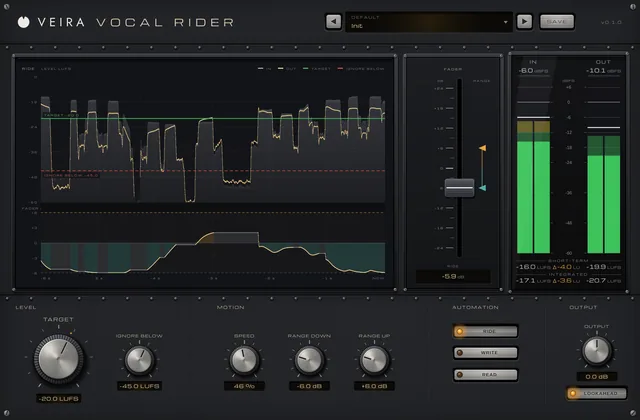
Rides a vocal’s fader for you, the way an engineer rides it through a song: set where the vocal should sit, and one console fader moves up and down to keep it there, within the limits you set.

$39.99

VEIRA Vocal Reverb

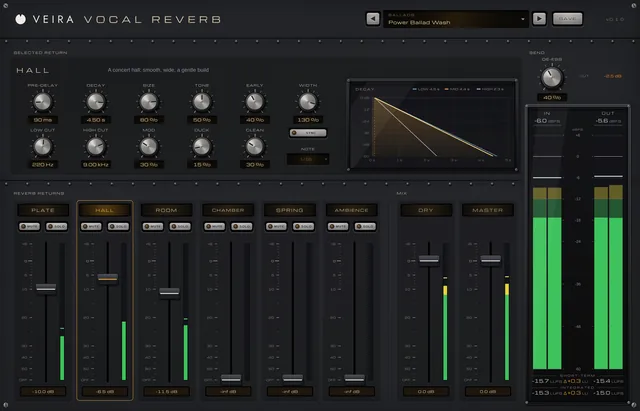
Six vocal reverbs on console faders: plate, hall, room, chamber, spring and ambience, each a complete reverb from VEIRA Space, with a de-esser on the send so the s sounds never splash into the tails.

$149.99