Delay on vocals: slapback, tempo-synced repeats and throws
Three ways to use delay on a vocal – slapback, tempo-synced repeats and throws – with the times, feedback and filtering that keep the words clear.
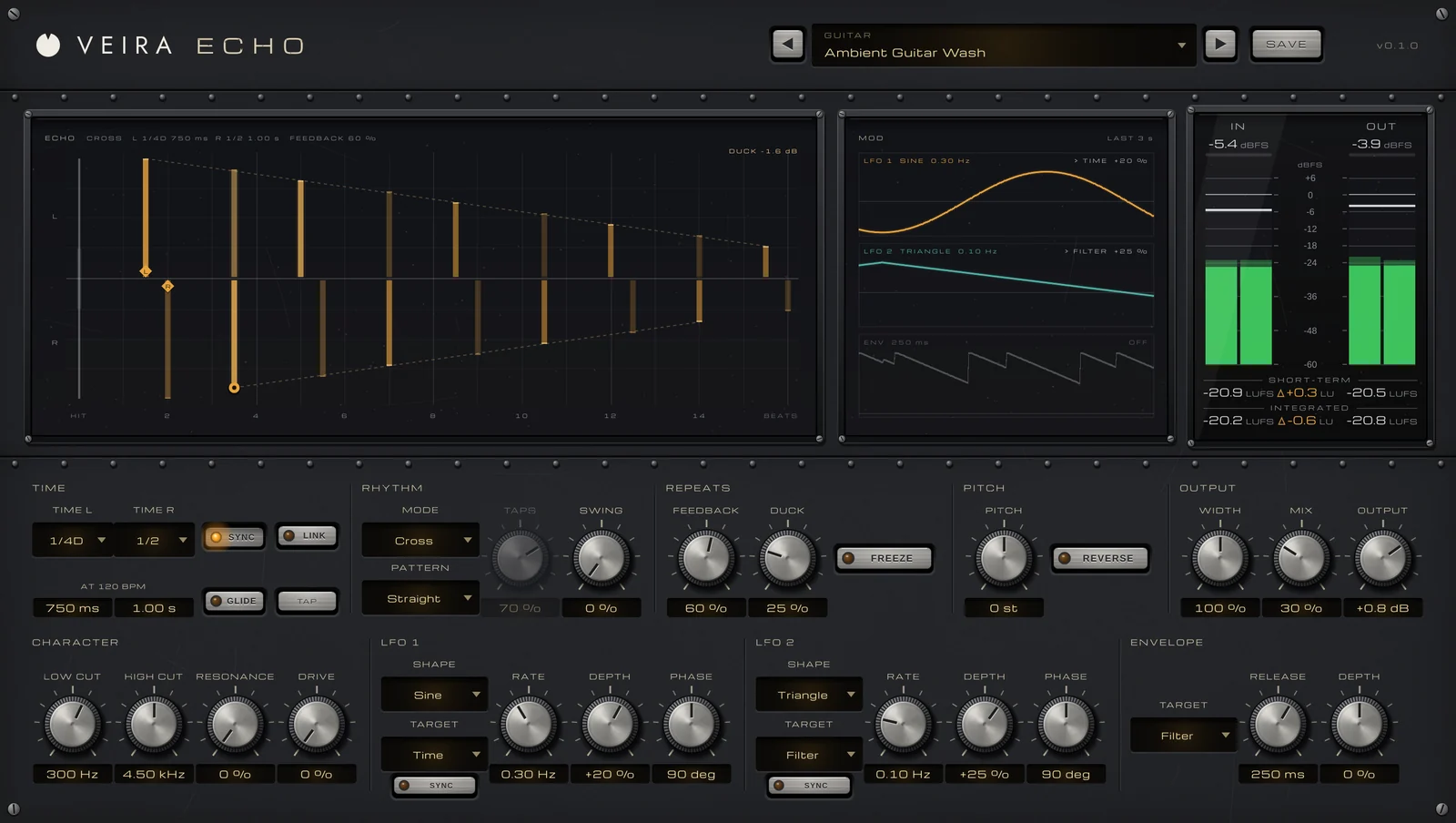
Delay can make a vocal sound bigger and closer at the same time, something reverb rarely does, because it adds space without pushing the voice back into a room. It can also bury the words under their own echoes. The difference comes down to a few choices: how the delay is routed, how long the repeats are, how many there are, and what they sound like compared with the dry voice.
Set it up on a send
Put the delay on an aux track, set it fully wet, and send the vocal to it. That way you can ride how much delay there is, treat the repeats on their own, and automate the send for single words. Filter the return: a high-pass somewhere around 200 to 500 Hz and a low-pass a few kHz down keep the repeats behind the dry voice instead of competing with it.
Slapback: one quick repeat
Slapback is a single repeat, commonly somewhere around 80 to 150 ms, with little or no feedback. It thickens a vocal and gives it a sense of space without any wash, which is why it suits up-tempo and vintage-leaning songs. Keep it well under the dry voice; you should miss it when it’s muted more than you notice it when it’s on.
Tempo-synced repeats
Repeats that land in time with the song blend into the groove; repeats that don’t can make the rhythm feel loose. To find a time by hand, divide 60,000 by the tempo: at 120 BPM a quarter note is 500 ms, an eighth 250 ms and a dotted eighth 375 ms. Modest feedback, often around 20 to 35 %, gives two to four audible repeats, which is plenty under a lead vocal. Bouncing the repeats between left and right keeps the center free for the dry voice.
- Quarter or eighth notes: steady repeats that sit under the groove.
- Dotted eighth: a rolling feel that fills the gaps between phrases.
- Different times left and right, such as a dotted quarter and a half note, for a wide echo that’s less obvious.
- Duck the delay under the dry vocal, so the repeats bloom in the gaps rather than over the words.
Throws: one word, a big echo
A throw is a delay you only hear on one word, usually the last of a line. Automate the send up for that word, give the delay more feedback, and let the repeats trail into the gap before the next line. Because it’s a moment rather than a constant, a throw can be louder and longer than an ordinary vocal delay. Darkening each repeat as it fades keeps it from clashing with what comes next.
Doing it with VEIRA ECHO
VEIRA Echo is a modern stereo delay with clean digital repeats that land exactly in time. Its ECHO display draws every repeat your settings make, the left side above the line and the right below, each one a bar as tall as its level and lit by what you’re playing. You drag the ◆ handle for TIME and the ● handle for FEEDBACK right there.
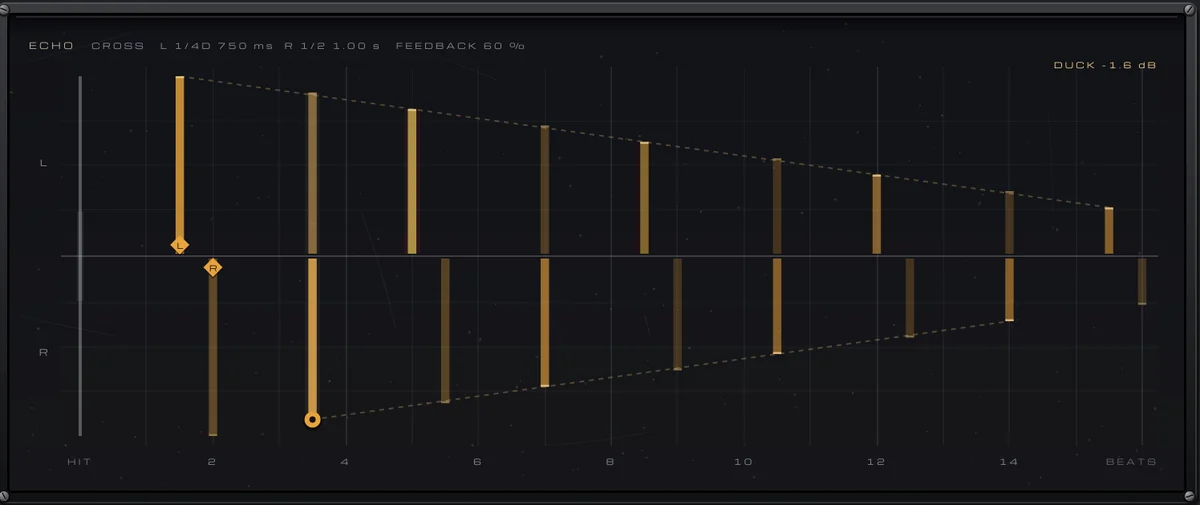
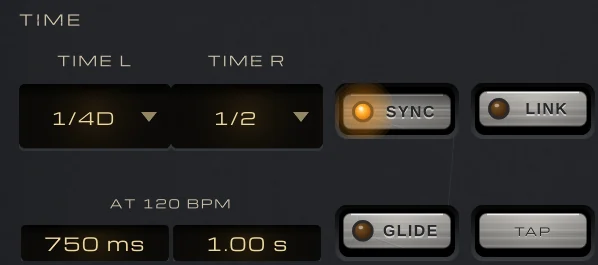
With SYNC on, TIME L and TIME R are note values from 1/64 to 1/1, with triplets and dotted; with it off, they run from 1 ms to 4 s, which covers slapback. LINK gives the right side the left’s time, and TAP sets it from your tapping. MODE is STEREO, PING-PONG or CROSS, and CROSS bounces the repeats while a stereo source keeps its image.
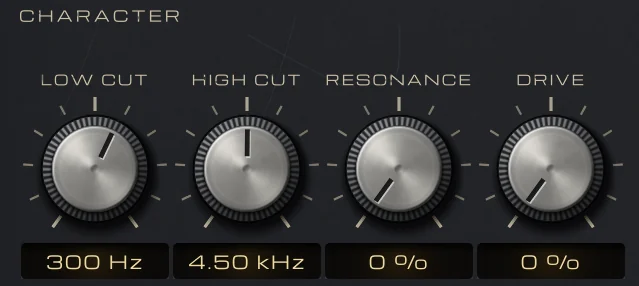
On an aux return, set MIX to 100 %; the Sends folder has nine presets set up that way. DUCK dips the repeats by up to 30 dB while the voice sings and lets them bloom in the gaps. LOW CUT, HIGH CUT and DRIVE sit inside the loop, so every repeat grows darker or thinner as it fades, which is just what a throw needs. FEEDBACK goes to 110 % for dub-style throws, held by a soft limit so the repeats never pass 0 dBFS, and FREEZE holds the repeats as they are.
There’s no latency, and at MIX 0 % the output is the input, bit for bit. The meter bridge shows IN and OUT peak, RMS and loudness, with OUT − IN in LU, so you can see what the repeats add.