Rhythmic filter movement: bringing a static loop or pad to life
How to choose filter shapes, range, resonance and glide for rhythmic movement, keep it in time with the song, and stop a moving filter from becoming a moving volume.
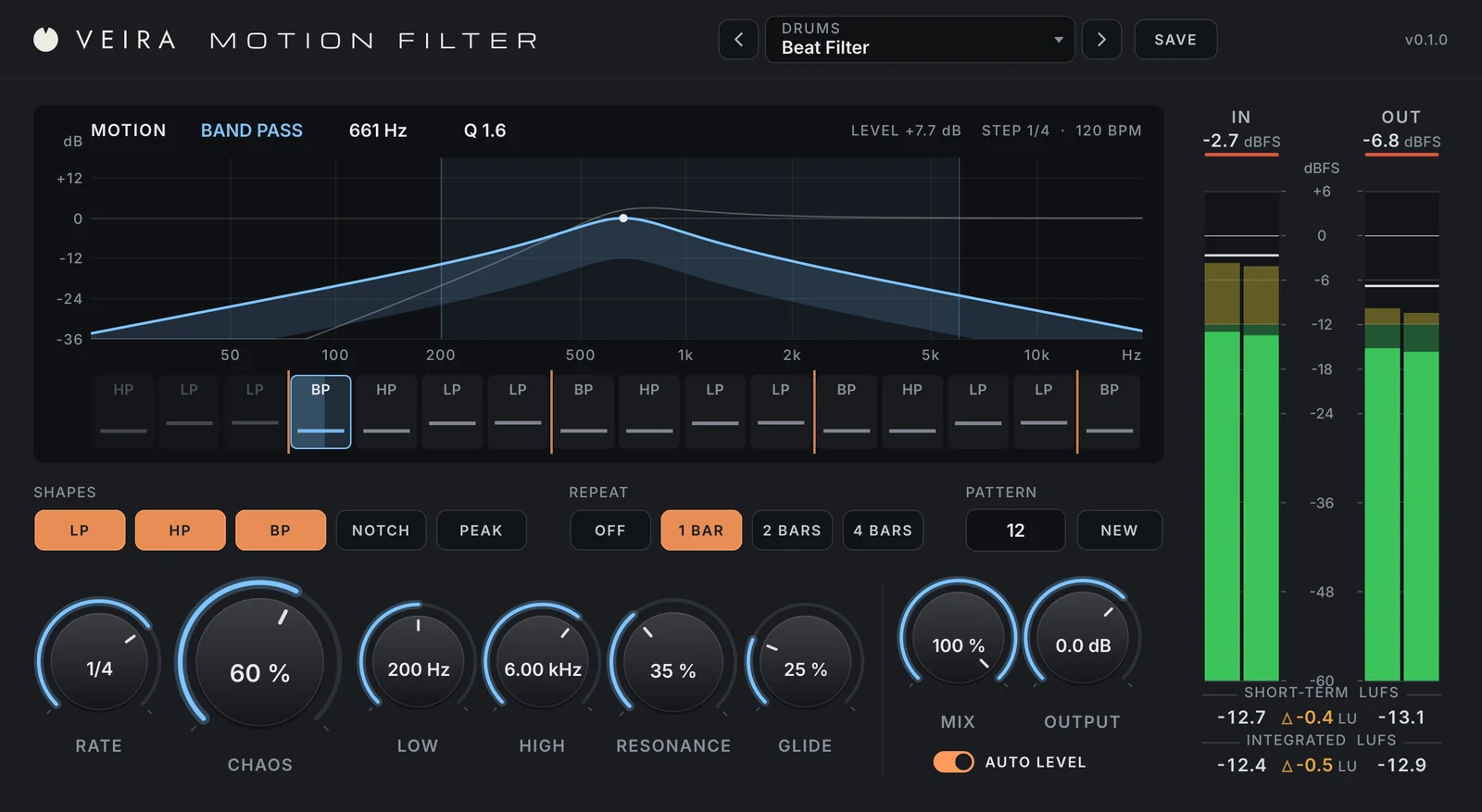
A loop that plays the same four bars for three minutes, or a pad that holds one chord under a whole verse, can start to feel like wallpaper. One of the oldest ways to wake it up is to move a filter in time with the music: the notes stay the same, but the tone keeps changing, and the ear hears a new rhythm on top of the part. Done well, it adds groove and interest; done carelessly, it sounds like someone riding the volume fader.
Choose the filter shape
Each filter shape moves the sound in a different way, and alternating between a few of them gives contrast from one step to the next.
- Low pass: darker and further away as it closes. The classic for pads and drum loops.
- High pass: thinner and lighter, useful for builds and for getting a part out of the bass’s way.
- Band pass: the telephone or wah sound, a narrow slice of the part.
- Notch: a hole in the spectrum, close to the sound of a phaser.
- Peak: a boost at one frequency, which can sound almost like a vowel.
Set the range and the resonance
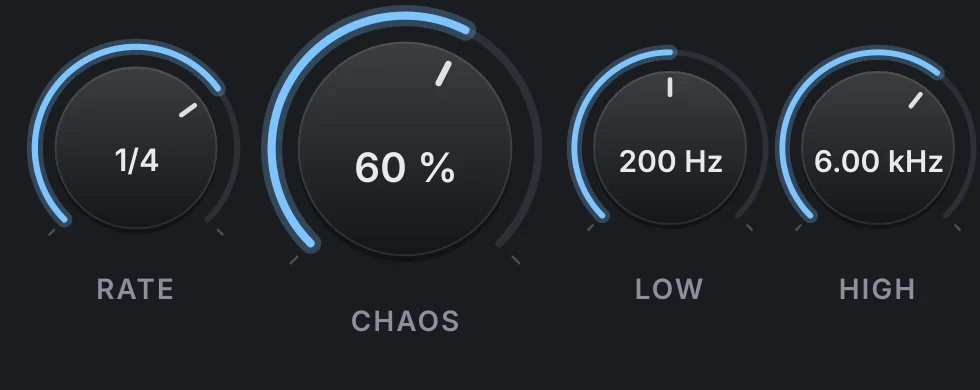
Decide where the filter is allowed to go before you decide how it moves. On a pad, a range from roughly 200 Hz to 5 or 6 kHz keeps the movement musical: let a low pass close much lower and the part vanishes, let it open all the way and nothing seems to happen. Resonance sharpens the filter at its cutoff, which makes the movement easier to hear but can whistle or jump out on loud notes, so add it a little at a time and listen at the level the mix will play.
Lock it to the tempo, then choose how it glides
Rhythmic filtering works when the changes fall on the grid. Quarter notes give a slow, breathing movement, eighths and sixteenths a busier one, and triplets or dotted values a swing against the beat. Then decide how the filter gets from one setting to the next. Jumping instantly gives a chopped, gated rhythm; sliding quickly and holding gives the classic stepped filter; sweeping slowly all the way gives continuous motion. A movement that repeats every one, two or four bars becomes a riff the ear can follow, while one that never repeats tends to sound busy.
Keep the loudness steady
A filter takes energy away, and a band pass can take a lot. Move one through a drum loop and the loud steps and quiet steps turn into a volume pattern rather than a tone pattern. Match the gain to each filter setting, or automate the level alongside it, and compare against the bypassed part at the same loudness.
Doing it with VEIRA Motion Filter
VEIRA Motion Filter gives every step of the song a filter of its own: one of the SHAPES you light (low pass, high pass, band pass, notch or peak), a cutoff between LOW and HIGH and a resonance up to what RESONANCE allows. RATE sets the step length, from a 32nd note to a whole bar, triplets and dotted values included. CHAOS sets how far the cutoffs wander across the range, and GLIDE how the filter moves: at 0 % it jumps, at 10 to 40 % it slides into each step and holds, and at 100 % it never stops sweeping.
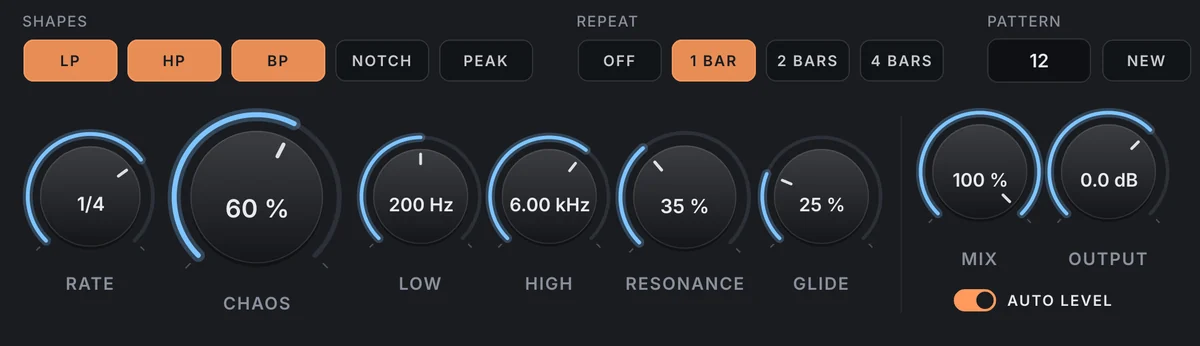
A pattern is a number from 1 to 999: press NEW until one grooves with the part, and it’s saved with your session and your presets. REPEAT loops it every 1, 2 or 4 bars, and each step is worked out from the song’s position, so every playback and every bounce sounds the same. The MOTION display shows the filter now and on the next step, with the pattern around it in the STEPS lane.

AUTO LEVEL gives every filter setting the gain that keeps your track as loud as it came in, and that gain moves with the filter, not with the signal, so it never pumps: the steps change the tone, not the level. MIX blends with the dry signal, and the plugin adds no latency.