Footsteps and foley for picture and games
How to make footsteps, doors, cloth and water for a film, a video or a game with VEIRA Foley: pick the surface and the shoe, match the steps to the picture, shape the sound, and drag the WAV in, or a batch of variations for a game.
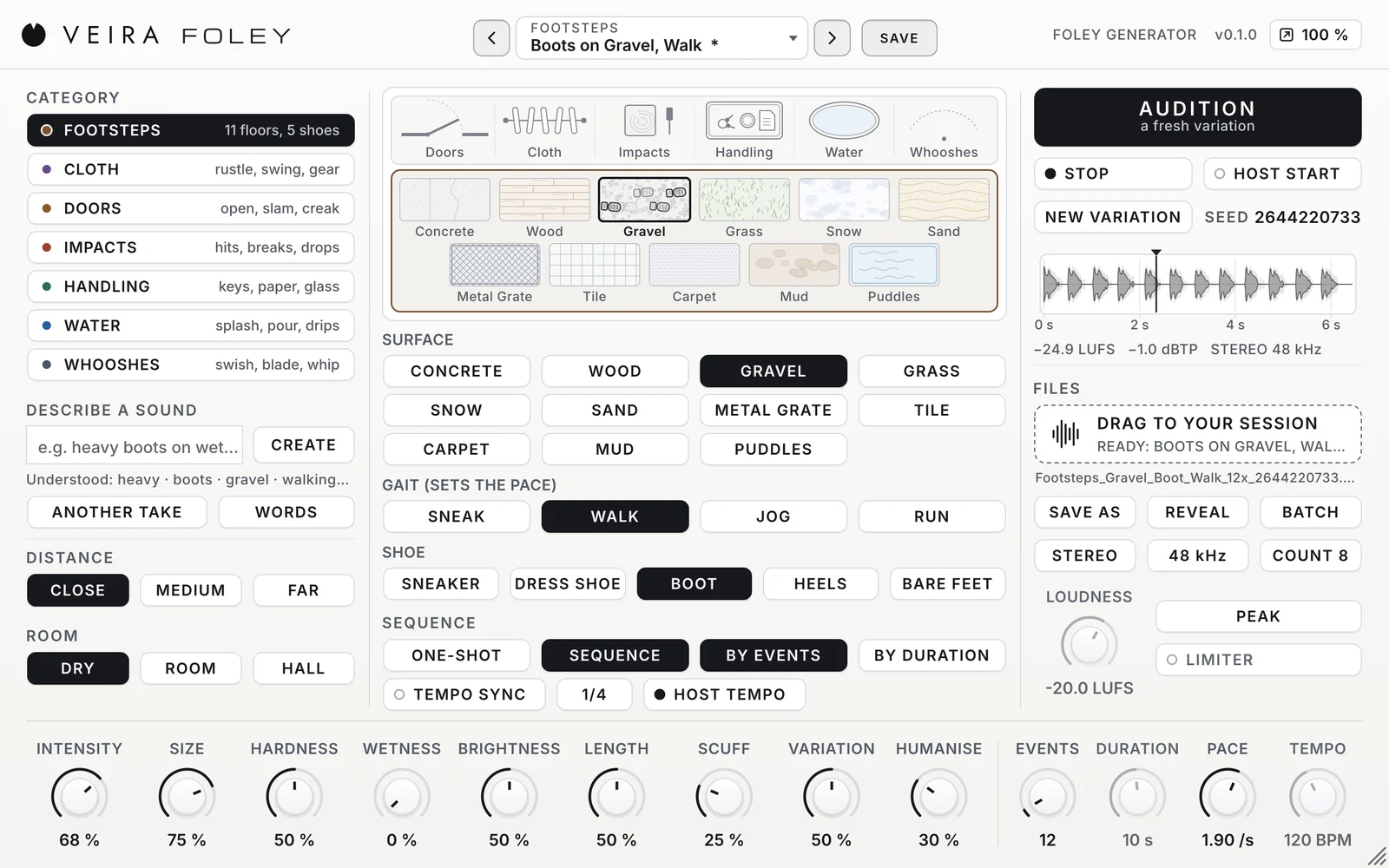
Most of the small sounds in a film or a game are added after the shoot: the footsteps, the rustle of a coat, the door, the glass put down on a table. On a foley stage an artist performs them in time with the picture. VEIRA Foley puts a small foley stage inside your DAW: you choose the sound, shape it and drag it in, and every sound is made by physical models inside the plugin, with no samples. This is how to use it for picture and for games.
Start with the surface and the shoe
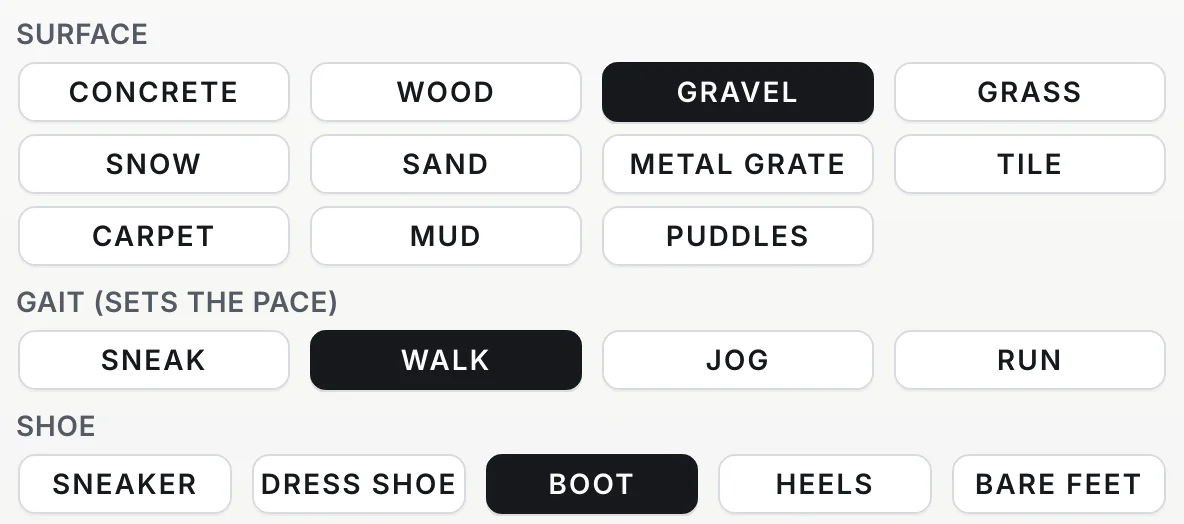
Footsteps are the backbone of foley. Click a surface in the footstep pit on the stage, or on the SURFACE keys: concrete, wood, gravel, grass, snow, sand, a metal grate, tile, carpet, mud or puddles. Then choose the SHOE (sneakers, dress shoes, boots, heels or bare feet) and the GAIT, from a careful sneak to a run. Every step is a heel strike, the weight rolling over, the ball of the foot and the toe pushing off, and the feet take turns.
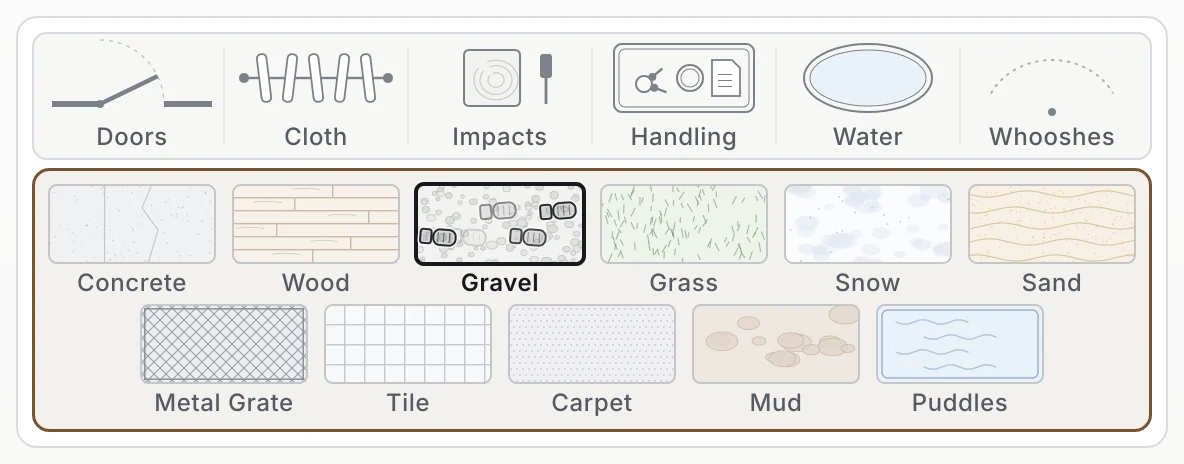
- Gravel, snow, grass and sand are where the models shine: dense grains that never repeat.
- Wooden floors creak now and then, at a different pitch each time; SCUFF sets how often.
- Mud sinks and pulls out with suction; puddles splash with each step.
- For a long walk in hard shoes on a hard floor, raise VARIATION to 70 % or more so the steps don’t sound alike.
Match the steps to the picture
Count the steps on screen and set SEQUENCE, BY EVENTS and EVENTS to that number. Watch two footfalls and set PACE to match (a walk is about 1.9 steps a second, a run 3.3). HUMANISE moves each step a little off the grid, the way a person walks. Every step has its own seed, so no two sound the same, and NEW VARIATION gives you a new take with the same settings. For a scene you’d rather perform, leave it on one step and play the steps on a MIDI keyboard: each note is a step, its velocity the force.
Doors, cloth, water and the rest
The same knobs shape every category. A door opens, closes, slams, creaks, latches, rattles or knocks: SCUFF sets the hinge’s creak, SIZE the door, HARDNESS the slam. Cloth rustles and swings under a scene’s dialogue; water pours into a glass with the pitch rising as it fills, drips at an uneven pace or splashes. Impacts hit, drop, break and scrape, and whooshes swing past. Keep the sound CLOSE and DRY and put it in the scene’s space with the reverb you use on the voices, so the foley and the dialogue sit in the same room.
Drag it in, or batch it for a game
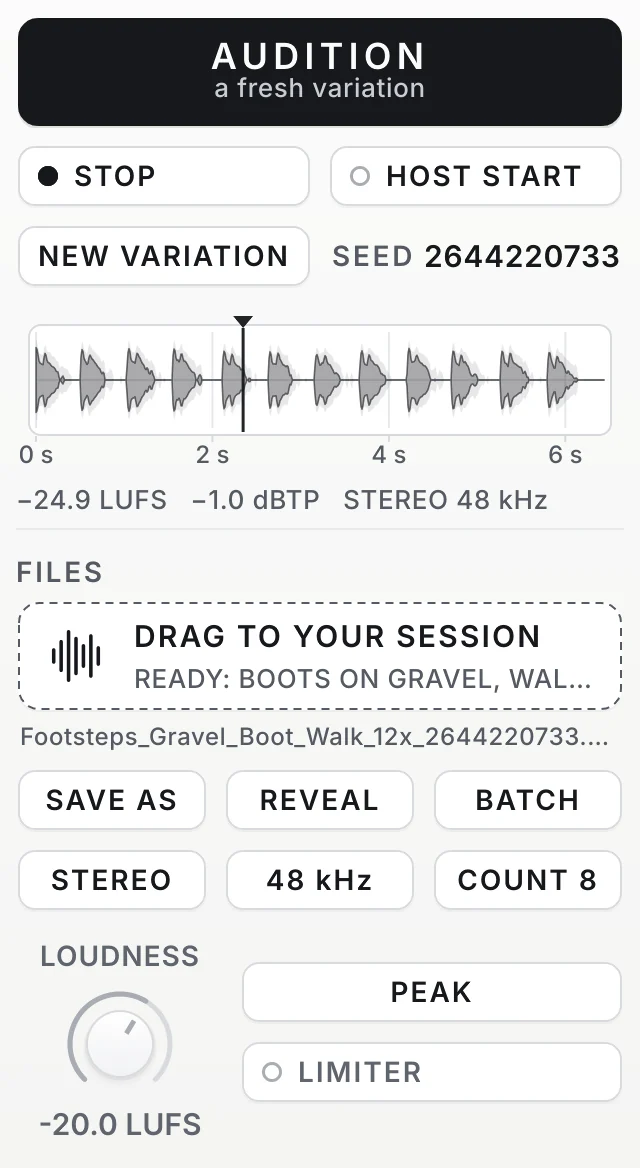
The sound renders in the background as soon as the settings are still, so the drag is instant: a 24-bit WAV at 48 kHz, the rate of video, its true peak at −1 dBTP, the way foley is usually delivered. Footsteps measure quiet in loudness because they are short and spiky; set their level in the mix, or choose LUFS with LIMITER for a loudness target. For a game, BATCH renders up to 50 variations of the same sound as separate files, ready for a random container, so every footstep plays a different take.
What to expect
VEIRA Foley makes sounds that fit your picture exactly, quickly, and the same settings always make the same file. It doesn’t replace a library of recorded foley: hard shoes on a hard floor can sound a little even, keys are bright and the whooshes are plainly synthetic, better for games and motion graphics than for realistic body movement. Read the page of VEIRA Foley for every control, or start from its presets: Boots on Gravel, Creaky Old House, Splashing Through Puddles, Creaking Door Open and Pour into Glass.