Music for picture: pick a style, lock the stems, drag it in
How to make music for a video, a trailer or a game with VEIRA Compose: start from a style or a few words, shape the energy, keep the parts you like with LOCK, and drag the mix, the stems or a seamless loop into your session.
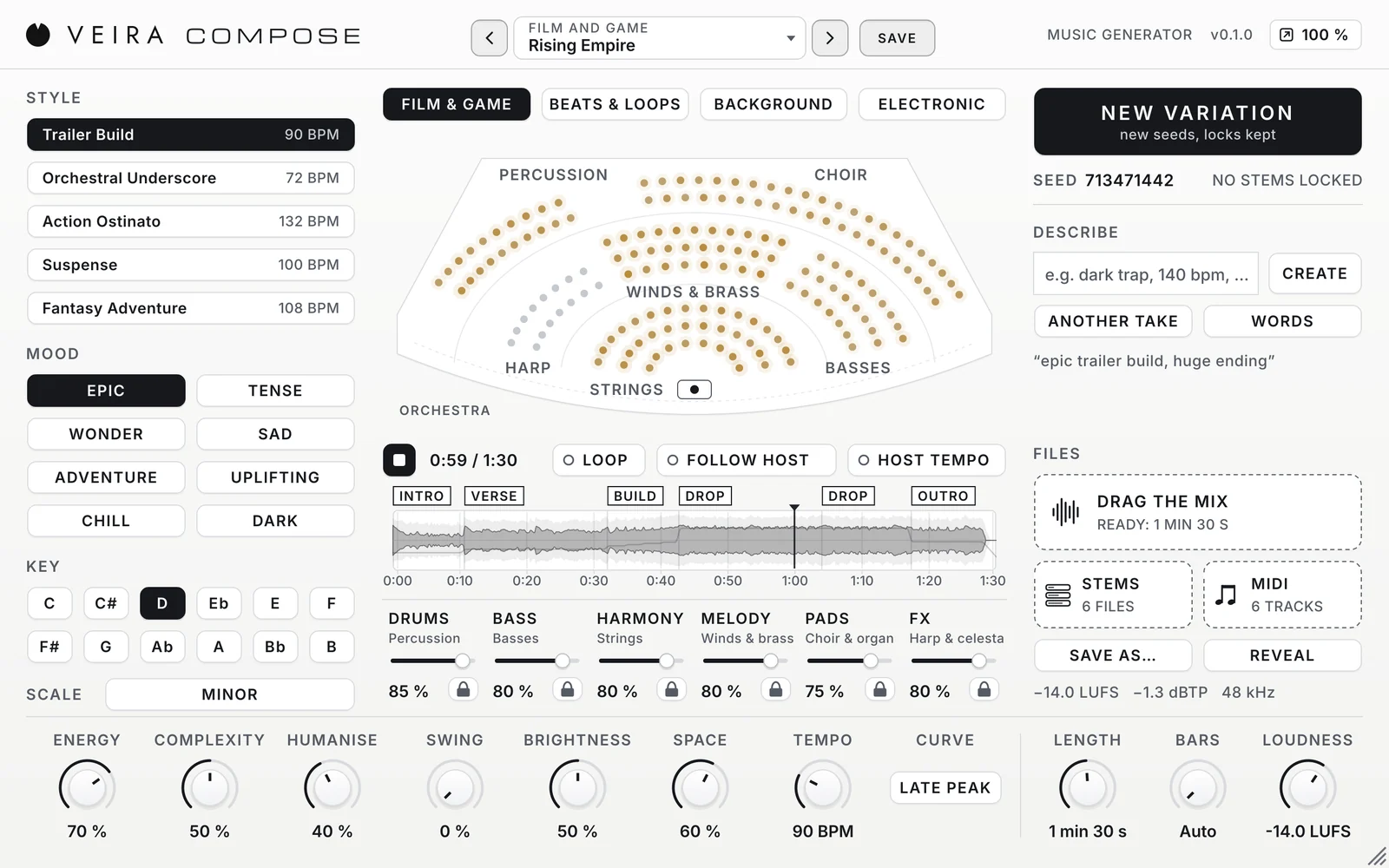
A video needs music that fits its length, its mood and the voice over it. Library tracks rarely end where the cut ends, and writing a cue from scratch takes a day. VEIRA Compose writes complete instrumental pieces in twenty styles, from trailer builds and underscore to beats, background tracks and electronic music, and hands you the mix, the stems and the MIDI to drag into your session. This is how to use it for picture.
Start from a style, or from words
Pick a family (Film and Game, Beats and Loops, Background or Electronic) and one of its five styles, or describe the music the way you would brief a composer and press CREATE: “epic trailer, D minor, 2 minutes”, “gentle acoustic, warm, no drums”, “dark trap, 140 bpm, 8 bar loop”. The words it knows set the style, the mood, the tempo, the key, the length and the stems, and the panel shows what it understood. It runs inside the plugin, offline, and the same words always give the same piece.
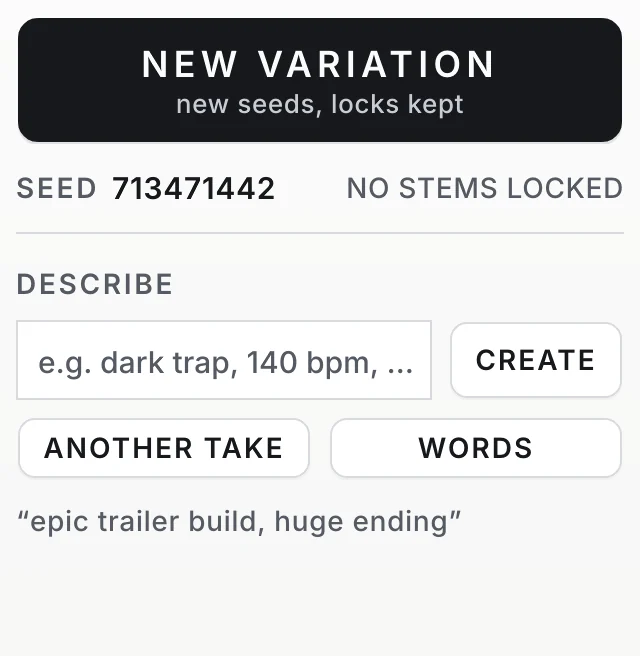
- Say what you don’t want: “no drums” or “no melody” turns that stem off.
- Use “very” and “slightly” for more or less of the next word.
- Press ANOTHER TAKE for a new piece from the same words.
- WORDS lists the words it knows.
Fit the shape to the cut
Set LENGTH to the length of the scene, from 15 seconds to 10 minutes; with LOOP off the file is exactly that long, with an intro, an ending and a short ring-out. Then choose where the music peaks with the CURVE: Late Peak for a trailer that explodes near the end, Build for a steady climb, Steady for a bed that never draws attention, Waves or Arc for something in between. ENERGY raises or lowers the whole curve.
Keep what works, change the rest
The music is split into six stems: drums, bass, harmony, melody, pads and FX. If you like the melody but not the drums, press LOCK under MELODY and then NEW VARIATION: every unlocked stem gets a new part, and the melody stays. The stage in the middle of the panel shows the stems as an orchestra or a modern ensemble, glowing as they play, so you can see what is happening.

Leave room for the voice
Under dialogue, lower MELODY, and FX if the hits crowd it, and lower LOUDNESS: the default −14 LUFS suits music on its own, and −20 LUFS or so sits better under a voice. Every file keeps its true peak under −1 dBTP. Drag STEMS instead of the mix and you can ride each part against the picture; the stems add up to the mix exactly.
Loops for games and menus
Turn LOOP on and set BARS to a whole phrase, 8, 16 or 32 bars: the piece becomes a seamless loop with no intro and no ending, and its end flows into its start without a click, in your DAW, a video editor or a game engine. MIDI gives you the notes too, a track per stem, if you want to play a part on your own instruments.
Every instrument in VEIRA Compose is synthesised, so its orchestra sounds like a hybrid, synthesised orchestra rather than a recording of one. Read the page of VEIRA Compose for every control, or start from its scenes: Rising Empire for a trailer, Quiet Grief for a tender scene, Bright Future for a presentation, Rainy Window for a lo-fi loop and Game Menu Loop for a game.