How to program a merengue güira
How to program a merengue güira with VEIRA Güira: the long stroke and the two flicks, the four styles of merengue, accents and a player’s hand, fills and breaks, your own figures, and a seamless loop to drag into your song.
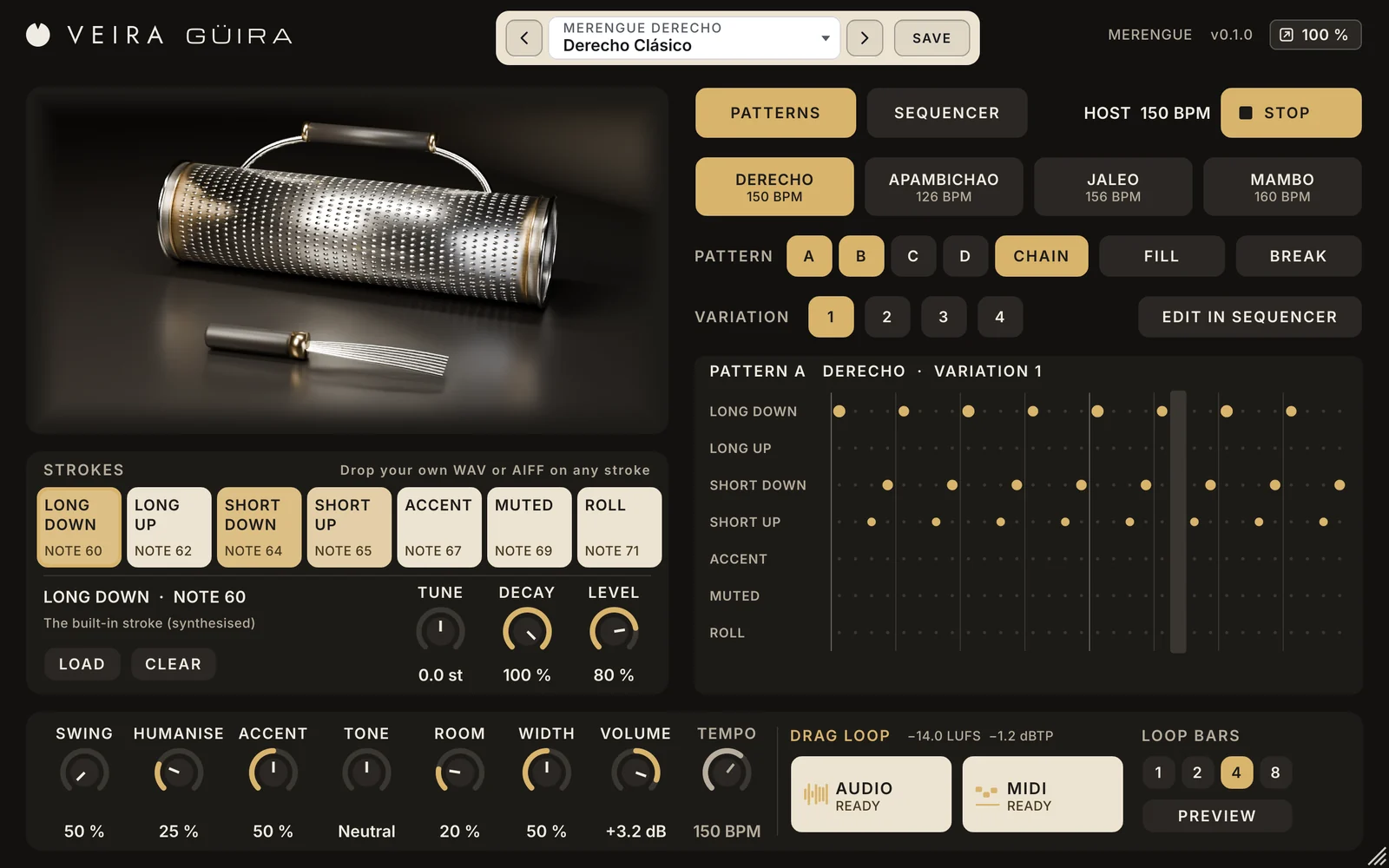
The güira is the steel scraper that drives merengue: a metal cylinder covered in raised dots, played with a scraper of fine tines. A programmed güira that sounds like a machine gives a merengue away at once, and one that sounds played carries the whole band. VEIRA Güira is that one instrument. This is how to program a merengue güira, from the basic stroke to a loop in your song.
The basic figure
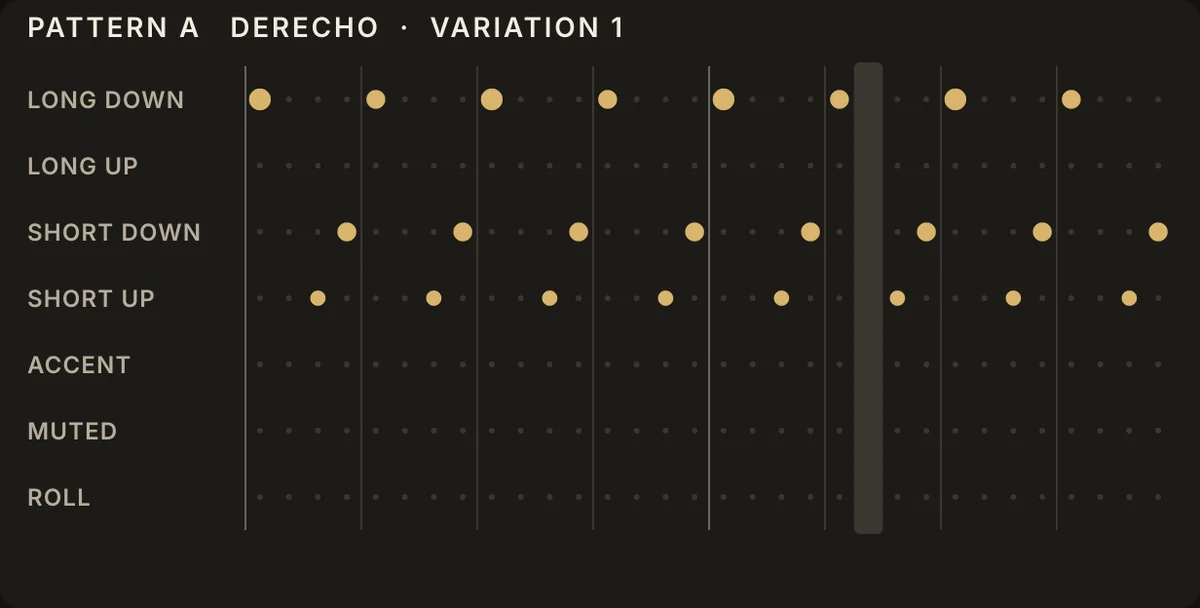
Merengue’s güira part is built on one gesture per beat. On the beat the scraper is dragged down the whole cylinder: a long “chaaa”. On the last two sixteenths of the beat come two quick flicks, one up and one down: “chi-ki”. Beats 1 and 3 lean a little harder than 2 and 4. Played at 130 to 160 BPM, that is the straight merengue, the derecho. In VEIRA Güira it is STYLE DERECHO, VARIATION 1, pattern A.
Long and short strokes
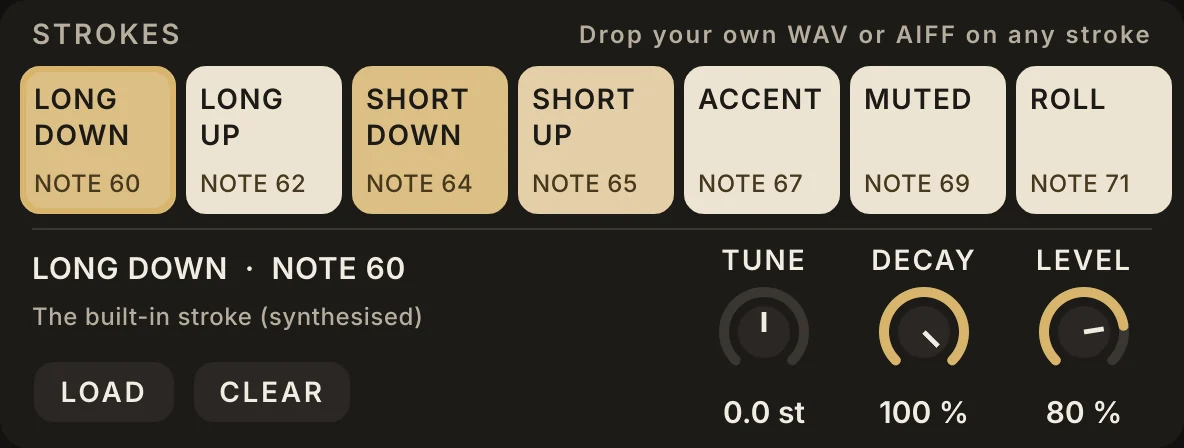
The figure only works if the long and short strokes really differ. A long stroke is a full scrape of about 0.3 s that slows as it goes; a short one is a flick of 55 to 65 ms. VEIRA Güira has both directions of each, plus the ACCENT, the scraper striking the body, a MUTED tap of the hand and a ROLL. Each is made by a model of the scraper’s steel tines clicking over the dots, in three velocity layers of four takes, so repeated strokes never sound copied. The sounds are synthesised, not recorded; if you have recordings of a real güira, drop them on the strokes and every pattern plays them.
The four styles
A merengue changes its güira part from section to section. Choose the STYLE to match:
- DERECHO: the straight merengue, around 150 BPM, for the verses.
- APAMBICHAO: slower and heavier, around 126 BPM, the second half of each beat pushed.
- JALEO: the call-and-response section, around 156 BPM, driving sixteenths with the beats accented.
- MAMBO: the hottest section, around 160 BPM, with accents on the offbeats, doubled strokes and rolls.
Each style has four VARIATIONS, and four patterns, A to D, that turn around at their ends. Chain A and B for a steady part, all four for a turnaround every few bars. Every change waits for the next bar line, so you can switch while the song plays.
Accents and a player’s hand
What makes a güira sound played is its dynamics and its timing. ACCENT sets how far the strong strokes stand out: 50 % is the figure as written, lower evens it out for a softer song, higher pushes the strong beats. HUMANISE plays each stroke up to 3.5 % of a beat late and a little softer or harder, differently on every pass, as a hand would, yet the same on every render. Merengue is played straight, so leave SWING at 50 %. Then place it in the mix: TONE to the left if it sounds too bright against the band, a little ROOM, and WIDTH to spread the strokes around the centre.
Fills and breaks
Sections in merengue are marked by the whole band, and the güira joins in. FILL turns the next bar into a push: the figure for two beats, then short strokes rising through a roll into the accent. BREAK stops the figure for a bar, with the accent on the downbeat, soft muted taps and a long up-stroke leading back in. Press FILL in the bar before each new section, or put an E0 in a MIDI clip; F0 is BREAK.
Your own figures
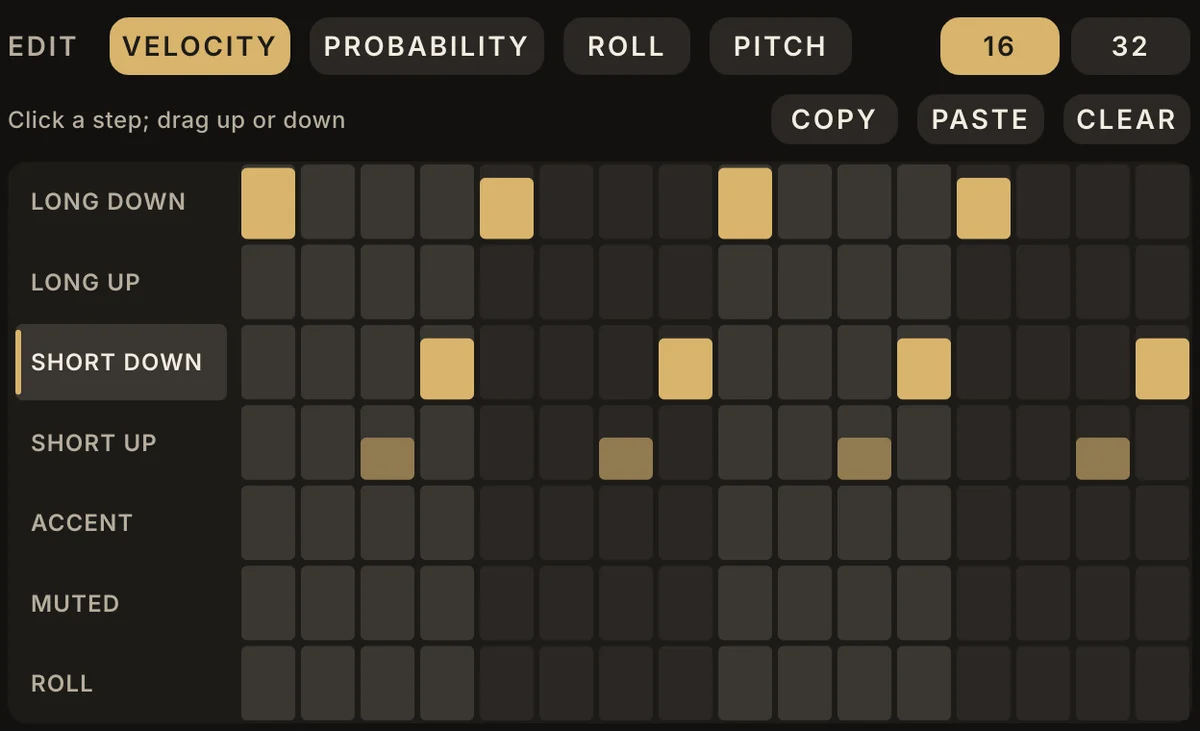
To write a part of your own, press EDIT IN SEQUENCER: the built-in patterns of the chosen style are copied into the step grid, one lane per stroke. Click steps on and off, then drag a step to set its velocity, a probability under 100 % for a muted tap that comes and goes, a roll of three or four strokes before the bar line, or its pitch.
Into your song
When the part is right, choose 4 or 8 bars under LOOP BARS (the last bar is the fill) and drag the AUDIO card into a track: the WAV is exactly those bars at your session’s tempo, seamless when looped, at −14 LUFS. Or drag MIDI and edit the part note by note on the plugin’s own track.
Load a preset to start: Derecho Clásico for the classic figure, Derecho Oscuro for a softer song, Pambiche de Salón for the heavier style, Jaleo Caliente or Mambo Final for the hot sections, and Grid Derecho to start from the grid. Read the page of VEIRA Güira for every control. For the drums under a Latin song, VEIRA Reggaeton and VEIRA Dembow.