Making a plugged-in acoustic guitar sound like a miked one
Why a pickup sounds quacky and thin, which EQ moves bring the body back, how much leveling and room to add, and how to compare the result fairly.
An acoustic guitar recorded straight from its pickup is convenient: no spill, no feedback, no fighting with a microphone in a small room. But it rarely sounds like the guitar. An under-saddle piezo hears the strings through the bridge, not the body through the air, so you get a nasal, plasticky honk, a thin bottom end, a harsh zing on the strings and no sense of space. The good news is that most of the difference is predictable, and a few careful moves get you much closer to a miked sound.
Hear what the pickup is missing
Before you reach for an EQ, put the DI next to a miked acoustic you like, or a reference track, and listen at the same level. Usually the pickup has less warmth from the body, too much in the low mids that makes it boxy, a peaky upper midrange that sounds like a duck call, and a top end that is either dull or spiky rather than airy. Name what you hear before you fix it: it keeps you from boosting and cutting at random.
Shape the pickup with EQ
These ranges are common starting points, not rules. Every guitar and every pickup is different, so sweep slowly and stop where the problem is worst.
- Body: a gentle lift somewhere around 100 to 200 Hz brings back some of the resonance a microphone would hear from the soundhole.
- Boxiness: a small, fairly wide cut around 250 to 400 Hz clears the cardboard tone that piles up in a mix.
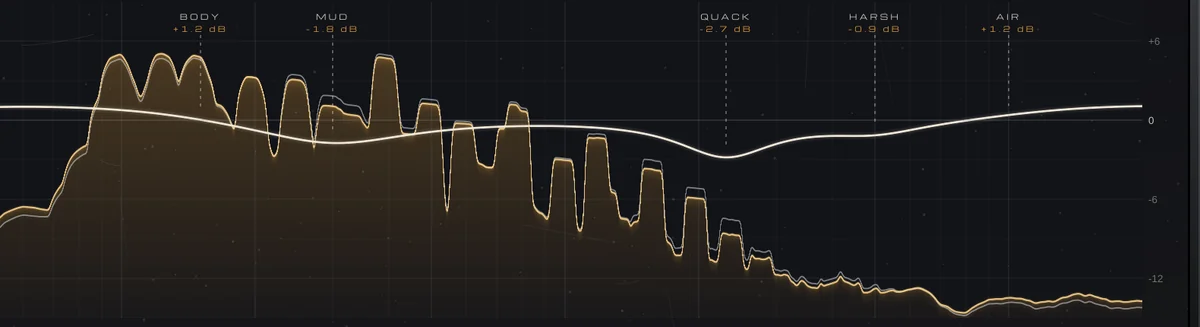
- Quack: the piezo honk usually sits around 2 to 3 kHz, and a narrow cut of a few decibels there does more than any other single move.
- Zing: if the strings sound brittle, soften the region a little above the quack rather than cutting the whole top.
- Air: a soft high shelf from about 8 to 10 kHz adds openness, as long as the pickup has something up there to lift.
Even out the playing, gently
A pickup is less forgiving than a microphone: hard strums jump out and quiet picking disappears. A gentle, low-ratio compressor taking a few decibels off the loudest strums is usually enough. Let the attack be fast enough to catch the strum but not so fast that it flattens the pick’s transient, and let the release recover before the next chord. If you can hear the compressor breathing, back it off.
Give it a room, then compare at the same level
A miked guitar always carries a little of the room it was recorded in, and a DI carries none. A short, small-room reverb blended low does more for realism than a long, lush hall; a chamber suits a warmer, rounder track and a plate a brighter part. Then check your work at matched loudness. EQ, compression and reverb all change the level, and a louder version will fool you into thinking it’s better, so match the output to the input before you switch back and forth.
Doing it with VEIRA Guitar DI Enhancer
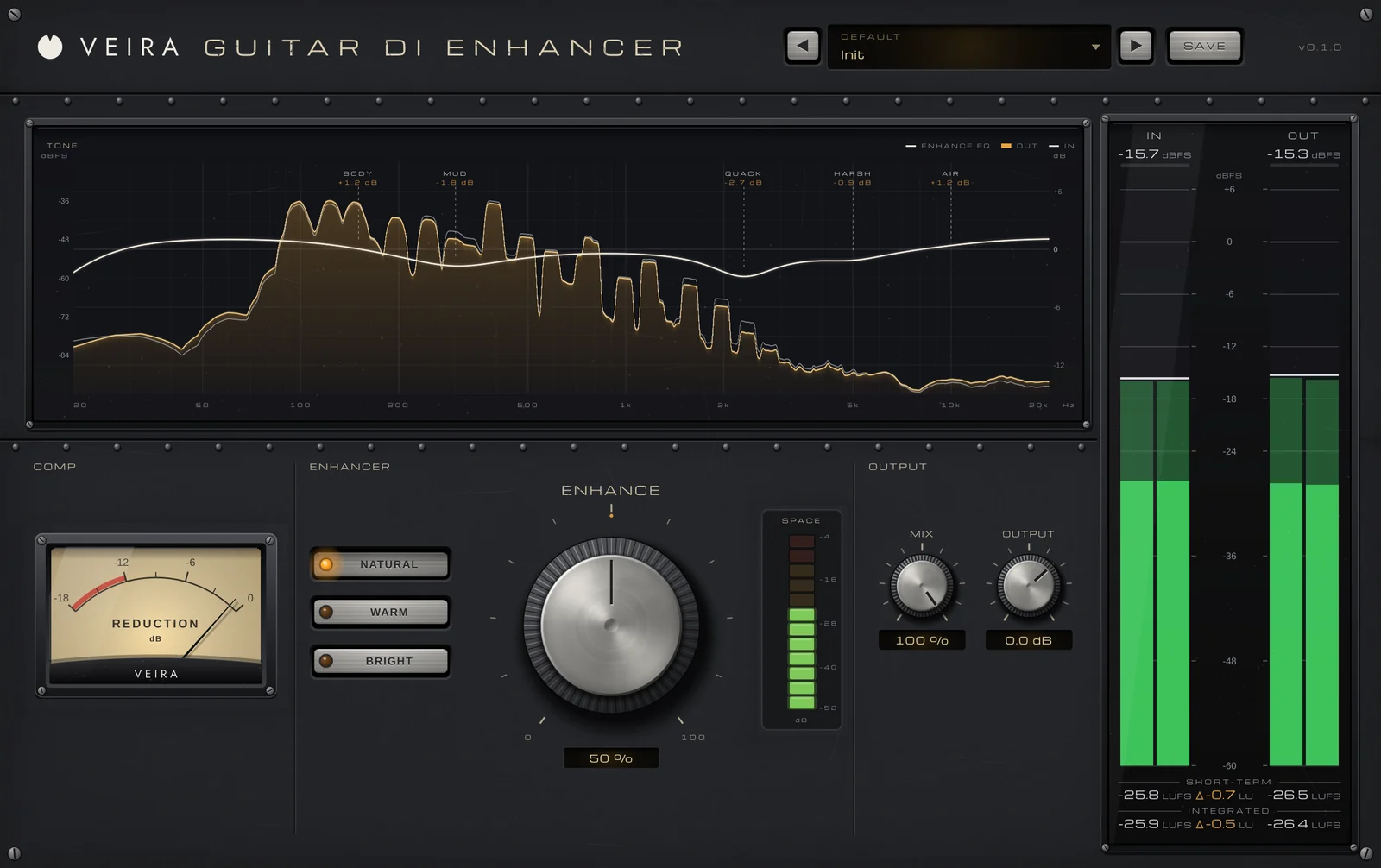
VEIRA Guitar DI Enhancer does all of this on one knob. Put it on an acoustic recorded direct, from an under-saddle piezo, a soundhole pickup or an acoustic preamp’s DI out, and turn the ENHANCE knob: an EQ brings the body back around 130 to 160 Hz, takes the boxiness out around 300 Hz and the quack out around 2 to 2.5 kHz, softens the string zing and adds air from 9 kHz, while a gentle compressor evens the playing and a reverb puts the guitar in a room. All three move together, in proportion. At 0 % it does nothing at all; 40 to 65 % is a typical setting.
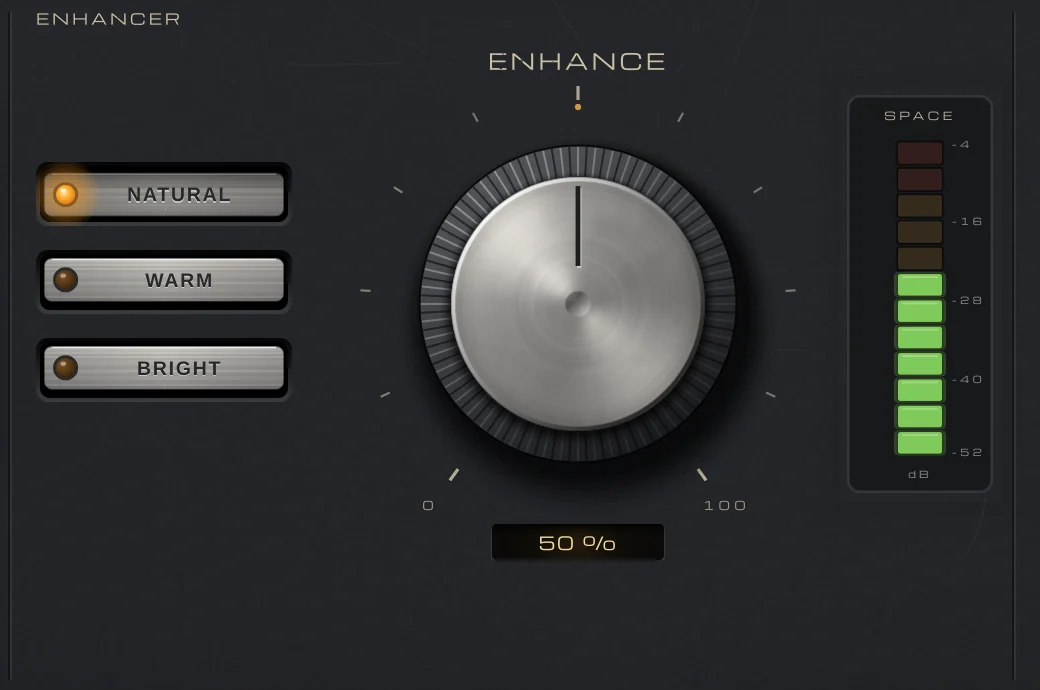
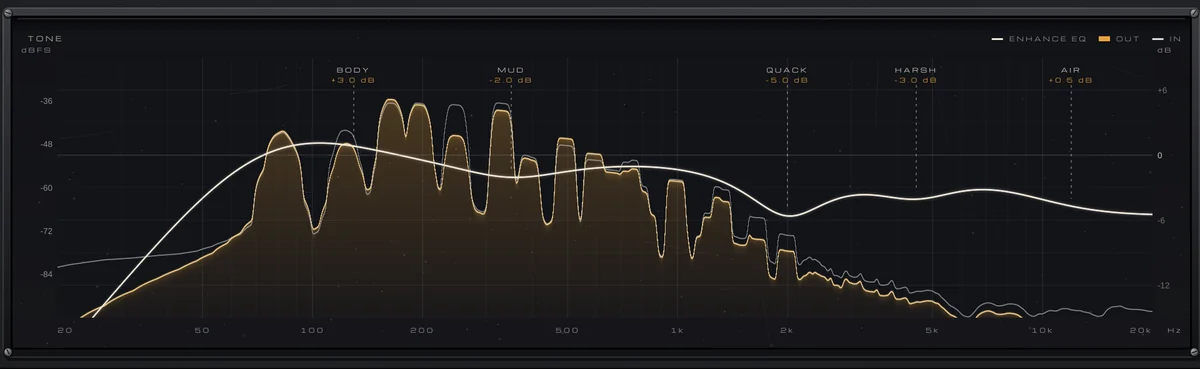
STYLE picks the path: NATURAL is the guitar in its room, WARM is rounder in an echo chamber, and BRIGHT adds sparkle on a plate. The TONE display draws the EQ over your guitar’s spectrum with the five moves named, BODY, MUD, QUACK, HARSH and AIR, so you can watch the output drop under the input between 2 and 3 kHz as the honk goes. The COMP needle shows the leveling, and the SPACE meter how much room is in the sound.
AUTO GAIN is always on: from 25 to 100 %, on all three styles, the output stays within 1.2 dB of the input’s loudness, so you judge the tone, not the volume. MIX blends the result with the dry pickup, and because the plugin adds no latency, you can play through it while recording and on stage.